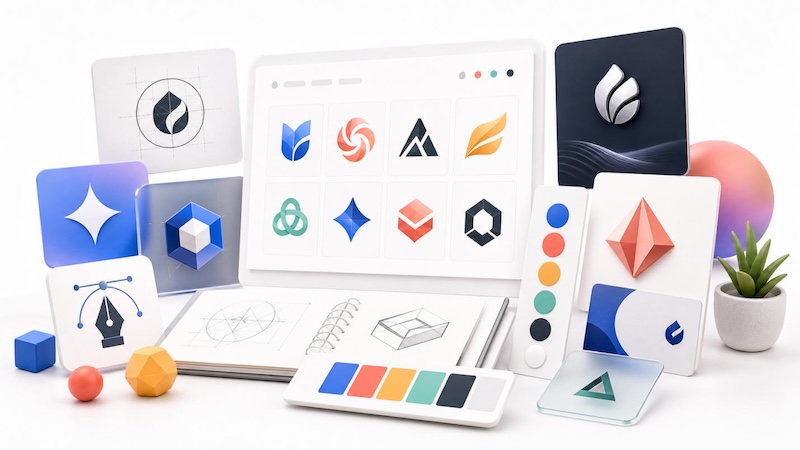
Starting a new business or launching a side hustle? Your brand identity matters, and it starts with a strong logo. Not everyone has the time or budget for a professional designer straight away. Fortunately, AI logo generators make it possible to create unique, high-quality logos in just a few minutes — without any graphic design experience.
These tools use artificial intelligence to generate logos based on your business, name, industry, color preferences, and design style. In this guide, we’ve rounded up the five best free AI logo generators 2026. We’ll compare their key features, benefits, and limitations, helping you choose the right tool.
Part 1: Best 5 Free AI Logo Generators in 2026
Looking for the best free AI logo generator 2026? Look no further! Below, we have mentioned the top 5 AI logo generators available, allowing users to create high-quality logos without editing experience or professional-help.
1. HitPaw Edimakor
Hundreds of image generators are available on the internet, but few offer the flexibility and ease of use found in HitPaw Edimakor. While it is primarily known as an AI-powered video and image editing tool, it also includes a powerful text-to-image feature that allows users to generate unique and professional-looking logos from simple text prompts. The best part of this tool is that it offers multiple AI models, each with unique features and capabilities, such as Nano Banana, Nano Banana Pro, Midjourney, Flux, Stable Diffusion, Seedream, and Imagen 4. In addition to AI image generation, the platform offers built-in editing tools that let you customize your logo by adjusting colors, adding text, changing backgrounds, or enhancing image quality.
Key Features of HitPaw Edimakor
- Text-to-Image: HitPaw Edimakor enables users to create high-quality logos with simple text prompts. Simply, enter the logo prompt, choose the AI model, and click on the “Generate” button. Your logo will be ready within seconds.
- Multiple AI Models: The best part of this tool is that it supports a wide range of AI models, such as Nano Banana, Nano Banana Pro, Flux, Midjourney, Stable Diffusion, Imagen 4, and more.
- Edit AI Image: HitPaw Edimakor offers advanced customization features, allowing users to edit images according to their requirements. Users can adjust the aspect ratio, rotate the image, enhance image quality, and add filters.
- Compatibility: This tool works seamlessly with multiple devices, including Windows and macOS. Also support all the Windows versions, such as Vista, XP, 7, 8, 8.1, 10, and 11.
- Intuitive Interface: It offers an easy-to-use interface, allowing users to create high-quality logos with simple text prompts — no editing experience or professional-help required.


How to Create an AI Logo With HitPaw Edimakor?
HitPaw Edimakor offers an intuitive interface, allowing users to create engaging logos with a simple text prompt. Here is how to do it:
Step 1: Launch HitPaw Edimakor
Download and install the latest version of HitPaw Edimakor on your PC. Launch it and select the “Toolbox” option from the left panel. Next, select the “Text-to-Image.”

Step 2: Choose The AI Model
Click on the “Model” and choose the preferred AI model. The program offers multiple AI models, such as Nano Banana, Nano Banana Pro, Stable Diffusion, Flux, Imagen 4, Midjourney, and Seedream.
Step 3: Enter Logo Description
Enter the logo description in the prompt box. Include your brand name, industry, preferred color, design style, and any other element you want AI to include.
Step 4: Preview and Download
Now, choose the image settings, such as aspect ratio, resolution, and output number. Finally, click on the “Generate” button to begin the logo creation process. Preview the final results and hit the “Download” button.
2. Canva Logo Maker
Canva is a browser-based design platform that brings together templates, editing tools, and creative assets into a single interface. With its Text-to-Image feature, you can easily design AI logos with a simple text prompt. After generating the design, you can use Canva’s built-in editor to customize fonts, icons, colors, and backgrounds, making it easy to create a logo that matches your brand identity. Canva is suitable for beginners, entrepreneurs, freelancers, and small businesses who want to design professional-looking logos without advanced graphic design skills.
Pros
- Offers a massive library of ready-made templates, including logos.
- Web-based tool, meaning no software downloading or installation required.
- Support multiple image styles such as cyberpunk, 3D, anime, and cartoon.
- Enables users to download images in multiple formats, such as JPG, PNG, and JPEG.
Cons
- Free version of the Canva logo maker offers limited features.
- Requires a stable and active internet connection.
3. Looka
The next free AI logo generator 2026 on our list is Looka. It is an AI business logo generator that enables small companies and freelancers to generate high-quality logos with simple text prompts. It launched in 2016 as Logojoy, rebranded to Looka in 2019, and has served over 20 million small business owners since. Beyond logo creation, Looka also offers a complete branding toolkit, allowing users to generate matching business cards, social media kits, email signatures, and more.
Pros
- Popular AI logo generator served 20 million small businesses.
- Offers advanced customization features, such as changing logo style, fonts, and more.
- Enables users to download logos in high-quality and without watermarks.
- Useful for businesses planning long-term use.
Cons
- Less flexible for creative experimentation.
- Interface can be overwhelming for non-tech and beginner users.
4. Fotor AI Logo Generator
Fotor AI is an online platform that combines traditional photo editing tools with AI-powered image generation features. With its image generation capabilities, you can easily design custom logos with simple text prompts. The program support wide range of image styles, including 3D, realistic, anime, and more. Whether you’re designing a logo for a business, gaming team, YouTube channel, eCommerce store, or personal brand, Fotor can generate unique and eye-catching results.
Pros
- Support a wide range of image styles, such as 3D, anime, cartoon, realistic, and more.
- Enables users to download images in PNG and JPEG formats.
- Users can add or remove elements, adjust text, and enhance image quality.
- Image-to-Image features enable users to transform existing images.
Cons
- Export quality is limited.
- Not ideal for business logo creation.
5. LogoAI
The final AI logo generator on our list is LogoAI. It is a premium tool that focuses on creating clean and modern logos. Instead of relying on generic templates, LogoAI uses AI to analyze your business name, industry, and design preferences to generate customized logo concepts that align with your brand identity. Once the AI logo is generated, you can use the built-in editor to customize it.
Pros
- Text-to-Image feature enables users to create high-quality logos with prompts only.
- Ideal for creating professional logos for businesses of all sizes.
- Provides a complete branding suite, including business cards, presentation templates, etc.
- Intuitive interface, best for beginners.
Cons
- No free version available.
- Paid subscription is expensive for freelancers.
Final Thoughts
This guide provides you with the top 5 free AI logo generators 2026. Each tool that we mentioned above enables users to create professional-looking logos with a simple text prompt. However, the best among them is HitPaw Edimakor. Its image generator and built-in editing tools set it apart from other logo generators.
Leave a Comment
Create your review for HitPaw articles