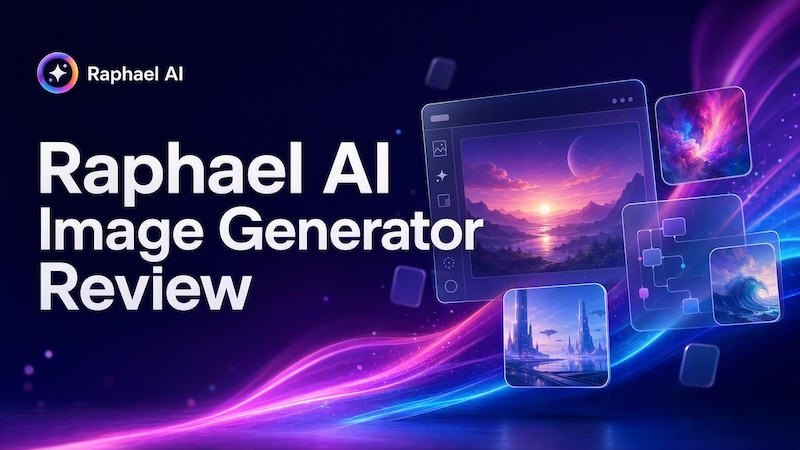
Raphael AI Image Generator has gained attention as a free AI image generator that lets users create images from text prompts and reference images. But how well does it actually perform, and is its “free unlimited” claim as straightforward as it sounds? In this Raphael AI Image Generator review, we’ll explore its features, how it works, pricing, image quality, and real-world test results. We’ll also cover its pros and cons, who it’s best suited for, and compare it with Edimakor AI as an alternative.
Part 1. What Is Raphael AI Image Generator?
Raphael AI Image Generator is a web-based AI image generation platform designed to turn text prompts and reference images into visual content. It supports different image-generation models and workflows, making it possible to create everything from photorealistic portraits and product visuals to stylized artwork without installing desktop software. Its free basic generation is one of its main attractions, although features, generation speed, watermarks, and model access can vary depending on the plan or mode you use.

1 Raphael AI at a Glance
| Feature | Details |
|---|---|
| Main purpose | AI image generation |
| Generation modes | Text-to-image, image-to-image |
| AI models | Multiple models |
| Platform | Web-based |
| Free access | Yes |
| Basic generation | Free and unlimited |
| Paid options | Pro, Ultimate, and Max |
2 How Does Raphael AI Work?
Raphael AI generally follows a simple workflow: enter a text prompt or upload a reference image, choose the available generation settings, and let the selected AI model create the result. For text-to-image generation, your prompt describes the subject, style, composition, lighting, and other visual details. With image-to-image generation, a reference image can guide the subject, composition, or visual style. This makes Raphael AI useful for both creating images from scratch and transforming existing visual ideas.
Raphael AI Image Generator Features
Raphael AI combines several AI image-generation and editing workflows in one browser-based platform. Instead of relying on a single image model, it lets users switch between different models depending on the type of image they want to create. Its main image workflows include text-to-image, image-to-image, reference-based generation, and AI photo editing. The platform also supports common aspect ratios, multiple output options, and different quality settings, although the exact options available can depend on the selected model and plan.
Text-to-Image Generation
Raphael AI's text-to-image generator turns written prompts into images without requiring advanced design skills. Users can describe the subject, scene, style, lighting, mood, and other visual details, then select an available AI model and generate the result. The current interface supports reference images as optional inputs, aspect-ratio selection, output quantity, and model-specific quality options.
One of Raphael AI's main advantages is model choice. Its current image-generation interface lists models including GPT Image 2.5, GPT Image 2, Nano Banana 2 Lite, Nano Banana 2, Nano Banana Pro, Seedream 5.0 Pro, Seedream 5.0 Lite, Seedream 4.5, Seedream 4.0, and Seedream 3.5 Pro. Different models are positioned for different use cases, such as image text, reference-based editing, photorealistic lighting, or consistent portraits.
This makes Raphael useful when you want to experiment with several image models without opening multiple websites. For example, you can use one model for a photorealistic portrait and switch to another when you need stronger reference-image or text-rendering capabilities.
Image-to-Image Generation
Raphael AI also supports image-to-image generation, allowing users to upload a reference image and use a prompt to control how the final image should change. The platform currently supports reference generation, style redraw, subject retention, and multi-image reference workflows. Up to three reference images can be uploaded in the current interface, although the exact number and capabilities can vary by model.
This workflow is useful when you do not want to start from a blank canvas. For example, you can provide a product photo and ask Raphael AI to change the background, lighting, material, or overall visual style while keeping the main product recognizable. You can also combine references for elements such as a subject, outfit, product, background, or style when the selected model supports multi-reference input.
However, reference preservation is not guaranteed to be pixel-perfect. Raphael itself notes that the model may preserve the subject, pose, composition, colors, or style depending on the prompt and references. For important details, clear reference images and explicit instructions about what should remain unchanged can help reduce unwanted changes.
Multiple AI Image Models
The multi-model approach is one of Raphael AI's defining features. Its current image-generation interface brings several models into one panel, including models from the GPT Image, Nano Banana, and Seedream families. Rather than treating one model as the solution for every prompt, Raphael lets users choose between models with different strengths.
For example, Raphael currently describes GPT Image as suitable for precise prompts, clean text, and product shots, while other models are highlighted for multi-reference editing, cinematic realism, or portrait and brand consistency. These descriptions are model-specific rather than a guarantee that every generation will produce the same result.
For users who frequently compare AI image models, this setup can be more convenient than maintaining several separate subscriptions or websites. However, access to specific advanced models is not necessarily unlimited on every plan. Some models require credits or a paid subscription, which is important when evaluating Raphael's “free unlimited” positioning.
Image Editing and Enhancement
Beyond generating new images, Raphael AI includes an AI photo editor that lets users edit an uploaded image through natural-language instructions. You can describe changes such as replacing a background, adjusting lighting, changing an object's color, converting an image to another style, or transforming the apparent age of a person.
The editor supports JPG and PNG uploads up to 20 MB and offers editing workflows such as background replacement, lighting adjustment, style conversion, and color changes. Raphael also provides multiple artistic styles, including realistic, anime, abstract, oil-painting, and freehand styles.
One important difference from basic free image generation is that AI image editing uses a credit-based system. The number of credits required depends on the selected quality mode, and paid users receive queue priority. Anonymous edits are not stored, while signed-in users can keep uploaded images and edited results in their generation history for 30 days.
Raphael AI Pricing: Is It Really Free and Unlimited?
Raphael AI does offer free basic image generation, but “free and unlimited” should not be interpreted as unlimited access to every model, feature, or generation mode. The current site describes unlimited basic generation, while advanced models and faster generation can use credits or require a paid plan. Free outputs also include a watermark.
Raphael AI Free Plan
Raphael AI offers a limited free option for users who want to try its image generation features without paying upfront. The free access differs depending on whether you are logged in.
When you are not logged in, Raphael currently allows users to generate images with Seedream 3.5 Pro up to 2 times for free. These free generations do not require credits and are generated without a watermark.
After logging in, users receive 10 free credits. These credits can be used with any Raphael AI model that falls within the available credit cost, allowing users to test different models and image-generation workflows.
However, the free access is limited by the number of available credits. Once the 10 free credits are used, users may need to purchase additional credits or upgrade their plan to continue generating with credit-based models.
This makes Raphael AI's free access useful for testing different models, experimenting with prompts, and creating a few sample images. However, users who need frequent generation or access to more advanced models may need a paid plan or additional credits.
Raphael AI Paid Plans
Raphael currently lists three paid plans: Pro, Ultimate, and Max. The pricing page currently displays a limited-time 50% discount on annual billing, so these promotional prices should be treated separately from the regular prices.
| Plan | Current Annual-Billing Price | Monthly Credits | Key Benefits |
|---|---|---|---|
| Free | $0 | Basic generation | Watermarked outputs, free basic generation |
| Pro | $10/month | 2,000 | Priority queue, no watermark, commercial use |
| Ultimate | $20/month | 5,000 | Higher priority, no watermark, commercial use |
| Max | $40/month | 10,000 | Highest priority, no watermark, commercial use |
The paid prices above are the current promotional annual-billing prices shown on Raphael's pricing page: Pro is displayed as $10/month instead of $20, Ultimate as $20 instead of $40, and Max as $40 instead of $80. The annual totals shown are $120, $240, and $480 respectively. Pricing and promotions can change.
The paid plans also provide different levels of access to unlimited models. Pro currently includes unlimited Seedream 3.5, while Ultimate adds unlimited Seedream 3.5 Pro. Max currently includes unlimited Seedream 3.5, Seedream 3.5 Pro, MiniMax H3 Turbo, and MiniMax H3. Other advanced models, such as GPT, Gemini, Nano Banana, Veo, Seedance, and Kling, are listed separately and may consume credits.
All three paid plans include no-watermark outputs, priority processing, batch processing with AI tools, and full privacy. The monthly credit allowance increases from 2,000 on Pro to 5,000 on Ultimate and 10,000 on Max.
Is Raphael AI Really Unlimited?
No. Raphael AI is not completely unlimited, especially when you consider its full range of models and features.
The term “unlimited” can be misleading because Raphael uses different access rules for different models and features. Some generation options may be available within a free allowance, while other models or advanced functions require credits.
So, Raphael AI is better described as offering limited free access rather than unlimited free generation. If you plan to use Raphael regularly, check the credit cost and access requirements of the specific model you want to use rather than assuming every generation is unlimited.
Raphael AI Image Generator Test: What Are the Results?
To see how Raphael AI performs beyond its feature list, we tested it with five common image-generation tasks. The tests focused on image quality, prompt accuracy, text rendering, reference-image preservation, and its ability to follow multiple instructions in a single prompt. Since Raphael supports several image models, results can vary depending on the model selected.
Test 1 – Photorealistic Portrait
A photorealistic portrait of a young woman in her mid-20s wearing a beige linen shirt, standing beside a large window in a modern apartment, soft natural morning light, realistic skin texture, detailed brown hair, shallow depth of field, 85mm lens, editorial photography, neutral warm tones.
Result: Raphael handled the portrait scene well, particularly with natural lighting, skin texture, hair, and overall composition. The result looked convincing for social media, blog visuals, and creative concepts, although small facial or hand details can still vary between generations.
Verdict: Strong for photorealistic portraits and lifestyle photography.
Test 2 – Product Image
A premium matte-black wireless headphone placed on a clean white pedestal, minimalist studio background, softbox lighting, realistic reflections, subtle shadow beneath the product, centered composition, commercial product photography, sharp details, no extra objects.
Result: The product remained recognizable and the studio lighting was generally clean. However, product proportions and small physical details may require more specific prompting or several generations. Raphael itself positions some of its models for product shots and commercial-style visuals.
Verdict: Good for product concepts and simple marketing visuals, but less reliable when exact product details are critical.
Test 3 – Text in Images
Create a modern coffee shop poster with the headline “SUMMER COFFEE WEEK” and the subtitle “20% OFF ALL ICED DRINKS”, minimalist beige and brown design, realistic iced coffee cup, clean typography, balanced commercial poster layout.
Result: Text rendering depends heavily on the selected model. Raphael currently highlights GPT Image 2 for readable in-image text, posters, menus, packaging, and complex layouts, so this test is better suited to GPT Image 2 than to treating all available models equally.
Verdict: Capable of generating text-based graphics, especially when using a model optimized for text rendering, but complex typography should still be checked manually.
Test 4 – Reference Image Generation
For this test, upload a portrait as the reference and use:
Keep the person's face, hairstyle, clothing, and body proportions unchanged. Place the subject in a modern Tokyo street at night, with soft neon signs, wet pavement, cinematic lighting, realistic photography, shallow depth of field.
Result: The generated image preserves the subject’s facial features, hairstyle, clothing, and pose well while placing her naturally in a vibrant Tokyo street scene. The neon lighting, wet pavement, reflections, and depth of field create a convincing photographic look.
Verdict: A strong reference-based generation result with good subject consistency and realistic environmental integration. Minor background details and signage still show some AI-generated artifacts, but the overall image is polished and visually convincing.
Test 5 – Complex Prompt Following
A cinematic editorial photo of a woman in a red trench coat walking through a rainy city street at night, holding a transparent umbrella, wet pavement reflecting warm shop lights, pedestrians in the background, shallow depth of field, 50mm lens, realistic skin texture, dramatic but natural lighting, 16:9 composition, subject positioned on the right side of the frame.
Result: Raphael can interpret multiple visual instructions in one prompt, including subject, clothing, environment, lighting, camera style, and composition. More detailed prompts generally give the model more constraints to follow, but complex scenes can still produce small deviations in positioning or secondary details.
Verdict: Good for detailed creative scenes, although highly specific compositions may need prompt refinement or multiple attempts.
Overall Test Result
Based on these tests, Raphael AI is particularly suitable for photorealistic portraits, lifestyle photography, fantasy and creative artwork, digital illustrations, and general concept images. It can also handle product visuals, posters, and reference-based editing, but these use cases may require more precise prompts or model selection. This is broadly consistent with independent hands-on testing that found stronger results in portraits, fantasy artwork, and digital illustrations, while product mockups sometimes needed more detailed prompting.
For users who mainly want to experiment with different visual styles or quickly create social media, blog, and creative assets, Raphael AI offers a flexible workflow. For highly controlled commercial production, however, its output should still be reviewed and refined before final use.
Raphael AI Pros and Cons
Raphael AI combines multiple image models, text-to-image, image-to-image, and AI editing tools in one web-based interface. Its free basic generation and model-switching options are useful for experimentation, but the free experience has clear limitations around watermarks, commercial use, generation priority, and access to advanced models.
 Pros
Pros
- Free basic image generation: Raphael offers free basic generation without requiring users to start with a paid subscription. Its site also promotes unlimited basic generation, making it practical for testing prompts and creating drafts.
- Multiple AI models in one interface: Users can switch between models such as GPT Image, Nano Banana, and Seedream instead of using a separate website for each model. The available model list changes over time.
- More than text-to-image: Raphael supports image-to-image workflows, reference-based generation, image editing, and other creative tools. This makes it possible to generate an image and continue refining it within the same platform.
- Useful reference-image workflows: Users can upload reference images and give instructions about which subject, clothing, product details, or visual elements should remain consistent.
- Paid plans remove the watermark: Pro, Ultimate, and Max plans provide watermark-free outputs, faster processing, and commercial-use rights under Raphael's terms.
 Cons
Cons
- “Unlimited” does not mean unlimited access to everything: Unlimited generation applies to eligible models or features, while some advanced options may require credits or specific plans.
- Commercial use requires a paid subscription: Raphael states that paid subscribers may use generated images commercially, while free users are limited to personal and other non-commercial use unless Raphael expressly states otherwise.
- Output consistency still depends on the model: Reference-based generation can preserve subjects and visual elements, but Raphael notes that complex details may require several generations or follow-up edits.
- Advanced generation can become credit-dependent: If you regularly use higher-end models rather than basic generation, your actual usage is limited by the credits included in your plan or purchased separately.
Who Should Use Raphael AI?
Raphael AI is most useful when you want to experiment with different image models or create visual assets without setting up multiple AI tools. Its suitability depends largely on whether you need casual generation, reference-based editing, or production-ready commercial assets.
1 Raphael AI Best For
Beginners and casual users can use Raphael to experiment with AI image generation without immediately paying for a subscription. The free basic generation is particularly useful for testing prompts and exploring different visual styles.
Content creators and bloggers can use it to create portraits, illustrations, lifestyle scenes, concept images, and other visuals for drafts or non-commercial content. The ability to switch models can also be useful when one model does not produce the desired result.
Designers and marketers may find the reference-image and editing workflows useful for producing variations of an existing concept, changing backgrounds or lighting, and developing product or campaign visuals. However, commercial projects should use an appropriate paid plan and still require manual quality control.
AI image enthusiasts are another natural audience because Raphael brings multiple image models into one interface. Instead of subscribing to or learning several separate generators, users can compare different models from the same workflow.
2 When Raphael AI May Not Be Enough
Raphael may be less suitable if you need unlimited access to every advanced model. Its unlimited offering mainly applies to specific basic or plan-dependent models, while many advanced generations consume credits.
It may also be a less convenient choice for users who need a complete image-to-video or video-production workflow rather than primarily image creation. Raphael now includes text-to-video and image-to-video tools, but users whose main goal is broader video editing may prefer a platform built around a more extensive video workflow.
Finally, users producing commercial assets on a large scale should factor in watermarks, credits, processing priority, and commercial-use terms rather than choosing Raphael based only on its free unlimited-generation claim. For occasional image creation, these restrictions may be manageable; for high-volume production, they can affect the overall workflow and cost.
Raphael AI vs. Edimakor AI: Which AI Image Generator Should You Choose?
Raphael AI is mainly focused on AI image generation, with multiple models, text-to-image, image-to-image, and image editing in one platform. Edimakor AI takes a broader approach by combining AI image generation with image-to-video, text-to-video, and other creative tools. The better option depends on whether you mainly need an image generator or a more complete AI content creation workflow.
Create Now1 Comparison Table
| Feature | Raphael AI | Edimakor AI |
|---|---|---|
| Text-to-image | ✓ | ✓ |
| Image-to-image | ✓ | ✓ |
| Multiple AI models | ✓ | ✓ |
| Reference images | ✓ | ✓ |
| Aspect ratio options | ✓ | ✓ |
| Resolution options | Up to 2K on selected models | Up to 4K on selected models |
| Image editing | ✓ | ✓ |
| Image-to-video | ✓ | ✓ |
| Text-to-video | ✓ | ✓ |
| Best suited for | AI image & video generation and model experimentation | Image + video content creation |
Edimakor AI currently supports models including Seedream, Nano Banana, MiniMax, and others, while its Text-to-Image workflow provides resolution, aspect ratio, and output quantity controls.
2 Why Choose Edimakor AI as a Raphael AI Alternative?
Edimakor AI can be a practical Raphael AI alternative if your workflow does not stop after generating a still image. In addition to Text-to-Image and Image-to-Image, it supports AI video generation and other image and video creation tools within the same platform. Its image generator also provides multiple aspect ratios, 1K–2K resolution options, and the ability to generate up to four images at a time.
For creators who regularly turn AI-generated images into videos, social content, or other visual assets, this broader workflow can reduce the need to move between separate tools.
3 How to Generate Images with Edimakor AI
Step 1: Upload a reference image or enter a prompt.
Open the Text-to-Image tool and either describe the image you want or provide a reference image when supported.
Step 2: Define the image settings.
Choose the aspect ratio, resolution, and number of images you want to generate. Edimakor currently supports multiple ratios, resolutions up to 4K, and output quantities from 1 to 4.
Step 3: Generate and download.
Click Generate, review the results, and download the image you want to use. You can then continue with other Edimakor AI workflows, such as image-to-video or video creation.
FAQs About Raphael AI Image Generator
A1: Yes, but free access is limited. Without logging in, users can currently generate up to two images with Seedream 3.5 Pro at no cost and without watermarks. After logging in, users receive 10 free credits that can be used with supported models based on their credit cost.
A2: No. Raphael AI does not provide unlimited free generation across all models and features. Its free access is limited by available generations or credits, while some models and advanced features require additional credits. Check the specific model's credit cost before generating to understand how much free access you have.
A3: Commercial use depends on the plan and Raphael's current terms. Paid subscribers can use generated content commercially, while free users have more restricted usage rights. Always check the latest licensing terms before using AI-generated images for commercial projects.
A4: Raphael AI provides access to multiple image models, including models from the GPT Image, Nano Banana, and Seedream families. The available models and their usage requirements can change, so check the current model list before choosing a specific workflow.
A5: Raphael AI can create product concepts, studio-style visuals, and marketing images, especially with detailed prompts. However, exact product shapes, logos, packaging text, and other small details may require multiple generations or additional editing.
A6: Edimakor AI is an alternative for users who want more than standalone image generation. It combines AI image generation with image-to-video, text-to-video, and other creative tools, making it suitable for workflows that continue from images to video content.
Conclusion
Raphael AI Image Generator is a flexible option for users who want to experiment with multiple AI image models, generate images from prompts or references, and try basic generation without an upfront subscription. Its free unlimited offering is useful, but watermarks, credits, model restrictions, and commercial-use terms are important considerations. For creators who need a broader workflow, Edimakor AI provides image generation alongside image-to-video, text-to-video, and other AI content creation tools, making it a practical alternative to consider.


Leave a Comment
Create your review for HitPaw articles