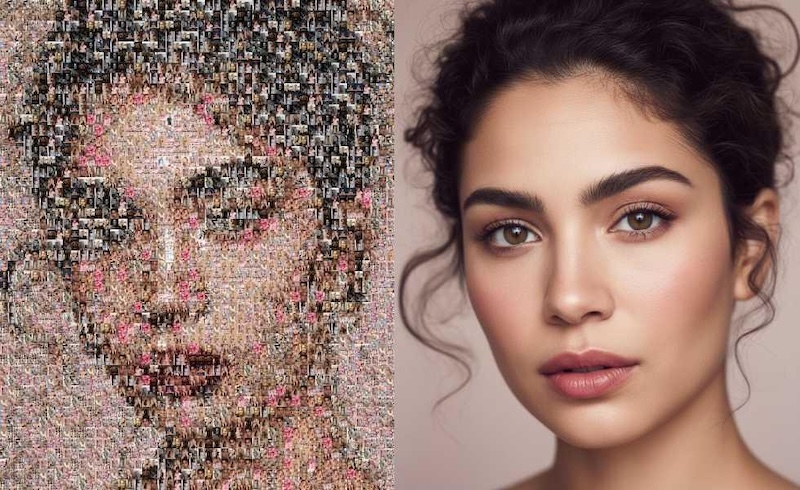
Have you ever seen a photo with a part that looks blocky, pixelated, or blurred? This effect is known as mosaic, and it is often used to hide faces, text, license plates, or other sensitive details. While mosaics can protect private information, they can also make an image harder to understand when they cover details you need to see. Fortunately, AI-powered image enhancement tools can help reduce visible pixelation and generate clearer-looking results without requiring advanced editing skills. In this guide, you'll learn how to remove mosaic from images with AI and explore a free AI option for restoring clearer-looking photos.
Part 1: Can AI Remove Mosaic From Images?
Yes, AI can reduce the visible mosaic effect and generate a clearer-looking image by analyzing information around the affected area. Instead of manually editing individual pixels, an AI mosaic remover can process the image and reconstruct the pixelated area based on surrounding visual patterns.
However, AI cannot guarantee the recovery of the exact original pixels hidden underneath a mosaic. The generated result is an AI-enhanced reconstruction rather than a perfect restoration of the original image. The final result can vary depending on several factors:
- Original Image Resolution: Higher-resolution images generally provide more visual information for AI processing.
- Mosaic Size: Large mosaic-covered areas can be more difficult to reconstruct than smaller areas.
- Mosaic Intensity: Heavier pixelation may leave less visible information for the AI to analyze.
- Surrounding Details: Background elements, textures, colors, and nearby visual information can affect the generated result.
For this reason, AI mosaic removal is best viewed as a way to reduce visible pixelation and improve image clarity rather than a guaranteed method for recovering hidden content.
Part 2: What Should You Know Before Removing Mosaic?
Removing a mosaic from an image is generally straightforward when you own the image or have permission to edit it. However, enhancing an image does not automatically give you permission to publish, distribute, or reuse the restored content.
Before using an AI mosaic remover, keep the following considerations in mind:
- Use Images You Have Permission to Edit: Make sure you own the image or have permission from the copyright holder.
- Respect Privacy: Avoid processing private or confidential images without proper authorization.
- Be Careful With Sensitive Content: Removing visual censorship does not automatically make the underlying content appropriate to share.
- Check Usage Rights: If you plan to use the restored image commercially, confirm that you have the necessary rights to the original image and its contents.
Following these guidelines can help you use AI image restoration tools responsibly.
Part 3: Best Tool to Remove Mosaic From Images: HitPaw Edimakor
Now that you understand the benefits and legal considerations of removing mosaic effects from images, the next step is to choose the right AI-powered tool for the job. HitPaw Edimakor is the best tool if you want AI remove mosaic from image. It is an all-in-one image editor that offers a wide range of features to edit or enhance images using AI technology. With the help of this AI Mosaic Remover, users can easily remove the mosaic effect from images without sacrificing the image quality. Its AI-powered technology automatically analyzes low-quality or pixelated areas and enhances them to create cleaner and more natural-looking results. The standout feature of this tool is that it offers an intuitive interface, which is ideal for non-tech and beginner users. Plus, it includes a wide range of AI tools, each with unique capabilities and features, such as AI Image Generator, Text-to-Image, AI Image Enhancer, Online Image Editor, AI Video Generator, and much more.
Key Features of HitPaw Edimakor
HitPaw Edimakor offers a wide range of AI features that make it easier to remove mosaic and enhance overall image quality. Here are the top features of this program:
- Remove Mosaic From Images: HitPaw Edimakor AI Image Enhancer offers a wide range of capabilities, including removing mosaic from images. Simply upload the image, and it will automatically remove the blurry part of the photo.
- Powerful AI Tools: The program includes a wide range of AI-powered tools that help users enhance, restore, and edit images with minimal effort. Offers powerful tools, such as AI Image Enhancer, Online Image Editor, AI Image Generator, and more.
- Text-to-Image: One of the best parts of HitPaw Edimakor is that it also includes Text-to-Image capabilities, allowing users to create high-quality images with a single text prompt — no editing experience or professional help required.
- Compatibility: HitPaw Edimakor works seamlessly with multiple devices, including Windows and macOS. The program also offers a web-based version, allowing users to remove mosaic from images without downloading or installing software.
- Intuitive Interface: HitPaw Edimakor offers an intuitive and easy-to-use interface, which allows users to remove mosaic from images with minimal effort. No professional help or editing experience is required.


Part 4: How to Remove Mosaic From Images Using HitPaw Edimakor
HitPaw Edimakor makes the mosaic removal process from images very easy. With the help of this tool, you can eliminate the mosaic effect with a simple click. Follow the instructions below to learn how to do it.
Step 1: Choose The AI Image Enhance
First, go to HitPaw Edimakor's official site and download the latest version of the program on your PC. Install and launch it. Click on the “Toolbox” option. A list of AI tools will appear on your screen. Select the “AI Image Enhance” feature to begin the process.

Step 2: Select “Remove Mosaic” Mode
HitPaw Edimakor supports a wide range of AI modes, each with unique features and capabilities. It offers AI modes, such as General, Denoise, Detail Recovery, Anime Repair, Black & White Photo, Old Photo Repair, and Remove Mosaic. Select the “Remove Mosaic” mode.
Step 3: Upload The Image
Navigate down and select the image from which you want to remove the mosaic effect. HitPaw enables users to upload images in multiple formats, such as JPG, PNG, JPEG, and WEBP, allowing users to work with the most commonly used file formats.
Step 4: Generate and Download
Once all the requirements are complete, click on the “Generate” button to begin the mosaic removal process. The tool will analyze the input and provide you with a clearer and higher-resolution image within seconds. Preview the results and click on the “Download” button to save the image in the desired format.
Part 5: FAQs Related to Removing Mosaic From Images
A1: In 2026, HitPaw Edimakor is the best tool to remove mosaic from images. With the help of this tool, users can enhance pixelated areas, improve image clarity, restore visible details, and create clearer results without requiring professional editing skills.
A2: Yes, with HitPaw Edimakor, users can remove mosaic from an image for free. The program offers a free version that enables users to enhance an image or remove a mosaic without editing experience or professional help. The best part of this program is that it offers an intuitive interface, making the process easy for non-tech and beginner users.
A3: If you remove the mosaic effect using HitPaw Edimakor, then you don’t have to worry about the image quality. The program makes sure that it doesn’t lower the original quality. Plus, it includes image enhancement tools that can sharpen blurry sections, reduce visual noise, improve contrast, and make the final look clearer and more natural.
Final Thoughts
AI has made it easier to reduce visible mosaic effects and improve the clarity of pixelated images. However, the quality of the result depends on factors such as the original resolution, mosaic size, and the amount of visible information surrounding the affected area. HitPaw Edimakor AI Mosaic Remover provides a straightforward workflow for enhancing mosaic-covered images. By selecting AI Image Enhance, choosing Remove Mosaic, uploading an image, and generating the result, you can improve image clarity without advanced photo-editing skills.
Leave a Comment
Create your review for HitPaw articles