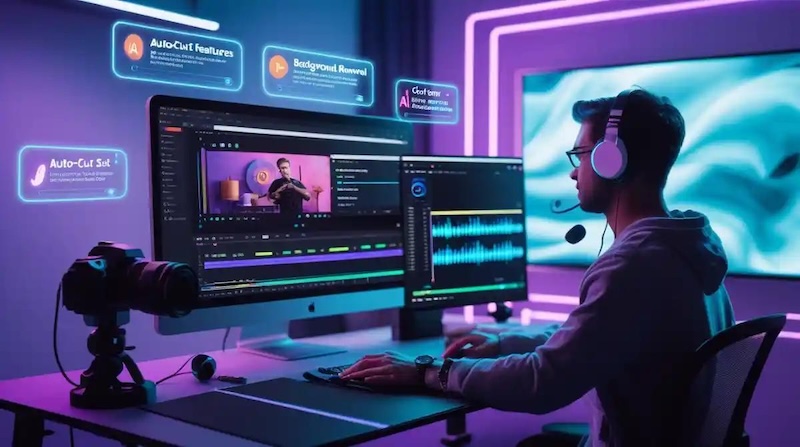
TikTok creators need an editor that can cut clips, add captions, improve audio, and create vertical videos without making the process difficult. The right TikTok video editor can also help you add effects, music, transitions, and AI features. Some editors focus on mobile users, while others give PC users more control. Some offer free editing, while others target professional creators. In this guide, we compare the 10 best TikTok video editors in 2026 and explain which tool fits different types of creators.
Part 1. TL;DR: Best TikTok Video Editors at a Glance
Here is a quick comparison if you want to choose a video editor for TikTok without reading the full guide.
| Editor | Best For | Platform | AI Features | Free Version |
|---|---|---|---|---|
| Edimakor | AI-powered TikTok editing | Windows, Mac | Yes | Trial |
| CapCut | TikTok trends and templates | Mobile, Web, Desktop | Yes | Yes |
| Filmora | Easy desktop editing | Windows, Mac, Mobile | Yes | Trial |
| InShot | Mobile TikTok editing | iOS, Android | Yes | Yes |
| VN Video Editor | Free editing | Mobile, Desktop | Limited | Yes |
| Canva | Branded TikTok content | Web, Mobile, Desktop | Yes | Yes |
| VEED | Online TikTok editing | Web | Yes | Yes |
| Descript | Talking-head videos | Web, Desktop | Yes | Yes |
| Adobe Premiere Pro | Professional editing | Windows, Mac | Yes | Trial |
| DaVinci Resolve | Advanced free editing | Windows, Mac, Linux | Yes | Yes |
Quick Recommendations
- Best Overall: Edimakor
- Best for TikTok Trends: CapCut
- Best PC Video Editor for TikTok: Edimakor
- Best Free TikTok Video Editor: VN Video Editor
- Best Mobile TikTok Video Editor: InShot
- Best Online Video Editor for TikTok: VEED
- Best for Professional Editing: Adobe Premiere Pro
- Best for Talking-Head Videos: Descript
Part 2. 10 Best TikTok Video Editors in 2026
The best video editor for TikTok depends on your device, editing skills, content type, and budget. A beginner may want a simple mobile app, while an experienced creator may need advanced color, audio, and timeline controls. Here are the best options to consider in 2026.
1. Edimakor — Best AI TikTok Video Editor
Edimakor is a strong choice for creators who want AI tools and regular video editing features in one desktop workflow. It supports short-form content for TikTok, YouTube Shorts, and Instagram Reels. The editor includes AI captions, subtitles, text-based editing, video enhancement, effects, transitions, stickers, and templates. You can also create videos in the 9:16 vertical format that works well for TikTok. Edimakor gives beginners a simple interface while still offering more editing control than many basic mobile apps. Its desktop workflow also makes it easier to manage longer projects and multiple video clips.


Best for: Creators who want an AI TikTok video editor with more control than a basic mobile app.
If you want the best PC video editor for TikTok, Edimakor is one of the strongest choices for combining simple editing with AI tools.
2. CapCut — Best for TikTok Trends and Templates
CapCut remains a popular choice for creators who want to make TikTok videos quickly. The editor connects well with short-form content and offers many templates, effects, filters, sounds, captions, and transitions. You can edit videos on mobile, desktop, or through the web version. The app also supports tools such as automatic captions and background removal. CapCut works especially well when you want to follow a popular TikTok style or use a ready-made template instead of building every video from scratch.

Best for: Beginners and creators who want TikTok templates, effects, and trend-focused editing.
3. Filmora — Best for Easy Desktop TikTok Editing
Filmora gives creators a simple way to edit TikTok videos on a computer. It combines basic editing tools with AI features, effects, templates, captions, and automatic video tools. Its 9:16 editing support makes it suitable for vertical TikTok videos. Features such as AI captions, Auto Reframe, and Smart Short Clips can reduce the amount of manual work. Filmora also works well for creators who want to start with simple editing and gradually learn more advanced tools.
Best for: Creators who want a balance between easy editing and advanced features.
4. InShot — Best TikTok Video Editor App for Mobile
InShot focuses on mobile video editing. Its simple interface makes it easy to trim clips, split videos, adjust speed, add music, and place text or stickers on your footage. You can also change the canvas size and choose a vertical format for TikTok. Filters, transitions, sound effects, and other editing tools help you create short videos directly from your phone. InShot works well when you do not want to use a computer for editing.
Best for: Beginners who mainly create TikTok videos on their phones.
5. VN Video Editor — Best Free TikTok Video Editor
VN Video Editor is a strong option for users searching for a video editor for TikTok free of charge. It provides a timeline-based editing system with tools that give creators more control than many simple mobile editors. You can use multiple tracks, keyframes, speed curves, transitions, text, captions, and other editing tools. This makes VN useful for creators who want more control over their clips without paying for professional software. Its free access makes it a good choice for beginners, students, and creators working with a small budget.
Best for: Users who want a free TikTok video editor with useful timeline controls.
6. Canva — Best Online Video Editor for TikTok
Canva works well for creators who care about visual design and branding. Its browser-based editor lets you create TikTok videos without installing traditional video editing software. You can choose TikTok templates, add stock videos, insert music, create text animations, and apply brand elements. Canva also makes it easy to keep colors, fonts, and graphics consistent across your social media content. Businesses and marketers can use its Brand Kit and social media templates to maintain a consistent look.
Best for: Businesses, marketers, and creators who make branded TikTok content.
7. VEED — Best Online AI Video Editor for TikTok
VEED provides an online video editor for TikTok that runs in a web browser. You can upload footage, edit clips, add captions, resize videos, remove backgrounds, and use AI-based tools without installing desktop software. Its automatic subtitle tools can save time when you create talking videos. You can also adjust your video for TikTok and other social platforms. VEED suits users who move between different computers or prefer browser-based editing.
Best for: Users who want an online AI video editor for TikTok.
8. Descript — Best for Talking-Head TikTok Videos
Descript takes a different approach to video editing. Instead of working only with a traditional timeline, you can edit much of your video through its transcript. The software can transcribe speech, create captions, remove filler words, and help turn longer recordings into short clips. These tools work especially well for people who speak directly to the camera. Podcasters, teachers, interview creators, and business creators can use Descript to turn longer recordings into TikTok content.
Best for: Talking-head, podcast, interview, and educational TikTok videos.
9. Adobe Premiere Pro — Best Professional Video Editor for TikTok
Adobe Premiere Pro gives experienced editors detailed control over video and audio. You can edit multiple tracks, adjust colors, work with keyframes, add effects, and manage complex projects. Its AI-based tools can also help with tasks such as editing, audio work, and content preparation. Premiere Pro works well when TikTok content forms part of a larger professional video workflow. The learning curve is higher than that of mobile apps, but experienced editors can use its large set of tools to create highly controlled videos.
Best for: Professional creators and experienced editors who need detailed control.
10. DaVinci Resolve — Best Free Professional Video Editor for TikTok
DaVinci Resolve offers professional editing tools without requiring a paid subscription for its main free version. It combines video editing, color correction, visual effects, and audio tools in one application. Its Fusion workspace handles visual effects, while Fairlight provides detailed audio tools. You can also create vertical projects for TikTok and other short-form platforms. DaVinci Resolve has a higher learning curve, but it gives experienced creators many tools for serious video production.
Best for: Creators who want professional editing tools without paying for a subscription.
Part 3. How to Choose the Best TikTok Video Editor
Choosing the best video editor for TikTok becomes easier when you know which features matter most.
1 TikTok-Friendly Aspect Ratio
Choose an editor that supports 9:16 vertical video. A common TikTok size is 1080 × 1920 pixels.
Safe-zone guides can also help you keep important text and subjects away from areas covered by TikTok interface elements.
2 AI Editing Features
AI can save time on repetitive editing tasks. Look for features such as:
- AI captions
- Automatic subtitles
- Background removal
- Noise reduction
- Automatic cutting
- Short-clip creation
- Video enhancement
You do not need every AI feature. Choose the tools that match your content.
3 Templates, Effects, and Creative Assets
Templates can help beginners create videos quickly. Check whether the editor includes:
- TikTok templates
- Filters
- Stickers
- Text animations
- Transitions
- Music
- Sound effects
4 Caption and Subtitle Tools
Captions help viewers understand videos when they watch without sound. Automatic caption generation can save time. If you publish content for international viewers, look for subtitle translation and support for multiple languages.
5 Ease of Use
A good editor should match your skill level. Beginners may prefer drag-and-drop tools, while experienced editors may want detailed timeline controls.
6 Export Quality
Check whether the editor supports HD and 4K video, vertical formats, and TikTok-friendly file types. Also check whether the free version adds a watermark.
7 Platform Compatibility
Think about where you prefer to edit. Some creators want a TikTok video editor app, while others prefer Windows, Mac, Linux, or browser-based software.
Part 4. Which TikTok Video Editor Should You Choose?
Choosing the right TikTok video editor depends on your device, editing skills, content type, and budget. Whether you need free editing, AI tools, mobile apps, PC software, or professional controls, these recommendations can help you find the right option.
If You Want the Best Overall TikTok Video Editor
Choose: Edimakor
Edimakor offers AI tools, regular editing features, templates, effects, and a desktop workflow. It suits creators who want more control than a basic mobile editor.
If You Want a Free TikTok Video Editor
Choose: VN Video Editor
VN offers timeline editing, keyframes, speed controls, transitions, and other useful features without requiring a paid editor.
If You Want to Follow TikTok Trends Quickly
Choose: CapCut
CapCut makes it easy to use templates, effects, captions, and other tools designed for short-form content.
If You Need the Best PC Video Editor for TikTok
Choose: Edimakor or Filmora
Edimakor suits users who want AI tools and detailed editing. Filmora works well for users who prefer a simple interface with many creative tools.
If You Want an Online Video Editor for TikTok
Choose: VEED or Canva
VEED focuses more on video editing and AI tools, while Canva works especially well for branded videos and graphic design.
If You Edit TikTok Videos on Your Phone
Choose: CapCut or InShot
CapCut gives you more trend-focused tools and templates. InShot offers a simpler editing workflow for everyday mobile videos.
If You Create Talking-Head TikToks
Choose: Descript
Its transcript-based editing, captions, transcription, and filler-word removal tools make it a strong choice for spoken content.
If You Need Professional-Level Editing
Choose: Adobe Premiere Pro or DaVinci Resolve
Both editors provide detailed control over video, audio, effects, and color. DaVinci Resolve also offers a strong free option.
If You Create TikTok Videos for a Brand
Choose: Canva or Edimakor
Canva works well for brand graphics and consistent designs. Edimakor works well when you need more video editing and AI tools.
Part 5. How to Make a TikTok Video With a Video Editor
Creating a TikTok video becomes easier when you follow a clear editing process. Start by adding your footage, then cut unwanted parts, set the right format, add captions and effects, use AI tools, and export the finished video.
Step 1: Import Your Footage or Start With a Video Template
Add your videos, photos, music, voiceovers, and other files to Edimakor. You can also choose a video template if you want a ready-made starting point.
Step 2: Cut and Arrange Your Clips
Place your clips on the timeline and remove parts that you do not need. Arrange the remaining clips in an order that makes the video easy to follow.
Step 3: Add Captions, Text, and Effects
Add captions, transitions, stickers, filters, and text animations. Keep your text easy to read and use effects only when they support the video.
Step 4: Improve Your Video With AI Tools
Edimakor provides AI-based tools that can help with tasks such as automatic captions, noise removal, background removal, auto cutting, and short-form content creation.
Step 5: Preview and Export
Watch the complete video before exporting. Check the framing, captions, transitions, and audio. Then choose the right resolution and format for your target platform.
Part 6. Frequently Asked Questions about TikTok Video Editor
A1: Edimakor is a strong overall choice for creators who want AI tools and traditional editing features. CapCut works well for TikTok trends, Filmora suits desktop users, and VN provides a good free option.
A2: Edimakor and Filmora are strong choices for PC users. Both provide beginner-friendly editing along with more advanced features.
A3: Yes. VN Video Editor, CapCut, and DaVinci Resolve offer free editing options. However, free versions may have different features or limits, so check the current plan before choosing one.
A4: VEED and Canva are good online choices. VEED focuses more on video editing and AI tools, while Canva works well for templates, graphics, and branded content.
A5: Yes. CapCut, InShot, and VN Video Editor all provide mobile editing options. These apps let you trim clips, add captions, apply effects, adjust speed, and prepare vertical videos.
A6: A 9:16 vertical video is the standard choice for TikTok. A common resolution is 1080 × 1920 pixels.
Conclusion
The best TikTok video editor depends on how and where you create content. Edimakor offers a strong mix of AI and desktop editing tools. CapCut works well for trends and templates, while InShot suits simple mobile editing. VN Video Editor stands out for users who want a free option. Canva and VEED work well for online editing, while Descript fits talking-head content. Professional creators can choose Premiere Pro or DaVinci Resolve for more detailed editing control. Before you choose an editor, consider your device, editing experience, content type, AI needs, export quality, and budget. The right video editor for TikTok should make your editing process easier while giving you the tools you actually need.
Leave a Comment
Create your review for HitPaw articles