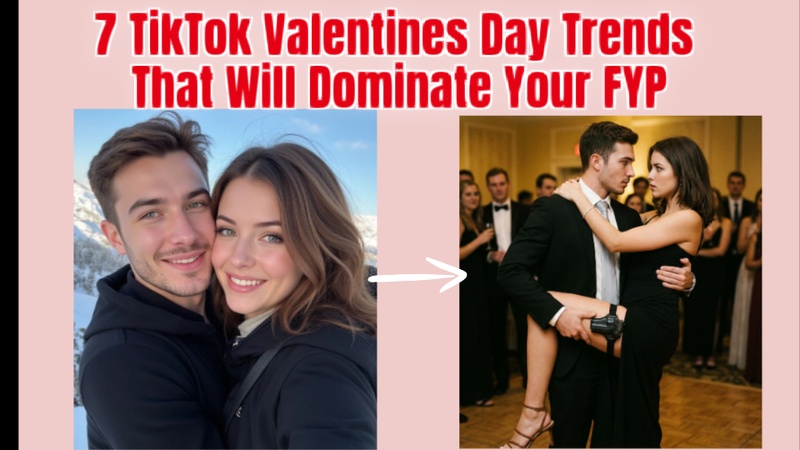
TikTok trends are expected to soar in 2026 in anticipation of Valentine's Day, potentially causing your views to soar. This article examines the top 7 tiktok valentine trend, including inventive gifts, viral dances, and related content. To assist you in ruling your FYP, we will also walk you through the process of creating captivating AI images, videos, and music that precisely fit these trends.
Part 1: Best 7 TikTok Valentine’s Day Trends
Viral dances, imaginative presents, AI photographs, entertaining skits, themed ensembles, and recipes are all featured in the Top 7 TikTok Valentine's Day Trends for 2026, providing a wealth of ideas to increase engagement and take over your FYP.
1. TikTok Valentine’s Day Gifts
Idea:
Inventive do-it-yourself presents, customised gifts, and unexpected unboxing films.
Gift-focused content uses creativity and emotion to draw viewers in. Short videos showcasing original, considerate presents or responses to surprises are popular among TikTok members. DIY crafts, couple-themed goods, and personalized jewelry are among the current trends.

2. Couple Dance Challenges
Idea:
Couples dancing to popular tunes in viral dance routines.
TikTok thrives on relatable and entertaining content. Couple dance challenges are very shareable because they highlight chemistry, synchronisation, and humour. These videos frequently feature popular songs and have the potential to spark duet chains, which helps content move quickly throughout the platform.
3. Valentine’s Day Recipes & Treats
Idea:
Easy, eye-catching chocolate, dessert, or themed drink recipes.
Food-related content is always well-liked, particularly around holidays. Short videos showcasing simple, visually appealing recipes, such as themed cocktails or heart-shaped chocolates, are popular among TikTokers.
4. AI-Powered Valentine Photos
Idea:
Produce romantic, imaginative, or fantastical couple pictures using AI techniques such as Edimakor.
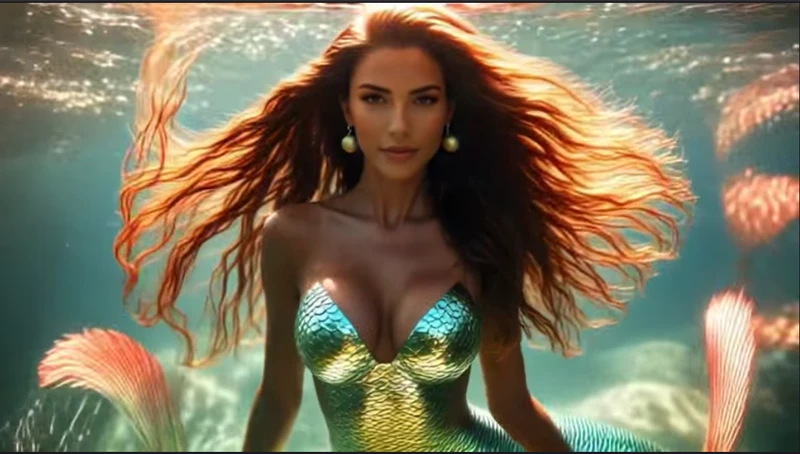
On TikTok, AI-generated content is booming. Convert typical couples' photos into romantic or themed pictures that complement Valentine's Day style. On FYP, these eye-catching works of art stand out and inspire people to take their own AI valentine photos .


5. Valentine’s Day Outfit & Fashion Trends
Idea:
Display themed fashion hauls, date night ensembles, or matching ensembles.
When fashion content is visually engaging and simple to copy, it does well. Users of TikTok adore finding ideas for imaginative fashion combinations, pink/red-themed apparel, and couple's ensembles. These videos are very shareable since they use popular melodies and effects. Edimakor AI outfit swapper allows you to change any trending fashion suits instantly.
6. Romantic or Funny Skits
Idea:
Brief illustrations of romantic relationships, dates, or amusing moments in a relationship.
Through skits, artists can amuse audiences and establish an emotional connection with them. These videos, which range from adorable date fails to amusing companion behaviours, strike a chord with viewers and inspire duets or responses.
7. AI Valentine’s Day Videos & Music
Idea:
Use programs like Edimakor to produce AI-generated music and visuals for Valentine's Day-themed TikToks.
AI-generated music and video content enable distinctive, captivating snippets that fit the mood of Valentine's Day. These movies, which range from romantic AI-generated soundtracks to animated love stories, draw attention on FYP.
Part 2: How to Make an AI Photo for TikTok Valentine’s Day Trends
TikTok is a great place for Valentine's Day entertainment, particularly when the images are tender, romantic, and emotionally compelling. With its Love Vibes AI Image Effects, created especially for Valentine-themed projects, HitPaw Edimakor makes this simple.
Step 1: Open Edimakor and Access Image Effects
To begin, start HitPaw Edimakor on your PC. Click the Image Effects option after scrolling down on the home screen. You can access Edimakor's entire AI effects library by doing this.
Step 2: Find Valentine Effects in the Love Vibes Section
To find Love Vibes, utilise the search box or browse the categories inside the Image Effects panel. There are a ton of Valentine-themed effects in this section, such as dreamy couple styles, heart overlays, romantic lighting, and gentle glow filters.
Step 3: Choose a Love Vibes Effect and Upload Your Photo
Click Create after choosing the Valentine effect that best fits your TikTok mood or trend. You can submit your photo on the new screen that appears. The chosen Valentine AI effect will be applied to your image instantaneously by Edimakor.
Step 4: Adjust Settings and Generate
Adjust basic parameters like output quantity and aspect ratio before creating the image. Click the Generate button once everything appears to be in order, then let Edimakor's AI do its magic.
Step 5: Preview and Export the Valentine AI Image
Go to the My Creations section and make sure the Valentine details are seamless, passionate, and eye-catching by carefully previewing the image after it has been made. Once you are happy, access the picture by tapping on the folder icon appearing at the top right corner of the image.
Part 3: How to Make an AI Video for TikTok Valentine’s Day Trends
Valentine’s Day videos on TikTok shine out when they seem emotive, seamless, and visually appealing. Simple clips may be effortlessly transformed into visually striking Valentine content that adheres to current trends with HitPaw Edimakor's Love Vibes AI Video Effects.
Step 1: Open Edimakor and Access AI Video Effects
On your PC, launch HitPaw Edimakor. Click on AI Video Effects after navigating down from the main home screen. This will unlock the entire collection of AI-powered video effects in Edimakor.
Step 2: Find Valentine Effects in the Love Vibes Section
To locate Love Vibes, utilise the search box or browse the categories within the AI Video Effects collection. A variety of Valentine-themed video effects may be seen here, such as dreamy overlays, romantic lighting, heart animations, and soft glow transitions.
Step 3: Choose a Love Vibes Effect and Upload Your Image
Select the Love Vibes video effect that matches your TikTok trend, then click on Create. You can upload your video to the new screen that appears. The chosen Valentine AI video effect will be automatically applied to your footage by Edimakor.
Step 4: Adjust Duration and Resolution
Make necessary changes to the video's time and resolution before it is generated to comply with TikTok's specifications. You can choose greater resolutions for crisper, more polished results and adjust the length for short-form trends.
Step 5: Preview and Export the Valentine AI Video
Preview the Valentine-themed video after the AI process is finished to make sure the effects are fluid and eye-catching. To access the video, select the folder icon from the top right corner of the video.
Part 4: How to Make AI Music for TikTok Valentine’s Day Trends
TikTok's Valentine's Day trends are all about romance, emotion, and catchy music. You can easily make love-themed songs that fit viral themes with Edimakor's AI music tools. These tracks are ideal for reels, pair edits, and poignant short movies.
Step 1: Open Edimakor and Select AI Music
On your PC, launch HitPaw Edimakor. Find AI Music on the main menu bar and click on it. This opens the workspace for creating music, where all of the creative controls are arranged simply and are easy for beginners to use.
Step 2: Describe Your Song Idea
Then, explain the tone and aesthetic of your Valentine's Day song. You can use the prompt generator to automatically generate a full prompt with genre, tempo, and emotion, or you can input a simple notion, such as a romantic pop love song for couples.
Step 3: Write or Auto-Generate Lyrics
Choose the lyrics now. Edimakor may automatically create lyrics based on your music description, or you can add your own love lines. For TikTok-friendly output, the AI aligns the text with emotional tone, rhythm, and melody.
Step 4: Preview and Export
Make sure the AI-generated music complements your Valentine's Day theme by previewing it. If you are happy, export the song in high definition and use it right away in romantic edits, reels, and TikTok videos.
Key Takeaway
The 2026 tiktok valentine trend has countless chances for an original video to go popular. You can easily create AI-powered images, videos, and music with HitPaw Edimakor (Video Editor) that complement current trends and make your articles stand out. You can increase engagement, raise your FYP visibility, and avoid falling behind TikTok's Valentine's Day frenzy by implementing the tactics and trend ideas in this article.
Leave a Comment
Create your review for HitPaw articles