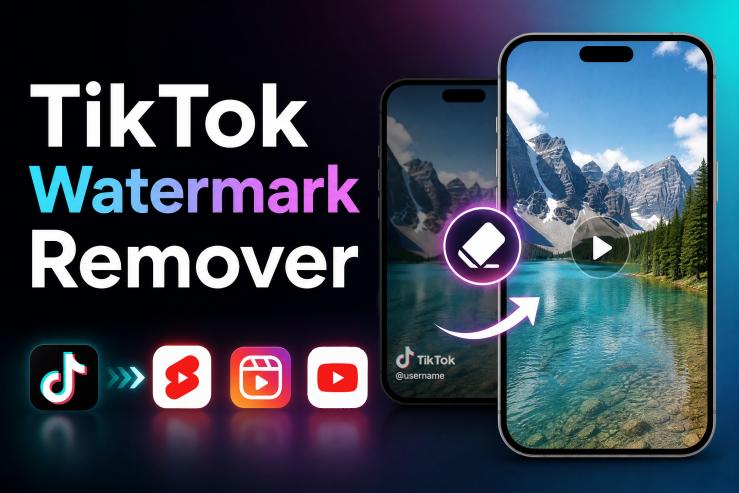
You won’t find many short-form video creators relying on a single platform these days. It is not uncommon for a video to be up on TikTok, but also on Instagram, Facebook Reels, as well as YouTube Shorts.This approach can help you reach more people, but repurposing content can be challenging because of the TikTok watermark.
Before posting your content on other platforms, this article will help anyone who needs decent TikTok watermark removal to get rid of the watermark without losing quality.
What Exactly Is A TikTok Watermark?
When you download a video from TikTok, a watermark is put on it automatically, in the form of the TikTok logo and the name of the creator. The platform puts it there so viewers know where the content came from. But it is not like a traditional watermark that sits still; this one is designed to move around the screen. That makes it difficult to remove TikTok watermark with basic editing.
Why It Is A Problem For Your Videos
The watermark is useful for branding, but for a business or creator, it can be a challenge.
1Looks Unprofessional
TikTok watermark can make your content look less professional. A viewer might think your video was just quickly reused rather than created specifically for that platform.
2Breaks Viewer Focus
The moving logo and username constantly pull the viewer's eye away from your actual content and message.
3Hides Your Text and CTAs
The watermark may get in the way of your call-to-action or text overlays, particularly if they are near the edge of the frame.
4Limits Your Reach on Other Platforms
And while you may be in the habit of cross-posting to platforms like YouTube Shorts, the watermarked version is not ideal for viewers there.
3 Ways To Remove The Watermark
Go with AI Video Editing (Recommended)
These days, AI editors are the standard for helping creators remove TikTok watermark and maintain video quality. Instead of cropping the frame, the software will spot the watermark and fill in the rest.
Crop or Resize It
If you want a quick fix, you can simply crop the video or zoom in to push the TikTok logo elements out of the frame. But you have to keep a few limitations in mind: you are going to lose some dimensions, and perhaps some important content. Also, you’ll suffer noticeable video quality loss. It might work for casual sharing, but it is far from ideal.
Cover the Watermark
As a last resort, you might see a creator place a blur, emoji, or sticker on top of the watermark. It works enough for a meme or a quick social media edit, but it is obvious and doesn’t have the same polish as an AI removal. If you want your content to look professional, stick with the AI option.
How to Get Rid of the TikTok Watermark in Full Quality
HitPaw Edimakor is a useful AI video tool for creators. Its AI Watermark Remover can remove watermarks from TikTok video files quickly. You keep your resolution and original framing, and it supports a range of export formats.


Before you start:
If you still have access to the original TikTok URL, paste it into Edimakor’s Downloader. So you can download a watermark-free TikTok video directly.

Step 1: Navigate to Watermark Remover
Open up HitPaw Edimakor and click Watermark Remover from the AI Tools section. From there,you can add your TikTok video. You can upload a maximum of 10 files at a time.
Step 2: Remove the Watermark with AI
Use the selection tool to select the watermark area. Edimakor will handle the process automatically, analyzing the clip to rebuild those pixels and remove the watermark from TikTok video content helping maintain video quality. This is superior to manual cropping since you don’t have to lose any part of the original frame or quality.
Step 3: Make Final Adjustments (Optional)
You can get your watermark-free videos in Result. If you want to adjust the color balance, add some sharpness or contrast, add subtitles or transitions – anything to give it a more professional look, you can finish in Edimakor. And the Video Enhancer helps upscale video quality and reduce TikTok video quality loss.
Step 4: Export for Multiple Platforms
When you are ready to export, choose the aspect ratio that fits your chosen platform (9:16 for YouTube Shorts, Instagram or Facebook Reels). Edimakor has presets to make this simple. Then you can save your work and publish it. Many creators repost TikTok videos to YouTube Shorts to reach new viewers and get more value from their content. Publish to Social Media with Edimakor can get you more AI credits.
Tips for Reposting Across Platforms
Watermark is gone. Now make sure the rest of the video is actually ready to post.
Match the Aspect Ratio to the Platform
9:16 for TikTok, Shorts, and Reels. 1:1 or 4:5 for Facebook and Instagram feed. Get this wrong and you get black bars, cropped faces, or a composition that just looks off. Edimakor has export presets for each platform. Use them.
Adjust Captions and Text Overlays
TikTok captions sit in specific spots. When you repost, those spots might clash with platform UI elements, such as the like button or the subscribe bar on Shorts. Check your text placement before you export. Move anything that lands in the bottom third.
Check Audio Before You Publish
Some tracks that work fine on TikTok get flagged on YouTube or Instagram because of licensing. Swap out anything you don't own the rights to. Edimakor's AI Music tool can generate a replacement track that fits the same energy. Takes about a minute.
FAQs
A1: Yes. An AI editor like HitPaw Edimakor will rebuild the affected area rather than just cutting it out and can remove TikTok watermark without losing quality.
A2: Not directly, but a video without a watermark is going to look more professional and create a better viewing experience.
A3: You can. Many creators use this approach. Just be sure you own the rights to the material and are abiding by the rules of both platforms before you post.
Conclusion
For anyone sharing content across multiple platforms, dealing with the TikTok watermark is often part of the process. You can use some cropping or blurring when you repost TikTok videos, but for the best results, you want an AI-powered solution.
HitPaw Edimakor is a simple TikTok watermark remover for beginners to remove TikTok watermarks from their videos and prepare videos for Reels and Shorts with minimal effort.
Leave a Comment
Create your review for HitPaw articles