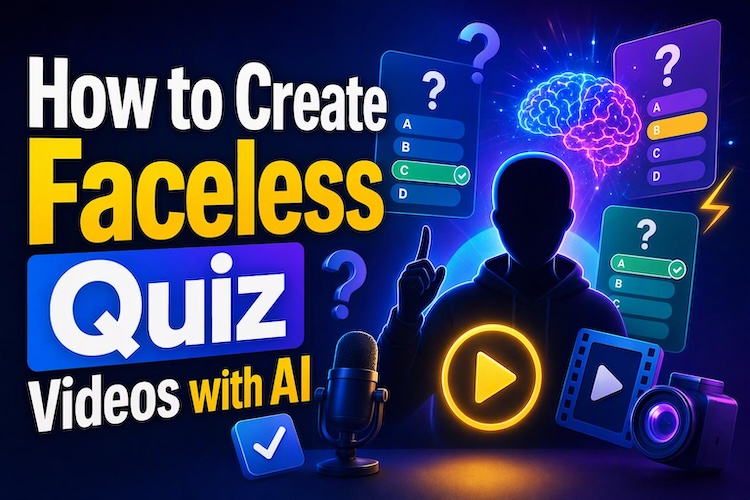
Faceless quiz videos make learning entertaining without requiring a camera or on-screen presenter. In 2026, whether you want to share science facts or general knowledge challenges, AI tools simplify the production process.
In this guide, learn how to create faceless educational quiz shorts with AI, from writing questions to exporting your finished video.
What Are Faceless Educational Quiz Shorts?
Faceless educational trivia quiz shorts are short videos that test viewers’ knowledge through questions, answer choices, and visual clues. Instead of showing a presenter, they use text, illustrations, animations, narration, or stock footage to explain each question.
Understanding the Faceless Quiz Format
A typical quiz video starts with a question that captures attention. It then displays multiple answers, gives viewers time to respond, and reveals the correct answer.
These videos work well as an education quiz because they combine learning with active participation. Creators can also turn lessons into educational quiz games by adding points, difficulty levels, or challenges.
Who Can Create and Watch Them?
Teachers can use quiz shorts to reinforce lessons. Students can create them for revision, while content creators can build educational channels without filming themselves. The format suits TikTok, YouTube trivia Shorts, and Instagram Reels, where viewers can answer quickly and move to the next challenge.
Why Are Faceless Educational Quiz Shorts So Popular?
A quiz game video combines useful information with a simple viewing experience. AI tools make the production process more accessible, even for creators without video-editing experience.
- Easy to Produce Without Filming : You don’t need a camera, studio, or presenter. AI can help generate scripts and visuals, while text-to-speech tools provide narration.
- Strong Viewer Interaction : Multiple-choice questions give viewers a reason to pause and think. Countdown timers create anticipation, while answer reveals provide immediate feedback.
- Flexible Educational Topics : You can create quizzes about almost any subject and explore different quiz formats, such as visual puzzles, listening challenges, and quick recall questions.
- Beginner-Friendly Faceless Niche : You can start with a few questions and simple illustrations. As your workflow improves, introduce animated text, themed visuals and more challenging rounds. Consistency matters more than complicated editing.
How to Create Faceless Educational Quiz Shorts with AI
HitPaw Edimakor can help you develop a quiz script, prepare visuals, add captions, and assemble audio in one editing workflow. The exact interface and available features may vary by software version.
Step 1: Write the Quiz Script with Custom Input
Open Edimakor and navigate to “Toolbox," then select “ AI Copywriting ”. Then describe the quiz you want to create. Edimakor’s AI Copywriting feature supports custom prompts for generating video scripts.
Create a complete script for an Educational Quiz Shorts video of about 60seconds. Randomly choose an educational quiz theme. Include narration and subtitleswith 5 questions. Also write one English image generation prompt per question in vertical 9:16 format, using a clear educational style.
Review the generated script before editing. Check the answers for accuracy, remove repetitive questions, and shorten sentences that sound unnatural when spoken.
Step 2: Create Visuals with AI Image Generator
Once your script is ready, copy each image prompt into Edimakor’s AI Image Generator . The feature supports text prompts and reference images, helping creators develop visuals for different creative projects. Generate one visual for each question. Choose a vertical 9:16 composition for short-form platforms.
Step 3: Add Captions and Answer Choices
Import your visuals into the editing timeline from the “Text” section and arrange them according to the script. Use Edimakor’s text tools or AI subtitle feature to add captions. Use large fonts, strong contrast, and consistent colors. Highlight the correct answer when it appears, but avoid revealing it too early.
Step 4: Add Music, Voiceover, and Sound Effects
A clear voiceover makes questions easier to understand. Use text-to-speech if you prefer not to record your own voice, or record narration yourself. Add quiet background music to maintain energy. Use short sound effects for correct answers, transitions, or important reveals. Edimakor offers audio tools , including a music generator, and AI sound effect to help shape the video’s atmosphere.
Step 5: Add Countdown Assets
A countdown gives viewers time to select an answer. You can find one in Edimakor’s Stock Media. Make the countdown consistent across the video. A short ticking sound can build anticipation, but keep it subtle. Ensure the correct answer appears only after the countdown ends.
Step 6: Review and Export the Short
Watch the entire video before exporting. Confirm that the questions, answers, narration, captions, and visuals match. Using a resolution and format supported by your target platform. Then click Export. You can export the educational quiz video to YouTube directly.
Creative Educational Quiz Themes You Should Try
A repeatable theme makes it easier to plan new videos and build a recognizable channel. Start with topics you understand, then explore audience responses to identify what deserves more content.
1 Science and Nature Quizzes
Ask questions about planets, animals, the human body, weather, or ecosystems. Use illustrations to make difficult concepts easier to understand.
2 History and Geography Quizzes
Create landmark challenges, country identification games, historical timelines, or capital-city questions. These topics work particularly well with maps and recognizable images.
3 Language and Vocabulary Quizzes
Test spelling, synonyms, grammar, translations, or word meanings. Short questions make vocabulary practice suitable for learners at different levels.
4 Math and Logic Challenges
Use quick calculations, number patterns, riddles, and visual puzzles. Start with simple questions, then gradually increase the difficulty.
5 Pop Culture and General Knowledge
Movies, sports, inventions, and everyday facts offer broad creative possibilities. You can build recurring general knowledge question videos or trivia quiz series around different categories.
Experiment with YouTube trivia, a themed trivia video, or a quiz game video with scoring rounds. If you’re exploring how to make a trivia format, keep the rules simple and make each answer easy to verify.
FAQs
A1: Choose a topic, write accurate questions, create visuals, and assemble the video with captions, narration, and countdowns. Edimakor can help combine these elements in an editing workflow.
A2: The best tool depends on your needs. HitPaw Edimakor is worth considering if you want scriptwriting, image generation, captions, and audio tools in one workspace.
A3: Start with 30 to 60 seconds. Give viewers enough time to read each question and choose an answer without slowing the video unnecessarily.
A4: Use clear questions, readable answer choices, short countdowns, and satisfying answer reveals. Keep narration concise and verify every fact before publishing.
Conclusion
Faceless quiz videos make educational content easier to produce and share. With a clear script, useful visuals, readable captions, and well-timed audio, you can create quizzes without appearing on camera.
HitPaw Edimakor helps bring these elements together, from AI-assisted writing to video editing. Start with one simple topic, and try Edimakor to create your first faceless educational quiz short now.


Leave a Comment
Create your review for HitPaw articles