Trimming a clip for Instagram takes five minutes. A film doesn't. By the time you've got an hour of raw footage, a couple of music tracks and a title card you keep rewriting, the cheap editor on your laptop starts choking. I went through seven top movie maker programs, some for desktop, some in a browser, a few on a phone, and then I mapped out how one full movie comes together in HitPaw Edimakor.
What to Look for in a Movie Maker?
Plenty of editors call themselves movie makers, but a longer project exposes the gaps fast. These are the things I check.
- Story-based editing : Can I pull a scene from minute forty and drop it near the start without breaking everything? That's the real test.
- Timeline and media control : A real film means layers, so I want dialogue on one track, music on another and b-roll stacked over both.
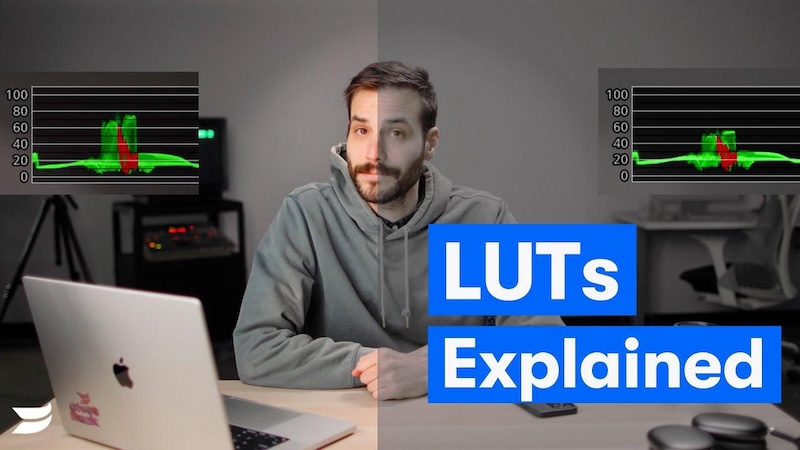
- Cinematic color and audio : Shots filmed a week apart never match on their own. In my view, LUTs and color matching fix most of it.
- Titles, subtitles and credits : Boring, maybe, but a film without a title card feels like a draft.
Top Movie Makers for Desktop, Online, and Mobile
1. HitPaw Edimakor: Best Overall Movie Maker

Supported platforms: Windows and Mac
HitPaw Edimakor runs on Windows and Mac, and if someone asked me for one recommendation, it'd be this one. It's a desktop editor for personal footage and AI-generated video alike. It's a film maker and windows film maker with a Mac version too. The best ai movie maker here, since the AI tools sit inside the editor.
Key features of HitPaw Edimakor:
- Start with the interface. It's friendly to use, so a first-timer isn't lost on day one.
- The AI Enhancer sharpens soft, low-res clips, which helps with old tapes.
- LUTs and color matching turn a film look into a one-click job.
- On top of that, auto subtitles go straight onto the timeline.
- Dialogue, music and sound effects all get edited in the same app.


Best for: beginners and indie creators who would rather make a film than learn software.
2. DaVinci Resolve: Best for Advanced Color Work
Supported platforms: Windows, Mac, and Linux
Colorists on real productions use Resolve, and the free movie maker edition, which runs on Windows, Mac and Linux, gives you a surprising amount. The color page is the draw. It's heavy, though, and the learning curve is steep.
Best for: editors who already know their way around grading and want more.
3. Clipchamp: Best Windows Movie Maker Alternative
Supported platforms: Windows and web
Plenty of people still type windows movie maker or win movie maker into Google. Microsoft actually dropped support for the old app in 2017. These days Windows 11 comes with Clipchamp instead, which also works on the web. It's simple, though cramped once a project runs long.
Best for: casual editors on Windows who liked the old app and want something similar.
4. iMovie: Best Free Movie Maker for Mac
Supported platforms : Mac, iPhone, and iPad
The best free movie maker for mac is probably already installed. iMovie ships with the computer, does trailers and titles nicely, and syncs projects with iPhone and iPad. Color and audio controls are basic, so a bigger film outgrows it fast.
Best for: students and first-timers.
5. Shotcut: Best Free Open-Source Option
Supported platforms: Windows, Mac, and Linux
Shotcut costs nothing and adds no watermark, and since the code is open, a community keeps improving it on Windows, Mac and Linux. The interface looks like 2012, so budget for a tutorial or two.
Best for: hobbyists who want real depth and don't want to pay.
6. Adobe Express: Best Online Movie Maker
Supported platforms: Web and mobile
Adobe Express runs on the web and on mobile. Open a tab, pick a template, add text and stock assets, and you're done in ten minutes, which makes it a quick movie maker online. Anything longer isn't really its job.
Best for: social creators and small businesses.
7. LumaFusion: Best Movie Maker App for Mobile Editing
Supported platforms: iOS, iPadOS, and Android
LumaFusion is the serious movie maker app here, available on iOS, iPadOS and Android. It handles multiple tracks and keyframes, so cutting a real project on a tablet during a train ride is doable. For a quick movie maker download for travel edits, the small fee seems fair.
Best for: mobile filmmakers and journalists who cut footage on the move.
How to Create Your Own Movie with an AI Movie Maker
Choosing the right movie editor is just the first step. To create your own movie, there’s still plenty of editing work ahead. Follow these steps to learn how to create your own movie with Edimakor.
Step 1: Prepare Your Original Footage
Before cutting anything, I like to get all the footage into one place. Throw every clip into the media library, sorted by scene. Phone footage from a dim restaurant, or anything else that looks soft? Run it through the AI Image/Video Enhancer now.
Step 2: Edit on the Timeline
Once everything's sorted, drag the clips onto the timeline in the order the story needs, even if it feels rough at first, and let Smart Editing take care of the dull trimming that eats up so much time. Then watch it from the start.
Step 3: Create a Cinematic Look
This is the step where a stack of clips begins to feel like an actual film. Try a LUT on your own footage rather than judging it from the thumbnail, and then run Color Match , because your second camera's shots may look warmer or cooler than the first.
Step 4: Add the Final Movie Details
After the look is settled come the details nobody notices until they're gone: subtitles for the dialogue, an opening title, and the music, which I'd always add last and pull down low enough that every spoken line stays clear. Transitions are optional, and I only use one when a cut feels abrupt.
Step 5: Export Your Finished Movie
When the film feels finished, choose the resolution and format you need and start the export. While the render runs, the thumbnail generator can build a cover frame, so the movie is ready to post the moment it ends.
Tips for Making Your Movie More Cinematic
Beyond choosing the right movie editor and following the basic steps, a few creative decisions can make your movie feel more cinematic. Keep these tips in mind to improve the overall viewing experience.
- Build a Clear Visual Style: Pick a visual style early and stay with it, because a slow, moody opening followed by a bright, shaky ending can feel like two different films stuck together.
- Use Color with Purpose : Warm tones tend to feel like comfort or memory, while cool ones push toward tension, so choose them on purpose instead of by default.
- Improve the Soundtrack : Sort out the sound before anything else, since viewers will put up with a slightly soft picture far longer than they'll tolerate muffled dialogue.
- Add film effects carefully : A bit of grain gives texture, but too much looks fake, and it's worth checking the cut on both a phone and a TV before you export, because each shows different flaws.
FAQs
A1: It really depends on your device and how much editing you've done before, but for most people I'd point to HitPaw Edimakor, since it's easy to learn and still has AI tools and color control.
A2: Not officially. Microsoft ended support for it in 2017 and replaced it with Clipchamp on Windows 11, and if you'd like something with more control, Edimakor is worth a look.
A3: If you want something free and simple, iMovie is the easy answer on a Mac, though Edimakor give you more features.
A4: I'd say Edimakor, mostly because the AI Image/Video Enhancer and Smart Editing sit right inside the editor.
Conclusion
There isn't one right pick for everybody, because it depends on your device and how much control you want. HitPaw Edimakor is the one that takes a project from raw footage to a finished film without leaving the app, with AI enhancement, color, subtitles and audio in one place. Download Edimakor and start cutting your first movie today.
Leave a Comment
Create your review for HitPaw articles