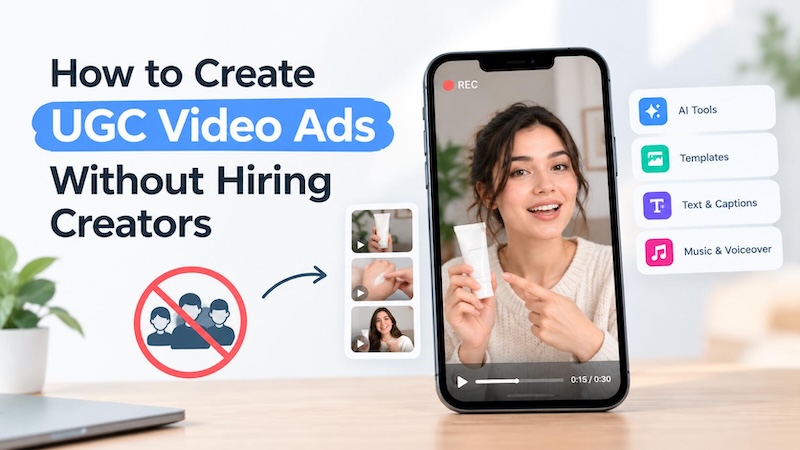
“Phone-shot” and “talking-to-camera” ads continue to outperform “glossy” ones, but it takes hours to find the people to shoot them. Ever sent a brief to a creator, then received a clip back in 10 days that was ‘off topic'. That meant you were on the hook for a reshoot. Now, use AI avatars, scripts and templates, you can create believable UGC video ads and no one needs to be employed. In this guide, we’ll show you the detailed steps.
Why Create UGC Video Ads Using AI?
Let me be honest here, AI is not a better creator than a good ol' boy in the studio, and there are still plenty of brands out there that need some real people on camera. For the typical product clip, it will save you more time than you think.
- Cost: Creators charge per video, plus usage and modification fees. An AI UGC creator turns that on its head. Software rental adapts to monthly clip demand. Try ten product angles, and savings become apparent in no time at all.
- Speed: No parcels in the post or Thursday chasing. After breakfast you have a script, by lunchtime a rough cut is drafted, and the spotted trend is live by then if it's going anywhere. No waiting necessary.
- Testing: Ad platforms love new creatives—one video is never enough. AI video ads let you experiment with new phrases, faces, or edits instantly, without waiting all day to book each version individually with freelancers.
- Markets: Assume that you are a seller in Mexico and the UK. This offer is valid for two languages. Change script and voice, leave layout as is, done. It is a project in itself to locate a local creator for each area.
How to Create UGC Video Ads Without Hiring Creators
HitPaw Edimakor’s commercial video maker combines avatar tools, a script writer, templates and full editor together. What does this mean? The typical UGC ad creation process without creators involves switching between a script app, a voice app and an editor, and an hour of export time for every switch. It's all in one workspace and a first draft only takes minutes.
Why Choose Edimakor for UGC Ads?
- Realistic AI Avatars : Facial movements are natural, lips move in sync with speech so the person on screen feels as though they are being filmed by themselves on their cell phone instead of an actor in a studio.
- AI Script Generation: Type in the product and who it is for. You receive a script back, with hook opened.
- Video Templates: Found one you can convert to be reusable? Save and seal it and insert the next product.
- Inbuilt Video Editing: Trim out the dead air, add subtitles, change the background etc. No point in exporting and importing anything.
- Customizable Export: Export as vertical for TikTok & Reels, square for feeds, wide for a landing page.


Here’s a simple tutorial to create UGC video Ads with Edimakor.
Step 1: Create a Script for the Video.
Open Edimakor and go to AI Toolbox. Select AI Copywriting. Write the products name, two, three, real benefits and type of buyer you want. Set the mood as lighthearted. Then read the answer out loud. If you stumble when writing something, it should be rewritten.

Step 2: Log in to the AI Avatar Tool.
Navigate to AI Avatar and select one of the pre-made avatars or create one. Try to match the look with your customer. If you are a woman in her 40s, you don't want to get a 20 year old gamer.
Step 3: Insert Your Script and Sound.
Copy and paste the script into the box and select the voice and language you want to use. Try it out on a sentence or two first; if it sounds good in "list" context, it will sound strange when reading your actual copy.
Step 4: Customize the Video Generation.
Explain in a timely manner what the avatar is supposed to do: hold up the product, point at a line of text, lean in a bit. Clear up the subtitles and then set the background to something suitable to the product such as a kitchen counter or a desk.
Step 5: Generate & Refine.
Create and play the clip twice. Add and repair any awkward moments in the editor. If it looks good, save it as a template, and the following video starts with it, instead of from a blank screen.
A handy trick to avoid flaky ads: mute the video and view the first 5 seconds. If nothing here makes you feel the urge to keep binging and keep binging, then it's time to deal with the opening before you go any further.
Tips for Making Better AI UGC Video Ads
Creating high-performing AI video ads doesn't have to be complicated. Follow these simple, effective strategies to captivate your audience.
Write a Conversational Script
Write it as you would say it to a friend at coffee time. Short lines are OK. People don't talk like that, so words like “innovative solution” are not.
Choose a Natural-Looking Avatar
Find someone that your buyers can relate to and imagine talking to. A bit of informal is better than too formal more often than not.
Show the Product Clearly
Place product on the screen as soon as possible – ideally within three seconds – and keep it visible while the avatar discusses the product. If the detail is what's selling, then a close-up is helpful.
Adapt Videos to Each Platform
TikTok responds to the vertical format, fast and captioned. YouTube Pre-Roll can get a little bit of a breath of relief. Create a cut for each location, do not post the same file in multiple locations.
FAQs
A1: Yes. With just an avatar tool, a script generator and an editor, you can create your own video in UGC style. Simply state what it is and verify the labels of each platform for AI content.
A2: Depends on what you require. If you're looking for the script, avatar and editing all in one app, Edimakor is an option. Look at avatar quality, export formats and price before choosing.
A3: Yes, export at 9:16. Look at TikTok's new regulations before posting any realistic AI-generated content, as it has stated it will label such content.
A4: Mostly, especially when making many, as one plan will cover many clips and creators will charge per video. But for one big hero ad, it's not clear if a real person is the more cost-effective option.
Conclusion
AI creates UGC ads that are faster and less costly to make, and testing becomes a much less stressful experience. Edimakor’s commercial video maker stores the script, the avatar and the editing all in one, and so, it takes one sitting to finish the video from idea to finished product. Write a short script, pick an avatar and view the first draft. Give a chance to Edimakor and create your first UGC ad today!
Leave a Comment
Create your review for HitPaw articles