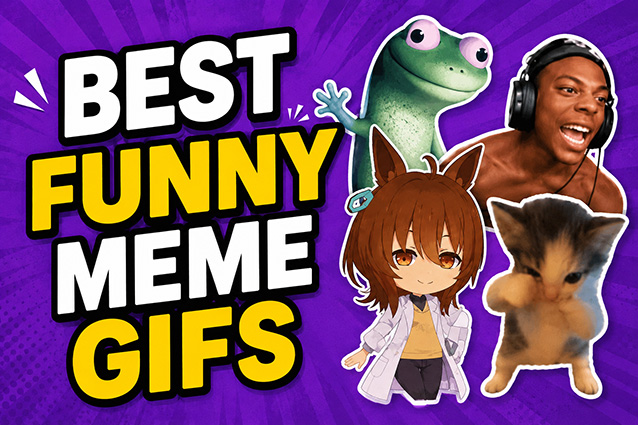
If you’re active on social media, there’s no way you can escape memes! They’re quick, expressive and often downright funny, perfect for reacting to pretty much anything. In this guide, we’ll break down the most trending meme GIFs of 2026 and show you how to create the best funny meme GIFs in just a few easy steps.
Part 1. 10 Viral Meme GIFs Trending in 2026
1. “Lizard Lizard Lizard” Meme

It features “Tom,” a small green lizard from Pixar’s 2026 movie Hoppers . The meme exploded from a post-credits teaser in Elio , where Tom repeatedly taps a glowing button as a robotic voice repeats “lizard.” It’s the perfect meme for “brain dead” mode. People use it when they’re stuck doing the same thing over and over or completely zoning out.
2. “67” Meme
Based on the repeated “six seven” line from a viral track, a kid yelling it at a game (“67 Kid”) made it explode everywhere. This meme has almost no fixed meaning. It’s used for random hype, small wins, jokes, or just to create chaos.
3. “Punch the Monkey”
Originated from Punch, a baby monkey at Ichikawa City Zoo in Japan, who was raised by hand and often seen clutching a stuffed monkey toy. It's cute, but oddly emotional. This meme shows up in “comfort object” jokes, clingy moments, or edits about being way too attached to something (or someone). Punch is alive and well, and has even made some friends.
Want to dive deeper into animal memes? Check out our full breakdown of the cooked dog meme.
4. “Scuba Cat”
An AI-generated looping clip of a cat doing a “scuba dance” — plugging its nose and doing smooth, looping moves synced to a song called "Scuba Juke." The meme fits well in absurd meme videos. It also works as a punchline for “I’m diving into this drama” or “I’m fully submerged in this situation” jokes.
5. The “Bad Bunny at the Grammys”
The meme captures Bad Bunny’s stunned, facepalm reaction after winning. It’s used for “I can’t believe this just happened” moments, whether it’s an unexpected win, a shocking fail, or pure chaos.
6. “I just hit the jackpot”
The meme comes from the rap song called "Hit the Jackpot" by GameboyJones. It’s used when something unexpectedly goes your way. From glow-ups to lucky moments, it’s perfect for flexing wins. It also fits ironic situations where someone “hits the jackpot” in chaos, drama, or disaster rather than success.
7. Kaboom Kablow
Kaboom Kablow, also known as Rest In Peace My Granny, She Got Hit By A Bazooka. It’s built around an absurd, chaotic lyric. This meme thrives on pure nonsense energy. It’s used in surreal edits, chaotic transitions, or whenever something is so ridiculous it stops making sense.
8. “Say wallahi bro”
"Wallahi" is an Arabic phrase essentially meaning "swear to god." This phrase became popular in streaming culture, and fits clips where someone’s being dramatically sincere, making a wild take sound like a fact, or doubling down on a joke until it becomes the vibe.
9. Low Cortisol Dance
It originates from an anime character, Uma Musume’s Agnes Tachyon, dancing to a remix of the Vietnamese song "Ai Đưa Em Về." The relaxed, slow dance style represents a stress-free, unbothered vibe. It’s used to signal a relaxed, no-drama energy, and inspired users to make variations of other characters doing the dance.
In the same chill and cute spirit, the gugugaga penguin meme has also gone viral.
10. "You’re Mine" Meme
The viral 2026 meme shows a cute dancing animal (often a beaver or squirrel) paired with the line “you’re mine.” It’s used in playful, slightly chaotic “claiming” moments, like joking about a crush, a vibe, or something you’ve decided is yours now.
 You may also like:
Part 2. How to Use Meme GIFs Without Being "Cringe"
Although meme GIFs are practically endless and easy to use, there are a few unspoken rules. The goal of using meme GIFs is to be cool, not cringe. Here’s how to get it right:
- Stay on trend . Meme GIFs evolve quickly, and outdated ones can feel out of place. Keeping up with trending pages helps you stay relevant and avoid using memes that no longer resonate.
- Understand the context. Meme GIFs function like a visual language, and each one carries a specific meaning. Take time to find out the context that the meme represents. Use it correctly instead of just adding it for attention.
- Match the platform. Trends vary across platforms like TikTok and Instagram, and using the wrong meme can reduce engagement. Choose memes that fit the platform. You can also get a head start by using a meme that’s yet to trend on a platform. It’s always fun to be a trendsetter!
Getting the sound right matters just as much as the GIF itself. Check out our picks for the best meme soundboard tools to find the perfect audio to go with your meme.
Part 3. How to Make a Meme GIF (Step by Step)
Creating shareable funny meme GIFs doesn’t have to be complicated. With a powerful AI creative tool like HitPaw Edimakor , you can quickly turn everyday clips into viral-ready content in minutes. If you’ve ever wondered how to make meme GIF content that actually gets shared, this step-by-step guide will walk you through it.


Step 1. Get the Right Meme Clip
Every great meme starts with the right moment. Choose a short, relatable, or unexpected clip that delivers the joke quickly.
You can import a video from your device, record a viral moment using the built-in screen recorder , or generate a clip with AI from picture or a text prompt. Edimakor offers lots of AI dance templates; you can generate your dance in seconds.
Step 2. Edit & Enhance Your Meme
This is where your clip becomes one of those funny meme GIF s people actually want to share. The goal is to make it clear, expressive, and hilarious.
With Edimakor, you can add captions to highlight the punchline, use stickers or visual effects to enhance the humor, and adjust timing to match the action. You can also improve video quality with AI tools to make sure your meme looks clean and polished.
Step 3. Export as High-Quality GIF
Once your meme is ready, export it in GIF format for easy sharing across platforms. Simply export your project, choose the GIF format, and adjust resolution and file size. Now you can get a high-quality GIF that is ready to be shared.
Part 4. Safe and Unsafe Uses of AI Meme GIFs
Even when using an AI meme GIF maker, it’s important to stay mindful of content usage.
What You Can Do
- Create original content using a meme GIF maker.
- Use AI-generated clips to produce funny meme GIFs.
- Remix existing formats into new popular meme GIFs.
- Use built-in templates from HitPaw Edimakor.
- Add captions and edits to transform content creatively.
What to Avoid
- Upload full copyrighted videos without editing.
- Use harmful or offensive material just for attention.
- Create misleading edits of real individuals.
- Ignore platform guidelines when sharing video to GIF meme content.
FAQs About Meme GIFs
A1: Use a powerful meme GIF maker like HitPaw Edimakor. Import your clip, trim it, add captions, and export it as a GIF. It’s the easiest way to convert video to gif meme content.
A2: Yes. With Edimakor, you can use models like Seedance 2.0 to generate clips from text prompts. Then you can turn them into funny meme gifs using built-in editing tools.
A3: GIFs themselves don’t include sound. However, when uploaded to TikTok, like some dancing meme GIFs, you can convert them into videos. Then you can add audio.
A4: You can find popular meme GIFs on social platforms, but tools like HitPaw Edimakor also offer templates to help you quickly create your own versions.
Conclusion
Now that you’ve got everything you need to know, be ready to create your first trending meme GIFs like a pro. For the most reliable and easy-to-use meme GIF maker , look to none other than HitPaw Edimakor – where AI does more, so you can edit less.
Leave a Comment
Create your review for HitPaw articles