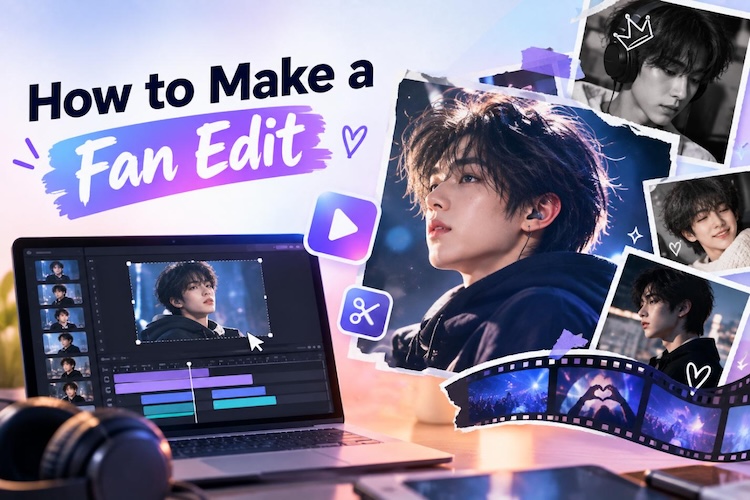
Scroll through TikTok or YouTube Shorts, and you may come across an edit features a favourite character, K-pop idol, or artist. The cuts are smooth, the timing is perfect, and the whole thing can feel like a mini movie.
These fan edits look impressive and personal, but you don’t need expensive or complicated tools to make one yourself. This guide breaks down what a fan edit is, the styles worth trying, and how to make a fan edit step by step.
What Is a Fan Edit?
A fan edit is a short video that combines clips, photos, and music to celebrate a character, celebrity, show, or moment you love. It's about honoring something, telling a quick story, and chasing a vibe.
Fan video editing usually captures what makes a favourite character or artist special and express admiration, rather than simply putting clips together.
Fan edits also tend to be platform-native. A recap edit for YouTube isn't the same as a meme edit for TikTok. You've got to be good at learning what style fits which platform.
5 Popular Types of Fan Edits You Should Try
Not every fan edit follows the same style. From fast-paced clips to emotional character moments, here are five popular styles and what it takes to make each one work.
1 Character or Celebrity Clip Edits
What it is: A spotlight edit built around one person, pulling their best scenes, expressions, or moments to show off their personality or arc. The clips highlight their best moments. This is how to make edits of celebrities.
What you need: Clips of your subject, a song that fits their vibe, and solid trimming skills.
2 Performance and Music Fan Edits
What it is: These edits highlight live performances, dance covers, or music videos. The cuts match the song's beat closely.
What you need: Performance footage, the original or remixed track, and patience for beat-matching.
3 Fan Vlog and Fandom Recap Edits
What it is: A recap-style edit summarizing a season, event, or fandom milestone, with text overlays keeping viewers oriented.
What you need: Source clips, text tools, and a timeline that tells a story in order.
4 Aesthetic and Mood-Based Fan Edits
What it is: This one's less about plot and more about vibe; you're leaning on color, filters, and music to build a feeling rather than tell a story.
What you need: Clips that look visually consistent, some color grading, and a soundtrack that sets the tone you're going for.
5 Funny and Meme Fan Edits
What it is: Quick, chaotic, and built for laughs; these use trending sounds, reaction clips, and rapid cuts to turn footage into a joke format.
What you need: Reaction clips, a trending audio, and fast-cut instincts.
How to Make a Fan Edit with A Powerful Editor
Picking a style is the easy, but the real challenge is building the edit. Usually it's because their editor is either too basic to do anything interesting, or so complicated they give up before finishing. HitPaw Edimakor lands right in the middle.
Why Edimakor Stands Out for Fan Edits
Edimakor is a timeline editor for people who've never edited video before. It brings the essential AI tools together in one place, making it easier to turn your favourite clips into polished, creative videos.
Key Features of HitPaw Edimakor
- Enhance Low-Quality Footage: Fan edits live and die on old clips, screenshots, and low-res fan cams. Edimakor's video enhancer can sharpen and upscale that footage so it doesn't stick out next to newer, cleaner shots.
- Add More Creative Elements with AI: Need music, sound effects, or a voiceover? You can generate all of it right inside the editor instead of losing an hour digging through royalty-free sites.
- Edit Easily with a Beginner-Friendly Interface: The drag-and-drop setup means there's no learning curve. With smart edit and beat detection, you can easily trim your clips and arrange them.
- Style Your Edit with Effects and Transitions: A built-in library of transitions and filters adds polish without needing a second app just for effects.
- Use Templates to Start Faster: Choose a ready-made template and replace the clips, photos, text, and music with your own content to quickly build a fan edit.


How to Make a Fan Edit: Step-by-Step Guide
Here's how to make a fan edit video:
Step 1: Choose a Theme and Import Your Media. Decide on your fan edit style, then bring your video clips or photos into Edimakor's timeline.

Or open AI Templates and click Template. Start with the template that you like.
Step 2: Then arrange your footage and trim unwanted parts. Feel overwhelmed already? Our smart editig tools can help.
Step 3: Choose a track that fits your theme as you need. Use the beat detection feature to line your cuts up with the music.
Step 4: Add effects, text, and transitions. Layer in transitions, filters, and captions to give the edit a finished, personal feel.
Step 5: Watch it back with sound on. Fix rough cuts, balance the audio levels, export at the resolution you need for the platform.
Tips for Making Better Fan Edits
Fan edits improve fast once a few habits stick; most of this comes down to restraint, not skill.
- Start with a Clear Concept: Know what story or feeling you're going for before you open the timeline. Cutting without a plan almost always shows.
- Cut to the Music: Try to line your cuts up with the beat; it's a small habit, but it might be the single biggest reason some edits feel professional, and others don't.
- Keep Effects Consistent: Pick a filter or color tone and stick with it. Edits that mix five different looks end up feeling chaotic instead of stylish.
- Keep the Best Moments: A 45-second edit built from your five best clips beats a two-minute edit padded with filler every time.
FAQs
A1: Most fans do this for personal, non-commercial edits without a second thought. Copyright rules vary by platform, so check the guidelines before you post, especially if you plan to monetize.
A2: There's no single right answer; it depends on your experience level. If you're just starting, HitPaw Edimakor makes life easier, since trimming, effects, and AI audio all live in one place instead of three different tabs.
A3: Most run somewhere between 30 seconds and a few minutes. Short-form platforms like TikTok and Reels reward edits under a minute; YouTube gives you more room.
A4: Yes. Drag-and-drop timelines, preset transitions, and AI tools have made this accessible even if you've never touched a fan edit maker before.
Conclusion
Great fan edit ideas come down to three things: a clear concept, footage you care about, and music that connects them. Whether you're into character edits, mood pieces, or meme cuts, the tools to make one well are accessible, even if you've never opened a video editor before. Try Edimakor today and bring your fan edit to life.
Leave a Comment
Create your review for HitPaw articles