If you’ve been wanting to start a podcast, there’s never been a better time! Podcasting allows you to share your ideas, connect with like-minded people, build an online audience, and even earn money from your content. The best part? You don’t need expensive equipment or professional experience to get started. With a clear topic, a good microphone, reliable recording software, and basic editing skills, you can create high-quality podcast content from home. In this guide, you’ll learn how to start a podcast in 2026. Make sure to read this guide till the end.
Part 1: What is a Podcast?

A podcast is a digital audio or video program that features episodes focused on a specific topic, such as technology, business, education, entertainment, health, or lifestyle. Listeners can stream or download episodes on popular platforms like Spotify, Apple Podcasts, and YouTube whenever it suits them. Video Podcasts are very popular on YouTube, gaining millions of views daily and helping creators reach wider audiences through engaging visual content. One of the best parts of video podcasts is that they are easier to create and require no expensive equipment. Beginners can start recording with a smartphone, a basic microphone, and free or affordable editing software.
Part 2: Step-by-Step: How to Create a Podcast In 2026
How to make a podcast? If you’re looking for a way to create your first podcast without expensive equipment, you’re in the right place. Below are step-by-step instructions on how to create a podcast effortlessly.
1. Choose a Trending Podcast Topic
The first and most important step in how to start a podcast for free is choosing a topic that interests you and attracts your target audience. Select a subject you enjoy discussing, such as technology, gaming, entertainment, business, education, or lifestyle. Explore platforms like YouTube, Spotify, and social media to find trending topics on the internet.
2. Choose Podcast Equipment and Software
Once you have a trending topic for your podcast, the next step is to choose the right equipment and software for recording your episodes. You don’t need to invest in expensive gear when starting. Here’s the equipment you’ll need to start a podcast:
- Camera
- Microphone
- Headphones
- Computer or Laptop
- Lighting Equipment
- Editing Software
- Extras e.g. boom, pop filter, etc.
3. Plan Your Podcast Episodes
How do I start a podcast? Before you start recording, take some time to plan your podcast episodes. Create an outline of the topic you want to discuss, questions you want to ask your guests, and the key points you want to cover. This will help you create a proper structure for your first podcast. While planning your podcast, you can take inspiration from professional podcasters in your niche to understand how they structure their episodes.
4. Record Your First Episode
Now comes the most interesting part of this guide on how to start your own podcast: recording your first episode. Once you have selected your topic, prepared an outline, and arranged your equipment, you can start recording your content. Choose a room where you can easily record your podcast without any disturbance or background noise.
5. Edit Your Podcast Video
After recording the complete podcast episode, use a reliable video editor like HitPaw Edimakor to enhance your footage and make it more engaging for your audience. You can easily remove unwanted sections, improve audio quality, add background music, and create a polished final episode.
6. Upload to YouTube
The final step in how to make a podcast for free is uploading your finished episode. Navigate to YouTube and create your podcast channel. Give your channel a unique name. Once your channel is ready, click the “Create” button and select the “Upload Videos” option to upload your podcast episode. Add an engaging title, a detailed description, and a unique thumbnail. Finally, click on the “Post” button to upload your podcast on YouTube.
Tips
- Don’t forget to promote your podcast channel on different social media platforms, such as Instagram, TikTok, and Facebook.
- Upload new episodes regularly. This will keep your audience engaged and increase your subscribers.
- Turn interesting moments from your full-length podcast episodes into short videos for YouTube Shorts, Instagram Reels, and TikTok.
Part 3: Edit Your First Podcast Easily With HitPaw Edimakor
In podcasting, editing plays a crucial role in improving the overall quality of your content and keeping your audience engaged. HitPaw Edimakor is one of the best AI video editors available in 2026, allowing creators to enhance and transform videos without requiring editing skills. The program offers an easy-to-use interface that enables users to customize podcasts, Instagram Reels, TikTok videos, and more without professional help. HitPaw Edimakor offers various advanced video editing tools, including trimming and merging clips, adding subtitles, inserting text overlays, applying transitions, and enhancing video quality. Additionally, the program also allows you to add background music to your videos.
Key Features of HitPaw Edimakor
- Edit Your Podcast: With the help of this tool, users can edit their podcasts and make them look professional without editing experience. You can trim unwanted footage, merge clips, add transitions, and more.
- Background Music: The program enables users to create and add background music to videos. Music available in this program is free for commercial use and can be used on podcast videos.
- High-Quality Output: HitPaw Edimakor allows users to export their edited podcast videos in high resolution for a clear and professional viewing experience, making videos ideal for YouTube, Instagram, and more.
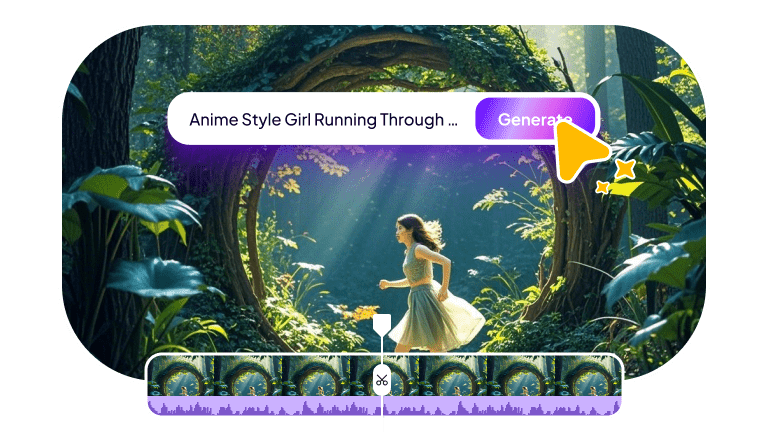
- Text-to-Video: This tool also offers video creation capabilities, allowing users to create high-quality and engaging videos with a simple text prompt. Simply enter the text prompt, choose the AI model, and click the generate button.
- Intuitive Interface: One of the standout features of this tool is that it offers an easy-to-use interface, making it suitable for beginners and creators with limited editing experience.


Step-by-Step Guide:
The program offers an easy-to-use interface, allowing users to edit podcasts without professional help. Here is how to do it:
Step 1: Launch HitPaw Edimakor
Navigate to the HitPaw Edimakor official site and download the latest version of the program on your PC. Launch it and select the “New Project” option from the main interface.
Step 2: Upload Your Podcast Video
Click on the “Import” button and select your podcast video that you want to edit. Users can upload videos in multiple formats, including MP4, MOV, and AVI.
Step 3: Edit Podcast Video
Drag-and-drop the video to the timeline. HitPaw Edimakor will unlock the editing tools. Use the available features to trim unwanted sections, remove mistakes, adjust video speed, and more.
Step 4: Preview and Download
Once the editing is complete, click on the “Play” button to preview the video. If satisfied, hit the “Export” button to download your video in MP4 format.
Final Thoughts
In this How Do You Start a Podcast guide, we’ve covered everything you need to know to launch your first podcast in 2026. With proper planning, you can easily create a high-quality podcast for platforms like YouTube. To make your podcast videos more engaging, we recommend using HitPaw Edimakor. The best AI video editor on the market.
Leave a Comment
Create your review for HitPaw articles