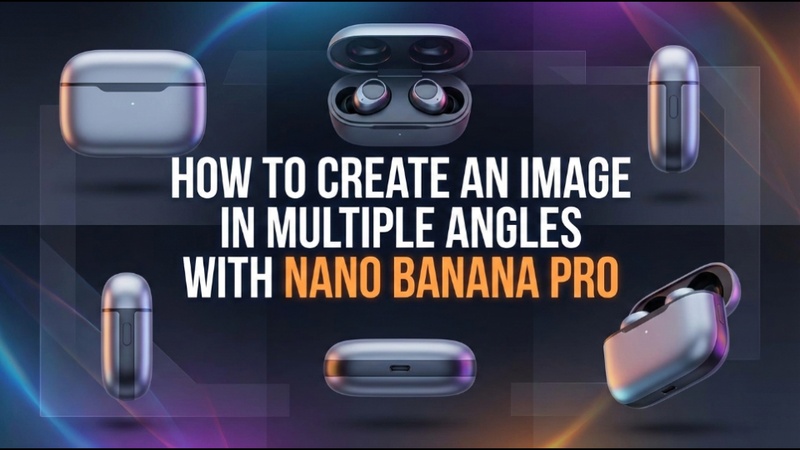

With Edimakor's Nano Banana Pro 2026, producing expert multi-angle photos is simple. You can create portraits and even nano banana one image multiple angles using its user-friendly interface. In the article below, you will get to know that creating numerous angles in a matter of seconds is made simple with Nano Banana Pro.
Part 1: How to Create a Portrait in Multiple Angles
Taking portraits from various perspectives makes it easier to bring out subtleties. For expert results, Nano Banana Pro provides precise editing tools and adjustable filters.
Prompt for Making a Portrait in Multiple Angles:
Act as a professional photographer and re-shoot the subject/character found in this photo within a cinematic environment. I need you to maintain the subject's identity but change the camera orientation to provide a fresh look. Please generate the image in a Solid color background using all of the following professional angles: a direct front view for symmetry, a sharp side profile, a classic three-quarter view, an atmospheric bird’s-eye view from above, and a mysterious rear view facing away from the camera.Using Nano Banana in Edimakor
Step 1: Open Edimakor and Access Reference Image
Launch HitPaw Edimakor on your computer. From the main interface, go to the toolbox and choose the Reference Image tool. This will open the main Edimakor interface, where you can create images through a reference image.


Step 2: Upload Image, Write Prompt, and Generate
Choose the image model and then upload your image. Write a detailed prompt to convert your normal photo to a portrait in multiple angles. Select the resolution and aspect ratio of the output image. Then, hit Generate to create the portrait.
Step 3: Preview or Edit the Portrait
In a few seconds, you will see the output portrait in the My Creations section. Add it to the timeline and preview clearly. You can re-edit or regenerate it and can even convert it into a video.
Step 4: Access Your Portrait
When satisfied, access the portrait by selecting the folder icon from the right corner of the image to share on social media, creative projects, or personal galleries.
Using Nano Banana in Gemini
Step 1: Open Gemini and Load your Image
Launch Gemini on your PC, then import the desired image. When using Nano Banana settings to generate multiple perspectives, make sure the image is clear, well-lit, and high-resolution to achieve accurate results.
Step 2: Write the Prompt
Now, write a prompt describing features, expression, background, lighting, and style to create a realistic, artistic portrait
Step 3: Access the Output
In a few seconds, Gemini will create a perfect portrait image in multiple angles. You can regenerate it and then hit the download button to save the image in your device.
Part 2: How to Make a Product Image in Multiple Angles
Product photos taken from various perspectives increase interaction and provide a comprehensive picture of the item. Nano Banana Pro effectively simplifies this procedure.
Using Nano Banana in Edimakor
Step 1: Open Edimakor and Access the Reference Image Tool
On your PC, launch HitPaw Edimakor. Choose the Reference Image tool from the Toolbox area of the main interface.
Step 2: Upload a Picture of Your Product
From your device, upload a clear picture of the merchandise. This picture will serve as the foundation for creating lifelike multi-angle variants.
Step 3: Create a Prompt or Choose One
Prompt: You are a professional photographer tasked with a cinematic re-shoot of the subject in the attached photo. Maintain the subject's key identification features exactly. The setting must be a clean, solid color background. Provide a collection of images showing the subject from these professional orientations: direct front symmetry, a precise profile, a traditional three-quarter perspective, a wide bird's-eye view from above, and a mysterious rear view.
Step 4: Modify the Image Configuration
Whether it is for Instagram, a product website, or a nanogallery presentation, adjust the aspect ratio, picture style, and output amount based on your use case.
Step 5: Export and Preview
To make sure the produced multi-angle photos are accurate and consistent, preview them. After you are happy, you can access them by tapping on the folder icon appearing in the top right corner.
Using Nano Banana in Gemini
Step 1: Open Gemini and Load the Product Image
To make changes to a product image, open Gemini on your PC and import it. To ensure that Nano Banana presets can precisely generate different perspectives with sharp details and realistic textures, make sure the image is clear, high-quality, and well-lit.
Step 2: Write the Prompt
Write your prompt for the Nano Banana model. Describe your product clearly, including effects, angles, lighting, and style, to generate a high-quality, creative, and eye-catching product image.
Step 3: Create a Multi-angle Product Image
Hit the arrow in the right corner and start your creation. Gemini Nano BananaAI will make a high-quality image of the product in multiple angles in seconds.
In Conclusion
When used with HitPaw Edimakor (Video Editor) , the Nano Banana Pro 2026 allows for the quick and accurate creation of a nano banana one image multiple angles. You can create expert, comprehensive photos in a matter of seconds, whether for product galleries or portraits. For digital presentations, the combination of Nano Banana and Nanogallery technologies guarantees uniformity, excellence, and smooth integration.
Leave a Comment
Create your review for HitPaw articles