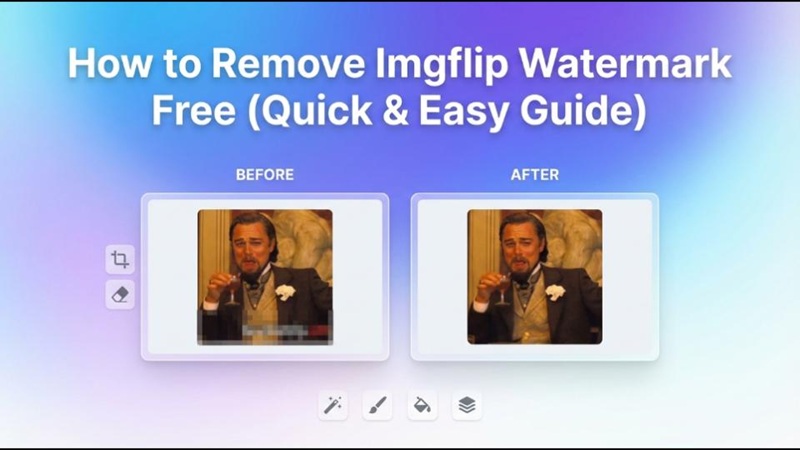
Although making memes and GIFs on Imgflip is enjoyable and very simple, the watermark can occasionally detract from the final appearance. Although Imgflip has a built-in watermark removal feature, it typically requires a subscription plan. We will go over tried-and-true techniques, resources, and detailed solutions in this article to help you remove imgflip watermark swiftly and efficiently.
Part 1: How to Remove Imgflip Watermark Before Generating?
It is crucial to realize that Imgflip itself offers the ability to remove the watermark during the authoring process before considering third-party alternatives. You can choose Remove Watermark or Watermark Off when creating a meme or GIF on Imgflip. Nevertheless, you must upgrade to Imgflip Pro to use this feature, which is not free.
Beyond only removing watermarks, Imgflip Pro offers a number of advantages. For regular users who frequently make memes or GIFs, the pricing usually includes monthly and annual options. Paying for a subscription may not be the best option for people who just infrequently produce material.

Part 2: Free Ways to Remove Imgflip Watermark
Several free programs can successfully remove watermarks if you do not want to purchase Imgflip Pro. These programs use AI technology to remove unwanted components without sacrificing image quality.
Watermark Remover for Memes Free
1. Hitpaw Edimakor
A strong and easy-to-use program, HitPaw Edimakor can accurately remove imgflip watermark free from both photos and movies. It employs cutting-edge AI technology to identify and remove undesirable components while maintaining the original quality of your content. Even people without editing knowledge can use it because of its clear and easy-to-use interface.


Step 1: Install HitPaw Edimakor on your device after downloading it from the official website. The Watermark Remover tool is readily visible on the main interface after the program has been launched.
Step 2: Choose the photo option to upload your image. For more control, you can select between auto mode, which finds the watermark automatically, and manual mode, which allows you to manually highlight and erase the watermark.
Step 3:
View a glimpse of the finished product in the output section after the procedure is finished. To find and access the saved file fast, hover over the result and click the arrow icon.
Pros:
- Simple and beginner-friendly controls make it easy to select and remove watermarks.
- AI-powered removal maintains image clarity and fills the background naturally.
- Allowing consistent watermark removal across different media types
Cons:
- Requires software installation on your device
- Some advanced features may be limited in the free version
2. Arting AI
Without the need for downloads or installs, Arting AI is a handy online watermark remover that operates just within your browser. It is perfect for customers who do not want to deal with complicated software and need a quick and easy answer. Simply upload your photo, make sure the watermark is highlighted, and the AI will take care of the rest.
Pros:
- No installation required, works fully online
- Fast processing with simple steps
- Clean and minimal interface for easy use
Cons:
- Limited free usage depending on file size or attempts
- Requires a stable internet connection for best performance
3. Supawork AI
Another online program called Supawork AI uses AI-based technology to eliminate watermarks and other undesired elements from photos. It is ideal for people who require a quick fix without extensive modification because it is made for rapid edits.
Pros:
- Fully online tool with no downloads needed
- Suitable for quick and simple edits
- Supports multiple file formats
Cons:
- Output quality may vary depending on the image
- Can be slower when processing larger files
2. Remove Imgflip Watermark from GIF Free
Because GIFs are made up of numerous frames, removing watermarks from them is a little more difficult than from photos. Nonetheless, you may still get tidy and expert results without spending money on high-end services if you have the appropriate equipment and strategy. Here are the tools to remove imgflip watermark gif
1. Hitpaw Edimakor
By first converting GIFs into a video format, HitPaw Edimakor offers a dependable method of removing watermarks from GIFs. Better frame handling, more accurate editing, and higher overall quality are all made possible by this technique. Users who want clear, accurate, and distortion-free results will find it very helpful.
Step 1: Convert your GIF into an MP4 video using a reliable converter.
Step 2: Download and install HitPaw Edimakor from the official website.
Step 3: Import the video, select the watermark area, and remove it using the tool.
Step 4: Export the edited video, then convert it back to GIF format.
Pros:
- Highly accurate watermark removal across all frames
- Supports both GIF and video editing workflows for flexibility
- Maintains high-quality output with minimal loss in clarity
Cons:
- Requires extra conversion steps, which may take time
- Needs desktop software installation to operate
2. Arting AI
Without the need to install any software, Arting AI provides a practical online solution for erasing watermarks from GIFs. Beginners seeking a quick and easy solution will find it easier since it automatically processes several frames. Because of the tool's user-friendly interface, users may submit their GIFs and quickly eliminate any undesired features.
Pros:
- No download required, fully web-based solution
- Fast and straightforward process with minimal steps
- Easy for beginners with a simple and clean interface
Cons:
- Limited editing features compared to advanced desktop tools
- May slightly reduce output quality depending on the GIF
3. Supawork AI
With an emphasis on speedy and effective processing, Supawork AI offers a specialized GIF watermark remover. Users who seek a hassle-free experience without having to deal with complex settings will find it ideal. The platform is appropriate for simple editing tasks because it uses AI to identify and eliminate watermarks.
Pros:
- Online tool with a simple and user-friendly interface
- Beginner-friendly with quick processing time
- Works well for basic watermark removal needs
Cons:
- Limited customization and manual editing options
- Requires a stable internet connection for use
| Tool | Ease of Use | Supports GIF | Quality | Free Version |
|---|---|---|---|---|
| Edimakor | High | Yes | High | Limited |
| Arting AI | Medium | Yes | Medium | Yes |
| Supawork AI | Medium | Yes | Medium | Yes |
Part 3: Is There Any Free Tool to Generate Memes and GIFs Without Watermarks?
You can also use sites that create memes and GIFs without watermarking them in the first place, saving you from having to remove them afterward.
1. MemeCreator
MemeCreator is an easy-to-use, totally free platform that lets users make memes without any watermarks or registration requirements. It provides a vast collection of more than 2,800 popular templates, making the process of creating content easy and enjoyable. Additionally, you may use text overlays and timeline manipulation to make GIF and video memes.
Key Features:
- Access to 2,800+ trending meme templates
- Instant meme creation with no watermark and no sign-up
- Support for video and GIF memes with timeline editing and text overlays
2. ScreenApp Meme Generator
A contemporary AI-powered tool called ScreenApp Meme Generator enables users to produce and manage visual material without the need for watermarks. It is primarily recognized for capturing, modifying, and converting video information into formats that may be shared, such as memes. To improve productivity, the platform also provides intelligent AI functions.
Key Features:
- AI-powered recording and automatic transcription
- Video frame analysis for precise editing and clipping
- Export content easily without watermarks and share instantly
Part 4: Conclusion
It does not have to be difficult or costly to remove imgflip watermark. A number of free programs, such as HitPaw Edimakor (Video Editor) , Arting AI, and Supawork AI, offer efficient substitutes for both photos and GIFs, while Imgflip Pro offers a direct solution. You may quickly make neat, polished memes and GIFs free of undesired blemishes by following the instructions in this guide.
Leave a Comment
Create your review for HitPaw articles