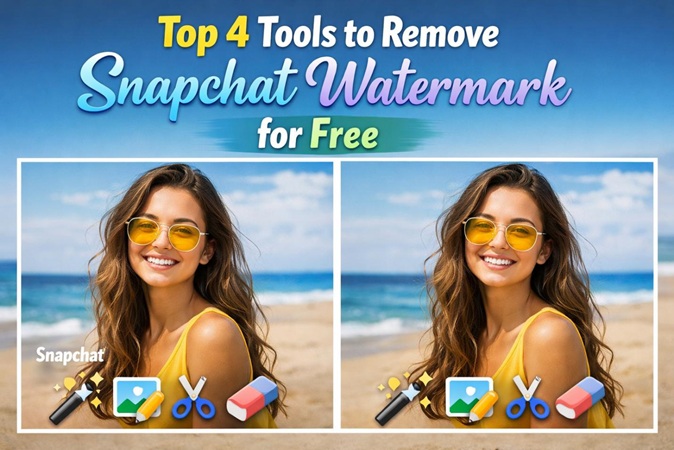
If you save a video from spotlight or a public story, Snapchat often adds a watermark that includes the Snapchat logo and the creator's username. This is similar to how TikTok watermarks its videos to ensure the original creator and platform get credit when the video is shared elsewhere. It is the aim of this guide to show you top 4 tools to remove snapchat watermark for free.

Part 1. Best Snapchat Watermark Remover Download
If you are looking to remove snapchat watermark in 2026, here is the most effective way to handle it, along with the " AI-powered " tool currently leading the market:
Hitpaw Edimakor:


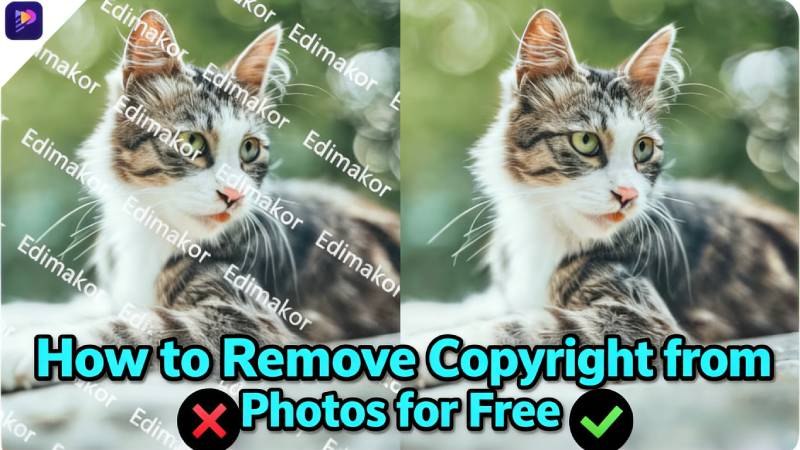
HitPaw Edimakor is an all-in-one AI-powered video editing software that includes a dedicated Watermark Remover tool designed to erase logos, text, stamps, and even moving objects from videos and photos. It primarily uses AI to "fill in" the gaps left behind so the removal looks natural rather than just a blurry mess. Here are the primary pros and cons of using HitPaw Edimakor’s watermark remover:
 Pros
Pros
- AI Inpainting Removal: Reconstructs background instead of simple blur for natural results.
- High Precision AI: Uses machine learning to “repaint” missing pixels.
- Object Tracking: Automatically tracks and removes moving watermarks.
- Multiple Modes: Matte Fill, Color Fill, Smooth Fill, Gaussian Blur options.
- Batch Processing: Remove watermarks from multiple files at once.
- All-in-One Tool:Edit, subtitle, and enhance videos (up to 4K) in one place.
 Cons
Cons
- Free access is limited and the free version restricts high-resolution saving.
- Users with older PCs may experience slow rendering times during the removal process.
How to Remove Snapchat Watermark from Photo & Video Free
Here's how you can remove snapchat watermark from video and photo for free using Edimakor watermark remover:
Step 1: Download HitPaw Edimakor and open Watermark Remover
- Install the software: Go to the Hitpaw Edimakor official website and download the software for your Windows or Mac
- Select " Remove Watermark " from the main interface
Step 2: Upload an image or video and start removing the watermark
- Click on the "drag or click to add" option to upload your images/videos
-
Drag the pink rectangle over the snapchat watermark and hit the "Remove" button
Step 3: View the result
- Click on the "Result" button to preview your images/videos
-
Hit the "Export" button to save and share your video without watermark
Part 2. Snapchat Watermark Remover Online Free
Online watermark removers are the most popular choice in 2026 for "one-off" jobs because they don't require software installation and are usually faster than desktop apps. Here is an overview of three snapchat video watermark remover online tools which are currently leading the market:
WatermarkRemover.io
WatermarkRemover.io is currently one of the most popular AI-driven web tools for quickly cleaning up images. This tool is designed for people who want a "one-click" experience without manual brushing or technical settings.
Pros:
- True "One-Click" Automation: Blind Detection auto-finds and removes watermarks.
- Multi-Watermark Removal: Detects and removes multiple logos/stamps at once.
- No Skills Required: Upload → wait seconds → download.
- Mobile-Friendly: Works smoothly on both mobile browsers and desktop.
Cons:
- Limited Free Plan: Only ~3–5 free downloads per day.
- Image Only: Doesn’t support video watermark removal.
- Imperfect Results: May leave smudges on complex backgrounds.
- Subscription Concerns: Cancellation and “lifetime” deals may have limitations.
- Privacy Risk: Requires uploading files to third-party servers
EzRemove.ai
EzRemove.ai is a newer, highly specialized AI tool in the 2026 market. It focuses almost entirely on being a lightning-fast, browser-based cleaner for images and videos. It has gained a lot of traction among Snapchat and TikTok users because it specifically targets AI-generated watermarks and brand labels without requiring a high-end computer.
Pros:
- No Install: Works entirely in your browser (Safari, Chrome, etc.).
- High Limit: Handles 500MB files much higher than competitors.
- AI Precision: Excellent at removing "My AI" and "Dreams" logos.
- Clean UI: No aggressive pop-up ads or complex timelines.
Cons:
- Internet Dependent: You need a strong connection for 4K uploads.
- Format Limits: Primarily supports MP4 and M4V for videos.
- Privacy: Files are processed on their servers (though they claim encryption).
- Queue Times: During peak hours, free users may have to wait for "Server Slots."
Vmake.ai
Vmake.ai is a heavy hitter in the 2026 AI creative space, positioning itself as an "All-in-One AI Content Studio." It is a much broader platform designed for social media managers and e-commerce professionals who need to turn raw phone footage into high-end ads.
Pros:
- All-in-One Suite: Remove watermarks, enhance quality, and add captions.
- No Manual Masking: For common logos (TikTok/Snapchat), the AI often detects and removes them automatically.
- Cross-Platform: Available on both browser and mobile app.
- High Accuracy: Up to 98% success rate in reconstructing backgrounds.
Cons:
- Credit-Based Pricing: Advanced features (e.g., 4K export) consume credits and can be costly.
- Limited Editing Tools: Not a full timeline editor for cutting/splicing clips.
- Upload Time Depends on Internet: Large files may take longer with slow Wi-Fi.
- Cloud Privacy Note: Files stored on servers for up to 7 days.
Part 3. Tips to Remove Snapchat Watermark Without Losing Quality
Removing a Snapchat watermark often results in a blurry or pixelated mess if you use standard editing tools. To keep the original crispness of your photo or video, you need a tool like Hitpaw Edimakor that uses AI Inpainting rather than simple blurring.
Beyond using professional software, follow these tips to ensure your Snaps stay crystal clear:
- Avoid Re-Saving: Use the original Snapchat export to prevent quality loss.
- Use AI Mode: Choose AI Model over Gaussian Blur for better visual results.
- Match Aspect Ratio: Keep 9:16 (e.g., 1080×1920) to avoid stretching or black bars.
- Batch for Consistency: Process multiple clips together for uniform quality.
Conclusion
While Snapchat has added more friction to saving content, technology has kept pace. The best tool to remove snapchat watermark depends on your specific goal. For high-end creators, the HitPaw Edimakor is your winner. Beyond its watermark remover, HitPaw Edimakor is a full-featured AI video editor designed for creators who want professional results without a steep learning curve.
Leave a Comment
Create your review for HitPaw articles