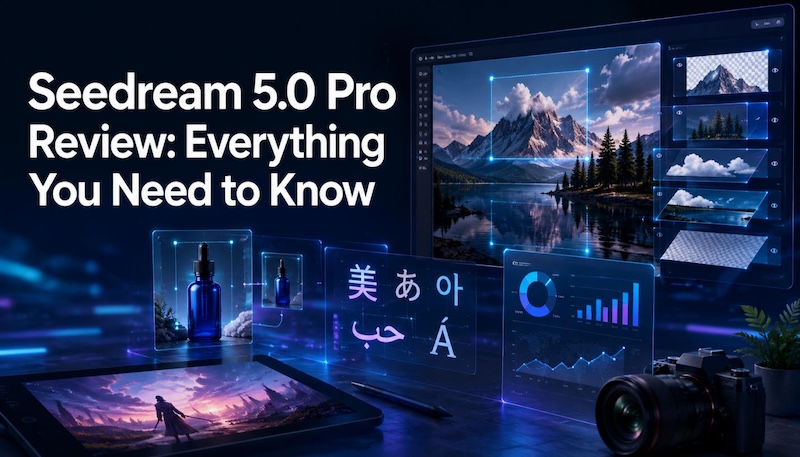
The world of AI image generation is shifting. For a long time, the goal was simply to create the most "beautiful" image possible. But as professionals start using AI tools in real creative workflows, the need for better control and editing flexibility has become more important. This is where Seedream 5.0 Pro enters the spotlight. It was launched by ByteDance. This model aims to solve the "black box" problem of AI art by offering precise editing tools and professional grade output that fit into modern design workflows. This article explores how Seedream 5.0 Pro works, compares it with competitors like GPT Image 2, and see whether it is the right AI image tool for your creative needs.
What is Seedream 5.0 Pro?
Seedream 5.0 Pro is the flagship multimodal image generation and editing model developed by ByteDance. Unlike its predecessors, which focused on speed (Lite) or general creativity (Standard), the Pro version is built on a unified diffusion transformer architecture. This means the model is trained to handle both image creation and subsequent image editing within a single logical framework.
It was released in early July 2026. Seedream 5.0 Pro is specifically designed for commercial designers, marketing teams, and e-commerce professionals who need more than just a one off graphic. It is currently available via the Dreamina app for consumers and through Volcano Engine and BytePlus ModelArk for developers looking to integrate its powerful API into their own software.
Key Upgrades: What Makes Seedream 5.0 Pro Different?
If you have used Seedream 5.0 Lite, you know it is fast. But Seedream 5.0 Pro is smart. The upgrades here aren't just incremental. They represent a fundamental change in how we interact with AI generated pixels.
1 Region Precise Editing
The most significant upgrade is "grounding." Most AI models look at an image as a whole. If you want to change one small thing, the model often "re-rolls" the entire image, changing the lighting or the background in the process. Seedream 5.0 Pro understands the spatial coordinates of every object. You can now box, point, or sketch a specific area like a product label or a person's shirt and instruct the AI to change only that part.
"Edit only the label on the center glass bottle. Replace the existing label with a premium black label that reads 'NOIR RESERVE' in elegant gold serif lettering. Keep the bottle shape, reflections, lighting, shadows, liquid level, cap, background, camera angle, and all surrounding objects exactly the same. Do not change any other part of the image."

2 Multi Layer Separation
Graphic designers have long complained that AI images are "flat." Seedream 5.0 Pro solves this by allowing users to export images as independent, transparent layers. You can separate the subject from the background and the text, exporting them as individual PNGs. This turns an AI generated image into a flexible design asset.
"Analyze this movie poster and export every major component as an independent transparent layer including the main actor, supporting characters, title text, tagline, smoke effects, background cityscape, lighting overlays, and logo."
3 Native Multilingual Text Rendering
Text has historically been the "Achilles' heel" of diffusion models. Seedream 5.0 Pro natively supports text rendering in 14 languages, including complex scripts like Arabic, Japanese, and Korean. It handles right to left scripts and diacritics with surprising accuracy, making it a viable tool for global marketing campaigns.
"Create a Japanese ramen restaurant poster. Display the main headline in Japanese: '本格ラーメン' using bold traditional typography. Below it, include the English translation 'Authentic Ramen' in smaller modern lettering while maintaining proper spacing and hierarchy."
4 Layout Reasoning and Infographics
Creating a chart or a comparison table used to be impossible for AI. Seedream 5.0 Pro includes a reasoning pass that plans the layout before it renders the pixels. This allows it to create high-density infographics where the small text is actually readable and the hierarchy makes sense.
"Create a professional infographic titled 'AI Image Generation Market 2026'. Display four large statistic cards showing Market Size, Annual Growth Rate, Commercial Adoption, and Average Editing Time Saved. Include vector icons, pie charts, bar graphs, and a consistent blue-and-white color palette with highly legible typography."
Use Cases for Seedream 5.0 Pro
Seedream 5.0 Pro isn't just for making "cool" art. It is a productivity tool. Here is how it is being used in the industry today.
Product Photography and E-Commerce
Brands can save time and money using Seedream. Instead of hiring a photographer for every new product, you can generate one scene. Then, you use grounded editing to swap products or change colors. The lighting and shadows stay perfect. This makes your catalog look consistent. It is ideal for clothing brands, makeup companies, and tech gadgets.
Concept Art and Pre-Production
For film and game studios, Seedream 5.0 Pro acts as a bridge to video. It is designed to work seamlessly with Seedance 2.5. Directors can lock in the art direction before animating the scene by generating a high resolution, stable 4K still frame. The layer separation feature also allows concept artists to move characters within a landscape to quickly test different compositions.
Social Media Content and Localized Marketing
Marketing teams often need to run the same ad in ten different countries. With native multilingual support, Seedream 5.0 Pro allows a designer to generate localized ads in French, Arabic, and Japanese simultaneously. This removes the need for a separate typesetting step in Photoshop, drastically reducing time to market for global launches.
Pros and Cons of Seedream 5.0 Pro
Every tool has its strengths and weaknesses. Here is a breakdown for Seedream 5.0 Pro.
 Pros
Pros
- Unmatched Editability: The layer separation and grounded editing are game changers for professional designers.
- Superior Text: It supports 14 languages with high accuracy, which is rare in the current market.
- High Resolution: Native 2K generation with 4K upscaling makes it suitable for print media.
- Workflow Integration: Designed specifically to work with video models and external design software.
- Built-in Web Search: It can pull real world references for brands and current events to ensure accuracy.
 Cons
Cons
- Learning Curve: To get the best results, you need to be very specific with coordinates and descriptive prompts.
- Credit Costs: As a professional-tier model, it likely consumes more credits or incurs higher API costs than the Lite version.
- Early Stages: Since it launched in July 2026, large scale community benchmarks are still catching up to the marketing claims.
Seedream 5.0 Pro Pricing
Seedream 5.0 Pro offers different pricing options for creators, teams, and businesses.
Free Access with Dreamina Credits: New users can try Seedream 5.0 Pro through the Dreamina platform with free daily credits. This allows users to test image generation and editing features before choosing a paid plan.
Paid Subscription Plans: Users who need more credits can choose a paid plan. Higher plans offer more credits, team features, and access to additional tools.
| Plan | Price | Credits |
|---|---|---|
| Free | $0 | Up to 20 credits |
| Basic | $9/month | 900 credits |
| Standard | $29/month | 3,200 credits |
| Pro | $49/month | 6,200 credits |
| Pro Max | $185/month | 24,000 credits |
API Pricing: Developers can use Seedream 5.0 Pro through Volcano Engine and BytePlus ModelArk. API costs depend on usage, including image generation volume, resolution, and editing requests.
Enterprise Pricing: Large companies can get custom pricing based on their needs, including higher limits, team access, and business support.
Seedream 5.0 Pro vs GPT Image 2 vs Nano Banana 2
Choosing the right model depends on whether you value speed, aesthetics, or control. Here is how Seedream 5.0 Pro compares to its top competitors.
| Feature | Seedream 5.0 Pro | GPT Image 2 | Nano Banana 2 |
|---|---|---|---|
| Best For | Professional Editing & Layers | General Purpose & Reasoning | Speed & Aesthetic Polish |
| Editing Style | Grounded (Box/Sketch) | Prompt-based | Minimal/One-shot |
| Layer Export | Yes (Transparent PNGs) | No | No |
| Text Rendering | Excellent (14+ Languages) | Very Good (English focus) | Good |
| Native Res | 2K (Upscale to 4K) | 1.5K | 1K |
| Web Search | Built-in | Optional Integration | No |
| Speed | Moderate | Fast | Very Fast |
Verdict on Comparison: If you need a quick, beautiful image for a blog post, Nano Banana 2 is your best bet. If you need a versatile assistant, GPT Image 2 is a great choice. But if you are a professional who needs to edit a bottle label or export a character with a transparent background, Seedream 5.0 Pro is the clear winner.
Explore Seedream 5.0 Pro with HitPaw Edimakor
If you're looking for an easy way to access Seedream 5.0 Pro, HitPaw Edimakor is the ultimate destination. HitPaw Edimakor is an all in one AI powered editor designed for both video and photo editing. It integrates multiple popular image generation models, including Seedream 5.0 Pro.
Within the Edimakor interface, you can generate images from text, edit existing photos, and compare outputs across different AI models side by side. This makes it easy to choose the best result for your project and continue refining your creations using built-in AI editing tools.
Why choose HitPaw for your AI Image needs?
- Multiple AI Image Models: HitPaw doesn't lock you into one ecosystem. You can switch between Seedream 5.0 Pro, GPT Image 2, and Nano Banana 2 to compare outputs and find the perfect look for your project.
- Text-to-Image & Reference-to-Image: Use the "Reference Image" tool to upload 10+ photos of a specific object or person. Seedream 5.0 Pro will then learn that subject and place it in any scenario you can describe.
- Image Restyle: Want to see your photorealistic Seedream output as a Ghibli style animation or a 3D cartoon? The Image Restyler allows you to apply dozens of artistic filters instantly.
- Multilingual Generation: HitPaw supports multilingual prompt input and output. It ensures that the text rendered by Seedream 5.0 Pro matches your target audience’s language perfectly.
- Available Online and on Desktop: Use the Edimakor Online AI Image for quick creations or desktop for a more integrated creative workflow.
How to Use Seedream 5.0 Pro in HitPaw Edimakor
Step 1: Launch HitPaw Edimakor
Download and install HitPaw Edimakor on your computer. Launch the software and sign in to your account.


Step 2: Open AI Image Generator Go to the AI Toolbox and then choose your preferred generation mode: Text to Image or Reference Image, depending on how you want to create your artwork.
Step 3: Select Seedream 5.0 Pro and Generate Choose Seedream 5.0 Pro from the available AI models. Enter a Seedream 5.0 pro prompt (and upload a reference image if needed), then click Generate to create your image in seconds.
FAQs about Seedream 5.0 Pro
A1: Consumer access is available through ByteDance's Dreamina app. New accounts typically receive free daily credits, though high-volume use or API access via Volcano Engine requires a paid subscription.
A2: Unlike older models that "hallucinate" letters, Seedream 5.0 Pro uses a multilingual transformer. It understands the specific characters and layouts for languages like Arabic, Japanese, and Korean. This ensures that accent marks are placed correctly and right-to-left scripts are rendered without errors.
A3: It currently supports roughly 14 languages natively. This includes major global scripts such as English, Chinese, Japanese, Korean, Spanish, French, German, Russian, and Arabic.
A4: The model is most effective at separating layers when requested at the time of generation or when using the specific "Layer" editing tool. It can identify text, central subjects, and backgrounds to export them with transparency.
Conclusion
Seedream 5.0 Pro marks a significant milestone in AI development. It addresses the real world needs of professional designers and marketing teams by focusing on "control" rather than just "creation." The grounded editing and layer separation are not just flashy gimmicks. They are tools that save time and reduce frustration.
If your workflow requires precision, localization, and high resolution output, this model is a top tier choice. It bridges the gap between AI generation and professional graphic design. Ready to see the future of creativity? Try out the HitPaw Edimakor today and experience the power of Seedream 5.0 Pro for yourself. Your next masterpiece is just a prompt away.
Leave a Comment
Create your review for HitPaw articles