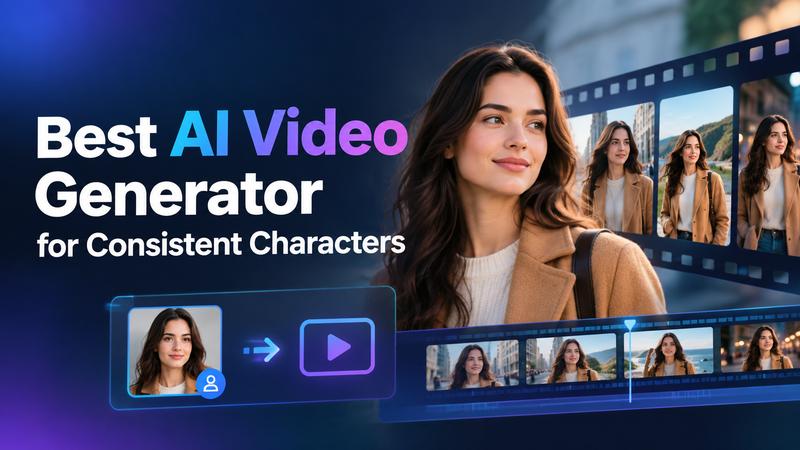
The digital storytelling landscape has transformed with the rise of AI. For creators, maintaining character identity across multiple scenes is the ultimate goal in professional productions. Finding the right AI video generator with consistent characters is easier than ever. These tools help preserve key details, so main character looks the same from the first to last scene. Character stability is important, whether you are building a cinematic universe or a simple marketing campaign. This guide explores the best tools for creating AI videos with characters that stay consistent throughout your project.
What Does Character Consistency Actually Mean
In simple terms, character consistency means keeping a person’s appearance identical throughout a story. Their face, hair, clothes, body shape, and other key features should remain recognizable from one scene to the next. In traditional animation, artists had to maintain these details by hand. AI tools use reference images and other features to keep a character’s appearance consistent across different scenes, lighting, and camera angles.
The core of AI character consistency lies in reference models. Instead of entering a simple prompt like “a man walking,” you can give the AI a character image to follow. The model uses it as a guide to create new scenes with the same character. This makes it easier to tell stories across multiple clips without changing the character’s appearance. Without this, viewers would get confused by shifting faces and outfits.
Best AI Video Generators for Consistent Characters at a Glance
The best tool depends on whether you need short cinematic clips, animated stories, or videos with recurring characters. Here is a quick comparison of six options.
| Tool | Reference input | Max clip length | Cross-scene consistency | Motion stability | Ease of Use |
|---|---|---|---|---|---|
| Edimakor AI | Image, video, or both | Up to 30 seconds | High with references | Model dependent | Easy |
| Kling AI | Text, image, element references | Up to 30 seconds (4.0) | Strong controls | Strong motion tools | Moderate |
| Vidu | Multiple image references | Up to 16 seconds (Q3) | Strong with saved references | Strong, expressive motion | Easy–moderate |
| Runway | Text or one image (Gen-4.5) | 10 seconds per generation | Moderate; reuse images | Strong prompt and motion control | Moderate |
| Seedance 2.5 | Text, image, video, audio | Up to 30 seconds listed | Strong multi-shot focus | Promising; not benchmarked | Moderate |
| LongStories.ai | Reusable characters, universes, styles | Up to 15 minutes | Strong for recurring stories | Varies by scene | Easy |
6 Best AI Video Generators with Consistent Characters
The best tool depends on your project, budget, and preferred workflow. Some focus on detailed reference control, while others help create complete stories. Here are six options worth considering.
1) Edimakor AI – Best for Streamlined Character Creation

Edimakor AI provides a comprehensive browser-based hub that simplifies complex video production into a user-friendly interface. It supports multiple models, including Google VEO 3, Kling, and Vidu, letting users switch between engines for the best results. The platform includes one-click effects such as AI Kiss, AI Hug, and AI Muscle. These features use specialized models to help keep the character’s appearance consistent across different scenes and actions. It excels at instantly transforming text or images into high-quality videos for personal and commercial projects.
 Pros
- Beginner-friendly interface requires no advanced skills
- Supports multiple top-tier AI models like Kling 4.0 , and Seedance 2.5 .
- Includes over 300 creative video effects
- Excellent for commercial and personal project use.
- Generates high-quality results in seconds.
 Cons
- Free tier has very limited generation credits.
- Requires internet for cloud-based AI processing.
- Advanced features need a paid subscription.
Price: Basic costs $9.99/month for 2,000 AI credits. Pro costs $19.99/month for 4,000 credits, while Premium costs $29.99/month for 10,000 credits.
Try It Online2) Kling AI – Best for Realistic Motion and 4K Quality
Kling AI 4.0 delivers strong audio visual performance with native 30-second video generation in a single pass. Its Omni Reference feature lets creators use up to 15 images and videos to define a subject, helping keep character details consistent across different scenes. Kling can produce expressive facial movements and detailed scenes. This makes it a great choice for 3C advertising and professional brand videos. Its ability to generate multiple images with a consistent visual style can also help creators build storyboards before starting the final video production.
Pros:
- Supports long native clips up to 30 seconds.
- Extensive reference control with up to 10 images.
- High-fidelity 1080p output with 4K coming soon.
- Native 4K Ultra HD visual output.
- Excellent facial expression and lip-sync performance.
- Stable and realistic motion for human characters.
Cons:
- API pricing can be complex for individuals.
- High results require detailed prompting knowledge.
- Kling 4.0 generations may require more credits.
Price: The Basic plan is free forever. Paid plans start at $6.99 per month for 660 credits.
3) Vidu AI – Best for Real-Time Interaction and My References
Vidu AI focuses on efficiency and expressive performance. It features a Reference to Video tool that supports up to seven reference images at once. This allows for incredible control over character identity, style, and scene continuity across multiple shots. One standout feature is the “My References” library, where users can save specific characters, props, and scenes for easy reuse in future projects. Vidu offers useful tools for creating 2D animations. Its Off Peak Mode gives creators more freedom to explore different visual styles and ideas.
Pros:
- My References saves reusable characters
- Multi-reference consistency with 3+ images
- Supports up to 7 reference images.
- Smooth 24fps cinematic movement quality
- Millisecond real time interactive model response
- Flexible plans for individual creators
- Daily login bonuses and free trial credits.
Cons:
- Subscriber credits expire after 30 days.
- No refunds available for unused credit packages.
- Maximum clip length is shorter than some competitors.
Price: Offers a Moonlit Trial for $9.9 (4,000 credits) and individual plans tailored for independent creators.
4) Runway – Best for Industry Standard Control
Runway’s Gen-4.5 model is designed for scaling content across teams and agencies. It provides agentic collaborators that help users create and organize creative workflows. This all-in-one platform combines video, image, and audio generation in one workspace, along with dedicated tools for creating ads and publishing them on platforms such as Meta and Google. Runway excels in professional grade quality, providing studio level outputs like HDR and ProRes for filmmakers. Its creative suite is highly integrated, allowing users to move seamlessly from text to image to final video production.
Pros
- Integrated Runway Ads for marketing teams
- Parallel generation allows for 20+ videos simultaneously.
- High end studio outputs including ProRes HDR.
- Custom voice cloning for character continuity.
- Unlimited 4K upscaling on higher tier plans.
- Large asset storage up to 500GB.
Cons
- Monthly credits do not roll over on basic plans.
- High learning curve for professional editing tools.
- Most advanced models cost significant credits.
Price: Free plan includes 125 one time credits. Standard plan starts at $12/month (billed annually) for 625 credits.
5) Seedance 2.5 – Best for Director-Level Control
Seedance 2.5, developed by the ByteDance Seed Team, introduces a unified multimodal architecture that handles up to 30 images, 10 video clips, and 10 audio clips as references in a single pass. This allows creators to build complex scenes with multiple subjects and changing camera angles. It generates 30-second audio video clips with improved transitions, ensuring the story unfolds logically rather than as a sequence of frames. Its timestamp based editing and green screen features give filmmakers more control over their videos, making it a useful tool for film production.
Pros
- Unrivaled multimodal reference capacity (50+ items)
- Generates 30-second single pass clips with extensions.
- It creates realistic human skin and fine textural details.
- Clay render references for accurate motion and lighting control.
- Timestamp level control for targeted editing of actions.
- High quality audio visual synchronization with lifelike physical realism.
Cons
- Character drift still occurs in motion.
- Anatomy errors persist during complex actions.
- High resource use increases generation costs.
Price: The supplied offer lists $14.95/month, billed annually at $179.40.
6) LongStories.ai – Best for Long-Form Series and Storytelling
LongStories.ai is specifically designed for creators who want to produce full episodes and series up to 15 minutes in length. Its “Universes” and “Cast” features save characters and their voices for reuse across multiple videos, helping maintain consistency throughout a series. This keeps AI characters consistent across hundreds of episodes. The platform includes a dedicated scene editor. This allows users to edit individual scenes without recreating the entire video, saving time for YouTube creators and filmmakers.
Pros
- Generates long form videos up to 15 minutes.
- Cross episode cast and world continuity features.
- Direct-to-YouTube scheduling and posting tools.
- Includes narrator and character voice options.
- Editor allows changing one shot without regenerating all.
- Upscaling options up to 4K at 60fps.
Cons
- The starting price is higher at $59 per month.
- Signing up only provides 200 credits for scripts/characters.
- Generating a video requires a paid subscription.
Price: Signing up is free with 200 credits for characters/scripts. Paid video plans start at $59/month.
How to Create AI Videos with Consistent Characters
Start with a clear reference image and adjust one element at a time. Here is how to create AI videos with consistent characters using their streamlined online platform:
Step 1: Select Your Model and Upload References
Open Edimakor AI Studio and choose a tool such as ‘Reference to Video.’ Upload one or two clear images that show the character’s face, clothing, and key features. These images help the AI match the character’s appearance in the generated video.
Create Now
Step 2: Apply Effect or Prompt
Select an effect, such as AI Hug, to animate your images. If you want a custom video, enter a ‘prompt’ that describes the character’s actions and movements. Keep the character’s appearance details unchanged, and choose your preferred video length, resolution, and aspect ratio.
Step 3: Generate and Refine
Click the ‘Generate’ button. Then, wait a few seconds for the AI to produce the clip. Review the result and make adjustments if needed. For additional scenes, reuse the same reference images and character details to help keep the character’s appearance consistent across multiple generations.
FAQs About AI Video Character Consistency
A1: Character consistency is vital for storytelling and branding. Without it, viewers lose the narrative thread when the protagonist changes appearance between scenes. It is the difference between a collection of random clips and a cohesive film or advertisement.
A2: Edimakor AI is a great choice for creators who want an accessible way to make AI videos with consistent characters. It offers multiple AI models and reference based video creation options, depending on which tool you select. Using clear reference images and consistent prompts can help keep a character’s appearance similar across scenes.
A3: Edimakor AI can help maintain character consistency by using reference images and similar prompts in supported workflows. However, AI generated results can vary, so review each clip and regenerate scenes when you notice changes.
A4: Yes. Edimakor AI offers a beginner-friendly workflow for working with reference images, prompts, and AI video generation. Start with a simple scene, check the character’s appearance, then use the same reference for additional scenes.
Conclusion
The best consistent character AI video generator depends on whether you need short cinematic shots, reusable references, or a longer story workflow. Edimakor stands out for combining Reference to Video, several models, and beginner-friendly controls. Kling, Vidu, Runway, Seedance 2.5, and LongStories fit different needs. Start with clear references, test a short scene, then scale up. Try Edimakor AI to explore its reference-based tools and create your first character-led video.


Leave a Comment
Create your review for HitPaw articles