AI lip sync technology is revolutionizing video creation by automating the process of synchronizing lip movements with audio. This technology uses artificial intelligence to analyze audio tracks and generate realistic lip movements for avatars or real people in videos. Whether creating marketing content, social media videos, educational tutorials, or professional presentations, AI lip sync tools make the entire process faster and easier. HeyGen is one of the popular platforms offering AI-powered lip sync capabilities, allowing users to create realistic talking videos with minimal effort. In this guide, we will explore how to use HeyGen Lip Sync step by step and introduce its best alternative for creating high-quality AI lip-sync videos.
Part 1: What is HeyGen Lip Sync?

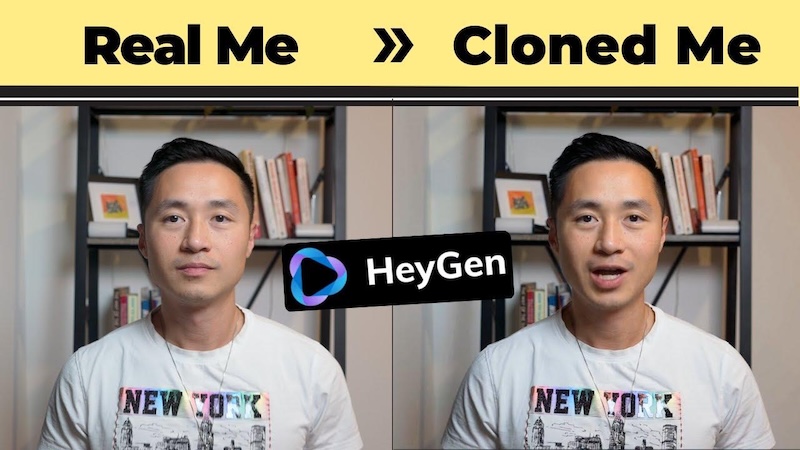
HeyGen is the most complete platform for AI lip sync and avatar video creation. It offers custom avatar generation from a short recording, voice cloning in 175+ languages, and interactive avatar capabilities for real-time applications. Its AI-powered lip sync technology analyzes audio and automatically adjusts an avatar’s mouth movements to match the spoken words, creating more natural and realistic talking videos.
The platform lets users turn scripts, audio recordings, and existing content into engaging videos without professional filming equipment or advanced video-editing skills. Users can also customize their avatars, select different AI voices, adjust video settings, and create multilingual content for audiences worldwide.
Part 2: How to Create Your First AI Lip Sync Video With HeyGen
With HeyGen, you can easily create engaging AI lip sync videos without requiring advanced video editing skills or professional recording equipment. Follow the steps below to create your first AI lip sync video with HeyGen:
Step 1: Sign Up and Choose a Plan
Navigate to the HeyGen official site and click on the “Sign Up” button. Create an account at HeyGen. Once registered, choose a plan that suits your video creation requirements.
Step 2: Upload Audio or Enter Text
Once you access the HeyGen dashboard, select the “Stock Avatars” and “ Custom Avatar” options. Next, upload your voice recording or type your script directly into the editor. HeyGen supports popular formats such as MP3 and WAV for quick setup.
Step 3: Select Your Avatar or Video Footage
Choose the avatar or video footage you want to use for your AI lip sync project. HeyGen offers a library of ready-made AI avatars with different appearances and styles. You can select an avatar or upload your own photo or video footage to create a personalized lip sync video.
Step 4: Generate Video With AI
After all the requirements are complete, click on the “Generate” button. Let HeyGen’s AI process your audio and synchronise every word with the correct lip movement. Preview the final result and click on the “Export” button. Download your complete video in high quality and share it on any platform.
Part 3: Top 2 HeyGen Lip Sync Alternatives Available in 2026
HeyGen Lip Sync feature is amazing for creating realistic talking videos. However, it may not be the perfect option for everyone. Fortunately, several AI-powered platforms offer similar lip synchronization capabilities and can serve as excellent alternatives to HeyGen. Here are the top two HeyGen Lip Sync alternatives worth exploring in 2026:
1. HitPaw Edimakor
When it comes to the best HeyGen Lip Sync alternatives, HitPaw Edimakor is always on the list. It is an AI-powered video editing platform that offers a range of tools for creating engaging videos with minimal effort. One of its best features is AI Avatar, allowing users to create lip-sync AI avatar videos without editing experience. The program offers 1000+ AI avatars, giving users plenty of options to find a digital character that matches their content requirements. Users can select their preferred avatars, add a script or audio recording, and let the AI automatically synchronize the character’s lip movements with speech.
Key Features of HitPaw Edimakor
- 1000+ AI Avatars: HitPaw Edimakor offers 1000+ AI avatars, allowing users to choose from a wide variety of digital characters for their video projects, including doctors, teachers, students, nurses, customer support, and more.
- Custom Avatars: If you don’t want to use pre-designed AI avatars, HitPaw Edimakor allows users to create personalized avatars for their video projects. Simply upload your image, enter the AI avatar prompt, and click on the “Generate” button.
- Lip Sync AI Voices: The program includes 400+ high-quality AI voices, allowing users to choose from a wide range of voice styles, tones, and languages for their video projects. Users can easily select a voice that best matches their avatar and content requirements.
- Multiple AI Models: HitPaw Edimakor offers multiple AI models for you to choose from, including OmniHuman 1.5, Wan 2.7, HeyGen, and DupAvatar. Each AI avatar model offers unique features and capabilities.
- Intuitive Interface: One of the standout features of HitPaw Edimakor is that it offers an easy-to-use interface, which is ideal for non-tech and beginner users. Ideal for content creators, marketers, small business owners, and more.


Step-by-Step Guide:
Follow the instructions below to learn how to create lip-sync AI avatar videos with HitPaw Edimakor in 2026:
Step 1: Launch HitPaw Edimakor
Navigate to the HitPaw Edimakor official site and download the latest version of the program on your PC. Launch the program and select the “AI Avatar” option from the main interface.
Step 2: Choose an AI Model
Next, select an AI model that best fits your requirements. The program offers multiple AI models, including Wan 2.7, HeyGen, DupAvatar, and more.
Step 3: Custom or Select an Avatar
HitPaw Edimakor offers 1000+ AI avatars to choose from, including doctors, nurses, teachers, students, and more. Plus, you can upload your own avatar image to create a custom AI avatar.
Step 4: Generate The Voice
Once you’ve selected an AI avatar, the next step is to generate its voice. HitPaw Edimakor offers 400+ AI voices, allowing users to choose a voice that best matches their avatar and video content. Once you've completed all requirements, click the “Generate” button to start creating your lip-sync AI avatar video.
2. Runway ML
Runway is an AI-powered video creation and editing platform that helps users generate professional-looking videos with the help of artificial intelligence. It offers a range of creative tools, including lip-sync AI videos. With Runway, users can easily create engaging lip-sync AI videos for social media, streaming platforms, and more. One of the standout features of this tool is that it uses text prompts to create engaging videos.
Pros
- Includes features such as templates, avatars, AI voices, and more.
- Intuitive interface, ideal for non-tech and beginner users.
- Web-based tool, meaning no software downloading required.
Cons
- Requires a stable and active internet connection.
- Free version has limitations.
Final Thoughts
In this HeyGen Lip Sync tutorial, we’ve mentioned the step-by-step process of creating AI lip-sync videos, from selecting an avatar to generating speech and synchronizing lip movements with audio. However, if you’re looking for alternative tools, HitPaw Edimakor is also worth exploring.
Leave a Comment
Create your review for HitPaw articles