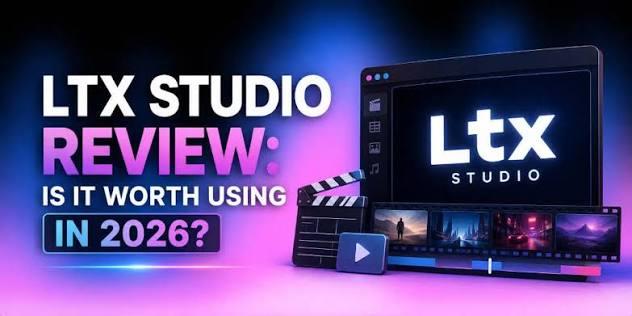
Storyboarding is where most video film projects stall, not short clips. You have the idea, you have the script — but translating that into suitable storyboards, frames, visuals, and sequenced dialogue by hand eats hours you don’t have. This is where the LTX Studio AI Storyboard Generator comes in. It helps creators transform their ideas and scripts into visual storyboards, making it easier to place scenes and organize creative concepts. In this guide, we’ll learn everything about LTX, including its key features, benefits, and limitations, and the best alternative tool available in 2026.
Part 1: What is LTX Studio AI Storyboard Generator?

Built by ighttricks, this platform approaches AI video more like a production studio. A complete script can be divided into individual scenes, with storyboard thumbnails and suggested camera framing prepared for each shot. This makes it easier for creators to visualize how a story will unfold before moving into production. LTX Studio helps organize characters, locations, visual styles, and scene sequences within a structured workflow. Instead of manually sketching every frame, users can leverage AI to develop visual concepts and refine their storyboard according to their creative vision.
Part 2: Features That Make LTX Studio Worth It
LTX Studio AI Storyboard Generator is filled with amazing features and capabilities, making it one of the best AI Storyboard Generators available in 2026. Here are the top LTX Studio features:
- AI-Driven Story Development: LTX Studio transforms a simple idea or prompt into a complete storyline. It automatically generates a script, outlines scenes, and creates a structured narrative arc — making it easy for creators to move from concept to production.
- Character Consistency: The program helps creators maintain a consistent appearance for characters across multiple scenes. Users can define character details and reuse them throughout the storyboard to create a more cohesive visual narrative. Useful for short films, animated stories, and advertisements.
- Timeline Editor: This tool offers a visual timeline that allows creators to organize scenes, arrange shots, and manage their sequence of their stories. This makes it easier to plan pacing, maintain narrative continuity, and identify areas that need improvement before video production.
- Ease of Use: It has a simple, browser-based interface that arranges your projects into logical stages of creation, and once you get the hang of it, navigation is rather basic. Users can review generated frames, make adjustments, and refine their ideas in one workspace.
- Camera Angles and Shot Planning: The platform helps users visualize scenes through different shot compositions and camera perspectives. This makes it easier to plan close-ups, wide shots, and other framing choices that support the story.
Part 3: Benefits and Limitations of LTX Studio AI
LTX Studio AI Storyboard Generator offers impressive features, but it also comes with several limitations. Below, we’ve mentioned the top pros and cons of this program:
 Pros
- Generative workspace supports text-to-video, text-to-image, image-to-video, and video-to-video operations.
- The editing layer lets you arrange and trim shots, add sound design, and manage the pacing of your final video.
- Supports multiple AI models, such as FLUX 2 Pro, Kling, Seedance, Google Veo 3, Vidu, Happy Horse, and more.
- The team collaboration feature enables users to work together on creative projects, share ideas, and coordinate different stages of the storyboarding.
- Audio support makes the workspace feel more complete by helping creators consider sound alongside their visual storytelling.
 Cons
- Advanced features of LTX Studio require a paid subscription, making the platform less accessible to users on a limited budget.
- The final output requires further editing in a dedicated video editor to achieve the desired level of control over transitions, timing, and finishing details.
Part 4: Who LTX Studio Is For
LTX Studio is for anyone who wants to turn creative ideas into a structured visual storyboard. Here are some of the users who can benefit most from the platform:
- Marketing Teams: LTX is ideal for marketing teams that want to plan and visualize advertising campaigns before production. It helps marketers turn campaign concepts and scripts into a visual storyboard.
- Content Creators: Content creators can use this program to develop multiple video concepts, plan engaging scenes, and turn their ideas into structured visual storyboards.
- Startup and Small Businesses: Businesses can use LTX Studio to plan promotional videos, product demonstrations, and marketing campaigns without spending time creating storyboards manually.
Part 5: Best Alternative to LTX Studio AI Storyboard Generator
LTX is an amazing storyboard generator, but there are better options available in 2026, such as HitPaw Edimakor. It is an all-in-one video editor that offers a range of tools for creating, editing, and customizing videos. Unlike tools focused primarily on story development and pre-production, HitPaw Edimakor helps users move from generating visual content to editing and polishing their final videos in one workspace. The best part of this tool is that it includes a wide range of AI features such as text-to-video, image-to-video, AI video enhancer, and more. Another amazing part of this tool is that it offers an easy-to-use interface, which is ideal for non-tech and beginner users.
Key Features of HitPaw Edimakor
- Story-to-Video: HitPaw Edimakor offers a story-to-video feature, allowing users to turn scripts into visuals filled with animations, background music, voiceovers, and dynamic scenes.
- Multiple Video Styles: The program supports a wide range of video styles, allowing users to create content for different purposes and audiences. It includes video styles such as cinematic, 3D, anime, cyberpunk, realistic, and more.
- Advanced Customization: The tool enables users to edit AI videos according to their requirements. Users can add background music, captions, voiceovers, AI effects, filters, and transitions.
- Image-to-Video: HitPaw Edimakor's Image-to-Video feature enables users to create high-quality videos from static images using AI. Simply upload an image and provide a suitable text prompt to create engaging visuals.
- Intuitive Interface: The standout feature of this tool is that it offers an easy-to-use interface, which is ideal for non-tech and beginner users. No editing experience or professional help required.


Step-by-Step Guide:
Follow the instructions below to learn how to create a high-quality AI story with HitPaw Edimakor within a few clicks:
Step 1: Launch HitPaw Edimakor
Download, install, and launch HitPaw Edimakor on your PC. Choose the “AI Video Generator” option from the main interface and select “Story to Video.”
Step 2: Enter Story Prompt
Next, select the “Start with Script” option and upload your script. Select the video settings, such as aspect ratio, duration, and resolution.
Step 3: Generate and Download
Finally, click the “Generate” button to begin the creation process. HitPaw Edimakor will analyze your input and create an engaging story video within seconds. Download it in MP4 format.
Final Thoughts
LTX Studio AI Storyboard Generator is an amazing storyboard generator available in 2026, helping filmmakers, content creators, marketers, and scriptwriters turn their ideas into organized visual concepts. However, if you want to take your ideas beyond storyboarding and create engaging videos, HitPaw Edimakor is another option worth considering.
Leave a Comment
Create your review for HitPaw articles