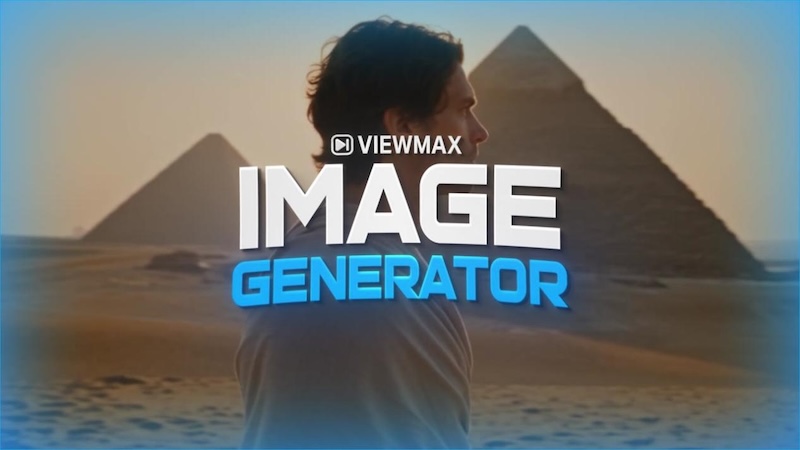
AI video generators are becoming increasingly popular, but choosing the right tool can be difficult when every platform promises fast, high-quality results. Viewmax AI is one of the newer options, offering AI video generation alongside tools for YouTube Shorts, UGC, ads, images, and other content workflows.
But how well does Viewmax AI actually perform? And is it worth paying for?
In this Viewmax AI Video Generator review, we’ll take a closer look at its key features, pricing, and overall capabilities. More importantly, we’ll examine what users are saying across platforms such as Reddit and Trustpilot, including both positive experiences and common complaints. We’ll then introduce HitPaw Edimakor and compare the two tools to help you decide which one better fits your video creation needs.
Part 1. What Is Viewmax AI Video Generator?

Viewmax AI is an AI-powered content creation platform designed to help users create videos, images, and other visual content with generative AI. It brings multiple AI models and creative tools into one platform, allowing users to turn text prompts and ideas into ready-to-use content without advanced editing skills.
The platform focuses heavily on short-form and social media content, with tools for AI videos, YouTube Shorts, UGC content, advertisements, and visual storytelling. It also provides access to different AI models, giving creators more options when generating content for different styles and purposes.
Rather than functioning solely as an AI video generator, Viewmax positions itself as a broader AI creation platform. Its tools are aimed at creators, marketers, and businesses looking to produce visual content more quickly, particularly for social media and digital marketing.
Part 2. Viewmax AI Key Features
Viewmax AI brings several AI-powered creation tools together in one platform. While its AI video generator is the core feature, the platform also focuses on short-form videos, UGC content, advertising, and AI-powered avatars.
1 AI Video Generation
Viewmax AI lets users create videos by describing the scene they want and selecting an AI video model. Its video generator supports different creative styles, including animal stories, ranking clips, 3D explainers, nature videos, cinematic scenes, and VFX content. Users can also recreate popular video styles as a starting point for their own projects.
2 AI Shorts Creation
Short-form content is one of Viewmax's main focuses. The platform provides ready-made formats for YouTube Shorts and other vertical videos, covering themes such as wildlife, bodycam footage, sports, courtroom scenes, GTA-style videos, and fictional stories. This makes it possible to start with a familiar content format instead of creating every video concept from scratch.
3 AI UGC and Ad Creation
Viewmax also targets marketers and brands with AI-powered UGC and advertising tools. Its Marketing Studio includes formats such as UGC ads, unboxing videos, testimonials, talking-head videos, product try-ons, tutorials, and before-and-after content. The platform also offers AI ad generation and ad cloning for users who want to adapt existing advertising concepts.
4 Multiple AI Video Models
Another notable feature is access to multiple AI models within the same platform. Viewmax currently lists models including Seedance, Kling, Sora, Veo, and Gemini, allowing users to choose different models depending on the type of content they want to create.
5 AI Avatar
For creator-style and talking-head content, Viewmax provides a library of photorealistic AI avatar. Users can select an avatar and provide a script to create presenter-style videos without recording themselves. This can be useful for UGC, marketing, educational, and social media content.
Part 3. What Do Users Say About Viewmax AI?
Looking beyond Viewmax’s own website gives a more mixed picture. Reviews on Trustpilot and Reddit praise its convenience and range of AI models, while some users raise concerns about generation reliability, credit usage, and customer support.
What Users Like About Viewmax AI
Convenience is one of the most common positive points. Users appreciate being able to access multiple AI models and create videos without switching between different platforms. Some also find its UGC and advertising tools useful for producing social media and marketing content more quickly.
Common Complaints About Viewmax AI
Generation reliability is a recurring concern. Some users report failed generations, errors, timeouts, or results that do not closely follow their prompts. Credit consumption is another issue, particularly when users need multiple attempts to get a satisfactory result.
Some negative reviews also mention difficulties with billing, cancellations, or customer support. However, these experiences are not universal, and other users report positive interactions with the support team.
Overall User Sentiment
Overall, Viewmax receives mixed feedback. Users who have good results tend to value its convenience, model selection, and fast workflow, while dissatisfied users more often mention generation failures, inconsistent output, credit usage, and support issues. Its current Trustpilot rating of 3.0 out of 5 also reflects this divided user experience.
Part 4. How Much Does Viewmax AI Cost? Plans & Pricing
Viewmax AI uses a credit-based subscription model, with different plans providing different amounts of monthly credits. The platform also offers a free option, allowing users to explore its AI creation tools before committing to a paid subscription.
1 Viewmax AI Free Plan
The free plan is useful for testing the platform and getting a feel for its AI video generation capabilities. However, the available credits and access to some advanced models and features are limited, so frequent creators will likely need a paid plan.
2 Paid Plans
Viewmax currently offers several paid subscription tiers, starting at around $29 per month and going up to $149 per month. The higher-tier plans provide more monthly credits, greater generation capacity, additional features, and access to more advanced workflows.
| Plan | Monthly Price | Monthly Credits |
|---|---|---|
| Starter | $29/month | 1,000 credits |
| Pro | $59/month | 3,000 credits |
| Max | $149/month | 8,000 credits |
The main thing to keep in mind is that Viewmax does not charge a simple flat fee for each video. Different AI models and generation tasks can consume different amounts of credits. This means the actual cost of producing a video depends on the model, duration, and number of generations or revisions required.
Part 5. Viewmax AI Video Generator Pros and Cons
Pros
- Multiple AI models: Access several AI video models in one platform.
- Short-form focused: Useful tools and workflows for Shorts, UGC, and social content.
- Varied content formats: Supports videos for storytelling, marketing, ads, and more.
- Beginner-friendly: Simple workflows make AI content creation accessible to beginners.
- Marketing tools: Includes features designed for UGC, product videos, and advertising.
Cons
- Credit-based pricing: Costs can be difficult to predict when multiple generations are needed.
- Generation issues: Some users report failed generations, errors, or prompt mismatches.
- Inconsistent results: Video quality can vary depending on the model and prompt.
- Limited editing control: Less suitable for detailed, timeline-based video editing.
- Mixed support experiences: Some users report issues with billing, cancellations, or response times.
Part 6. Best Viewmax AI Video Generator Alternative: HitPaw Edimakor
If you’re looking for a Viewmax AI Video Generator alternative, HitPaw Edimakor is worth considering. It combines AI video creation with a full set of editing tools, allowing you to generate content and refine it in the same workflow. From short-form social videos to YouTube content and marketing projects, Edimakor supports both AI-powered creation and hands-on editing.
Key Features of HitPaw Edimakor
- AI Video Generator: Create videos from text prompts and images.
- AI Avatar: Create talking avatar videos with customizable voices and scripts.
- AI Clip Maker: Turn longer videos into engaging short-form clips.
- AI Subtitle: Generate, edit, and customize subtitles automatically.
- AI Voice & Voice Clone: Add AI voices or create a personalized voice for videos.
- Video Translator: Translate videos and subtitles into different languages.
- AI Effects: Add creative AI-powered effects and visual transformations.
- Timeline Editing: Trim, split, arrange, and enhance clips with detailed editing tools.


Conclusion
Viewmax AI is a convenient choice for creating AI videos, Shorts, UGC, and ads, especially for users who prioritize speed and variety. However, its credit-based pricing and mixed user feedback may be worth considering.
For creators who want more control over editing and post-production, HitPaw Edimakor offers a broader workflow that combines AI generation with video editing, subtitles, translation, and other creative tools.
Leave a Comment
Create your review for HitPaw articles