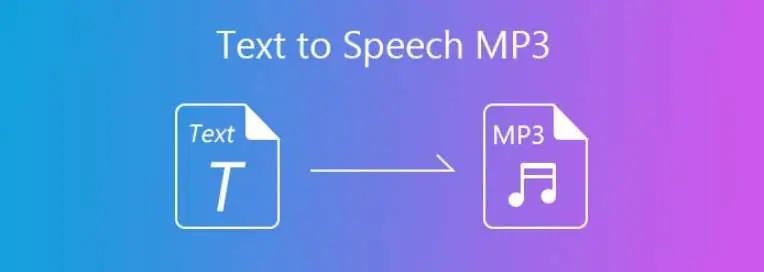
Converting text to MP3 lets you listen to blog posts, e-books, or other documents while multitasking, commuting, exercising, or relaxing. Instead of reading lengthy content manually, text-to-MP3 converters use text-to-speech technology to transform written content into a downloadable audio file. These tools can also help create voiceovers, educational materials, podcasts, and presentations. In this guide, we will explore the 4 best text-to-MP3 converters for beginners and professional users. We will compare their key features, benefits, and drawbacks to help you find the right tool for your needs.
Part 1: Top 4 Text-to-MP3 Tools for High-Quality Voice Generation
Finding the right way to turn text into a high-quality MP3 file can feel like a chore with so many options out there. We spend time testing the latest tools to identify options that offer natural-sounding voices, clear audio quality, and simple controls. Below are the top 4 options to convert text to MP3 audio file:
1. HitPaw Edimakor
If you’re looking for the best tool to convert text-to-MP3, we recommend using HitPaw Edimakor. It is a powerful AI tool for video editing that also includes a built-in text-to-speech feature, allowing users to turn written text into natural-sounding voiceover. The tool is suitable for beginners as well as professional content creators who want to create high-quality audio without recording their own voice. With HitPaw Edimakor, users can enter or paste their text, select a suitable AI voice, adjust the voice settings, and generate audio for their projects. The platform also provides a range of AI-powered editing features, making it more than just a text-to-speech tool. Users can combine generated voiceover with videos, images, music, and subtitles to create complete multimedia content from a single platform.
Key Features of HitPaw Edimakor
- Text-to-MP3: HitPaw Edimakor easily turns text, blog posts, documents, and prompts into an engaging audio file with a single click. Simply enter the prompt in HitPaw Edimakor, choose the AI voice, and click on the “Generate” button.
- Multiple AI Voices: The program includes a huge library of AI voices, each with a unique accent and tone. It offers AI voices of celebrities, politicians, anime, cartoon characters, singers, animals, and more.
- 30+ Languages: HitPaw Edimakor supports more than 30 languages, making it easy to create voiceovers for audiences from different regions. It offers languages such as English, Chinese, Turkish, Russian, Italian, Spanish, and German.
- Various AI Models: This tool supports multiple leading TTS providers, including Microsoft, Voai, Supertone, ElevenFlash V2.5, Eleven V3, ElevenLab, Google, and more.
- Easy-to-Use: One of the standout features of this tool is that it offers an intuitive interface, which is ideal for non-tech and professional users. No tech knowledge is required to create high-quality voiceovers with HitPaw Edimakor.


How to Convert Text-to-Speech With HitPaw Edimakor
HitPaw Edimakor enables users to convert text to MP3 free. Follow the instructions below to learn how to do it:
Step 1: Select the Text-to-Speech Feature
Go to the HitPaw Edimakor official site and download the latest version of the program on your PC. Launch it and select the “Create Project” option from the left panel. Then, select the “Text-to-Speech” feature.

Step 2: Convert Text to MP3
Next, enter the desired text in the input box. To find your ideal TTS voice, use the filters in the right panel. You can search by language, style, intended use, gender, and age.
Step 3: Generate and Download
Once the TTS voice is selected, click on the “Generate” button to convert your text into speech. Within seconds, your TTS file will be ready. Preview the audio file and click on the “Download” button.
2. FreeTTS
The next text-to-MP3 converter free on our list is FreeTTS. It is a simple online text-to-speech platform that allows users to convert written text into natural-sounding audio without installing complicated software. Users can paste their text into the provided text box, select a preferred voice and language, and generate an MP3 file within a few clicks. It is one of the best options for beginners who want a straightforward way to create audio from blog posts, articles, scripts, or other written content.
Key Features
- Offers 400+ neural AI voices across 75+ languages. Male, female, various accents, and styles.
- 5,000 characters per generation. No daily limit. No signup. Making it suitable for short articles, scripts, and notes.
- FreeTTS does not require users to create an account before generating audio. Simply open the tool and generate an audio file.
Pros
- Web-based tool, meaning no software downloading required.
- Enables users to download an audio file in MP3 format.
- Intuitive interface, best for non-tech users.
Cons
- Requires a stable and active internet connection.
- Only supports the TTS feature.
3. Google Text-to-Speech
Google’s tool is a go-to for many because it is backed by massive infrastructure. It supports a huge variety of languages and is quite easy to integrate if you are building an app or using a command line. It uses advanced text-to-speech technology to convert written content into clear and natural-sounding speech, making it useful for applications, websites, and content creation.
Key Features
- Provides different voices and language options, such as English, Chinese, Turkish, and Italian.
- The service can also be integrated into applications through APIs, allowing developers to add text-to-speech functionality directly.
- Users can choose from available voice options and adjust supported speech settings to create audio.
Pros
- Uses Google’s powerful and proven TTS API.
- Easy to integrate into various applications.
- Converts text to MP3 online.
Cons
- Fewer options for customization.
- Needs a stable internet connection.
4. FakeYou
FakeYou is a web-based free text-to-mp3 tool that enables users to convert text into a high-quality audio file online. With over 3500 celebrities and character voices, it enables users to generate realistic speech audio and lip-synced audio files from text prompts. The platform is popular for its wide selection of recognizable voices, making it useful for creating entertaining voiceovers, memes, and more.
Key Features
- Supports 3500+ AI voices, such as Justin Bieber, Drake, Selena Gomez, Morgan Freeman, and more.
- Works seamlessly with multiple devices, including Android, iOS, Windows, and macOS.
- Free to use; no sign-up required.
Pros
- Generate speech without installing desktop software.
- F5-TTS and Seed-VC engines deliver improved naturalness.
- API available for developer integrations.
Cons
- Paid version offers advanced features.
- Audio quality varies across community models.
Conclusion
With text-to-MP3 tools, users can easily convert blogs, scripts, documents, and PDFs into audio files, making written content easier to listen to anytime and anywhere. These tools can also save time when creating voiceovers, educational content, podcasts, presentations, and social media videos. If you want the best TTS tool, we recommend using HitPaw Edimakor. It is a professional AI video editing tool that also provides text-to-speech capabilities, allowing users to turn written text into natural-sounding voiceover quickly.
Leave a Comment
Create your review for HitPaw articles