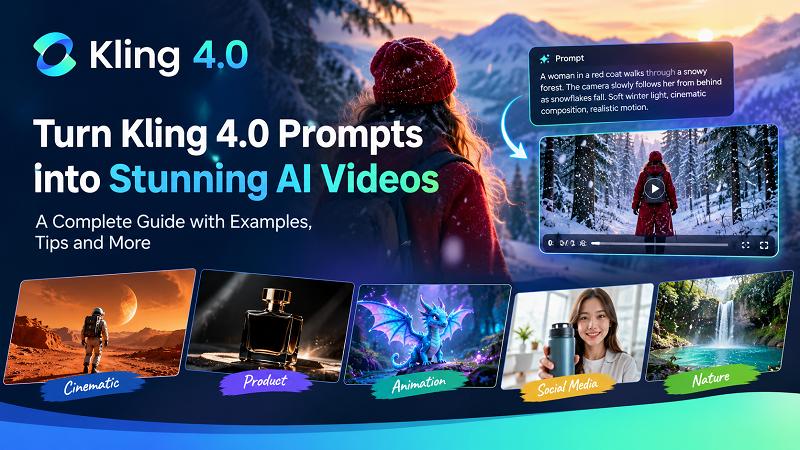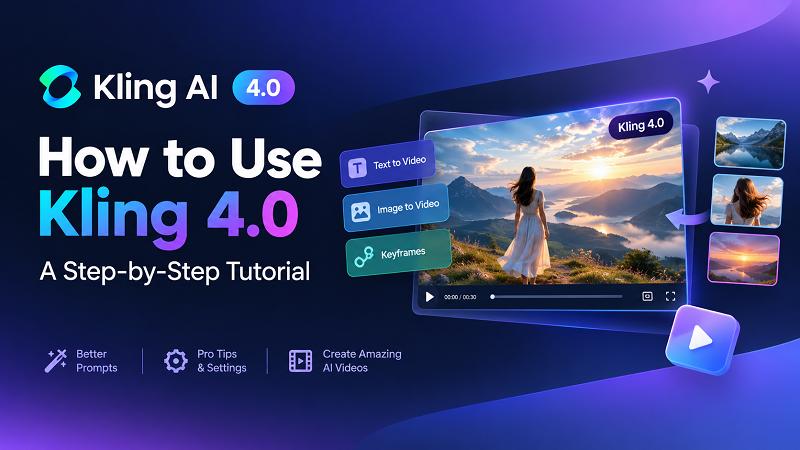
Kling AI is an AI video generator that helps users create videos from text prompts and images. It allows creators to turn written ideas into moving scenes without recording every shot with a camera. When comparing Kling 4.0 vs Kling 3.0, users should look at video length, motion quality, character consistency, reference controls, audio, and editing options. The newer model may suit creators who need more control over complex scenes, while Kling 3.0 can still meet the needs of users who create shorter clips. In this guide, we will compare their main features, video quality, pricing considerations, and practical uses to help you choose the right model for your projects.
Create Video with Kling NowPart 1: What Are Kling 4.0 and Kling 3.0? Understanding Their Core Capabilities
Kling AI has evolved from a basic AI video generation tool into a more advanced creative platform. The release of Kling 3.0 introduced stronger storytelling, native audio generation, and improved character consistency, while Kling 4.0 takes these capabilities further with longer video generation, more precise creative control, and enhanced audiovisual quality.
So, what exactly are Kling 3.0 and Kling 4.0, and what makes the newer version different? Let's look at their positioning and key capabilities before comparing them in detail.
1. What Is Kling 3.0?
Released in February 2026, Kling 3.0 represents a major step forward in AI video generation. Rather than focusing only on turning text or images into short video clips, the Kling 3.0 model family introduces a more integrated creative workflow that combines video generation, audio, reference inputs, and storytelling.
Its main video models include Video 3.0 and Video 3.0 Omni, which offer different approaches to AI video creation.
Key capabilities of Kling 3.0 include:
- Multi-Shot Storytelling: Generate videos containing multiple shots and scene transitions based on structured prompts, giving creators more control over visual storytelling.
- Native Audio Generation: Create synchronized audio, including dialogue, sound effects, and ambient sounds, with support for multiple languages, accents, and dialects.
- Character and Element Consistency: Use image and video references to maintain the appearance of characters, objects, and scenes across generated footage.
- Reference-to-Video Generation: Use reference videos and images to guide character performances, visual details, and motion.
- Video Duration: Generate videos ranging from 3 to 15 seconds, providing more room for short narratives and multi-shot sequences.
Overall, Kling 3.0 focuses on making AI video generation more cinematic and controllable. It is particularly useful for creators who want to produce short films, social media videos, advertisements, and character-driven stories with synchronized audio.
2. What Is Kling 4.0?
Launched in October 2026, Kling 4.0 is the next generation of Kling AI's video generation models. Rather than simply improving visual quality, it expands the creative workflow with longer native video generation, more flexible reference inputs, multi-keyframe control, and more advanced video editing capabilities.
The biggest change in Kling 4.0 is the shift toward more comprehensive video direction. Creators can provide multiple visual references, define important moments throughout a video, and guide complex character actions and camera movements with greater precision.
Its standout capabilities include:
- Extended Video Generation: Generate videos from 3 to 30 seconds in a single generation, doubling the maximum duration supported by Kling 3.0.
- Multi-Keyframe Control: Use up to 10 keyframe images to define important visual moments and guide how a video develops over time.
- Advanced Omni Reference: Combine up to 15 reference assets, including images, videos, subjects, and voice references, for more detailed creative guidance.
- Enhanced Dynamic Motion: Improve the handling of complex actions, continuous movements, and camera techniques such as tracking and orbit shots.
- Upgraded Audiovisual Quality: Support two-channel stereo audio, improved lip-sync, and 10-bit HDR output at 1080p and 4K.
- Creative Recreation and Video Editing: Recreate the pacing and composition of reference videos while replacing characters or products, or make targeted changes to existing footage.
Kling 4.0 is designed for creators who need more than short AI-generated clips. Its expanded controls make it suitable for longer storytelling, product advertisements, cinematic scenes, and more complex video production workflows.
Part 2: Kling 3.0 vs Kling 4.0 – What's New in the Latest Version?
Kling 3.0 provides AI video generation tools for turning text and images into moving scenes. It gives creators options for generating visual content and controlling different aspects of a video.
Kling 4.0, as described in the supplied feature brief, focuses on longer video generation, improved motion control, expanded reference inputs, and greater control over scene development.

The main differences to examine include the following:
- Longer videos: The supplied specifications list up to 15 seconds for Kling 3.0 and up to 30 seconds for Kling 4.0.
- Better motion control: The newer model is described as offering improved stability during complex actions and camera movements.
- More reference assets: Expanded reference options may help creators maintain the appearance of characters and objects.
- Additional keyframes: Support for more keyframes can give users greater control over changes within a scene.
- Audio improvements: The supplied brief lists stereo audio and improvements to dialogue and lip-sync capabilities for Kling 4.0.
- More editing options: Expanded multimodal editing may help users work with different types of visual inputs.
These differences can matter when a project needs several actions, consistent characters, or a longer sequence. However, exact capabilities depend on the model version, subscription, and workflow available in the user's account.
Part 3: Kling 4.0 vs Kling 3.0 – Detailed Feature Comparison
Both models support AI video creation, but the supplied specifications describe Kling 4.0 as offering longer generation times and more reference controls. The following table summarizes the proposed differences.
| Feature | Kling 3.0 | Kling 4.0 |
|---|---|---|
| Text-to-video | Supported | Supported |
| Image-to-video | Supported | Supported |
| Video duration | Up to 15 seconds | Up to 30 seconds |
| Resolution | Up to 4K, as listed in the brief | Up to 4K, as listed in the brief |
| Keyframe control | Start and end frames | Up to 10 keyframes |
| Reference images | Up to 7, depending on workflow | Up to 10, as listed in the brief |
| Reference videos | Limited reference input | Up to 5 videos, as listed in the brief |
| Motion generation | Advanced motion control | Improved dynamic motion stability |
| Audio | Native audio | Stereo audio |
| Character consistency | Reference-based consistency | Expanded Omni Reference |
| Video editing | Available in supported Omni workflows | Expanded multimodal editing |
Important note:
These specifications come from the supplied article brief and should not be treated as independently verified details about the current product. Reference limits, resolution, duration, and editing tools may vary by workflow, subscription, rollout, and interface. Check Kling AI's official product information before publishing exact specifications.
1 Video Quality and Visual Realism
Video quality affects how realistic and useful an AI-generated clip looks. Creators often examine facial details, clothing textures, lighting, shadows, background objects, and color accuracy when comparing video models. Kling 3.0 can create detailed scenes when users provide clear prompts and suitable reference images. It may work well for short advertisements, social media clips, and simple cinematic shots.
2 Motion Generation and Camera Control
Motion generation determines how subjects and objects move throughout a video. Good motion helps a scene feel natural, while poor motion can make characters appear stiff or cause objects to change shape. Kling 3.0 offers motion controls that can guide actions and camera movements. It can suit scenes involving walking, talking, simple gestures, or slow camera movement. Kling 4.0 is described as improving dynamic motion stability. This may benefit scenes that include dancing, running, fast action, or camera transitions.
3 Character Consistency and Reference Control
Character consistency means keeping a person's appearance similar throughout a video or across several shots. This matters when creating short films, branded characters, advertisements, and stories with recurring people. Without suitable reference controls, an AI model may change a character's face, hairstyle, clothing, or body shape between shots. These changes can make a video feel disconnected.
4 Video Generation Length and Creative Capabilities
Video duration can affect how much content you can create in a single generation. Short clips work well for product highlights, social media posts, and quick visual demonstrations. Longer clips can support more detailed scenes and continuous storytelling. According to the supplied specifications, Kling 3.0 generates videos of up to 15 seconds, while Kling 4.0 supports up to 30 seconds.
5 Audio Generation and Lip-Sync
Audio can make AI-generated videos more useful for advertisements, dialogue scenes, storytelling, and social media content. Depending on the workflow, users may be able to generate speech, sound effects, or background audio with their videos. The supplied brief lists native audio capabilities for Kling 3.0 and stereo audio for Kling 4.0. It also describes improvements to multilingual dialogue and lip-sync in the newer model. Lip-sync refers to how closely a character's mouth movements match the spoken words. Accurate lip-sync helps dialogue scenes look more natural, especially when a character speaks directly to the camera.
Part 4: Kling 4.0 vs Kling 3.0 – Pricing and Availability
The cost of using Kling AI depends on the subscription plan, credit system, video settings, and selected generation features. Before choosing a model, users should compare the available plans and check how the platform charges for each generation. Free access, where available, may include limited credits, restricted settings, or fewer generation options. Paid plans may provide additional credits or access to more features, but the exact benefits can change. Video duration can affect the number of credits a generation requires. Higher resolutions and advanced settings may also increase the cost. Therefore, a 30-second video may require more credits than a short clip, depending on the model and pricing rules.
Before purchasing a subscription, check these details:
- The number of credits included in the plan.
- The cost of generating videos at different durations.
- Available resolution and export settings.
- Access to reference images, keyframes, and audio tools.
- Whether unused credits expire.
- Whether the selected model is available in your region and account.
Visit the official Kling AI website for current pricing, model availability, and credit requirements. Do not rely on old prices or feature lists when making a purchase decision.
Part 5: Kling 4.0 vs Kling 3.0 – Which One Should You Choose?
The right model depends on the type of videos you want to create, the level of control you need, and the credits available to you.
Choose Kling 3.0 If:
- You need short videos: Kling 3.0 may suit social media clips, short advertisements, and simple visual scenes.
- You create videos from images: It can help you animate photographs and create short video clips.
- You already use Kling 3.0: Keeping your current workflow may save time if it meets your needs.
- You do not need advanced controls: Simple projects may not require multiple keyframes or several reference assets.
- You want to test an idea: Short generations can help you check a concept before spending more time or credits.
Choose Kling 4.0 If:
- You need longer videos: The supplied specifications list a maximum duration of 30 seconds, which may suit longer scenes.
- You need consistent characters: Expanded reference controls may help maintain character details across different moments.
- You create complex scenes: Improved motion control may help with dancing, running, and camera movements.
- You need more reference inputs: Additional reference images and videos may provide more guidance when the selected workflow supports them.
- You want more control over storytelling: Multiple keyframes may help you plan how a scene develops.
- You need advanced audio features: The listed stereo audio and dialogue improvements may be useful for videos that include speech and sound.
Kling 4.0 VS Kling 3.0 Final Verdict
Kling 4.0 is the better option to consider if you need longer video generations, more reference controls, and greater control over complex scenes. However, its actual benefits depend on the features available in your account and the results it produces for your prompts. Kling 3.0 remains a suitable option for shorter videos, basic image animation, and projects that do not require extensive controls. Compare the output quality and credit costs of both models before making your final choice.
Part 6: Create AI Videos with Kling Models on Edimakor AI
After comparing Kling 4.0 and Kling 3.0, you may want to try these models yourself. Edimakor AI provides access to the Kling model series, allowing users to explore different approaches to AI video generation in one platform. Whether you want to create videos from text prompts, animate images, or build more structured scenes with reference materials, you can choose a suitable Kling model and workflow based on your creative needs.
Key AI Video Generation Features on Edimakor AI
- Text-to-Video Generation: Use text prompts to describe your scenes, characters, actions, and camera movements, then generate AI videos with supported Kling models.
- Image-to-Video Generation: Upload a reference image and use a prompt to animate it into a video while guiding the character's movements, scene details, and visual style.
- Motion Control: Use reference motion to guide character actions and movements, helping create videos with more intentional motion.
- Reference-to-Video Generation: Upload reference images or videos to guide character appearance, scene composition, and video movements, depending on the selected Kling model.
- Kling Model Selection: Explore the Kling model series, including Kling 3.0 and Kling 4.0, and compare their generation results across different creative tasks.
How to Generate AI Videos with Kling Models on Edimakor AI
Step 1: Select a Generation Mode and Kling Model
Open Edimakor AI and choose a video generation feature, such as Text-to-Video, Image-to-Video, Motion Control, or Reference-to-Video. Select your preferred Kling model, then follow the on-screen instructions to enter a prompt or upload the required reference images or videos.
Step 2: Configure Video Settings
Set your preferred video parameters, including resolution, aspect ratio, and other available generation options. Choose settings that match your intended use, such as social media videos or widescreen content.
Step 3: Generate Your AI Video
Click the Generate button and let Edimakor AI create your video with the selected Kling model. Preview the result and download the generated video when it's ready.
Part 7: 4 Tips for Getting Better Results with Kling 4.0 and Kling 3.0
To get the most out of Kling AI video generation, make use of each model's specific capabilities. These practical tips can help you improve storytelling, motion control, and visual consistency.
1. Use Multi-Shot Generation for Better Storytelling
Kling 3.0 supports multi-shot generation, making it easier to create videos with multiple camera angles and connected scenes. Plan your shots in advance and describe each scene's action and camera perspective clearly to create a more coherent visual story.
2. Make Better Use of Kling 4.0 Keyframes
Kling 4.0 supports up to 10 keyframes, giving you more control over how a video develops. Use keyframes to define important visual moments, such as a character's starting position, movement, and final pose. This is especially useful for more complex scene transitions.
3. Use Reference Assets to Improve Character Consistency
When creating character-driven videos, provide clear reference images to guide the character's appearance. Kling's reference capabilities can help maintain recognizable details across scenes. Choose images with consistent facial features, clothing, and visual styles for better results.
4. Choose the Right Kling Model for Your Project
Consider your video requirements before choosing between Kling 3.0 and Kling 4.0. Kling 3.0 is suitable for multi-shot storytelling and short video creation, while Kling 4.0 offers longer generation durations, more keyframe control, and expanded reference inputs. Test both models with the same prompt when you are unsure which one fits your project.
FAQs About Kling 4.0 vs Kling 3.0
A1: The supplied specifications describe Kling 4.0 as offering longer video generation, expanded reference controls, more keyframes, and improvements to motion and audio. Kling 3.0 may still suit shorter and simpler video projects. Confirm the current feature list before relying on exact specifications.
A2: Kling 4.0 may be a better choice for projects that require longer clips, complex motion, and additional reference controls. Kling 3.0 can still meet the needs of creators who produce short videos. The best option depends on your project and the results you get from each model.
A3: The supplied article brief lists support for videos of up to 30 seconds in Kling 4.0. However, the actual maximum duration may depend on the selected workflow, account, and current product version. Check the available settings before starting a generation.
A4: The supplied specifications describe expanded Omni Reference capabilities in Kling 4.0. These controls may help users maintain character appearance across scenes. However, the model can still produce visual differences, so you should review the final video before publishing it.
A5: Free access depends on Kling AI's current plans and account rules. The platform may offer limited credits or restrict some features, while other options may require payment. Visit the official Kling AI website to check current free access, subscription plans, and generation costs.
Conclusion
The comparison of Kling 4.0 vs Kling 3.0 shows why creators should consider video duration, motion quality, character consistency, reference controls, audio, and cost before choosing an AI video generator. According to the supplied specifications, Kling 4.0 offers a longer generation time, additional keyframe controls, and expanded reference options. These features may help users create longer scenes and manage more complex video projects. Kling 3.0 remains a practical choice for shorter clips and simpler tasks. Before choosing either model, verify its current features and pricing, then test it with your own prompts. You can also consider Edimakor AI if you want an alternative workflow for animating photographs and creating AI-generated clips.
Leave a Comment
Create your review for HitPaw articles