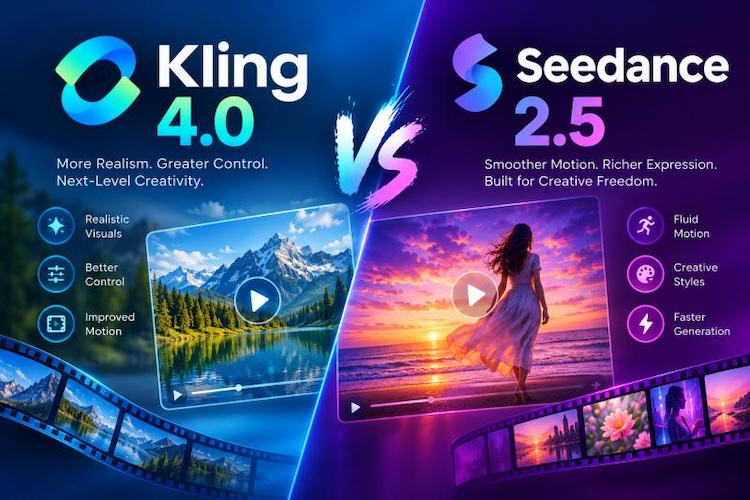
AI video models are changing how creators make content, putting polished clips within everyone's reach. You don’t need a camera, a crew, or a big budget to produce a 30-second video. Kling 4.0 and Seedance 2.5 promise that: write a prompt, add references, and get a finished clip with sound.
But with two strong options, which delivers more? Let’s find out in this Kling 4.0 vs Seedance 2.5 comparison. This in-depth comparison evaluates both tools across video quality, motion details, prompt following, camera controls, reference handling, audio, and pricing.
Kling 4.0 vs Seedance 2.5 at a Glance
Here are the main specs. Each row matters when we test real tasks.
| Feature | Kling 4.0 | Seedance 2.5 |
|---|---|---|
| Native video duration | 3 to 30 seconds | 4 to 30 seconds |
| Output resolution | 720p, 1080p, and 4K | 480p to 1080p in most apps |
| Reference capacity | Up to 15 reference assets | Up to 50 (30 images, 10 videos, 10 audio) |
| Generation control | Up to 10 keyframes, video editing | First/last frame, reference-driven editing, clip extension |
| Audio (language support) | Stereo audio, 9 languages | Native audio, 10+ languages with lip sync |
| Pricing or credits | Free tier, then credits. API from about $0.14 per second | Pay per second. API from about $0.10 per second |
What Are Kling 4.0 and Seedance 2.5?
Both models are developed by major Chinese technology companies. Kuaishou developed Kling, while ByteDance is behind Seedance. They launched in the same season and aim for the same goal. That goal is a longer, more controlled AI video model comparison . Still, each one takes a different path to get there.
1 Kling 4.0 Review
Kling 4.0 is the newest model in the Kling family. It doubles Kling 3.0's single-clip length, from 15 to 30 seconds. It's built for creators who want to direct a scene.
Key features:
- It makes 3- to 30-second clips in one pass, so you don't need to combine short shots.
- You can set up to 10 keyframes, which lets you plan how a scene starts, changes, and ends.
- Omni Reference lets you combine up to 15 images, videos, and other assets to guide a video.
- It adds stereo sound and supports 9 languages, so your characters can speak right inside the clip.
- It can also edit footage you upload, using up to 5 clips and 30 seconds of video in total.
There is also a lighter Kling 4.0 Flash. It is faster, but it stops at 20 seconds and 720p.
2 Seedance 2.5 Review
Seedance 2.5 is ByteDance's next model after Seedance 2.0. It also reaches 30 seconds in one pass. Its big idea is reference power. Upload the material, and the model follows it.
Key features:
- It makes clips from 4 to 30 seconds long, with sound created in the same pass as the picture.
- It accepts up to 50 references at once: 30 images, 10 videos, and 10 audio files.
- Region editing lets you fix one part of a clip without redoing the whole video.
- You can write prompts on a timeline, giving you second-by-second control.
- It speaks more than ten languages with matching lip movement, even when one clip switches languages.
Kling 4.0 vs Seedance 2.5 Feature Comparison
Spec sheets only tell half the story. So let's compare both models on real creative jobs.
Video Quality and Motion Detail
Kling 4.0 reaches 1080p on most platforms, giving you pixels to work with. Seedance 2.5 stops at 720p in many apps. Its motion looks smooth in product shots and close-ups. In one test, it gave cleaner product detail. So Kling wins on resolution, and Seedance holds its own on motion.
Prompt Following and Camera Control
Seedance 2.5 follows prompts better than Seedance 2.0. You can also write a prompt as a timeline. That helps when you need a camera move at an exact second. Kling 4.0 supports per-shot prompts, which also gives you tight control. If you like writing second-by-second directions, pick Seedance. If you like planning by shots, Kling feels natural.
Keyframes and Scene Transitions
This is where Kling 4.0 shines. It lets you place up to 10 keyframes in the video. That makes scene changes easier to predict. Seedance 2.5 supports first and last frame control, but not a full keyframe path.
Reference Images and Consistency
Seedance 2.5 takes up to 50 references, while Kling 4.0 takes up to 15. For a big project with many characters, props, and sounds, that gap is large. In a fashion-ad test on a similar model pair, the larger reference set gave better control. Kling's smaller pool still works well for most single-subject videos.
Audio and Multilingual Video
Both models create sound with the picture. Kling 4.0 gives you stereo audio and supports 9 languages. Seedance 2.5 goes further, with more than ten languages and lip sync. It can also switch languages inside a single clip. For global ads, Seedance has the edge.
Kling 4.0 vs Seedance 2.5: Pricing and Credit Systems
Prices change, and they differ by platform. Check the pricing before you buy:
| Kling 4.0 Pricing | Seedance 2.5 Pricing | |
|---|---|---|
| Free credits or trial | Free Basic plan. Login credits appear during promotions. | Depends on the app you use. |
| Credit cost per generation | API charges $0.14/second (720p) and $ 0.21/second (1080p). | BytePlus charges $0.10/second at 480p, $0.23 at 720p, and $0.57 at 1080p. |
| Paid plan or subscription | $8.80 a month | No single plan. You pay per second or use app credits. |
How to Choose Between Kling 4.0 and Seedance 2.5
The right model depends on your project. Use these rules.
Choose Kling 4.0 if:
- You want 1080p output and a lower cost per second.
- You like to plan a scene with many keyframes.
- You work with one or two subjects and a small set of references.
- You want to edit footage you have.
Choose Seedance 2.5 if:
- You work with lots of references, like characters, props, and audio, and want them all in one prompt.
- You create ads or lessons in several languages and need the lip sync to match each one.
- You’d rather fix one part of a clip than regenerate the whole thing.
- You like to plan your video second by second, almost like a script.
Switch Between Kling 4.0 and Seedance 2.5 in One Workflow
You don't have to pick just one model. A better plan is to test both with the same prompt. HitPaw Edimakor makes that easy. It is a video editor with AI video generation inside. So you can make clips and edit them in one app.


Step 1: Download and open Edimakor. Install it on Windows or Mac, then open the AI video workspace.

Step 2: Choose the best AI video model. Pick a mode, such as text-to-video or image-to-video. Then select Kling 4.0 or Seedance 2.5.
Step 3: Enter the prompt. Write the scene, camera move, and dialogue. You can add reference images.
Step 4: Generate and compare the results. Make the clip. Then switch to Seedance 2.5, paste the same prompt, and generate. Compare motion, faces, audio, and detail.
Step 5: Continue editing the better result. Then trim it, add subtitles, music, or text, and export.
FAQs
A1: Yes, both can. Kling 4.0 accepts up to 15 reference assets in one request. Seedance 2.5 supports up to 50 references in a single run. Up to 30 of those can be images.
A2: At 1080p, Kling 4.0 usually costs less per second. At 480p, Seedance 2.5 can be cheaper. Prices also vary by platform, so check the rates before you generate.
A3: Kling 4.0 supports 9 speech languages. Seedance 2.5 supports more than ten major languages.
Conclusion
Kling vs. Seedance compares two strong AI video generation models, each with different features and creative capabilities. Kling 4.0 gives you higher resolution, keyframes, and a lower per-second price. Seedance 2.5 gives you more references, more languages, and easy region edits.
Want access to both Kling 4.0 and Seedance 2.5 without switching between platforms? HitPaw Edimakor lets you create videos with the model that best suits your needs. Download Edimakor today and explore its AI video creation features.
Leave a Comment
Create your review for HitPaw articles