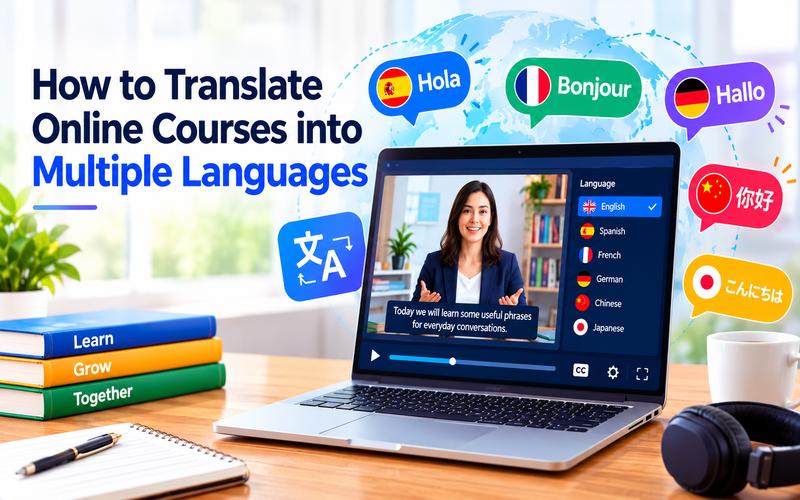
Online courses can reach learners far beyond their original language. However, a single-language course may exclude students who could benefit. Translation makes lessons more accessible and easier to share worldwide. It can also help companies train international teams consistently. With the right workflow, you can create useful versions without rebuilding every lesson from scratch. This guide explores how to translate online courses into multiple languages using subtitles, dubbing, and AI video tools.
Why Translate Online Courses into Multiple Languages?
Language is one of the biggest barriers to online learning. A well-translated course lets students follow explanations, instructions, and examples in a language they understand comfortably. It can also make training more useful for international companies, schools, and independent educators.
Localization offers several practical benefits:
- Wider reach: A single course can serve learners in several regions.
- Better comprehension: Students can spend less effort decoding language and more time learning.
- More accessible content: Captions support deaf or hard-of-hearing learners and viewers who study in quiet places.
- Consistent training: Global teams can access the same training content in their preferred languages.
- More flexible publishing: Subtitles, dubbed audio, and bilingual versions suit different audiences.
Start with the languages that match your audience, sales data, or expansion plans. Do not translate everything at once if you cannot review every version. A smaller, carefully checked language set is often more useful than many rushed translations.
Traditional Ways to Translate Online Courses
The traditional process usually involves transcription, human translation, voice recording, subtitle timing, editing, and quality assurance. A project manager may then coordinate separate translators, narrators, editors, and subject matter reviewers for each language.
This approach offers strong control over terminology and tone, but it can be time-consuming and costly. Revisions also become difficult when the original lesson changes. Manual subtitle timing is especially slow for long lectures or courses with frequent updates.
Human professionals still have an important role. They can review technical terms, cultural references, jokes, examples, and assessment instructions. A practical approach is to use AI for a first draft and reserve human review for accuracy and teaching quality.
Step-by-Step Guide to Course Localization
Localizing an online course involves more than translating text. A clear process helps maintain accuracy, consistency, and a smooth learning experience across different languages. Follow these steps to get started.
- Market Research and Selection: Start by identifying which languages are most relevant to your target audience. Analyze your website traffic and student demographics to identify where your growth potential lies. Common choices include Spanish, Mandarin, French, and Portuguese, but your specific niche may dictate different priorities.
- Content Preparation: Audit your existing course materials. Ensure that your scripts are clear and free of local slang or idioms that might not translate well. Organize your video files, slide decks, and downloadable resources so they are ready for localization.
- Choose the video Localization Method: Decide whether you want translated subtitles, full AI-generated dubbing, or a combination of both. Subtitles are often faster to implement. Dubbing provides a more immersive and premium experience for the learner.
- Translation and Review: After the initial translation, it is crucial to have it reviewed. This step ensures technical terminology is accurate and the tone remains consistent with your brand voice.
- Integration and Testing: After the assets are translated, integrate them back into your Learning Management System (LMS). Test the localized versions to ensure that subtitles are synced correctly and that all translated documents are easily accessible to the students.
Keep the original script and translated scripts together. This makes future edits easier and helps reviewers compare meaning without searching through separate folders.
How to Translate Online Course Videos into Multiple Languages with AI
Modern technology has revolutionized the industry. Edimakor AI Video Translator is the premier choice. This tool automates the entire process, from transcription to voice cloning and lip syncing. It is designed specifically to help creators transform existing learning assets into localized video content in minutes.
Key Features
- Translate course videos into more than 130 languages.
- Over 1,000 realistic voices for AI course video dubbing.
- Automatically create bilingual and multilingual subtitles.
- Accurate AI voice cloning for consistent brand audio.
- Add lip-sync translation in 35+ languages.
- Highly accurate translations suitable for professional educational videos.
- Extremely fast processing speeds for large course libraries.
- Simple interface for importing video and audio files.
- Works on Windows and macOS devices.
- Exports subtitles in SRT, ASS, ATT, and TXT.
How to Translate Your Course with HitPaw Edimakor
Follow these simple steps to localize your course videos using HitPaw Edimakor:
Step 1: Open HitPaw Edimakor and choose ‘Video Translator’
Launch the software on your computer. Click on “Video Translator” to begin your project by choosing an AI Toolbox.



Step 2: Import your course video
Select the video file from your computer or simply drag and drop it into the timeline. Edimakor supports a wide range of formats, including MP4, MOV, and AVI.
Step 3: Open the subtitle translator
Go to the “Subtitle” section and find “Video Translator.” Search for your desired target language (e.g., Spanish, French, or Chinese) and click “Start Recognition.”
Step 4: Customize Subtitles
You choose the subtitle display (translated or bilingual) and the subtitle position (top, center or bottom). Adjust the font style, color, and size of your translated subtitles. Choose from various presets and animations to ensure the text fits perfectly on the screen.
Step 5: Enable AI Dubbing and click Auto Translate
To add a voiceover, enable the “Speaker” option. Choose a voice that fits the tone of your course and click “Start Translate” to generate the dubbed audio.
Step 6: Save the Final Video
Click the “Export” button once you are satisfied with the final results. You can save the video with embedded subtitles or export the subtitle files separately.
FAQs About Translating Online Courses into Multiple Languages
A1: An AI video translator automatically converts spoken content into another language. It can generate translated subtitles, voiceovers, or dubbed audio, making educational content accessible to a global audience.
A2: AI translation is highly accurate today, though it depends on factors like audio clarity and specialized vocabulary. Tools like Edimakor let you manually edit subtitles after the AI processes them. This helps ensure high accuracy for technical terms.
A3: Start with the languages supported by your audience data and business goals. A small pilot in one to three languages can reveal learner demand and quality issues before you scale.
A4: Yes, with HitPaw Edimakor’s voice cloning feature. You can create a personalized voice replica that lets you “speak” multiple languages while keeping your unique identity.
A5: It depends on the content. For software demos, subtitles are often sufficient. For talking head lectures, AI dubbing combined with subtitles creates a more immersive, effective learning experience.
Conclusion
Translating online courses helps educators reach more learners and make lessons easier to understand. Traditional methods can work well, but they often take more time and cost more money. AI tools offer a simpler way to create translated subtitles and dubbed videos. Always review the final content to maintain accuracy and clarity. Try HitPaw Edimakor to translate your course videos and prepare lessons for a wider audience.
Leave a Comment
Create your review for HitPaw articles