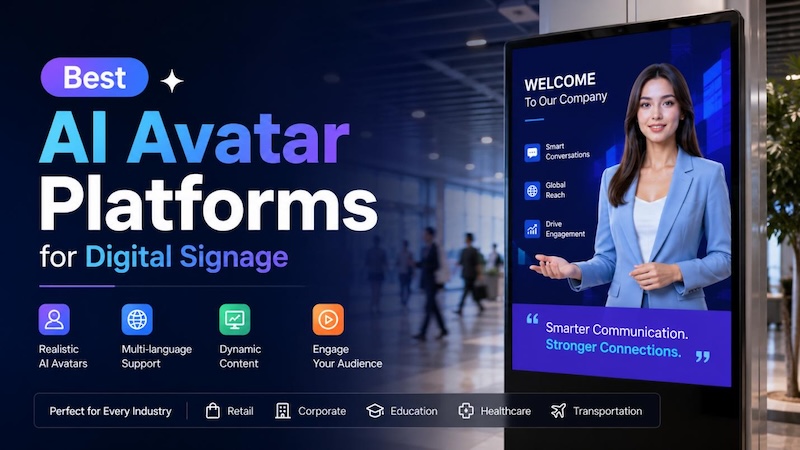
Digital signage is becoming more interactive, engaging, and personalized with the rise of AI avatar technology. Instead of relying on static images, text, or prerecorded videos, businesses can now use realistic AI avatars to deliver information, answer questions, promote products, and communicate with customers. From retail stores and hotels to schools, healthcare facilities, and corporate offices, AI-powered digital humans can create a more memorable experience for audiences. However, with so many platforms available, choosing the right solution can be challenging. In this article, we’ll mention the best AI avatar platforms for digital signage in 2026. Ensure you read this guide till the end.
Part 1: What Are AI Avatars for Digital Signage?

AI avatars for digital signage are computer-generated characters driven by artificial intelligence to simulate human-like communication. Unlike traditional digital signs that display only static images, text, or prerecorded videos, AI avatars can present information through realistic facial expressions, natural-sounding voices, and engaging visual interactions. Businesses can use these virtual presenters to welcome visitors, explain products, provide directions, share announcements, or answer frequently asked questions. Depending on the platform, AI avatars may also support multiple languages, voice customization, real-time responses, and personalized content.
Part 2: Top 5 AI Avatar Platforms for Digital Signage in 2026
Looking for the best AI avatar tools for digital signage? Look no further! Below, we’ve mentioned the top AI tools available in 2026 that can help businesses create engaging, professional, and interactive digital signage content.
1 HitPaw Edimakor
HitPaw Edimakor is an amazing AI Video Editing platform that also includes features for creating engaging avatar-based video content. It can be a useful option for businesses that want to produce professional digital signage videos without relying on complicated editing software or extensive video production experience. With HitPaw Edimakor AI Avatar feature, users can create realistic avatars for digital signage with a simple text prompt.
The platform allows users to customize their avatar videos by adding scripts, AI-generated voiceovers, background music, and more. Another advantage of this tool is its intuitive interface, which allows users to create professional-looking avatar videos without requiring advanced video editing skills.


Key Features of HitPaw Edimakor
- Customize AI Avatars: With HitPaw Edimakor, users can create various types of AI avatars using simple text prompts, including professional presenters, brand representatives, virtual assistants, educators, and promotional characters.
- Text-to-Avatar: HitPaw Edimakor allows users to turn text prompts into engaging avatars with minimal effort. Users can enter a simple description or script, and the AI can help generate avatar-based content that matches their intended message.
- Multiple AI Styles: Users can generate AI avatars in multiple styles, such as realistic, 3D, anime, cartoon, cinematic, fantasy, futuristic, illustration, clay, pixel arty, digital art, and more.
- Intuitive Interface: One of the best parts of HitPaw Edimakor is that it offers an easy-to-use interface, which is ideal for non-tech and beginner users. Its simple workflow allows businesses to create and update digital signage content efficiently.
- Compatible: HitPaw Edimakor works seamlessly with multiple devices, including Windows and macOS. It supports all Windows versions, including Windows XP, Vista, 7, 8, 8.1, 10, and 11.
Step-by-Step Guide:
Follow the instructions below to learn how to create the best AI avatars for digital signage using HitPaw Edimakor:
Step 1: Download, install, and launch HitPaw Edimakor on your PC. Click on the “Create Project” button and choose the “AI Avatar” tool.
Step 2: Next, click on the “Text-to-Speech” mode to create an avatar voice. Use the built-in voice library and select the desired voice effect. The program offers hundreds of AI voices to choose from.
Step 3: Once you’ve created your character’s voice, the next step is to select the avatar’s appearance. Click on “Gesture Avatar” and browse through the available avatar options.
Step 4: After selecting the avatar appearance, hit the “Generate” button to create your AI avatar video. The platform will process your selected avatar, voice, and script to generate the final presentation.
2 DeepBrain AI
DeepBrain AI is software designed to create lifelike human avatars using artificial intelligence. The platform allows businesses and content creators to turn written script into professional avatar-led videos without requiring cameras, actors, or complex video production equipment. Its realistic digital presenters can be used for corporate communication, marketing, training, education, and digital signage. The best part of this tool is that it supports multiple languages, including English, Chinese, Russian, Turkish, and Spanish.
Pros
- Offers a variety of AI avatars, voices, languages, and presentation styles.
- Converts written scripts into avatar-based videos without requiring a camera.
- Suitable for marketing, training, education, corporate communication, and digital signage.
- Intuitive interface, which is best for non-tech and beginner users.
Cons
- Advanced features of this program require a paid subscription.
- Requires a stable and active internet connection.
3 Synthesia
Synthesia is a popular AI video creation platform that allows users to create professional videos with AI avatars. With this tool, users can easily create digital signage content without requiring a camera, microphones, professional presenters, or advanced video editing skills. Simply enter a script, choose an AI avatar and voice, and generate a high-quality video for your display. Synthesia is a web-based AI tool, meaning no software downloading or installation is required. The program also offers a free version with limited features, allowing users to explore its AI video creation capabilities before upgrading to a paid plan.
Pros
- Works seamlessly with multiple devices, including Android, iOS, Windows, and macOS.
- Customize videos with different templates, backgrounds, text, images, and more.
- Enables users to download digital signage in multiple formats, such as MP4 and AVI.
- Supports 160+ languages, including English and Spanish.
Cons
- High-quality video creation process takes time.
- Customization options can be more limited than traditional video editing software.
4 HeyGen
The next best AI avatar generator for digital signage on our list is HeyGen. It is a popular AI video creation platform that allows users to create engaging videos with realistic AI avatars and voices. You write a script, pick an avatar, and HeyGen creates a video of a realistic AI avatar reading it aloud. This makes it suitable for creating promotional content, product announcements, welcome messages, tutorials, and informational displays. One of HeyGen’s biggest advantages is its multilingual support, which can help businesses create digital signage content for audiences from different regions.
Pros
- Offers 1000+ realistic avatars, which can be used for digital signage.
- Voice cloning and text-to-speech in 175+ languages.
- Automatic video translation with lip-sync.
- Supports multiple video formats and resolutions suitable for different digital displays.
Cons
- Premium avatars are only available on paid plans.
- Requires an active internet connection.
5 Leadde
The final AI avatar for digital signage on our list is Leadde. It is an AI-powered platform designed to help businesses create interactive digital experiences using realistic AI avatars. The platform can be used to create engaging virtual presenters that deliver information, answer questions, promote products, and interact with customers.
Pros
- Enables users to create realistic AI avatars for interactive digital signage.
- Ideal for product promotions, announcements, customer guidance, and brand messaging.
- Easy-to-use interface, which is best for non-tech and beginner users.
- Supports interactive experiences that can make digital displays more engaging.
Cons
- Free version offers limited features as compared to the paid one.
- Interface can be overwhelming for non-tech users.
Part 3: Comparison Table
Here is a comparison table that will help you decide which AI platform for digital signage is the best:
| Features | HitPaw | DeepBrain | HeyGen | Synthesia | Leadde |
|---|---|---|---|---|---|
| AI Avatars | Lifelike AI Avatars | Mulitple Styles | 1000+ Options | Large Avatar Library | Realistic Avatars |
| Customization | Advanced | Good | Good | Good | Good |
| Text-to-Avatar | Yes | Yes | Yes | Yes | Yes |
| Voice Option | 1000+ | Extensive | Extensive | Extensive | Extensive |
| Languages | 100+ | Multiple | 175+ | 140+ | Multiple |
| Beginner-Friendly | Easy-to-Use | Medium | Intutive | Beginner-Friendly | Overwhelming |
Part 4: FAQs Related to AI Avatar Platforms for Digital Signage
A1: HitPaw Edimakor is the best AI platform for digital signage in 2026. With the help of this tool, users can create engaging AI avatar videos without professional help or editing experience. The best part of this tool is that it offers advanced video editing customization options, allowing users to adjust the video according to their requirements.
A2: AI avatars can make digital signage more interactive and engaging by adding a human-like presenter. However, the best option depends on the business and its goals.
A3: Yes. AI avatars can introduce products, explain key features, promote special offers, and guide shoppers through stores. Businesses can also create localized content for different audiences. Edimakor can help combine AI-generated presenter content with product visuals, subtitles, music, and other video elements.
A4: AI avatars can make digital signage more dynamic by presenting information through realistic virtual people, voiceovers, and animations. They can attract attention, explain products, provide directions, and deliver personalized messages, creating a more interactive experience than traditional text- or image-based displays.
Conclsuion
In this guide, we’ve mentioned the 5 best AI avatar platforms for digital signage. Each tool offers unique capabilities and features, making it easier for businesses to create engaging, professional, and interactive content for digital displays. Among the options, HitPaw Edimakor stands out as our top recommendation because it combines AI avatar generation with powerful video editing capabilities in an intuitive interface. With the help of this tool, users can create digital signage with a simple text prompt — no advanced editing experience required.
Leave a Comment
Create your review for HitPaw articles