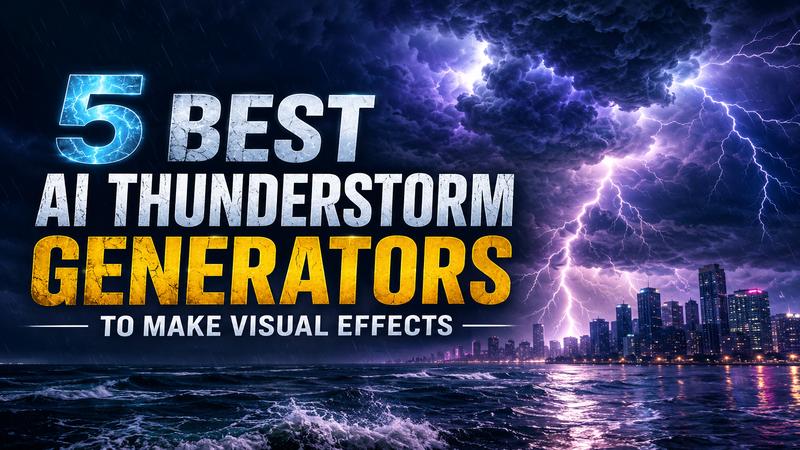
Creating a realistic thunderstorm image can be difficult with traditional photography. You need the right weather, location, camera, and timing. AI changes that process. With a detailed prompt, you can create storm clouds, bright lightning, heavy rain, and rough seas in seconds. AI image generators also let you control the mood and visual style. In this guide, we compare 5 popular AI thunderstorm generators and show how to create impressive thunderstorm visuals with simple prompts.
Part 1: Top 5 AI Thunderstorm Generators in 2026
These five thunderstorm generator tools can turn simple ideas into dramatic weather scenes. Your best choice depends on the style, control, and workflow you need.
1. Edimakor AI Image Generator – Best for Easy Thunderstorm Creation

Edimakor AI is a comprehensive creativity hub that excels at turning simple text prompts into striking storm visuals. It stands out for integrating multiple advanced AI models, such as Sora, Vidu, and Kling, into a single, beginner friendly interface. This platform is perfect for users who want high quality results without having to master complex settings or technical jargon. You can effortlessly generate both static images and dynamic video clips of raging storms in just a few seconds.
Key Features:
- Integrated Text to Image and Image to Image capabilities to create realistic thunderstorm scenes
- Access to 10+ advanced AI generation models like Seedream 5 Pro to generate different thunderstorm styles
- Built-in library of 300+ professional image effects .
- Simple creation workflow that allows anyone to generate thunderstorm images without design skills.
- Cloud-based processing for high-speed generation
 Pros
Pros
- Extremely user-friendly interface for beginners.
- High speed generation across all platforms.
- Versatile output for commercial use cases.
- Supports both realistic and animated storm styles.
- No watermark on images for paid subscribers.
- Affordable pricing with a free trial.
 Cons
Cons
- Requires internet connection for all features.
- Limited free generations for new users.
2. OpenArt – Best for Community Inspiration
OpenArt is a sophisticated platform designed for artists who require granular control over their atmospheric effects. It distinguishes itself through its "private project" mode and a massive library of community driven storm presets. This tool allows for deep customization of lightning intensity and cloud density, making it a favorite for concept designers. It allows users to fine-tune the intensity, frequency, and style of lightning bolts by offering access to both basic open source models and premium proprietary ones.
Key Features:
- Extensive library of community generated storm prompts.
- Granular control over lightning bolt styles.
- Advanced "Private Mode" for secure projects.
- Access to premium Flux and SDXL models.
- Built-in prompt enhancement technology.
Pros:
- High degree of creative freedom and control.
- Large community for prompt inspiration and sharing.
- Generous initial trial credits for new members.
- Excellent at capturing moody, cinematic lighting.
Cons:
- Commercial use requires specific attribution rules.
- The interface can feel overwhelming for novices.
3. Kaze AI – Best for 4K Realistic Visuals
Kaze AI is built for one thing: high speed, high-resolution storm simulation with zero effort. Unlike broader tools, Kaze focuses on precision lighting and social media ready visuals that can be generated in under five seconds with 99% accuracy. Its advanced algorithms excel at simulating light scattering through moisture, creating a powerful sense of immersion. It is the ideal choice for content creators who need professional grade storm backgrounds for short form video content or quick social posts.
Key Features:
- Rapid 5-second generation for storm visuals.
- Specialized precision lighting for lightning realism.
- Ultra-realistic 4K storm simulation technology.
- Design formats for social media platforms.
- AI-enhanced audio soundscapes for full immersion.
Pros:
- The fastest tool currently on the market.
- Zero learning curve for immediate results.
- Highly realistic light interaction with surroundings.
- Compatible with all professional creative workflows.
- Excellent handling of complex light interactions.
Cons:
- Niche focus may limit broader artistic needs.
- Fewer manual adjustment sliders than competitors.
4. Deep Dream Generator – Best for Artistic Storm Interpretation
Deep Dream Generator is famous for its "dream-like" aesthetic. This tool is a long standing pioneer in the AI art space. It offers a unique "dreaming" process that adds layered textures and fragmented elements to your storm visuals. Instead of just focusing on photorealism, it excels at creating impressionistic or digital paintings of tempests. It uses a tiered model system, including ChatGPT-guided prompts, to help users describe complex, supernatural weather events that feel like museum grade art.
Key Features:
- Deep neural network artistic style transfer.
- Advanced DaVinci and Flux model support.
- Tag-based system for exploring storm themes.
- Highly detailed texture and cloud layering.
- Community ranking system for top visuals.
Pros:
- Superior at creating artistic and surreal storms.
- Very great detail in lightning "spiderwebbing" effects.
- Flexible model selection for different aesthetic goals.
- Strong community engagement and feedback loops.
- Perfect for fantasy and surreal projects.
Cons:
- Steeper learning curve for advanced settings.
- Energy based usage systems can be confusing.
- Can be slower than dedicated simulation tools.
5. Chroma – Best for Atmospheric Landscapes
Chroma (Chroma Studio) specializes in grounded, cinematic realism that feels like professional storm photography rather than a digital painting. It is distinguished by its specialized presets for environments like alpine coastal surges, tempests, and urban downpours. The generator focuses on environmental realism, ensuring that light interacts naturally with red rocks, skyscrapers, or ocean waves. It is the best choice for creators who need "National Geographic" style realism for architectural or landscape visualization projects.
Key Features:
- Focused on realistic environmental atmospheric effects.
- Preset "Negatives" to avoid cartoonish results.
- Robust support for complex negative prompts.
- Grounded, realistic atmospheric lighting effects.
- Environmental realism focused on natural landscapes.
Pros:
- Most realistic "photography style" results available.
- Excellent handling of rain curtains and fog.
- Great for architectural and landscape visualization.
- Consistent quality across all landscape presets.
- High contrast and moody lighting presets.
Cons:
- Focus is primarily on realistic landscapes.
- Limited options for fantasy or sci-fi styles.
Part 2: How to Generate Thunderstorm Images with Edimakor AI
Edimakor AI makes it incredibly simple to turn a few words into a powerful visual. Follow these steps to create your own storm masterpiece.
Step 1: Access Text to Image Generator
Go to the Edimakor AI homepage and click on the "Text to Image" tool. This will open the AI studio interface where you can choose your preferred AI model.
Create Now
Step 2: Enter Thunderstorm Scene Prompt
In the prompt box, describe your vision. For the best results, include details about the location, time of day, weather conditions, cloud formation, lightning, camera angle, lighting, and visual style. Use descriptive words like "fractal lightning," "towering cumulonimbus clouds," or "dramatic moody lighting."
Step 3: Generate and Download
Click the "Generate" button. Edimakor AI will process your request using its high-speed servers. Click "Download," and you're ready to share your masterpiece.
Part 3: Thunderstorm Images You Can Create with AI
AI isn't limited to just "clouds and bolts." You can generate specific styles to fit any narrative.
1. Cinematic Ocean Thunderstorm
This style features dark, towering waves and a vast horizon. The lightning often reflects off the water's surface, creating a moody and powerful atmosphere.
“A cinematic ocean thunderstorm scene with massive waves, dark cumulonimbus clouds, and dramatic lightning strikes hitting the water surface. The atmosphere is heavy with sea spray and electric energy. Every lightning bolt illuminates the turbulent crests of the water, creating a realistic photography style visual effect.”
2. City Lightning Storm
Urban storms are defined by the contrast between glowing skyscrapers and the dark, rainy sky. Lightning often threads between buildings, reflecting on wet pavement.
“A dense city skyline at night with lightning threading between skyscrapers and reflecting on rain-soaked streets. Hyper realistic urban storm photography featuring wet glass surfaces and glowing office windows. The chaotic sky is filled with electric branches, casting a cold blue light over the architectural landscape.”
3. Mountain Storm Landscape
This style emphasizes scale and isolation. Lightning flashes silhouette jagged peaks, while rolling fog and heavy clouds cling to the mountainsides.
“A powerful alpine storm landscape with lightning illuminating jagged, snow capped mountain peaks. Dark, heavy clouds cling to the slopes while a central lightning bolt strikes a rocky crag. The scene captures the cold, raw energy of the mountains with moody lighting and detailed mist.”
4. Fantasy Thunderstorm Scene
Fantasy storms often include magical elements, such as glowing clouds, unnatural colors (like emerald or gold), and mystical structures like floating castles.
“A whimsical fantasy thunderstorm over a floating crystal castle. The clouds are swirls of magenta and deep indigo, with glowing golden lightning that branches like tree roots across the sky. Magical rain droplets glow as they fall, creating a surreal and enchanting atmosphere, digital art.”
5. Sci-Fi Storm Background
Sci-fi storms feature alien planets with dual moons and neon-colored lightning. Futuristic structures are silhouetted against a chaotic sky where nature and technology clash in a spectacle.
“A terrifying sci-fi storm on an alien planet with two moons. Red lightning crackles through a thick green atmosphere above a landscape of obsidian pillars and bioluminescent plants. The sky is a chaotic mess of electromagnetic energy and swirling dust clouds, cinematic wide shot.”
FAQs About AI Thunderstorm Generator
A1: Yes, modern AI models, such as those in Edimakor and OpenArt, are trained on millions of real life photographs. They understand the fractal nature of lightning and how it casts "rim light" on clouds and objects, resulting in highly realistic visuals.
A2: The key is to use sensory words. Instead of just saying "storm," use words like "jagged," "turbulent," "menacing," or "volumetric." Specifying the color of the lightning (e.g., violet, electric blue) also helps the AI focus the palette.
A3: Most AI platforms, such as Edimakor AI, allow commercial use. But you should always check the specific Terms of Service for the tool you are using to ensure compliance.
Conclusion
AI makes it much easier to create dramatic thunderstorm generator visuals without specialized photography equipment. Tools such as OpenArt, Kaze AI, Deep Dream Generator, and Chroma offer different creative approaches. However, Edimakor AI stands out for its simple workflow and beginner friendly image creation. Whether you need a realistic ocean storm or a futuristic lightning scene, a detailed prompt can bring your idea to life. Ready to electrify your visual content? Try out Edimakor AI today and bring your most powerful ideas to life in seconds!


Leave a Comment
Create your review for HitPaw articles