Large enterprises need scalable ways to create video content for employees, customers, sales teams, and global audiences. AI avatar platforms can streamline production by turning scripts, presentations, or other content into professional presenter-style videos without repeated filming. In this guide, we introduce five of the best AI avatar platforms for large enterprises in 2026. We compare their key features, multilingual capabilities, customization options, collaboration tools, and enterprise use cases to help businesses find the right platform for efficient, consistent, and scalable video production.
Part 1: What Are AI Avatar Platforms for Enterprises?
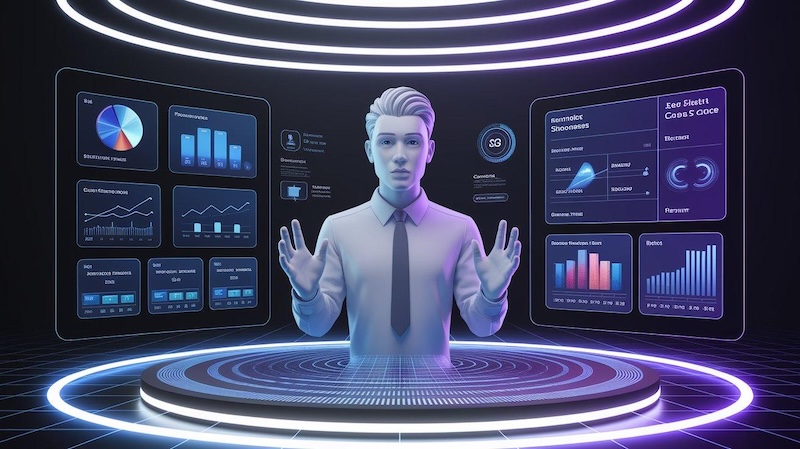
AI avatar platforms let businesses create videos with digital presenters. Instead of asking an employee or professional actor to appear on camera, a company can select an AI avatar and give it a written script. The platform then generates the presenter’s speech, facial movements, lip movements, and other actions. Some tools also let companies create custom avatars and voices for a more consistent presenter. Businesses can usually start with a script, document, presentation, or other source material. They also need consistent branding, user permissions, collaboration, localization, and clear licensing terms.
AI avatar platforms can help enterprises with:
- Employee onboarding
- Compliance training
- Software training
- Product demonstrations
- Sales enablement
- Customer education
- Internal announcements
- Executive communications
- Marketing videos
- Help and support content
- Multilingual communication
Scalability also matters. A company may need to update one policy video several times a year. With an AI avatar workflow, the team can edit the script and generate a new version instead of arranging another recording session.
Part 2: What Should Large Organizations Look for in an AI Avatar Platform?
Choosing the best AI avatar platform for business requires more than checking the number of available avatars. Large organizations should review the complete video creation process.
Avatar Quality
Look for natural facial expressions, accurate lip synchronization, clear speech, and suitable gestures. A presenter should look professional enough for training, sales, and customer-facing content.
Text-to-Video Creation
A good platform should let teams turn written content into videos. Some platforms can also work with documents or presentations. This feature can reduce the amount of manual video production work.
Language Support
Global companies need strong language and accent support. Check whether the platform supports the exact languages and regional accents your employees and customers need. For example, Synthesia currently supports more than 160 languages and offers translation features for business video production.
Brand Customization
Enterprise videos should follow company branding. Look for options such as logos, colors, templates, backgrounds, fonts, and brand assets.
Content Scalability
A platform should support high-volume video production. Check video limits, translation limits, storage, processing rules, and the number of users included in your plan.
Collaboration
Large teams often need several people to create, review, approve, and publish videos. Look for shared workspaces, user permissions, version control, review tools, and other team features.
Export and Sharing
Check whether the platform supports common video formats and the sharing methods your company already uses. Training teams may also need LMS support, while marketing teams may need simple downloads and publishing options.
Part 3: 5 Best AI Avatar Platforms for Large Enterprises
This section compares five of the best AI avatar platforms for large enterprises and organizations. Each tool serves different business needs, from video editing and marketing to corporate training, multilingual communication, and employee learning.
#1 HitPaw Edimakor AI Avatar – Editor’s Choice
HitPaw Edimakor combines AI avatar creation with video editing. This combination makes it a useful choice for businesses that want to create presenter-style videos while also editing the finished content. Businesses can use it for training videos, tutorials, presentations, marketing content, product explanations, and internal communications. Edimakor also includes other AI video features, including text-to-video, text-to-speech, video translation, and AI avatar tools. Its AI Avatar feature can create talking-avatar videos and supports voice cloning for supported workflows. HitPaw also provides a customization process for avatar, voice, and background requirements.
Best for: Businesses that want AI avatar creation with accessible video editing tools.


 Pros
Pros
- AI avatars and video editing in one workflow
- Useful for training, tutorials, marketing, and presentations
- Beginner-friendly video creation process
- Includes additional AI video features
- Supports online video creation
 Cons
Cons
- Enterprise requirements can vary by team
- Some AI features require credits or paid access
- Large organizations should review collaboration and account management options before deployment
Why choose it: Edimakor makes a strong choice for companies that want avatar creation and regular video editing without managing separate tools for every task.
Steps to Use HitPaw Edimakor
Step 1: Open HitPaw Edimakor and select the AI Avatar tool to start creating your presenter-style video.

Step 2: Choose your preferred method for adding a voice to your AI avatar video.
Step 3: Select an available voice, or use the Voice Clone feature to create a personalized AI voice for your video.
Step 4: Choose an AI avatar that matches your content, or customize the avatar according to your video requirements.
Step 5: Generate your AI avatar video and let Edimakor synchronize the avatar’s lip movements with the selected voice.
#2 Synthesia
Synthesia focuses strongly on business video creation. Companies can use its AI presenters for training, onboarding, internal communications, product explanations, sales enablement, and customer education. The platform supports AI avatars, voiceovers, translation, PowerPoint-to-video workflows, custom avatars, and other business video features. Its Enterprise offering also focuses on collaboration, versioning, audit logs, brand controls, and managed support. Synthesia currently lists more than 230 AI avatars and voiceovers in more than 160 languages.
Best for: Corporate training and multilingual business communication.
Pros:
- Strong focus on enterprise video
- Large selection of AI presenters
- Extensive language and voice support
- Useful for training and internal communications
- Enterprise collaboration and management features
Cons:
- Enterprise plans can cost more than basic creator tools
- Some features depend on the selected plan
- Casual creators may not need its full business feature set
#3 HeyGen
HeyGen provides AI avatars and text-to-video tools for marketing, sales, training, and business communication. Its Enterprise offering focuses on content creation, personalization, localization, workspace management, permissions, and integrations. Companies can also use PDFs or text prompts as starting points for video creation. HeyGen supports multilingual content and currently lists more than 170 languages and dialects on its enterprise page.
Best for: Marketing, sales, and customer-facing business videos.
Pros:
- Realistic AI avatar options
- Strong multilingual capabilities
- Useful for sales and marketing
- Supports personalized video creation
- Offers enterprise workspace and permission controls
Cons:
- Premium features may require higher-tier plans
- Avatar options can vary by plan
- Businesses should review commercial licensing before large-scale use
HeyGen can work especially well for companies that need customer-facing videos in several languages while keeping the same basic message.
#4 Colossyan
Colossyan focuses heavily on workplace learning and training. Companies can use it to create onboarding videos, compliance lessons, software instruction, customer service training, and other educational content. Its enterprise offering includes AI avatars, translations, custom avatars, brand kits, SCORM export, interactive content, and enterprise support. Colossyan currently lists 200+ premium AI avatars and translation into 80+ languages on its enterprise page. Its avatar tools also support 300+ presenters and 100+ languages, with options for custom avatars.
Best for: Corporate learning and development teams.
Pros:
- Strong focus on workplace training
- Supports multiple languages
- Useful for high-volume instructional videos
- Supports interactive training content
- SCORM export helps LMS-based training teams
Cons:
- Training remains its main strength
- Some enterprise features require an enterprise plan
- Avatar and customization choices can vary by offering
Colossyan stands out when a company wants to connect AI video creation with employee learning and training workflows.
#5 Elai.io
Elai.io provides AI avatar video creation for businesses, educators, and content teams. Users can create presenter videos from scripts and use them for training, presentations, product explanations, and educational content. The platform suits teams that want a straightforward script-to-video process. Businesses can also consider avatar and language choices when creating content for different audiences.
Best for: Business presentations and educational videos.
Pros:
- Script-to-video workflow
- Multiple avatar and language options
- Useful for training and presentations
- Suitable for educational content
Cons:
- Some advanced features depend on the plan
- Enterprise teams should review workflow and collaboration needs
- Avatar quality can vary between presenters
Elai.io can suit businesses that want AI presenters for regular instructional and presentation content without building a traditional production setup.
Part 4: How Large Enterprises Can Use AI Avatars
AI avatars can help large companies create regular video content for employees, customers, and sales teams. Businesses can use them for training, product demos, internal updates, multilingual communication, and sales materials.
Employee Training
Training teams can create onboarding, compliance, software training, workplace safety, and instructional videos without recording every lesson manually. When a policy changes, the team can update the script and create a new video. This process can reduce repeated recording work.
Marketing and Product Demonstrations
Marketing teams can use AI presenters to explain products, features, services, and promotional campaigns. Companies can also create different versions for different markets. This approach can help teams keep the message consistent while changing language, presenter, or supporting visuals.
Internal Communications
Large companies send many internal updates. AI avatar videos can present company announcements, policy changes, department updates, and executive messages in a consistent format.
Global Localization
Localization represents one of the biggest benefits for international organizations. Instead of recording the same message with several presenters, companies can create translated versions using AI voices and avatars. Synthesia, HeyGen, and Colossyan all provide multilingual video workflows, although the available languages and features depend on the platform and plan.
Sales Enablement
Sales teams can create product explainers, pitch videos, sales training lessons, feature updates, and customer education content. A company can also update a product video when pricing, features, or processes change.
Part 5: FAQs about AI Avatar Platforms for Large Enterprises
A1: There is no single choice for every company. HitPaw Edimakor AI Avatar is a strong option for businesses that want AI avatar creation together with video editing. Synthesia, HeyGen, and Colossyan can suit organizations with specific enterprise, localization, or training requirements.
A2: The leading options include HitPaw Edimakor AI Avatar, Synthesia, HeyGen, Colossyan, and Elai.io . Your best choice depends on your content volume, languages, collaboration needs, and budget.
A3: Yes. Businesses can use AI avatars for onboarding, compliance, software training, workplace instruction, and other lessons. Colossyan and Synthesia place a strong focus on business learning and training.
A4: Yes. Several major platforms support multilingual video creation and translation. However, language availability, accents, voice cloning, and translation features vary by platform and plan.
A5: Yes. Companies can use AI avatar videos for presentations, product explanations, training sessions, sales content, and internal updates. The best results come from a clear script, suitable avatar, good voice, and consistent company branding.
A6: Enterprise pricing varies by platform, video volume, users, languages, features, and support requirements. Several enterprise services use custom pricing rather than one fixed public price. Companies should request quotes and compare the total features included in each plan.
A7: AI avatars can replace some routine video production, but they do not fit every project. They work especially well for repeatable business content, training, localization, and frequent updates. Traditional production still has an important role in live events, major campaigns, interviews, and videos that need a real person.
Conclusion
The best AI avatar platforms for large enterprises can help companies create training, marketing, sales, and educational videos with less recording work. They also support multiple languages and help teams keep their video style consistent. The right platform depends on your video volume, languages, budget, branding needs, collaboration tools, and licensing. HitPaw Edimakor AI Avatar is our top choice for businesses that want AI avatar creation and video editing in one workflow. Synthesia and Colossyan suit companies with strong training needs, while HeyGen works well for marketing, sales, and multilingual content. Before choosing a platform, test it with a real business video to confirm that it meets your team’s needs.
Leave a Comment
Create your review for HitPaw articles