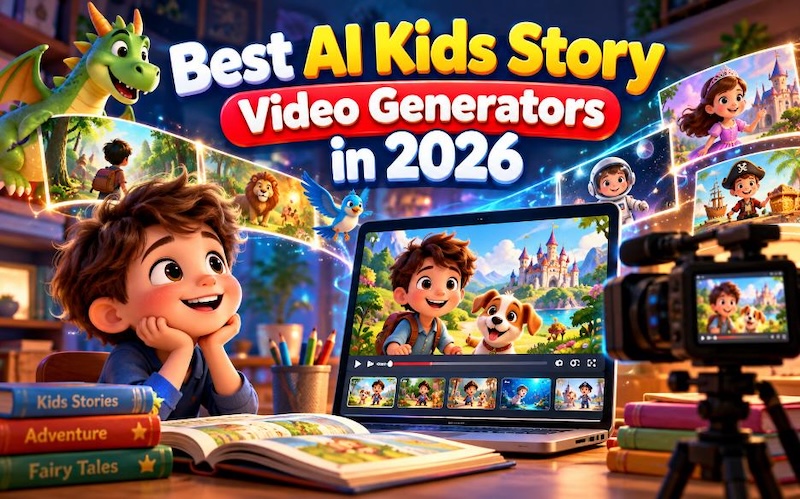
An AI kids story video generator helps parents, teachers, and YouTube creators turn story ideas into videos with animated characters, narration, music, and colorful scenes. These tools can save time when creating bedtime stories, educational lessons, and children's entertainment. Some tools create videos from text, while others help users animate drawings or build cartoon scenes with templates. In this guide, we compare five AI tools for children's story videos in 2026. HitPaw Edimakor takes the top spot for creators who want to develop a story, generate visuals, add narration, and edit their videos in one workflow.
Part 1: What Makes a Good AI Kids Story Video Generator?
A good AI kids story video generator should make story creation simple, even for beginners. The right tool can help you turn a short idea into a video that children can understand and enjoy.
Here are the main features to consider:
- Text-to-video creation: The tool should turn a written story or prompt into video scenes. Some tools also help write the story before generating visuals.
- Child-friendly animation: Cartoon characters, bright colors, and clear backgrounds can help children follow the story. Creators should choose visuals that suit the intended age group.
- Consistent characters: Characters should keep similar faces, clothing, colors, and features throughout the video. This helps children recognize the main characters from scene to scene.
- Voice and music: Clear AI narration, character dialogue, and suitable background music can make a story more enjoyable. The tool should also let creators adjust the sound.
- Editing and export options: Good editing features let users change scenes, correct captions, adjust timing, and export videos for YouTube or other platforms.
The best choice depends on whether you want to create a complete story from text or animate illustrations you already have.
Part 2: How to Choose an AI Tool for Children's Story Videos
Before selecting a tool, consider your story, budget, and editing skills. These points can help you find an option that meets your needs.
- Story creation: Some tools generate story ideas and scripts from text prompts. Others focus on animation and require you to prepare the story first. Choose a tool that matches your writing skills and workflow.
- Visual quality: Check whether the tool offers cartoon, watercolor, anime, or picture-book styles. Preview sample videos to see whether the characters and scenes suit children.
- Voice and narration: Listen to the available AI voices before choosing a plan. Clear pronunciation matters, especially when you create educational videos or bedtime stories. Check whether the tool supports different languages and voice settings.
- Editing flexibility: You may need to correct a character's appearance, change a scene, or adjust the narration. Look for tools that let you edit the video after generation instead of requiring you to start again.
- Pricing and usage rights: Compare free limits, paid plans, export quality, and watermark rules. If you plan to earn money from YouTube, review the tool's commercial-use terms and the rights for any music, images, or characters you include.
Part 3: Top 5 AI Kids Story Video Generators in 2026
These five tools offer different ways to create children's story videos. Some focus on generating complete stories, while others work better for animation, illustrations, or template-based editing.
#1. HitPaw Edimakor – Best AI Kids Story Video Generator (Editor's Choice)
Best for: Creating stories from ideas or scripts HitPaw Edimakor is our first choice for creators who want to turn written stories into videos without building every scene from scratch. Its Story to Video feature can help generate scripts, create characters, prepare storyboards, produce AI voices, and add background music. Creators can also select visual styles and edit individual scenes before exporting the video. These features make Edimakor useful for bedtime stories, children's education, and animated YouTube content.


Key features:
- AI Script Generation: Turns story ideas or text prompts into simple, engaging scripts for children's animated videos.
- Character Creation: Creates cartoon characters and storyboards with multiple scenes to help bring each story to life.
- AI Narration and Audio: Adds AI voices, character dialogue, subtitles, and background music to make stories easier to follow.
- Scene Editing: Lets creators edit video scenes, adjust visuals, and turn images into short animated clips.
- Video Customization: Offers options to adjust video length, language, and aspect ratio for different platforms and audiences.
Tips:
Want to turn your children's story into an engaging video? Follow our Story to Video guide to using Edimakor to learn how to create AI-powered story videos with characters, voiceovers, and scenes.
#2. LongStories.ai – Best for Long-Form Animated Stories
Best for: Longer stories and recurring characters LongStories.ai focuses on creating longer AI videos from story ideas or scripts. It supports recurring characters, custom story worlds, narration, captions, and different visual styles. Creators can also make connected episodes that reuse characters and settings. These features make it worth considering for fairy tales, multi-part bedtime stories, and children's story series. However, creators should review each scene to make sure the visuals match the script.

Pros:
- Supports longer videos and story series.
- Offers recurring characters and different visual styles.
- Combines story generation, narration, and video creation.
Cons:
- The free plan allows only one video of up to 30 seconds.
- The Pro plan starts at $59 per month, which may cost too much for casual creators.
- Generated stories and scenes may need corrections.
LongStories.ai suits creators who want to produce regular story episodes rather than only short clips. Review its credit limits before planning a large project.
#3. Magic Hour – Best for Animating Story Illustrations
Best for: Bringing existing drawings to life Magic Hour helps creators turn still images into short video clips. You can upload an illustration of a child, animal, or fairy-tale character and describe the movement you want. The tool then generates a video based on the image and prompt. This approach works well for picture-book scenes, animated story introductions, and short clips made from existing artwork. You can combine several clips in a video editor to create a complete story.
Pros:
- Supports image-to-video creation.
- Offers different AI video models and visual styles.
- Helps animate existing story illustrations.
Cons:
- Results depend on the source image and motion prompt.
- Longer stories require multiple clips and extra editing.
- Some models, resolutions, and features require credits or a paid plan.
Choose Magic Hour if you already have character artwork and want to add movement. For complete stories, plan to spend extra time arranging scenes and checking continuity.
#4. Animaker – Best for Template-Based Cartoon Stories
Best for: Educational cartoons and simple animations Animaker offers a visual animation editor with characters, backgrounds, props, templates, and scene controls. Instead of asking AI to create an entire story video at once, you can build scenes, choose characters, and arrange actions to match your script. Teachers can use this approach to explain lessons, while YouTube creators can make short cartoon stories with dialogue and captions. It also offers AI video features, although available options depend on the selected plan.
Pros:
- Provides templates and cartoon characters.
- Lets users customize scenes and character actions.
- Works well for educational videos and simple animated stories.
Cons:
- Detailed animation may require extra editing.
- Some downloads and features require a paid subscription.
- Complex stories can take time to assemble.
Animaker is a suitable option if you prefer to control how each scene looks. It may suit teachers and creators who want more control over character movement than a simple slideshow provides.
#5. Canva – Best for Simple Illustrated Story Videos
Best for: Picture-book videos and beginner projects Canva is a practical choice for beginners who want to create illustrated children's stories without learning a complex animation editor. You can arrange pictures, add text, animate selected elements, record or add narration, and place music beneath the scenes. Templates can help you create picture-book videos, short bedtime stories, and educational slideshows. However, you may need to arrange each scene manually and use another tool for more advanced character animation.
Pros:
- Offers a beginner-friendly editing interface.
- Includes templates, illustrations, text, and animation options.
- Works well for short illustrated stories and simple videos.
Cons:
- Complete stories often require manual scene assembly.
- Character movement may be less advanced than in dedicated animation tools.
- Some design assets and features require a paid plan.
Canva works best when you want a simple illustrated story rather than a fully animated cartoon. It also suits creators who already use templates for lessons, presentations, or social media videos.
Part 4: What Makes a Good AI Bedtime Story Video?
A good AI bedtime story video should help children relax while keeping them interested in the story. Use these tips to create videos that suit young viewers.
- Calm narration: Choose a gentle voice with clear pronunciation. Speak at a comfortable speed so children can follow the story.
- Gentle visuals: Use friendly characters, soft colors, and simple backgrounds. Avoid sudden movements or frightening images.
- Positive stories: Choose themes such as kindness, friendship, honesty, and helping others.
- Consistent characters: Keep character appearances similar throughout the video so children can follow the events.
- Suitable length: Keep younger children's stories short enough to hold their attention. Adjust the length to the child's age and bedtime routine.
- Final review: Watch the complete video before sharing it. Check the narration, images, music, captions, and story ending for mistakes or unsuitable content.
A simple story with clear narration often works better for bedtime than a video with too many sounds, effects, or scene changes.
FAQs about AI Bedtime Story Video Generators
A1: HitPaw Edimakor is our top recommendation for this list because it offers a workflow for generating scripts, characters, storyboards, AI voices, music, and video scenes. LongStories.ai is another option for longer stories and recurring characters.
A2: Yes. Many AI video tools can turn a written prompt or script into visual scenes. Some also generate characters, narration, and music. You should review the results before publishing.
A3: Yes. Edimakor offers basic editing without payment and provides new users with 30 free AI credits. LongStories.ai also offers a limited free plan. Free access may include watermarks, usage limits, or restrictions on downloads, so check the current terms.
A4: Yes. Some tools generate characters, story scenes, AI voices, and background audio. The available features depend on the tool and plan. You may still need to edit scenes or correct the narration.
A5: Yes, you can publish AI-generated videos if you follow YouTube's policies and have the necessary rights to the images, music, voices, and other content. YouTube monetization also requires compliance with its rules on original, authentic content. Check the latest policies before uploading.
A6: Write a detailed description of each character, including clothing, colors, facial features, and personality. Use character-reference or consistency features when available. Review every scene and regenerate images that show noticeable differences.
Conclusion
AI kids story video generators help parents, teachers, and YouTube creators make children's stories with less manual work. HitPaw Edimakor is our first choice for its story-to-video workflow, character creation, storyboards, narration, and editing features. LongStories.ai suits longer stories, Magic Hour works well for animating illustrations, Animaker offers more control over cartoon scenes, and Canva makes simple illustrated videos easy to create. Start with a short story, review every scene, and choose a tool that fits your budget and creative needs. Visit the HitPaw Edimakor AI Story-to-Video Generator to explore its features and create your first children's story video.
Leave a Comment
Create your review for HitPaw articles