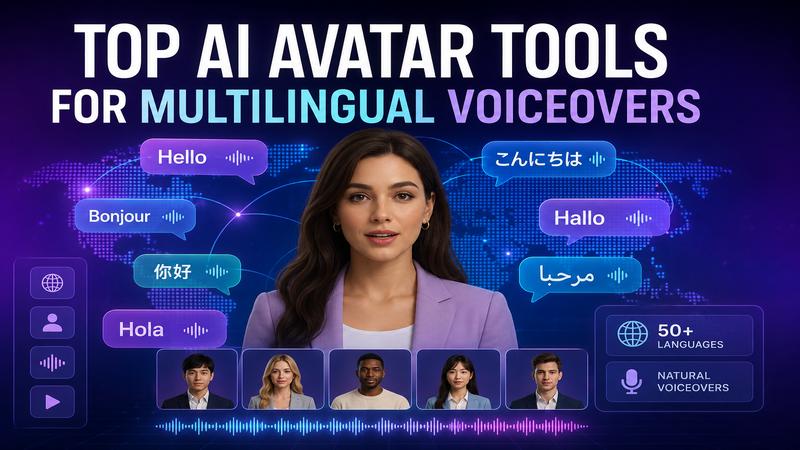
In 2026, breaking language barriers is essential for global digital success. AI avatar technology has evolved to provide hyper realistic presenters that speak multiple languages with native precision. These tools allow creators and businesses to reach international audiences without expensive filming or voice talent. This article explores the 5
What Are AI Avatar Tools for Multilingual Voiceovers?
AI avatar tools for multilingual voiceovers are software platforms that generate digital presenters to deliver scripts in multiple languages. They use advanced text to speech (TTS) technology and lip syncing algorithms to ensure the avatar’s mouth movements match the audio perfectly.
In 2026, these tools provide hundreds of natural sounding voices across various accents. This allows users to create professional looking videos for marketing, training, or support without needing a physical camera or a native speaker on set.
Why Use a Multilingual AI Avatar Tool?
Using a multilingual AI avatar tool is the smartest way to scale your global marketing. It helps you save thousands of dollars on production by replacing voice actors with AI.
You can adapt a single video for fifty different countries in just minutes. These tools ensure your brand message stays consistent while sounding natural to local ears. By speaking the customer's native tongue, you increase engagement, trust, and conversion rates. It is an essential strategy for any business that wants to grow internationally without slowing down production
Top AI Avatar Tools for Multilingual Voiceovers Comparison & Review
When searching for the top AI avatar tools for multilingual voiceovers, it is essential to compare features and costs. The following table provides a quick look at the market leaders in 2026.
| Tool | Ease of Use | Voice Cloning | Lip Sync | Templates | Languages Support | Pricing | Ideal Use Cases |
|---|---|---|---|---|---|---|---|
| HitPaw Edimakor | Very Easy | Yes | Yes | Yes | 50+ Languages | Starts $19.95/mo | Best Overall |
| HeyGen | Very Easy | Yes | Yes | Yes | 175+ Languages | Free; paid from $29/month | Personalized Sales & Training |
| Deckoholic | Easy | Not its main focus | Yes | Yes | 40-140+ Languages | Free; paid from $39/month | Interactive Demos & GTM Teams |
| Synthesia | Very Easy | Yes | Yes | Yes | 160+ Languages | Free; paid from $18/mo | Enterprise Learning & Development |
| D-ID | Easy | Yes | Yes | Yes | 120+ Languages | Free trial; paid plans start at $5.9/mo | Creative Apps & Personal Greetings |
1 HitPaw Edimakor

HitPaw Edimakor is a desktop based video editor that integrates advanced AI avatar features directly into a professional timeline. It distinguishes itself by offering robust video editing tools alongside generative AI characters for seamless post production. You can easily turn text into realistic presentations without needing a camera or studio. The software excels at creating social media content with minimal effort.
Key Features:
- 1,000+ diverse stock AI avatars covering human, cartoon, and animal styles.
- Precise lip sync technology for realistic talking videos.
- Support for 50+ languages and various accents.
- Auto subtitles with unique emojis and keywords.
- One click background removal for professional studio looks.
Pros:
- User friendly interface designed for rapid video editing.
- High quality voice cloning for personalized video messages.
- Affordable pricing tiers suitable for individual creators.
- Robust desktop performance ensures smooth 4K exports.
Cons:
- Requires an internet connection.
2 HeyGen
HeyGen is a browser based platform renowned for producing some of the most realistic digital twins available today. It sets itself apart with its superior "Custom Digital Twin" technology and high fidelity video translation features. The tool allows businesses to scale content globally by instantly localizing videos into dozens of dialects. It is widely regarded as the industry leader in marketing realism.
Key Features:
- Industry leading support for 175+ languages and dialects.
- Instant video translation with automated lip-resyncing.
- Professional custom digital twins with verified consent.
- Seamless integration with popular CRM and marketing tools.
- 4K video export for premium content quality.
Pros:
- Exceptional realism in facial expressions and gestures.
- Massive library of 500+ stock digital twins.
- Powerful API for automated enterprise video workflows.
- Fast cloud based rendering saves significant local time.
Cons:
- Subscription costs can scale quickly for teams.
- Higher learning curve for advanced personalization features.
3 Deckoholic
Deckoholic specializes in creating interactive product demos and AI-polished walkthroughs for GTM teams. It allows users to record their product screens and add AI voiceovers and avatars afterward. The tool focuses on increasing conversion rates by replacing static screenshots with clickable experiences. It is a perfect solution for sales and customer success teams.
Key Features:
- Interactive walkthroughs with AI polished voice and avatars.
- Automatic step by step help documentation from video recordings.
- Smart zoom and cursor tracking for demos.
- Built-in visitor analytics to track demo engagement.
- Easy embedding options for websites and emails.
Pros:
- Best tool for creating interactive software demonstrations.
- Simple recording process requires no initial script.
- Automatic documentation generation saves significant time.
- Integrates directly with HubSpot and Google Analytics.
Cons:
- Niche focus on demos rather than general storytelling.
- Pricing is higher for basic video generation needs.
- Limited stock avatar variety compared to competitors.
4 Synthesia
Synthesia is the premier enterprise solution for creating large scale training and educational videos using AI avatars. It distinguishes itself through its rigorous SOC 2 compliance and its massive library of over 240 stock characters. The platform is designed for teams that need to update and localize content frequently across many departments. It offers deep integration for Learning Management Systems.
Key Features:
- Over 240 lifelike AI avatars with natural gestures.
- Support for 1,000+ voices in 160+ languages.
- Collaborative workspace features for large enterprise teams.
- Interactive video elements for enhanced viewer engagement.
- Studio avatar service for high fidelity personal twins.
Pros:
- Extremely stable and reliable for corporate environments.
- Easy to convert PowerPoints directly into videos.
- High quality lip-syncing that conveys emotion and intent.
- Excellent security features including SAML and SSO.
Cons:
- Voice cloning is restricted to enterprise plans.
- Daily generation limits apply to lower tiers.
- Personal use license is not for business.
5 D-ID
D-ID focuses on "agentic" video experiences in which AI avatars can listen and respond in real time to user queries. It distinguishes itself by offering an interactive agent platform that can be embedded into websites for customer support. The tool also provides creative tools to animate historical figures or artistic portraits from just a photo. It is highly cost effective for high volume personalized outreach.
Key Features:
- Animate any portrait, photo, or illustration instantly.
- Advanced mobile app for creating avatars on the go.
- Real time streaming API for interactive AI agents.
- Support for 120 languages and many voice tones.
- High fidelity Express Avatars from short video samples.
Pros:
- Most flexible tool for animating creative illustrations.
- Excellent mobile accessibility for social media creators.
- Affordable entry level plans for casual users.
- Powerful developer tools for custom app integrations.
Cons:
- Watermarks are present on all lower tier plans.
- Credits often expire if not used within the month.
- Customer support may be slower for non enterprise users.
How to Create a Multilingual AI Avatar Video
Creating a multilingual AI avatar video is easy with HitPaw Edimakor. Its AI Avatar feature lets you create a digital presenter, add a script, select a language and voice, and generate a talking video with synchronized lip movements. Follow these easy steps to get started:
Step 1: Open AI Avatar:
Open HitPaw Edimakor and select "AI Avatar" from the main interface. Open the avatar generator to start your project.


Step 2: Choose Your Avatar:
Go to "My Generator" and select "Human Avatar." Choose an avatar from the available options. You can also upload a photo to create a more personalized avatar.
Step 3: Add Character Details and Script:
Choose your preferred avatar model and appearance. Then enter the script you want the avatar to speak. Select the target "language" and choose an AI voice that matches your content and also select your preferred resolution.
Step 4: Generate and Export:
Click the "Generate" button. Once the process is complete, preview the video to make sure everything looks right, then export the final video.
Tips for Creating Natural Multilingual AI Avatar Videos
Creating a believable AI video requires attention to detail and script optimization. Follow these tips to achieve more engaging results:
- Use short sentences to help the AI maintain a natural breathing rhythm.
- Choose voices that match the local dialect and cultural tone.
- Add gestures and facial expressions to match the script's emotion.
- Keep the background clean to ensure the avatar is the focus.
- Always proofread your translated scripts for local slang and grammar.
FAQs About AI Avatar Tool for Multilingual Voiceover
A1: HitPaw Edimakor is a great choice for multilingual AI avatar videos, offering AI avatars, voiceovers, and video editing features in one platform. It is especially useful for creators who want to create and edit multilingual content in a single workflow.
A2: Yes. Many AI avatar tools support multiple languages and AI voices. HitPaw Edimakor lets you create AI avatar videos with multilingual voiceovers, making it easier to adapt content for audiences in different regions.
A3: Some AI avatar tools like Edimakor support multilingual voice cloning . This allows users to create voiceovers in different languages while maintaining a similar voice identity. Check each platform's supported languages and voice-cloning terms before use.
A4: In many cases, AI avatar videos can be used for commercial content, but usage rights vary by platform and plan. Check the tool's commercial license and terms of service before using AI-generated voiceovers in ads, marketing videos, or other paid content.
Conclusion
The top AI avatar tools for multilingual voiceovers can make global video production much easier. Each platform has a different strength. For creators who want an all in one workflow, HitPaw Edimakor stands out as the premier choice. It combines AI avatars, multilingual voices, voice cloning, lip sync, and video editing. Ready to take your content worldwide? Try HitPaw Edimakor to create your first multilingual AI avatar video for a global audience.
Leave a Comment
Create your review for HitPaw articles