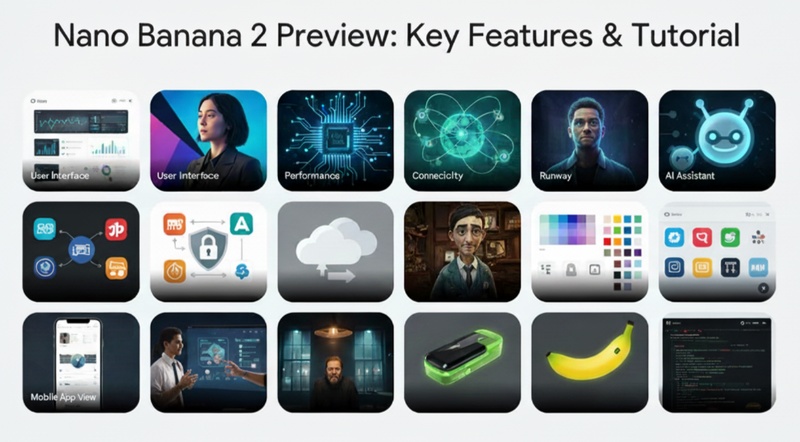
Nano Banana 2 is the latest update in AI image generation technology. In this Nano Banana 2 review article, we will preview its improvements, compare it with the previous Nano Banana model, and explain how users can generate stunning images using Edimakor’s AI image generator.
Part 1: Nano Banana 2 Preview
The most recent version of the Nano Banana AI image generation model is called Nano Banana 2. It introduces a number of enhancements that improve the speed, clarity, and accuracy of AI image production. Better rapid comprehension, increased resolution, and enhanced editing capabilities are the main features of the updated edition.

Better Image Quality and Resolution
Image resolution is one of Nano Banana 2's most significant enhancements. After several changes, the previous Nano Banana version occasionally resulted in hazy photos. By enabling native 2K picture production with the potential to produce 4K-ready graphics, Nano Banana 2 enhances this.
Improved Text Rendering and Quick Comprehension
Compared to the previous version, Nano Banana 2 can comprehend prompts far more correctly. The technology is built to decipher in-depth descriptions and translate them into images that correspond to the user's desire. Additionally, it may produce more readable text components within photos, like UI labels, captions, and signs.
Enhanced Consistency of Character
Another aspect in which Nano Banana 2 excels is character consistency. The AI preserves consistent facial characteristics, clothing details, and general appearance when producing several photos of the same character. Because of this, the tool can be used for storytelling in which the same character must appear in several different photos.
Improved Editing and Background Modifications
Additionally, Nano Banana 2 enhances editing capabilities. Users can more easily blend various visual elements, alter backdrops, and change environments. With the AI's improved handling of intricate background modifications, artists may now experiment with various styles, scenes, and compositions without sacrificing image quality.
Quicker Generation of Images
Another significant benefit of Nano Banana 2 is its speed. In many situations, the improved model can produce high-quality photos in less than ten seconds. Because of this swift processing, developers can quickly try various prompts and generate several design changes without having to wait a long time for results.
Part 2: Nano Banana 2 vs Nano Banana
To understand the improvements clearly, it is helpful to compare Nano Banana 2 with the original Nano Banana version. The new model introduces several upgrades that improve overall performance and creative possibilities.
| Feature | Nano Banana | Nano Banana 2 |
|---|---|---|
| AI Model | Gemini 2.5 Flash | Gemini 3.0 Pro |
| Text Adherence | Moderate accuracy | 3× better prompt understanding |
| Detail Handling | Struggles with fine text and UI | Sharper text, charts, and complex GUI |
| Resolution | Up to 2K | Native 2K, 4K-ready |
| Character Consistency | Strong stability | Even more consistent |
| Editing | Basic background edits | Advanced complex background editing |
| Aspect Ratios | Standard ratios | More options including 21:9 |
| Speed | 10–15 seconds | Less than 10 seconds |
Part 3: Key Features of Nano Banana 2 in Edimakor | AI Image Generator
Edimakor's AI Image Generator incorporates Nano Banana 2 technology. Because of this integration, users may effortlessly produce excellent AI visuals from within the video editing environment. It is helpful for a variety of creative tasks due to the combination of sophisticated AI creation and editing features.
AI Image Generation
With just a prompt, users may create images with the AI Image Generator powered by Nano Banana 2. After analyzing the description, the system creates a comprehensive visual result. The generated visuals closely reflect the user's idea due to enhanced rapid understanding. Concept art, social media graphics, marketing images, and illustrations can all benefit from this functionality.
AI Image Effects Library
Additionally, Edimakor offers a vast AI Image Effects Library. There are several visual styles in this library that can rapidly change an image. For instance, users can apply realistic photography looks, fantasy art filters, cartoon effects, and cinematic styles. Without requiring sophisticated design knowledge, these effects enable producers to rapidly experiment with many artistic approaches.
Image to Video
The image-to-video tool in Edimakor is another potent function. This function allows users to create a brief animated video clip from a static photograph. This facilitates the production of interesting content for websites like YouTube, Instagram, and TikTok. For instance, a dynamic scene with movement and visual effects can be created from an AI-generated photograph of a character or terrain.
Talking Photo
Another creative tool that Edimakor supports is the Talking Photo function. It enables users to give the impression that a character is speaking by animating a still image. A straightforward portrait can be transformed into an animated presentation by fusing AI voice production with face animation.
Part 4: How to Generate Stunning Images Using Edimakor Nana Banana 2 AI Image Generator
Creating AI images with Edimakor using the Nano Banana 2 engine is simple and beginner-friendly. The interface is designed so that even new users can generate high-quality visuals in just a few steps.
Step 1: Open Edimakor
First, launch Edimakor on your computer. If you haven’t downloaded it yet, then go straight to its official website and download it either for Windows or Mac. Next, select the New Project button.


Step 2: Access AI Image Generator
From the left side menu, hit the AI Image option. Now, follow these steps:
- In the model section, select Nano Banana 2.
- Upload your reference image.
- Next, type a detailed prompt describing the image you want to generate. The more specific your prompt is, the better the result will be.
- Adjust the available settings like resolution, aspect ratio, and output quantity. Choosing the right settings ensures the generated image fits your creative project.
- Once the prompt and settings are ready, click the Generate button.
Step 3: Export the Image
The AI will process your request and create the image within a few seconds. After generation, you can preview the result in the My Creations section. Finally, access the image by tapping on the folder icon appearing at the top right corner of the output image.
Step 4: Apply Additional AI Tools
You can also use more AI features on the generated image. Simply right-click the output image to access options like re-editing, turning it into a video, enhancing image quality, or performing a face swap.
In Conclusion
This Nano Banana 2 review explains that Nano Banana 2 brings significant improvements to AI image generation technology. With better prompt understanding, higher resolution outputs, improved detail handling, and faster processing speed, it provides a more reliable experience for creators. When combined with HitPaw Edimakor (Video Editor) ’s creative features, such as AI image generation, image effects, image-to-video tools, and talking photo animations, users gain access to a complete creative platform.
Leave a Comment
Create your review for HitPaw articles