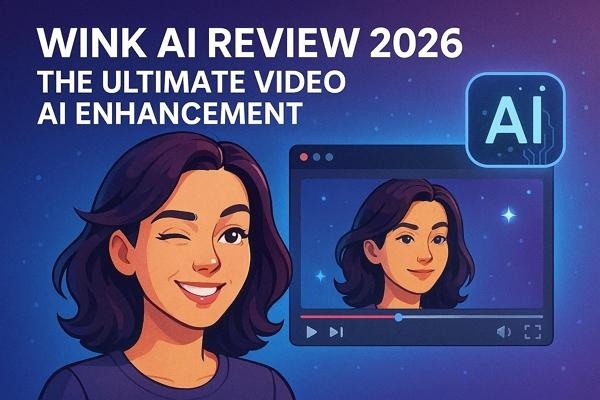
Wink Video AI Enhancement is revolutionizing how we experience digital content by automatically improving video clarity, color accuracy, and overall visual quality. Its intelligent algorithms reduce noise, sharpen details, and enhance motion, making low-resolution or older footage look crisp and modern. Whether for personal videos, streaming, or professional projects, this tool offers a simple yet powerful way to elevate visuals.

Part 1. What is Wink Video AI Enhancement?
Wink Video AI Enhancement online is an AI-powered tool that automatically improves video quality by sharpening details, reducing noise, and enhancing colors. It makes low-resolution or older footage look clearer and more vibrant, providing smoother visuals and a more professional appearance without requiring advanced editing skills or expensive software.
Wink AI Pricing and Plans
Wink offers two flexible pricing options to suit different user needs. The first option is a top-up plan, where you purchase credits as needed, giving you the freedom to pay only for what you use. The second option is a subscription plan, available in monthly and yearly formats. As a user, your choice depends on usage and preference, with both plans outlined below:
Top Up Pricing Plans
| Credits | Price | Price Per Credit |
|---|---|---|
| 25 Credits | $7.99 | $0.32/Credit |
| 100 Credits | $24.99 | $0.25/Credit |
| 200 Credits | $39.99 | $0.2/Credit |
| 500 Credits | $59.99 | $0.12/Credit |
| 1000 Credits | $79.99 | $0.08/Credit |
Subscription Pricing Plans
| Plan | Pricing |
|---|---|
| Monthly | $19.99 |
| Yearly | $99.99 |
- Unlock premium features
- Use all AI-powered tools
- Get 300 bonus credits every month
- Edit up to 100 images and 60 minutes of video daily
Wink AI Features and Capabilities
Having learned about the pricing plan of this tool, let us have a look at what features and functions Wink AI Video Enhancer & Editor offers:
1. HD Video Restoration
This feature upscales low-resolution or older videos to high definition, improving sharpness and reducing blurriness. It also restores fine details, making footage look cleaner and more modern without manual editing.
2. AI Video Retouching & Makeup
AI automatically smooths skin, corrects imperfections, and enhances facial features in videos. It can also apply virtual makeup, creating polished, professional-looking visuals for content creators or personal videos.
3. Video Frame Interpolation
This adds extra frames between existing ones to make the motion smoother and reduce choppiness. It is especially useful for slow-motion effects or converting lower-frame-rate footage into higher-frame-rate videos.
4. AI Night View Enhancement
This brightens dark scenes and improves visibility while reducing noise in low-light videos. It enhances colors and details, making night-time footage clearer and more vibrant.
Part 2. Wink AI vs. Alternative AI Creative Tools
As AI-powered creative tools continue to reshape how we edit and produce digital content, choosing the right platform can feel overwhelming. In this comparison of Wink AI vs. alternative AI creative tools, we’ll break down how Wink AI Enhancement stacks up against other editors. The comparison is across key capabilities, so you can pick the best fit for your projects:


| Platforms | Primary Focus | AI Video Enhancement | Ease of Use | Creative Flexibility | Editing Depth | |
|---|---|---|---|---|---|---|
| Wink AI | Web-based, Windows, Mac, iOS, Android | Quick video editing | Good but lighter | Moderate | High | limited |
| HitPaw Edimakor | Windows, Mac | All-in-one AI video & photo editor | High-quality, natural results | Easy | Highest | Advanced |
| Canva | Web-based, iOS, Android | Template-based design | Minimal | Moderate | Average | High |
| CapCut | Web-based, Windows, Mac, iOS, Android | Social video editing | Basic | Moderate | High | High |
| Topaz lab | Mac, Windows | High-end enhancement only | Extreme but technical | Difficult | Average | Technical |
| Remini Video Enhancer | Web-based, iOS, Android | Video quality repair | Automated | Moderate | Minimal | Limited |
Part 3. Tutorial | How to Use Wink Video AI
Once you have discovered the features and capabilities of Wink Video AI enhancement online, let us have a look at how to use this tool in the section below:
Step 1. Begin by Uploading a Video
To start, access the tool and press the Upload image/Video option to successfully add the video for enhancement.
Step 2. Choose Enhancement Functions
In the following interface, pick the enhancement function of your choice from the options provided on the right. Once selected, press the Get Started option located at the bottom to successfully begin the process.
Step 3. Preview and Export Results
Once the video is successfully enhanced, preview it within the preview window and press Export to save it to your device.
Part 4. Wink AI Reviews and Ratings
Google Play: 4.4/5
App Store: 4.8/5
“ I love Wink! I had dozens of old travel photos that had faded or become grainy over time. With the AI restoration, my pictures look fresh and vibrant again — even better than I remembered! It’s perfect for sharing throwbacks on my blog and socials. I seriously don’t know how I managed without this tool.” - Isabella Clark.
“I can’t believe how well Wink handles game footage! I was testing some 3D gameplay clips for my latest project, and the original recordings were a bit fuzzy. After using the AI enhancement, every character and environment detail popped — it’s like recording in 4K straight from the engine. This tool just saved me hours of editing!” - Ethan Ramirez.
FAQs on Wink Video AI Review
A1: Wink AI Video Enhancement offers a free version that allows basic video enhancements with some limitations, such as watermarks or restricted processing time. For full access to advanced AI features, subscribing to a paid plan or using credit packs is necessary, and offline editing can be done efficiently with HitPaw Edimakor.
A2: Yes, Wink AI includes a background removal tool that can isolate subjects and replace or eliminate backgrounds automatically. For more precise control over the result, HitPaw Edimakor can be used to refine the effect frame by frame.
A3: Wink Video AI works on Windows and Mac platforms and also offers an online version for browser-based editing. This flexibility allows users to enhance videos without downloading heavy software, though the desktop version supports faster processing and more features.
A4: No, ChatGPT cannot directly edit or enhance video files as it is a text-based AI. However, it can provide guidance, tips, and step-by-step instructions for using tools like Wink Video AI or HitPaw Edimakor to improve video quality.
A5: Yes, Wink AI uses noise reduction and detail restoration to reduce graininess and improve video clarity. For offline or more advanced video cleaning, HitPaw Edimakor offers similar AI-powered enhancements with additional customization options.
Conclusion
To wrap it up, this article provided a detailed review of the Wink AI Video Enhancement tool. The article also provided a comparison between Wink and other AI-powered video enhancement tools available in the market. However, if you are looking for a comprehensive video enhancement tool, go for HitPaw Edimakor AI Video Enhancer . The beginner-friendly interface and high-quality enhancement make it one of the most reliable options.
Leave a Comment
Create your review for HitPaw articles