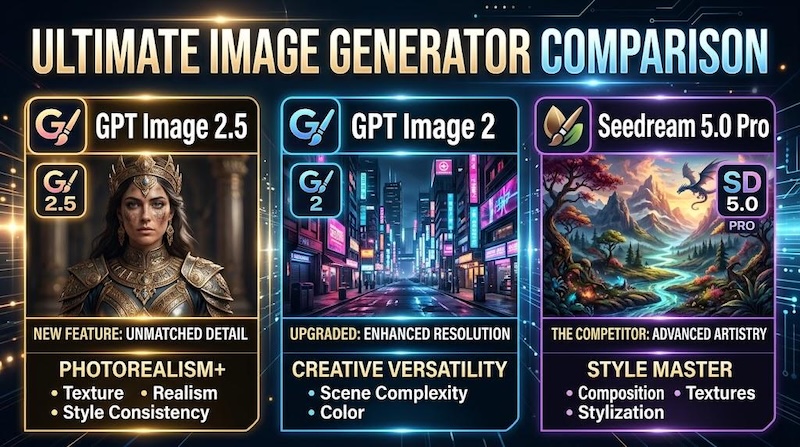
GPT Image 2.5 vs GPT Image 2 vs Seedream 5.0 Pro is an important AI image comparison for creators in 2026. Each model brings different strengths in image quality, prompt accuracy, editing, text rendering, and creative control. But which model is best for image creation in 2026? If you're looking for the answer to this question, you're in the right place. In this guide, we'll compare GPT Image 2.5, GPT Image 2, and Seedream 5.0 Pro across their key features, image quality, editing capabilities, and more. Plus, we'll also introduce you to the best alternative that offers all essential AI image creation and editing features in one place.

Part 1: GPT Image 2.5 vs GPT Image 2 vs Seedream 5.0 Pro: At a Glance
1 What is GPT Image 2.5
GPT Image 2.5 is OpenAI's next image model generation after GPT Image 2. It handles image creation from prompts and image editing from references. Instead of only making a strong first image, it is designed to make local changes more reliable, keep earlier edits stable, and follow complex instructions more accurately. This model can be useful for creators who need to refine an image through several editing steps without repeatedly starting from scratch.
2 What is GPT Image 2
GPT Image 2 is the previous version of GPT Image 2.5 and was developed to provide powerful AI-powered image creation and editing capabilities. It launched on April 21, 2026, in the OpenAI API and Codex under the model ID "gpt - image - 2," and reached consumers as ChatGPT Image 2.0 on April 22, 2026. GPT Image 2 is designed to handle a wide range of creative tasks, including photorealistic images, illustration, marketing graphics, social media content, and more.
3 What is Seedream 5.0 Pro
Seedream 5.0 Pro is a next-generation AI image generator from ByteDance, built for creators who want precision, control, and cinematic-quality visuals. With the help of this tool, users can easily produce highly detailed, realistic images with accurate lighting and textures. Seedream 5.0 Pro is designed to understand complex prompts and turn detailed creative instructions into visually coherent results, making it ideal for creating photorealistic portraits, product images, and high-quality social media posts.
Part 2: GPT Image 2.5 vs GPT Image 2 vs Seedream 5.0 Pro: Feature Comparison
If you want to understand the key differences between GPT Image 2.5, GPT Image 2, and Seedream 5.0 Pro, comparing their features side by side is one of the easiest ways to do it. Here is a feature-by-feature comparison table:
| Features | GPT Image 2.5 | GPT Image 2 | Seedream 5.0 Pro |
|---|---|---|---|
| Developer | OpenAI | OpenAI | ByteDance |
| Image Generation | Yes | Yes | Yes |
| Image Editing | Yes | Yes | Yes |
| Text-to-Image | Yes | Yes | Yes |
| Image-to-Image | Yes | Yes | Yes |
| Reference Image | Yes | Yes | Yes |
| Reference Image Per Generation | 1 | 1 | Up to 10 |
| API Availability | Yes | Yes | Yes |
| Prompt Understanding | Excellent | Very Good | Excellent |
| Best For | Advanced Creation | General Image Generation | Professional-looking images |
Part 3: GPT Image 2.5 vs GPT Image 2 vs Seedream 5.0 Pro: Pros and Cons
Just like any other AI image generation platform, GPT Image 2.5, GPT Image 2, and Seedream 5.0 Pro come with their own advantages and limitations. Knowing about their pros and cons helps you determine which model is best for image creation. Here are the pros and cons of these platforms.
GPT Image 2.5: Pros and Cons
Pros
- Cleaner human subjects and more natural visual details.
- Up to 50% lower latency than Image 2.0 for faster iteration.
- Offers Flare and Sunburst effects to produce cinematic scenes.
- Ideal for professionals, content creators, and marketers.
Cons
- Complex scenes may still need manual review and multiple iterations.
- API output is priced per token.
GPT Image 2: Pros and Cons
Pros
- Smarter reasoning; it can "think" before taking pictures.
- Better prompt accuracy, follows detailed prompts more accurately.
- Enables users to modify existing images, add or remove objects, and more.
- Understands relationships between objects, subjects, background, and lighting.
Cons
- Offers fewer improvements than the newer GPT Image 2.5.
- Doesn't offer advanced features like GPT Image 2.5.
Seedream 5.0 Pro: Pros and Cons
Pros
- Stronger fit for prompt-heavy and polished creative tasks.
- Better for images that need campaign-ready or premium presentation quality.
- Useful for designs that require readable text, labels, and posters.
- Intuitive interface, which is ideal for non-tech and beginner users.
Cons
- Weak prompt structure still weakens the results.
- Limited customization options as compared to others.
Part 4: Best Alternative to GPT Image 2.5, GPT Image 2, and Seedream 5.0 Pro
GPT Image 2.5, GPT Image 2, and Seedream 5.0 Pro are amazing AI image generation models, but they may not be the ideal choice for every creator. That is where HitPaw Edimakor comes in. It is an all-in-one AI video editor that also offers advanced image generation capabilities. With the help of this tool, users can create high-quality images with a simple text prompt or by uploading static images. The best part of this tool is that it supports multiple AI models, allowing users to test different types of models in one place. It includes AI models such as Nano Banana, Nano Banana Pro, Flux, Midjourney, Seedream, Imagen 4, and Stable Diffusion.
Key Features of HitPaw Edimakor
- Text-to-Image: HitPaw Edimakor enables users to create high-quality and engaging images with a simple text prompt --- no editing experience required.
- Image-to-Image: With this tool, users can alter images in various styles, including cyberpunk, oil painting, 3D, anime, cartoon, realistic, and more.
- Advanced Customization: The program offers advanced customization features, enabling users to adjust AI images according to their requirements.
- Multiple AI Models: It offers a wide range of AI models, such as Nano Banana, Nano Banana Pro, Flux, Midjourney, Stable Diffusion, Imagen 4, and Seedream.
- Intuitive Interface: The best part of this tool is that it offers an intuitive interface, which is ideal for non-tech and beginner users.


Step-by-Step Guide:
Follow the instructions below to learn how to create high-quality images with HitPaw Edimakor:
Step 1: Select Text to Image
Download the program on your PC and launch it. Choose "Text-to-Image" from the main interface.
Step 2: Choose The AI Model
Click on "Model" and select the desired AI model. It includes multiple options such as Nano Banana Pro, Seedream, Flux, and more.
Step 3: Enter The AI Prompt
Scroll down and enter the AI prompt in the prompt box. Make sure to enter detailed instructions to get accurate results.
Step 4: Adjust Image Settings and Generate
Adjust the image settings and click on the "Generate" button. Within seconds, your image will be ready. Preview the results and download on your device.
Final Thoughts
GPT Image 2.5 vs GPT Image 2 vs Seedream 5.0 Pro: Which tool is best? After reading this, hopefully you have found your answer. Each tool has its unique features and capabilities. However, if you want an easy-to-use image generator, then we recommend using HitPaw Edimakor.
Leave a Comment
Create your review for HitPaw articles