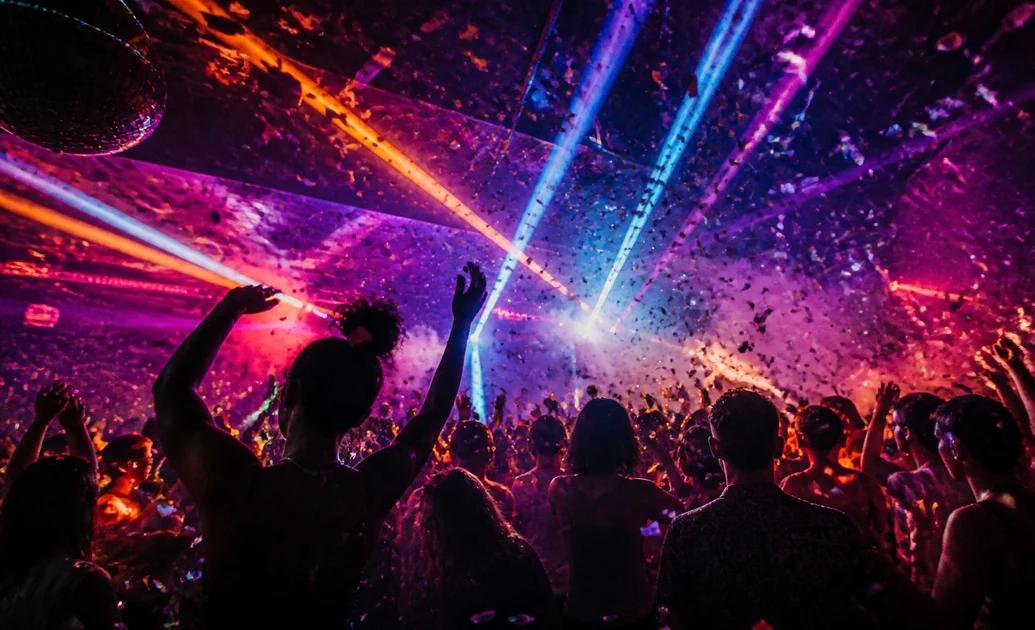
Nowadays, photos featuring people in settings like a fancy nightclub or a premium environment filled with vibrant, colorful lighting go viral on social media. You might be surprised to learn that most of these eye-catching pictures are AI-generated. With AI photo-editing tools, anyone can turn an ordinary selfie or portrait into a stunning nightclub-themed image without visiting a club or hiring a professional photographer. All you need is the right prompt and a suitable photo. In this guide, we’ll explore the 7 best nightclub AI photo editing prompts to create realistic and visually appealing edits in 2026
Part 1: Create Stunning Club-Style Photos With These AI Prompts
Looking for the best nightclub AI photo editing prompts? Look no further! In this section, we’ve mentioned the top 7 nightclub AI photo editing prompts that will convert your ordinary images into engaging visuals with a single click:
1. Luxury VIP Nightclub Portrait

“Transform the uploaded image into a luxurious VIP nightclub portrait. Keep the person's original face, facial features, hairstyle, and natural skin tone exactly the same. Place them inside an exclusive nightclub featuring elegant velvet sofas, golden decorations, glass tables, and colorful LED lighting. Add a sophisticated black outfit with realistic fabric details. Use a combination of purple, blue, and golden lights to create a premium atmosphere. Maintain natural body proportions, realistic shadows, professional photography, and ultra-high-resolution image quality.”
2. Neon Blur and Purple Dance Floor
“Edit the uploaded photo into a vibrant nightclub scene with an energetic dance floor in the background. Preserve the original person's identity, face, hairstyle, and expression without making unnecessary changes. Add glowing blue and purple neon lights, colorful laser beams, a modern DJ booth, and blurred partygoers in the background. Give the person a stylish casual party outfit that complements the environment. Use cinematic lighting, realistic reflections, natural skin texture, and professional DSLR photography to achieve an authentic nightlife appearance.”
3. Friends Enjoying Night Out
“Convert the uploaded group photo into a realistic nightclub party photograph featuring friends enjoying an exciting night out. Preserve every person's original facial identity, hairstyle, and recognizable features. Place the group inside a spacious modern nightclub with colorful LED strips, illuminated dance floors, and a stylish DJ booth. Give everyone fashionable evening outfits that suit their individual appearance. Add natural candid expressions, realistic poses, vibrant lighting, and a slightly blurred crowd in the background. Maintain accurate proportions and professional nightlife photography quality.”
4. Green Neon Nightclub
“Turn the uploaded photograph into a striking green neon nightclub portrait. Preserve the person's original face, facial structure, hairstyle, and natural appearance. Replace the background with a modern nightclub featuring glowing green LED walls, illuminated ceiling panels, reflective floors, and colorful decorative lights. Add a fashionable black streetwear outfit that contrasts beautifully with the green environment. Use dramatic lighting, realistic reflections, cinematic shadows, and a slightly blurred background. Maintain sharp facial details and professional nighttime photography quality.”
5. Outdoor Nightclub Party
“Convert the uploaded group photograph into an exciting outdoor nightclub party scene. Preserve every person's original face, identity, hairstyle, and recognizable features. Position the group inside an open-air party venue featuring colorful stage lights, glowing decorations, modern seating, and a lively dance floor. Add a beautiful nighttime sky and blurred partygoers in the distance. Give everyone fashionable party outfits while maintaining their original body proportions. Use vibrant pink, blue, and purple lighting, realistic shadows, and professional event photography.”
6. Nightclub Photography With Flash Effect
“Edit the uploaded photograph into an authentic nightclub party snapshot captured using professional direct-flash photography. Keep the person's original face, identity, hairstyle, and natural expression unchanged. Place them inside a crowded nightclub featuring colorful LED lights, a glowing dance floor, and blurred people enjoying the party. Add a fashionable casual evening outfit and realistic environmental details. Use strong but balanced camera flash, natural skin tones, slightly grainy photographic texture, deep background shadows, and sharp subject focus for an authentic nightlife magazine aesthetic.”
7. Couple Dancing Under Neon Lights
“Transform the uploaded couple's photo into a beautiful nightclub dancing scene. Preserve both individuals' original faces, identities, hairstyles, and recognizable features. Position them together on a stylish dance floor surrounded by glowing pink and blue LED lights, colorful laser effects, and a softly blurred crowd. Create natural dancing poses that look comfortable and realistic. Add fashionable evening outfits with detailed fabric textures. Use cinematic lighting, realistic skin tones, subtle motion in the background, and professional portrait photography to capture a memorable romantic nightlife moment.”
Part 2: How to Turn Simple Images into Engaging Nightclub AI Photos
Once you have the right nightclub AI photo editing prompts, the next step is to find the tool that will convert your image into engaging visuals. That’s where HitPaw Edimakor comes in. It is a powerful AI video editor that also includes AI image generation capabilities. The program enables users to create high-quality and engaging visuals with a simple text prompt or by uploading static images — no editing experience or professional help required. The best part of this tool is that it supports multiple AI models, such as Nano Banana, Flux, Midjourney, Nano Banana Pro, Seedream, and more. Another amazing part of this tool is that it offers advanced editing capabilities, allowing users to customize AI images into engaging visuals. Users can change the background, add music, insert text, apply filters and effects, and more.
Key Features of HitPaw Edimakor
- Image-to-Image: HitPaw Edimakor enables users to transform ordinary images into engaging visuals with a simple text prompt — no editing experience or professional help required.
- Multiple AI Models: One of the standout features of this tool is that it supports a wide range of AI models, such as Nano Banana, Nano Banana Pro, Seedream, Flux, Midjourney, Stable Diffusion, and more.
- Advanced Customization: The program enables users to customize images according to their creative needs. Users can change the background, adjust lighting effects, modify colors, add unique visual elements, and experiment with different styles.
- Intuitive Interface: HitPaw Edimakor offers an easy-to-use interface, which is ideal for non-tech and beginner users. Users can easily import photos, select AI-powered tools, and customize their images with just a few clicks.
- Free Version: The best feature of this tool is that it offers a free version, allowing users to create high-quality and engaging visuals without spending a single penny. Plus, it also offers a paid version for users who want access to additional features.


Step-by-Step Guide:
Follow the instructions below to learn how to turn ordinary images into engaging nightclub visuals with ease using HitPaw Edimakor:
Step 1: Choose Reference Image Tool
Download, install, and launch HitPaw Edimakor on your PC. Select the “Toolbox” option from the left panel and select the “Reference Image” option.
Step 2: Upload Reference Image
Choose the “AI Model” for image creation and click on the “Upload” button. Next, select the reference image. Enter the nightclub AI photo editing prompt into the prompt box.
Step 3: Adjust Image Settings
Now, select the image settings, such as resolution, aspect ratio, and output quantity. Once all the requirements are complete, click on the “Generate” button to begin the image creation process.
Final Thoughts
With the right nightclub AI photo editing prompts, users can easily turn regular images into stunning, realistic nightclub portraits featuring vibrant neon lights, luxurious interiors, cinematic effects, and eye-catching backgrounds. If you want engaging and accurate results, use these prompts with HitPaw Edimakor. One of the best AI video editing tools with powerful image generation capabilities.
Leave a Comment
Create your review for HitPaw articles