
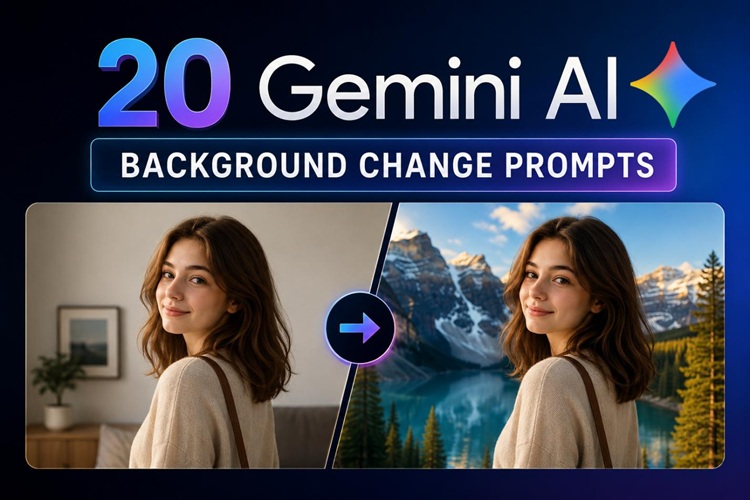
Gemini AI has become a go-to tool for photo background replacement. Google's image generation models can understand detailed scene descriptions, apply realistic lighting, and swap backgrounds accurately, all from a single text prompt.
This guide covers 20 ready-to-use Gemini AI background change prompts across four creative categories, plus a faster no-prompt alternative for when you just want results without the trial and error.
Best background ideas for different photo types
Before writing a prompt, it helps to know which background style fits your photo's purpose. The wrong background can make an AI portrait background change look bad or a product feel untrustworthy. Here's a reference by photo type.
Portraits
- Office environments: For LinkedIn headshots and business profiles.
- Studio backgrounds: Clean and distraction-free, keeping focus on the person.
- Outdoor natural-light scenes: Soft and flattering, for personal or lifestyle photos.
Products
- White, clean backgrounds: Standard for e-commerce and product listings.
- Lifestyle settings: Show the product in real-life use.
- Luxury materials: Marble, velvet, or wood surfaces boost the feel.
Social Media Content
- Travel destinations: Paris, the beaches of Bali, or Tokyo.
- Indoor spaces: cafes, modern studios, warm interiors.
- Fantasy visuals: dreamy skies, neon cities, or magical forests.
Marketing
- Holiday visuals: Christmas, Halloween, or festivals.
- Seasonal campaign: Spring bloom, summer sun, autumn leaves, winter snow.
- Commercial advertising backgrounds: Bold colors and branded environments.
20 Best Gemini AI Background Change Prompts
Check out these copy-and-paste prompts and use them. We've created these prompts so you can find the one you need faster.
1 Portrait & People Photography
These prompts work for headshots, profile photos, and people photography. You can get professional or natural results.

Swap the background for a modern office: glass walls, open desks, clean white lighting. Nothing dramatic. The kind of space that looks like someone actually works there. Keep the light on the subject flat and natural.
Change the background to a light gray color studio. Use a darker tone at the edges and a lighter tone in the center. Nothing distracting. Nothing is competing with the subject.Replace the background with a park shot during that window. Warm orange light, soft, blurred trees, late-afternoon glow. Light comes from the left. Keep it subtle. The subject should feel like they are actually standing there, not pasted in.Put the subject on a city street instead. Daytime, busy enough to feel real, blurred enough to stay out of the way. Storefronts, people walking, natural daylight. Nothing staged about it.Place the subject in front of a conference setup. Show a dark auditorium, soft light on the subject, and a blurred audience in the distance.2 Product & E-commerce Photos
Use these prompts for any product shot. They cover everything from clean e-commerce listings to lifestyle and luxury presentations.
Replace the background with a pure white studio surface. Add a soft shadow underneath the product. Keep the lighting bright and to meet standard e-commerce photo requirements.Put the product on white Carrara marble. Soft grey veining running through the surface, faint reflection underneath. The whole thing should feel expensive without trying too hard.Place the product on a wooden kitchen counter. Blur ingredients and a white tile backsplash. Keep the mood warm and everyday.Place green leaves and white flowers around the product in the background. Use natural light. Keep the background fresh and organic.Place the product on a dark colored desk. Show blue or purple LED lighting in the background. Add a blurred monitor and notebook. Make the mood techy.3 Social Media Content
Here are the scroll-stop prompts. You can use them on social media platforms, where visuals actually work.
Change the background to a cafe. Show a light bulb, non-cemented brick walls, wooden furniture, and a blurred chalkboard menu.Replace the background with a tropical beach. Show turquoise water, white sand, and palm trees. The lighting should be warm and midday.Show a night city street in the background. Add glowing neon signs in pink and purple colors. Show wet pavement and distant skyscrapers with lit windows.Change the background to a Nordic living room in winter. Show a fireplace casting light on the sofa, candles on a wooden table, and a snow-covered window.Change the background to a magical forest. Tall trees, floating light particles, a misty atmosphere, a faint path. It shouldn't look real.4 Marketing & Seasonal Advertising
These prompts are for campaigns and ads. They give you seasonal and themed backgrounds that feel timely and on-brand.
Replace the background with a festive Christmas scene. Add a decorated tree, fairy lights, soft falling snow, wrapped presents, and a cozy fireplace. A joyful and family-friendly mood.Swap it for a poolside setting. Add lounge chairs, sunglasses, tropical flowers, and a sunny sky. Use vibrant colors that match a summer sale campaign.Change the background to an outdoor autumn scene. Red and gold leaves coming down, a blurred park path cutting through the frame, warm amber light sitting low in the afternoon.Change Photo Backgrounds Easier without Prompts
Writing Gemini prompts takes trial and error. You might rewrite the same prompt three or four times before you get the result you want. If you need clean, consistent results faster, HitPaw Edimakor is a better option.
HitPaw Edimakor is an AI-powered image and video editor. It features powerful image editing tools, including background change and inpainting, and is specifically designed for e-commerce businesses and content creators. Its AI Mosaic Remover also allows you to get clearer results.
Features of Edimakor Background tool
- AI detects and separates the subject from the photo automatically. It works on portraits, products, and any clear subject.
- After removing the background, Edimakor gives you three ways to add a new one. Each option is faster than writing a Gemini prompt.
- Generation with prompts is also supported. Prompt Generator helps you avoid the hassle of writing a prompt.


How to Change Photo Backgrounds with Edimakor
Step 1: Download Edimakor and click New Project.
Step 2: Go to Media > AI Image > Image Editing. Now upload your image here and choose the background tool. Click Generate.
Step 3: The AI automatically detects and removes the background. Not satisfied? Click Edit cutout and paint over the area you want to save/remove.
Step 4: Select a background style. Let AI generate one automatically, swap in a reference image, or apply a solid color.
If you prefer a custom image background, you can also create one with a prompt. Use the built-in prompt generator to get started quickly.
Step 5: Click Generate. Review the generated image and click Done when satisfied. You can find it later in My Creations.
FAQs
A1: Gemini AI image editing depends on your prompt to understand the scene. A vague prompt gives a vague result. Be specific about the changes.
A2: A good prompt has three things: the location, the lighting and the mood. Instead of saying 'add a beach background,' say 'replace with a tropical beach, bright midday sun, turquoise water.' The more specific you are, the closer the output will be to what you want.
A3: Use HitPaw Edimakor. Its one-click background removal and AI generation tools give you professional results without writing any prompts. You can also use a reference image to instantly match a specific style.
A4: Gemini works when you want creative, customized results and have the time to refine the prompts. Tools like Edimakor are better when you require fast, consistent results. For most everyday photo-editing tasks, Edimakor will save you time.
Conclusion
Gemini AI is a powerful tool for AI photo background replacement, but only when you give it the right instructions. If writing prompts feels like too much work, HitPaw Edimakor gives you the same quality without the effort.
Its AI background tool handle everything from removal to generation in just a few clicks. You get clean, professional results every time, no prompt engineering required. Ready to try it? Download HitPaw Edimakor today and change photo background with AI in minutes.
Leave a Comment
Create your review for HitPaw articles


 HitPaw Edimakor
Best AI video editor with many video editing assets and AI features.


