Are you struggling to get the perfect image from your AI generator? Many users find that their results look blurry or miss the mark entirely. Often, the issue lies in the prompt structure rather than the tool itself. Seedream 5.0 Pro changed the game in 2026 with its advanced understanding of complex instructions. This article provides a detailed guide on effective prompts and ready to use Seedream 5.0 Pro examples to spark your creative fire. You will learn to master various styles so your creative vision comes to life with stunning clarity and professional detail.
Why Seedream 5.0 Pro Examples Matter
AI image generation has evolved from a hobby into an important professional tool in today's world. Seedream 5.0 Pro examples matter because they provide a blueprint for success. Without a clear example, users often waste time and credits on "trial and error." High quality examples show the power of the latest updates, such as improved character consistency. This ensures that your characters look the same across different scenes.
Furthermore, these examples show how to use the increased number of reference images. Seedream 5.0 Pro now allows up to 15 reference images simultaneously. By looking at successful examples, you can understand how to balance these references for a cohesive output.
Examples also highlight the new real time web search integration. This feature allows the AI to incorporate current 2026 trends and news directly into your visuals. Using proven examples shortens the learning curve and lets you produce "magazine ready" content instantly.
10+ Seedream 5.0 Pro Examples to Copy
The following examples are designed to be "copy ready." Simply paste these into your generator to see the power of the 5.0 Pro model. We have categorized these by use case to help you find exactly what you need for your project.
1 Text to Image Examples
Text to image is the heart of Seedream. These prompts focus on lighting, texture, and composition to create professional grade visuals from scratch.
A luxury glass perfume bottle sits on a floating marble slab inside a tranquil spa. The background features soft steam and blurred green tropical leaves with warm, diffused morning sunlight. High resolution product photography style with sharp focus on the crystalline glass textures and gold accents.

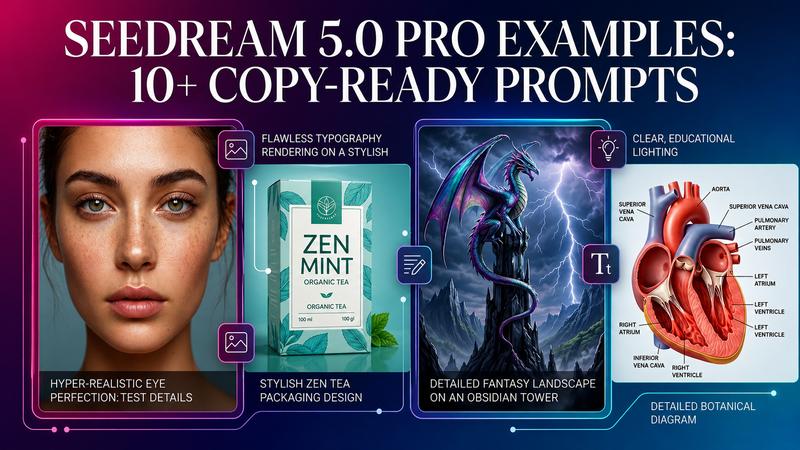
An ancient dragon with iridescent scales perched atop a crumbling obsidian tower during a lightning storm. Purple electrical arcs illuminate the dragon’s wings, revealing intricate vein patterns and weathered skin. Cinematic fantasy art style with high contrast, dramatic shadows, and an epic, dark atmosphere.
A sprawling cyberpunk city plaza at night during a light rain, with holographic advertisements reflecting in neon lit puddles. Futuristic pedestrians in tech wear walk past glowing food stalls while flying vehicles drift through the foggy skyscrapers above. Hyper realistic 3D render at 8K resolution with a vibrant magenta and teal color palette.
A highly detailed 3D cross section of the human heart, showing the chambers, valves, and blood flow with clear anatomical labels. The rendering uses soft, educational lighting with a clean white background to emphasize the organic textures and muscle fibers. Scientific illustration style with precise proportions and realistic medical grade textures.
2 Text Rendering Examples
One of the biggest leaps in 5.0 Pro is its ability to handle typography without the "gibberish" common in older AI.
A vintage style travel poster for a French bakery, featuring the large, elegant text "La Maison de Pain" in a classic serif font. Below the main title, include the Japanese translation "パンの家" in a matching minimalist style. The background depicts a warm, sunlit storefront with baskets of fresh baguettes and croissants.
Organic herbal tea packaging design featuring the bold, modern font "ZEN MINT" centered on a matte forest green box. Intricate white line art of peppermint leaves wraps around the edges of the text. The composition is clean and minimalist, highlighting the crisp, legible typography and premium eco friendly texture of the cardboard.
A professional fashion magazine cover titled "MODERN EDGE" in bold, metallic silver typography at the top. The cover star is a model in a vibrant red coat standing against a concrete brutalist wall. High fashion photography style with sub headlines about 2026 trends placed neatly along the left margin in a sleek sans serif font.
3 Image Editing Examples
These examples highlight the model's ability to modify existing photos with surgical precision.
Replace the current beach background with a majestic snow capped mountain range during the golden hour. The lighting on the subject should be adjusted to match the warm, orange glow of the setting sun over the peaks. Maintain the subject’s original pose and sharp focus while blurring the distant alpine horizon.
Remove the crowded group of tourists from the background of this fountain photo, leaving only the pristine stone architecture and water. Fill the empty spaces with realistic textures of the historical square and soft, dappled shadows. The final output should look like a secluded, private moment without any ghosting or blurred artifacts.
Change the subject’s casual t-shirt into a tailored, midnight blue velvet blazer with a silk lapel. The fabric should show realistic folds and a soft sheen that reacts naturally to the existing room lighting. Ensure the fit remains anatomically correct for the person’s shoulders and torso to maintain a professional appearance.
Transform the subject’s short pixie cut into long, flowing chestnut waves that drape over her shoulders. Add subtle honey blonde highlights and ensure the hair texture looks natural with realistic flyaways and shine. The transition from the scalp should be seamless, maintaining the original face shape and skin tone.
4 Portrait Quality Examples
Seedream 5.0 Pro handles human features with unparalleled realism.
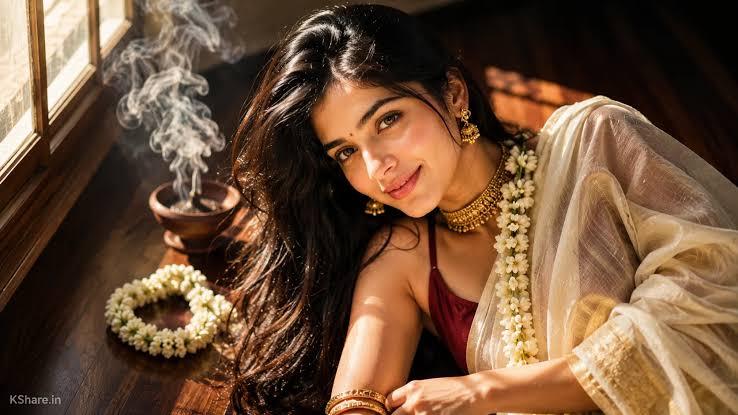
A close up beauty portrait of a man with natural skin texture, showing fine pores and subtle freckles without looking over processed. The lighting is soft and directional, highlighting the jawline and the moisture in the eyes. High resolution photography style that balances a "flawless" look with authentic, realistic human details.
Apply a sophisticated "Gothic Glam" makeup look to the subject, featuring deep burgundy matte lipstick and smoky charcoal eyeshadow. The makeup should follow the natural contours of the face and include a subtle, pale foundation with sharp contouring. Ensure the application looks professional, like the work of a high end fashion makeup artist.
Prompt Tips for Better Seedream 5.0 Pro Results
To master how to write Seedream 5.0 Pro prompts, think like a director. The best prompts clearly describe the subject, background, environment, lighting, and color palette to achieve more accurate and visually stunning results.
- Be Specific with Subject and Action: Instead of saying "a dog," say "a golden retriever running through tall grass."
- Describe the Lighting: Use terms like "golden hour," "neon lighting," or "soft window light." Lighting dictates the mood of the entire image.
- Use Negative Prompts: Tell the AI what you don't want. Include words like "blurry," "distorted hands," or "cluttered background" in your negative prompt field.
- Leverage Roles: Tell the AI to act as a "professional photographer" or a "Ghibli style illustrator." This sets the technical standard for the output.
- Contextual Detail: Add information about textures. Use words like "weathered," "glossy," "velvety," or "matte" to give the AI more data to work with.
Try Seedream 5.0 Pro Prompts with HitPaw Edimakor
If you want the best environment to test these 2026 prompts, HitPaw Edimakor is the ultimate choice. This is an all in one AI powered editor for both video and photo editing. It integrates multiple popular image generation models, including the powerful Seedream 5.0 Pro. This means you can generate images from text, edit existing photos, and compare outputs across different models all in one window.
Why Choose HitPaw for Seedream 5.0 Pro
- Multiple AI Image Models: You aren't limited to just one model. You can switch between Seedream 5.0 Pro and other options to see which best fits your style.
- Text to Image : Use the "copy ready" prompts provided above to generate art instantly.
- Image Editing : Use the advanced AI tools to perform background replacement or object removal with a single click.
- Image Restyle: Turn a regular photo into an anime, oil painting, or 3D character easily.
- Multilingual Generation: HitPaw supports prompts in multiple languages, making it accessible to global creators.
How to Use Seedream 5.0 Pro Model in HitPaw Edimakor
Step 1: Select Seedream 5.0 Pro
Access HitPaw Edimakor and select "Seedream 5.0 Pro" from the available AI image models.
Step 2: Enter Your Prompt
Type your Seedream 5.0 Pro prompt. You can also adjust the aspect ratio, image size, and number of images before generating.
Step 3: Generate and Download
Click "Generate" to create your image. If needed, edit your prompt and generate again. Once you're happy with the result, click "Download" to save your image in high quality.
FAQs About Seedream 5.0 Pro Examples
A1: Yes, the 5.0 Pro model has significantly improved its text rendering capabilities. It can now handle complex fonts and multiple languages, making it ideal for posters and packaging.
A2: Generally, the images you create with Seedream 5.0 Pro are yours to use. However, you should always check the latest terms of service. Avoid generating images that include copyrighted characters or logos to stay safe.
A3: Seedream 5.0 Pro uses advanced algorithms to "lock in" specific facial features and proportions. When you use a reference image, the AI ensures the character remains consistent across scenes and outfits.
A4: If your text is blurry, try using simpler fonts in your prompt. You can also use the 'upscale' feature in HitPaw Edimakor. This will sharpen the details and make the text much clearer.
A5: Yes. You can access Edimakor.ai in your browser to to generate high-quality AI images directly in your browser. You can also choose from multiple other AI image generation models to create artwork in different styles without installing any software.
Conclusion
Seedream 5.0 Pro is a major step forward for AI image generation in 2026. Anyone can create professional grade art by understanding the correct prompt structure and using the ready to use Seedream 5.0 Pro examples provided. These prompts provide a solid foundation, whether you are working on fashion, sci-fi, or commercial design. For the best results, try these prompts with Edimakor. It combines Seedream 5.0 Pro with easy to use AI editing tools, making it simple to create, edit, and enhance high quality images in one place.


Leave a Comment
Create your review for HitPaw articles