Every month, certain templates capture the imagination of our community and spread like wildfire across social media. These templates make it easier for creators to produce eye-catching TikTok videos without spending hours editing every element from scratch. From trendy transitions and beat-synced effects to stylish text animations and creative layouts, TikTok templates offer plenty of ways to give your content a fresh look. In this guide, we’ll explore some of the most engaging TikTok video templates to try in 2026.
Part 1: Top 20 TikTok Video Templates Every Creator Should Use
Looking for the best TikTok video templates in 2026? Look no further! Below, we’ve listed the 20 best TikTok video templates free that can help creators produce engaging and visually appealing content easily.
1 Beat Sync Photo Template

The Beat Sync Photo Template is perfect for creators who want to turn ordinary photos into engaging TikTok videos. It automatically matches photo changes with the rhythm of the background music, creating a smooth and energetic effect. Add your favorite pictures, select suitable music, and create an eye-catching slideshow within minutes.
2 Epic Dance Battle
From breakdancing to ballroom, this template puts your face on a professional dancer’s body. The results are hilarious and surprisingly convincing, featuring complex choreography that would take years to master in real life. Creators can add their own photos and experiment with different dance styles, energetic movements, and music to create entertaining TikTok videos.
3 Guess The Number Challenge
This is an engaging trend that creators are doing with friends, colleagues, or family members. The concept is simple: one person chooses a number while others try to guess it correctly. Creators can add funny reactions, suspenseful pauses, text overlays, and sound effects to make each round more entertaining.
4 Outfit Transition Template
The Outfit Transition Template makes it easy to create fashion-focused TikTok videos featuring multiple outfits. Creators can record short clips and use transitions to switch between different looks in sync with music. Ideal for daily outfits, seasonal fashion, party looks, or creative styling challenges while keeping the editing process simple.
5 Bugging Dance Challenge
This high-energy dance trend is set to the song “She Bugging” by Mr FlintStone and Khantrast, where creators perform a fast-paced choreography alone, in pairs, or in big groups. It features smooth transitions and synchronized footwork, making it a popular choice for a dance challenge.
6 Day in My Life
One of the best TikTok templates CapCut. The Day in My Life template is perfect for creators who want to turn their daily routine into an engaging short-form video. Combine clips of your morning routine, work, gym sessions, meals, shopping, travel, or relaxing moments.
7 Product Showcase Template
It is an ideal template for marketers and small businesses. It is designed for brands that want to introduce products on TikTok. It can combine product footage, close-up shots, text descriptions, transitions, and music in a structured format. Creators can customize the template with their own branding, product details, and call-to-action messages.
8 Mini Vlog Template
One of the most popular templates of 2026. Mini Vlog templates enable users to create engaging short videos by combining multiple clips from their everyday lives. With the help of this template, creators can show their daily life routine in less than 30 seconds. They can include clips of their morning routine, breakfast, work, gym session, shopping, and travel.
9 AI Swap
TikTok AI swap templates allow creators to place their face into different characters, scenes, or video clips. These templates can turn your simple selfie into an entertaining and creative video without requiring advanced editing skills. With automatic face-tracking and smooth transitions, the final result can look natural and engaging.
10 Night Changes
“Night Changes” became a TikTok trend after a user posted a video of One Direction performing the song at a concert. Now, this template has over 1 million uses and continues to be popular among creators who want to create nostalgic and emotional videos.
11 Neon Lights Template
The Neon Light Template is a great choice for creators who want to give their TikTok videos a vibrant and futuristic appearance. It combines colorful neon effects, glowing transitions, animated text, and energetic music to create an eye-catching visual style.
12 Top Five Horror Movies
Creators share five everyday moments that feel like horror movies, lightly and humorously, including scenarios such as early morning work calls or popular clothing items selling out. The template uses dramatic music, suspenseful transitions, and cinematic effects to make ordinary situations look surprisingly terrifying.
13 Ghibli-Style Photo Template
This template is a creative option for turning ordinary photographs into charming, animated-looking TikTok videos. Creators can add portraits, couple photos, travel shots, or everyday moments and transform them with a soft, illustrated aesthetic.
14 Lyrics and Music
The Lyrics and Music Template is perfect for creators who want to combine their favorite songs with visually appealing footage. Lyrics can appear alongside photos or videos while transitions follow the rhythm of the music. This format can work well for emotional moments, aesthetic edits, and more.
15 Food Truck Prompt Template
Food trucks thrive on energy and personality, so this template works well with quick, punchy cuts, lips-smacking street food, and a glimpse of the face running it. Creators can showcase the food preparation process, capture customer reactions, and give viewers a quick tour of the truck.
16 Creative Stories
It is a great option for creators who want to turn everyday moments, personal experiences, or fictional ideas into engaging TikTok videos. It allows users to combine short video clips, photos, captions, music, and transitions to tell a complete story in a short format.
17 AI Hug Template
AI Hug is one of the most popular templates on TikTok. It allows users to combine two separate photos and create an AI-generated hug animation. It can be used with pictures of friends, family members, couples, or loved ones who are in different locations.
18 What I Mean When I Say I’m From
This TikTok trend is one where creators share pictures from where they live. Instead of simply mentioning their city or hometown, users showcase the places, food, streets, landmarks, traditions, and everyday moments that represent their local area.
19 Classic and Versatile
This template is a simple option for creators who want to produce polished TikTok videos without using overly complex effects. It is suitable for a wide range of content, including travel photos, lifestyle clips, personal updates, or memorable moments.
20 Funny Meme
The final TikTok video template on our list is the funny meme. It helps creators turn humorous clips, images, and reactions into entertaining TikTok content. Users can add funny captions, sound effects, stickers, and more.
Part 2: Step-by-Step Guide: How to Use TikTok Templates in 2026
TikTok’s built-in templates are focused on photo-based content. They are the simplest way to create polished videos from a set of still images. Here is how to use TikTok templates in 2026:
- Launch TikTok on your Android and iOS devices. Tap the “+” button and start creating a new post.
- Next, choose the “Create” option available at the bottom. A list of available templates will appear on your screen.
- Select a template that matches the type of video you want to create and hit “Try This Template” option. Choose the image or video you want to include in your TikTok video.
- Hit the “Next” button. Customize the video and press the “Next” button. Finally, choose the “Post” button to upload your video on TikTok.
Bonus Tip: Best Tool for TikTok Templates: HitPaw Edimakor
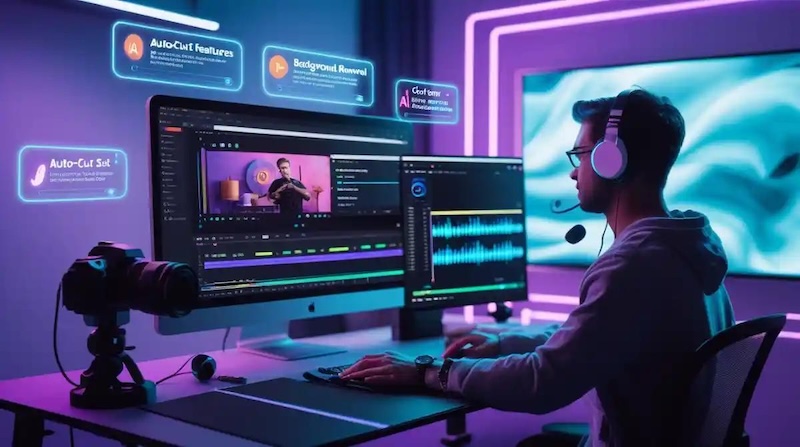
TikTok offers hundreds of templates that can be used to create engaging videos. However, creators who want more editing features may prefer an editing tool such as HitPaw Edimakor. It provides a range of ready-made templates that can help users create TikTok videos without starting every project from scratch. One of the standout features of HitPaw Edimakor is that it offers advanced customization features, allowing users to edit TikTok videos without requiring editing experience.


Key Features of HitPaw Edimakor
- Built-in Templates: The program offers a wide range of TikTok templates that can help creators produce engaging videos quickly.
- Video Editor: One of the best video editors available in 2026. Includes amazing tools, such as adjusting video speed, adding transitions, applying filters and effects, and more.
- Text-to-Video: With HitPaw Edimakor, users can create engaging TikTok videos with a simple text prompt — no editing experience required.
- Intuitive Interface: HitPaw Edimakor offers an easy-to-use interface, which is ideal for non-tech and beginner users.
- Compatibility: The program works seamlessly with multiple devices, including macOS and Windows.
Step-by-Step Guide:
Step 1: Launch HitPaw Edimakor on your PC and select the “Templates” option from the left panel. Choose “Video Templates” to gain access to TikTok video templates.
Step 2: Choose the desired video template and preview it. If satisfied, click on the video template to apply.
Step 3: Next, select the “Import Files” option and upload the image or video to the template. Drag and drop the media file to the timeline and perform customization.
Step 4: Once video editing is complete, click on the “Export” button to save the video in the desired format, including MP4.
Final Thoughts
If you’re looking for the best TikTok video templates in 2026, you’re in the right place. This guide provides you with the best 20 TikTok video templates to create engaging and trending videos. Plus, it also introduces the best AI video editor, HitPaw Edimakor. The program offers thousands of built-in templates and advanced AI video editing tools.
Leave a Comment
Create your review for HitPaw articles