User-generated content (UGC) has become one of the most effective ways for brands and creators to connect with audiences on platforms like TikTok, Instagram Reels, YouTube Shorts, and Facebook. However, creating engaging and high-quality UGC videos requires more than just a smartphone — it also demands the right video editing tool. If you are looking for the best video editing tool for UGC, you’re in the right place. In this ultimate guide, we’ll explore the best UGC video editing tools available in 2026, comparing their key features, strengths, and drawbacks to help you choose the perfect editor for creating professional, high-performing content.
Part 1: What Makes a Good UGC Video Editing Tool?
Not every video editor is built for creating user-generated content. UGC videos are designed to look authentic, engaging, and platform-friendly, making it essential to choose software that streamlines the editing process. Here are the features to look for in a good UGC video editing tool:
- Beginner-Friendly: A UGC video editing tool should have a clean, intuitive interface that lets beginners and experienced users edit videos quickly without professional help.
- AI-Powered Editing: The best video editing tool for UGC must include AI-powered features that simplify the editing process and reduce manual work.
- Support for Vertical Videos: The editor should support popular aspect ratios, such as 9:16, 1:1, and 16:9, to ensure videos are optimized for different social media platforms.
- Auto Captions and Subtitles: An ideal UGC editor should include automatic caption generation to improve accessibility and engagement.
Part 2: Top 3 UGC Video Editing Tools Compared
Finding the best video editing tool for UGC can be daunting, as there are hundreds of options available online. Don’t worry, because we have found the best UGC Video Editor in 2026, each with the best video editing capabilities and features.
1. HitPaw Edimakor
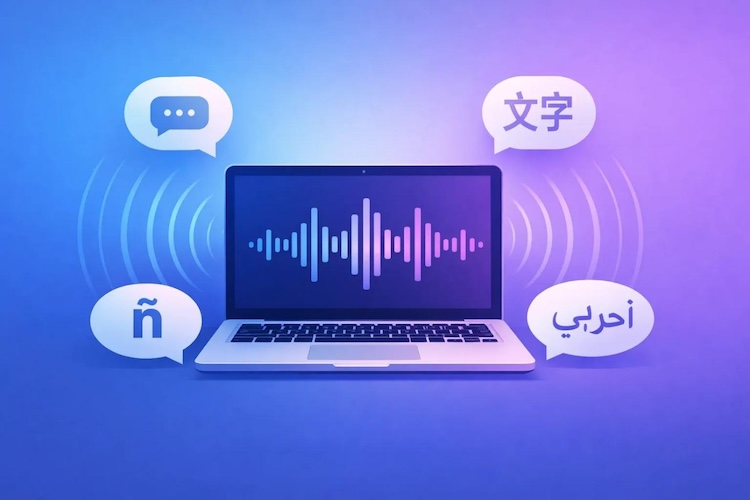
One of the best UGC video editing tools on our list is HitPaw Edimakor. The program offers powerful AI features that make video editing effortless. Whether you’re a content creator, influencer, marketer, or small business owner, Edimakor makes it easy to create engaging user-generated content without requiring advanced editing skills. As a versatile UGC video generator, it includes amazing Text-to-Video and Image-to-Video features, allowing users to create high-quality content with a simple text prompt or a static image. Plus, users can generate automatic captions, convert text into natural-sounding voiceovers, remove background noise, enhance video quality, and translate videos into multiple languages.
Key Features of HitPaw Edimakor
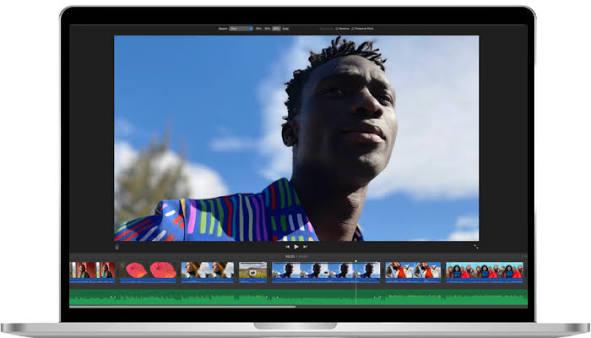
- Video Editing: With HitPaw Edimakor, users can edit videos with AI — no manual effort or editing experience required. The software automates time-consuming tasks, including trimming, cutting, scene detection, and video enhancement.
- Text-to-Video: The best part of this tool is that it isn’t just a simple video editor; it also offers video generation capabilities, enabling users to create high-quality, engaging UGC with a simple text prompt.
- Add Video Track: The program allows users to add multiple video tracks to the timeline, making it easy to create more professional-looking UGC videos. You can combine footage from different cameras, add picture-in-picture effect, and more.
- Supported Formats: Once the video is edited, users can easily change the output format before exporting. HitPaw Edimakor supports a wide range of popular video formats, such as MP4, AVI, FLAC, and MOV.
- Intuitive Interface: One of the best parts of this tool is its easy-to-use interface, which lets users enhance, create, or edit videos without professional help or editing experience, making it an ideal option for non-tech and beginner users.


Step-by-Step Guide:
Want to edit UGC videos effortlessly? Follow this guide to learn how to edit videos with HitPaw Edimakor with ease:
Step 1: Upload UGC Video
Launch HitPaw Edimakor on your Windows and macOS. Select the “Media” option and click on the “Import” button. Choose the UGC video from your device. Users can upload videos for editing in multiple formats, such as MP4 and AVI.

Step 2: Choose Editing Tool
Once the video is uploaded successfully, select the editing tool. The program offers a wide range of editing options, such as Add Video Track, Split the Video, Change Video Speed, Video Stabilization, Crop Video, and more.
Step 3: Edit and Download
Use AI-powered editing tools to trim clips, apply effects, enhance video quality, and customize your UGC content with just a few clicks. After the process completes, click the “Download” button to save the video in the desired format.
 You may also like:
2. Movavi Clips
You may also like:
2. Movavi Clips
You may also like:
Movavi Clips is the mobile editing app from Movavi, built for exactly the kind of work UGC creators do daily. With this app, users can perform multiple editing tasks, including trimming, merging clips, adding music tracks, and more. The best part of this app is that it works seamlessly with multiple devices, including Android and iOS. The app also supports multiple aspect ratios, making it easy to optimize videos for vertical, square, or landscape formats.
Pros
- Includes ready-made templates in various categories, such as food, business, and aesthetic.
- Powerful editing options are available, such as importing clips, trimming, adding transitions, and music.
- Users can add multiple effects to their videos.
- Available on multiple devices, such as Android and iOS.
Cons
- You’ll need the Pro subscription to remove watermarks from videos.
- No desktop version available.
3. CapCut
If you are looking for the best web-based UGC editor, we recommend using CapCup. Content creators and marketers are well aware of this tool and the types of capabilities it offers. The program provides a comprehensive set of editing tools, including trimming, splitting, merging, speed adjustments, filters, text animations, and stickers. It also offers a variety of AI-powered features, including automatic captions, background removal, AI-generated subtitles, text-to-speech, voice enhancement, and smart editing tools.
Pros
- CapCut offers a free version that lets users edit videos without spending a penny.
- Web-based tool, meaning no software downloading or installation is required.
- Text-to-Speech feature to create voiceover in multiple languages for videos.
- Users can easily adjust the font, size, and position of the text.
Cons
- Requires a stable and active internet connection to edit videos.
- Interface can be overwhelming for non-tech and beginner users.
Part 3: FAQs Related to Best UGC Video Editing Tools
A1: HitPaw Edimkaor is the best AI UGC editor for TikTok. The program offers a wide range of editing options, allowing users to create content according to their requirements.
A2: A good UGC video editor should include AI editing tools, automatic captions, ready-made templates, transitions, filters, royalty-free music, multi-platform support, and high-quality exports.
Final Thoughts
Creating high-quality UGC videos doesn’t require expensive equipment or advanced editing skills — it starts with choosing the right video editing software. The best video editing tool for UGC combines powerful AI features, intuitive interfaces, and high-quality export options to help creators produce engaging content faster. If you want the best UGC video editing tool, we recommend HitPaw Edimakor. It is the best option available in 2026 with powerful features and capabilities. Currently, HitPaw Edimakor is celebrating its 2nd anniversary and is offering up to 65% off on all paid plans.
Leave a Comment
Create your review for HitPaw articles