GIF memes are a fun and engaging way to express emotions, reactions, jokes, and ideas through short animated clips. Unlike traditional image memes, GIF memes can capture movement and make your content more entertaining and relatable. Whether you want to create a funny reaction GIF, turn a video clip into a meme, or add text and captions to an animation, a GIF meme maker can make the process quick and simple. In this guide, we’ll mention the top GIF and meme makers that will help you create eye-catching and entertaining GIF memes without requiring advanced editing skills.
Part 1: What Are GIF Memes?

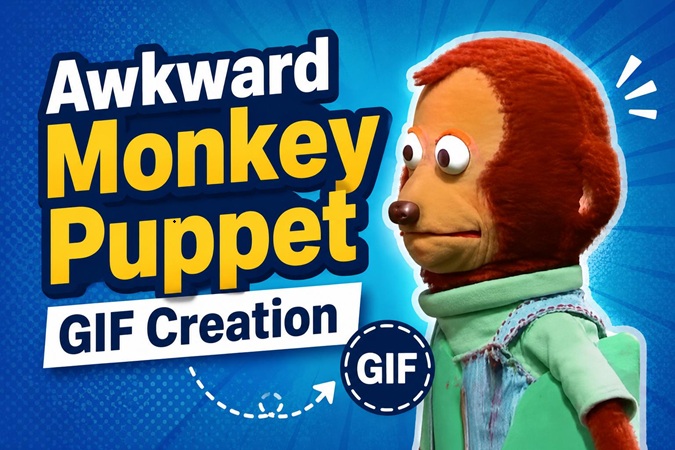
If you’re on social media, then you must have seen looping video clips used to express funny reactions, emotions, or jokes. These short animated clips are commonly known as GIFs, and when combined with funny text or captions, they become GIF memes. Unlike traditional memes, GIF memes use movement to make the messages more expressive and entertaining. GIF memes are often created from movie scenes, TV shows, viral videos, or original footage. Social media platforms such as Instagram, Facebook, and TikTok are flooded with these types of visuals.
Part 2: Top GIF Meme Generators Online
If you want to create unique GIF memes, then you must use a GIF meme maker. Without the right tool, creating and customizing animated memes can be time-consuming. To help you find the right option, we’ve listed some of the top GIF meme generators online.
1 Imgflip
Imgflip is a popular online platform that offers a range of tools for creating and editing GIFs, including the ability to add text and captions. With the help of this tool, you can turn any static image into a GIF file and then convert it into a meme by adding funny text, captions, stickers, and more. It also allows you to create GIFs from videos. The platform provides a simple interface, making it suitable for beginners who want to create GIF memes without using complicated editing software.
Pros
- Converts static images into GIF files within seconds.
- Enables users to create GIFs from video clips.
- Offers funny text templates and captions to create memes.
- Allows users to share custom GIF memes online or on social media platforms.
Cons
- Web-based tool, requires a stable and active internet connection.
- Offers limited meme templates.
2 Ezgif
Ezgif maker is a user-friendly and complimentary toolset tailored for the creation and modification of animated GIFs. The tool offers a variety of GIF-related functionalities, including converting images and videos into GIFs, cropping, and rotating them. It also allows you to add text and other elements to your GIFs, making it useful for creating simple and engaging GIF memes. One of the standout features of this tool is that it is free to use, allowing users to create engaging GIF memes without spending a single penny.
Pros
- GIF compression with an adjustable lossy slider.
- Conversion between GIF, MP4, WebM, APNG, and WebP.
- Simple background removal for cleaner, transparent GIFs.
- Web-based tool; no software installation is required.
Cons
- Some advanced editing features may be limited.
- Large files take longer to upload and process.
3 Giphy
Giphy is one of the best online GIF meme creator websites, offering numerous editing options to let you create hilarious GIF memes. The best part is that you can create GIF memes from other GIFs, videos, or image files. It also provides a library of animated GIFs, stickers, and other visual content that you can use for inspiration. You can trim your clips, add captions, and customize your GIFs to make them more entertaining and relatable.
Pros
- Offers a huge library of built-in GIF memes.
- Supports popular formats, such as JPG, PNG, MP4, AVI, and MOV.
- Enables users to create and share GIF memes without editing skills.
- Free version is available.
Cons
- Users need to sign in to access the full GIF meme library.
- Quality of GIF memes is lower compared to others.
4 Kapwing
The final GIF meme generator on our list is Kapwing. It is an all-in-one video editor that also offers meme creation capabilities. Simply upload the GIF to the platform and start customizing it using its built-in editing tools. You can add funny text, stickers, and effects to create engaging and funny memes. One of the standout features of Kapwing is that it supports multiple formats, including JPG, PNG, MP4, MOV, and more.
Pros
- Offers an intuitive interface, ideal for non-tech and beginner users.
- Includes tools like trimming, cropping, resizing, and merging.
- Works directly in a web browser without requiring software installation.
- Includes additional video editing tools for more advanced customization.
Cons
- Free version of Kapwing offers limited features.
- An active internet connection is required.
Part 3: How to Convert GIFs into Funny Memes With HitPaw Edimakor
If you want to create engaging and funny GIF memes without editing experience or professional help, HitPaw Edimakor is the best option. It is a simple and intuitive video editor tool that can turn GIFs into engaging memes with a few clicks. The program provides a wide range of stickers, effects, text styles, and filters that you can use to customize your GIFs and convert them into engaging memes. Apart from editing, HitPaw Edimakor is a powerful AI platform, offering multiple AI tools, such as Text-to-Video, Image-to-Video, Text-to-Speech, AI Video Enhancer, and more.
Key Features of HitPaw Edimakor
- GIF Meme Maker: HitPaw Edimakor enables users to create high-quality GIF memes within a few minutes. Simply upload the GIF file, add funny stickers and text, and click on the “Export” button to save the GIF memes.
- Video Editing Capabilities: The program offers a wide range of video editing capabilities, allowing users to trim, split, crop, rotate, resize, merge, and adjust their video clips with ease.
- AI-Powered Tools: HitPaw Edimakor offers a variety of AI-powered tools, such as text-to-video, text-to-speech, image-to-video, AI video editor, AI video enhancer, and AI voice changer.
- This tool works seamlessly with multiple devices, including Windows and macOS, allowing users to create and edit GIF memes on their preferred desktop operating system.
- Intuitive Interface: One of the best parts of HitPaw Edimakor is that it offers an easy-to-use interface, allowing users to create GIF memes without requiring advanced video editing skills.


Step-by-Step Guide:
HitPaw Edimakor offers a simple interface, allowing users to convert GIFs into funny memes within a few clicks. Here is how to do it:
Step 1: Launch HitPaw Edimakor
Download, install, and launch HitPaw Edimakor on your PC. Select the “Create New Project” option from the main interface.
Step 2: Upload GIF File
Click on the “Import” button and upload the GIF that you want to convert into an engaging and funny meme.
Step 3: Edit The GIF File
Once you have imported the GIF into HitPaw Edimakor, use the editor to customize it. You can add funny stickers, text, and filters.
Step 4: Export GIF Meme
Preview the GIF meme and, if satisfied with the results, click on the “Export” button. Choose the download settings and hit the “Export” button again to download.
Final Thoughts
GIF memes are trending on social media platforms. With the right GIF and meme maker, you can easily create multiple GIF memes and share them on social media platforms. To convert GIFs into engaging and funny memes, we recommend using HitPaw Edimakor.
Leave a Comment
Create your review for HitPaw articles