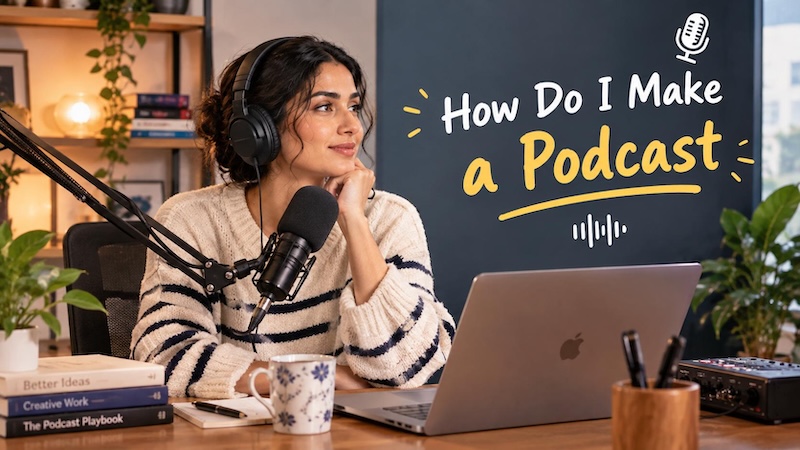
Starting a podcast is more straightforward than most people expect. The technical barriers that stopped creators five years ago have largely disappeared, and today anyone with a clear concept, a decent microphone, and a hosting account can publish their first episode within a week. Whether you want to share personal experiences, educate an audience, interview industry experts, or promote a business, podcasting offers an effective way to communicate your ideas. Today, in this guide, we’ll mention step-by-step instructions on how do i make a podcast. This guide is especially useful for beginners who have little or no experience with podcast production.
Part 1: What is a Podcast?

A podcast is a series of digital audio or video episodes that can be streamed, downloaded, or subscribed to on platforms such as Spotify, Apple Podcasts, YouTube, or BBC Sounds. Podcasts cover a wide range of topics, including technology, business, education, health, entertainment, personal development, and true crime. In 2026, podcasts continue to attract large audiences on platforms such as YouTube, where engaging conversations, celebrity interviews, and educational discussions can reach millions of viewers. Unlike traditional radio programs, podcasts allow listeners to access episodes whenever and wherever they want. Some podcasts feature a single host sharing knowledge or personal experiences, while others include guest interviews, co-hosted discussions, and more.
Part 2: What You Need to Know Before You Start a Podcast
How can you create a podcast? Before you start a podcast, understand the basic requirements for creating and publishing engaging episodes. You do not need professional recording equipment or advanced editing skills, but having a clear plan can make the process much easier. Here are some things that you need before creating an engaging podcast:
- A Clear Topic and Niche: Select an ideal subject for your podcast that matches your interests, knowledge, and experience. Choose a topic that you can easily discuss with your audience and develop into multiple episodes without running out of ideas.
- Recording Equipment: Prepare a smartphone or computer, a decent microphone, and headphones to capture clear audio. To record your podcast video, use a reliable, easy-to-use camera.
- Editing Tool: The next thing you need before starting your podcast creation is an editing tool. Podcast editing software helps you customize the video according to your requirements. You can remove pauses, mistakes, reduce background noise, and more.
Part 3: How to Make an Engaging Video Podcast in 2026
Once you have the right equipment and tools to create an engaging video podcast, the next step is to plan, record, and edit your episodes. Follow these step-by-step instructions to learn how to create a podcast for free in 2026:
Step 1: Select Your Podcast Topic
The first and most important step in creating an engaging podcast is choosing the right topic. Start by identifying subjects that match your interests, knowledge, and experience. Popular options include technology, business, entertainment, health, and education. Choose a topic you enjoy discussing and can explore across multiple episodes without running out of ideas.
Step 2: Prepare Your Recording Equipment
Once you have the right topic, the next step is to prepare your recording equipment. A smartphone or camera, a microphone, and basic lighting equipment are enough for a beginner setup. Here is the equipment you need to create a video podcast:
- Camera
- Microphone
- Lighting
- Headphones
- Tripod
Step 3: Record an Engaging Podcast Episode
After you have chosen your topic and prepared your equipment, the next step is to record your podcast episode. Before you start recording, create a simple outline that includes an introduction, questions for guests, and a conclusion. Next, set up your camera and microphone in a quiet environment with proper lighting. Once everything is ready, start recording and speak naturally.
Step 4: Edit Your Video Podcast
Editing your podcast video is one of the most crucial parts of the production process because it helps transform raw footage into polished, engaging content. How to edit a podcast? To edit a podcast, select a reliable video editing platform, such as HitPaw Edimakor. Use this tool to eliminate unwanted clips, add background music, transitions, effects, filters, and more.
Step 5: Preview and Upload
After editing your video podcast, the next step is to preview the final version and upload it to your preferred platform. If satisfied, download the podcast in a popular format, such as MP4. Once the video is exported, upload it to a platform such as YouTube. Add an engaging title, a detailed description, relevant keywords, and an eye-catching thumbnail to help attract viewers.
Part 4: Best AI Tool to Create a High-Quality Podcast Without Editing Experience
Creating a podcast using the traditional method can be time-consuming and expensive. From recording audio and removing background noise to editing videos, adding captions, and preparing episodes for different platforms, each step requires time and effort. That is where HitPaw Edimakor comes in, allowing users to create high-quality podcasts for free and within minutes. It is a beginner-friendly AI video editor that simplifies the podcast creation process, even for users with no prior editing experience. With the help of this tool, users can create a high-quality AI podcast with a simple text prompt or by uploading static images. The program also offers 1000+ AI avatars that can be featured in a podcast instead of the creator appearing on camera. In addition, HitPaw Edimakor provides AI-powered features that simplify video editing and help users create engaging content with less manual effort.


Key Features of HitPaw Edimakor
- AI Podcast Generator : With HitPaw Edimakor, users can create a high-quality podcast using a simple text prompt or by uploading static images. Simply enter a detailed prompt describing the podcast topic, preferred style, and type of content you want to create.
- 1000+ AI Avatars : HitPaw Edimakor offers a huge library of AI avatars, each with different appearances and styles to suit various podcast formats. It includes avatars such as doctors, nurses, customer support, podcast hosts, teachers, students, and more.
- AI Video Editing: The program includes advanced video editing capabilities, allowing users to adjust AI video according to their requirements. Users can trim unwanted footage, rearrange clips, add text overlays, insert subtitles, and apply transitions.
- Text-to-Video : HitPaw Edimakor also includes text-to-video capabilities, allowing users to create high-quality videos with a simple text prompt. This feature is supported by popular AI models, such as Google Veo 3, Kling, Happy Horse, Vidu, and more.
- Easy-to-Use: The standout feature of HitPaw Edimakor is that it enables users to create high-quality podcast videos without requiring professional editing experience. Its beginner-friendly interface makes it easier to navigate different tools, import media files, and more.
Step-by-Step Guide:
HitPaw Edimakor offers an easy-to-use interface, which makes it easier for everyone to produce high-quality podcast videos. Here is how to do it:
Step 1: Download, install, and launch HitPaw Edimakor on your PC. Choose the “Create Project” option from the left panel and select the “AI Avatar” tool.
Step 2: Enter your podcast script in the prompt box. Users can also import the podcast audio file or record their own voice. For the best results, make sure your script clearly outlines the podcast topic, key discussion points, and more.
Step 3: Next, select the “Avatar Voice” option. The program will open the available AI voices, allowing users to choose a suitable voice for their AI podcast host. Users can select voices in different languages, tones, and styles.
Step 4: Now, navigate to “AI Avatar” and select the host of your podcast video. HitPaw Edimakor provides 1000+ options to choose from. Plus, you can customize AI avatars according to your requirements.
Step 5: Once all the requirements are complete, click on the “Generate” button to begin the podcast creation process. The program will process the provided script, selected AI avatar, and voice settings to create the initial podcast video.
Part 5: FAQs about Making Podcast
A1: A podcast episode can last anywhere from a few minutes to over an hour, depending on its topic and format. Short episodes of around 10-20 minutes can work well for quick tips and educational content.
A2: One of the best platforms to publish your podcast is YouTube. YouTube is one of the most popular streaming platforms worldwide, with billions of users accessing its content. It allows creators to upload video podcasts, reach a global audience, and build a community around their content.
Final Thoughts
If you want to start a podcast in 2026, you don’t need expensive recording equipment or professional video-editing skills to get started. With the right topic, a clear script, and suitable tools, you can create an engaging podcast episode for your target audience. How do I make a podcast using AI? If you want to create a high-quality podcast using AI technology, we recommend using HitPaw Edimakor. It is an all-in-one video editor that also enables users to create a high-quality podcast with a simple text prompt.
Leave a Comment
Create your review for HitPaw articles