Imagine tuning into your favorite podcast only to discover that the charismatic host you’ve been listening to for months doesn’t actually exist. With advancements in artificial intelligence, creating realistic virtual podcast hosts is now easier than ever. Content creators can generate digital presenters with natural-sounding voices, lifelike facial expressions, and synchronized lip movements without investing in expensive recording equipment or hiring on-camera talent. In this guide, learn how to create an AI podcast host step by step in 2026 — no editing experience required.
Part 1: What is an AI Podcast Host?

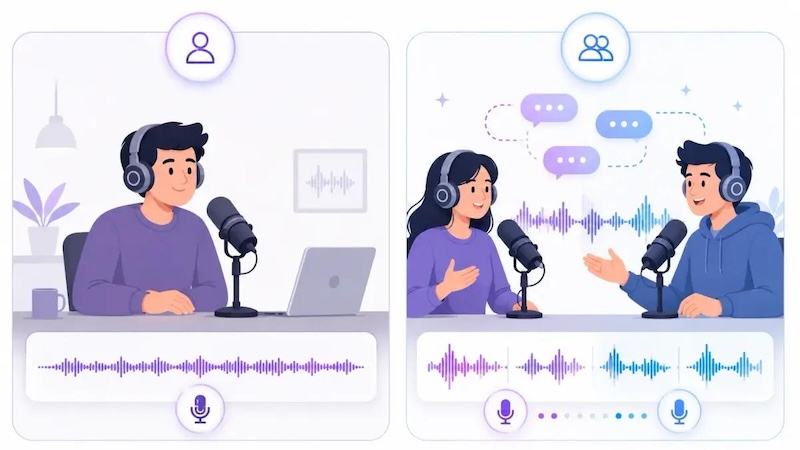
An AI podcast host is a virtual presenter created using artificial intelligence to deliver podcast content through realistic voices, digital avatars, and automated lip-syncing. Instead of recording yourself in front of a camera, you can use AI tools to generate a presenter that speaks your script and engages viewers with lifelike facial expressions and movements. One of the best parts of an AI podcast host is that it can be customized according to your requirements. You can easily change its appearance to match your podcast’s theme, festival, a seasonal event, or your brand’s identity. Some AI tools also allow you to select different voices, accents, languages, and speaking styles to create a more personalized experience.
Part 2: Why You Need an AI Podcast Host in 2026
There could be multiple reasons to go for an AI podcast host instead of a traditional human presenter. From saving production costs to creating content more efficiently, AI-powered hosts offer several advantages for content creators, businesses, and marketers. Here are the top reasons why you need an AI podcast host in 2026:
- Save Time and Money: With the help of an AI podcast host, users can create an engaging podcast without investing in expensive recording equipment, studio rentals, or professional presenters.
- No Camera Required: One of the best reasons to use an AI podcast host instead of a traditional human presenter is that you don’t need to appear in front of a camera. You can simply prepare your script, choose a virtual avatar, and generate a podcast video with AI.
- Easy Customization: Creating an AI podcast host from image allows you to design a virtual presenter that matches your podcast’style and branding. You can adjust the facial features, hairstyle, clothing, expressions, and background to create a unique appearance.
- Multilingual Content Creation: Many AI podcast tools support multiple languages and accents, allowing creators to reach audiences from different regions. You can generate podcast videos in different languages without recording every version yourself.
Part 3: How to Create an AI Podcast Host Step by Step
If you want to create podcast host from image, you will need an AI podcast host generator. That is where HitPaw Edimakor comes in. It is a powerful AI video editor that offers AI-powered tools for creating engaging videos without requiring advanced editing skills. The program also includes AI Avatar features that let you create customized AI avatars for various purposes, such as podcast hosting, educational videos, marketing content, product promotions, and social media posts. Apart from avatar generation, HitPaw Edimakor offers powerful video editing features, allowing users to enhance their podcast videos with subtitles, background music, transitions, and other visual elements. Whether you are launching your first podcast or creating regular episodes for social media, Edimakor can help simplify your workflow.


Key Features of HitPaw Edimakor
- AI Avatar Generation: With the help of this tool, users can create an engaging and high-quality podcast host from a simple text prompt or by uploading static images — no editing experience or professional help required.
- Built-in Avatar Library: HitPaw Edimakor includes 1000+ realistic avatars, each from different industries and roles, such as podcast hosts, customer support, teachers, students, and more. Users can customize them according to their requirements.
- Advanced Customization: One of the standout features of this tool is that it offers advanced video editing capabilities, allowing users to adjust AI videos according to their requirements without editing skills or professional help.
- Text-to-Video : HitPaw Edimakor enables users to create engaging videos with a simple text prompt. This enables podcasters to turn their ideas and written descriptions into video content without requiring advanced editing skills.
- Intuitive Interface: The best part of this tool is that it offers an easy-to-use interface, which is ideal for non-tech and beginner users. Simply upload your image, enter the prompt, and click on the “Generate” button to create engaging podcast hosts.
Step-by-Step Guide:
Follow the instructions below to learn how to create an AI podcast host using HitPaw Edimakor in 2026:
Step 1: Go to the HitPaw Edimakor official site and download the latest version of the program on your PC. Launch it and select the “AI Avatar” option from the main interface. The program offers other tools as well, such as Face Swap, Auto Subtitle, and more.
Step 2: Now, enter the dialogue or script you want the AI podcast host to deliver. You can write your own dialogue or use a prepared podcast script covering your chosen topic.
Step 3: Once you have entered the script, click on the “AI Voice” option and select your desired voice effect. HitPaw Edimakor offers multiple voice options in different languages, accents, and styles.
Step 4: Next, click on the “AI Avatar” to open the avatar library. The program includes 1000+ AI avatars, including podcast hosts, customer support representatives, business presenters, educators, and more. Choose the desired AI avatar for your video.
Step 5: Once all the requirements are complete. Describe any changes you want in your video and click on the “Generate” button. HitPaw Edimakor will create your podcast with an AI podcast host in seconds.
Part 4: AI Prompts to Create High-Quality AI Podcast Hosts
HitPaw Edimakor offers 1000+ AI avatars, but if you want to create customized AI avatars that match your podcast’s style and branding, you can use AI image-generation tools to design a unique presenter. Below, we have mentioned the top AI prompts that will help you create unique AI podcast hosts for your podcast.
1. Professional Business Podcast Host
“Create a high-quality, photorealistic AI podcast host who looks like a confident business professional in their early 30s. The host is wearing a tailored navy-blue suit, a crisp white shirt, and a subtle wristwatch. Position them in a modern podcast studio with a professional microphone, a wooden desk, and soft blue ambient lighting. Use natural facial expressions, realistic skin texture, and a welcoming smile. Add cinematic lighting, a blurred background, sharp details, and a front-facing camera angle for a polished, professional appearance.”
2. Modern Technology Podcast Host
“Generate a photorealistic AI podcast host specializing in technology, artificial intelligence, and digital innovation. The host is a stylish young adult wearing a black turtleneck and modern glasses, seated in a futuristic studio with LED lights, computer monitors, and subtle neon-blue accents. Include a professional microphone and a relaxed, confident posture. Ensure realistic facial features, natural skin texture, and expressive eyes. Use cinematic lighting, a clean composition, and high-resolution details to create an engaging, contemporary podcast presenter suitable for YouTube videos.”
3. Friendly Educational Podcast Host
“Create a realistic AI podcast host with a friendly, approachable personality, suitable for educational content and beginner-friendly tutorials. The host wears smart-casual clothing in soft, neutral colors and sits in a bright studio featuring bookshelves, indoor plants, and a professional microphone. Add warm natural lighting, a gentle smile, expressive eyes, and relaxed body language. Keep the background organized and inviting without unnecessary distractions. Use photorealistic details, balanced colors, and a medium close-up camera angle to create an engaging presenter who feels trustworthy and easy to understand.”
4. Luxury News and Interview Podcast Host
“Design a high-end, photorealistic AI podcast host suitable for news discussions, expert interviews, and industry analysis. The presenter wears an elegant charcoal suit with a subtle tie and sits behind a sleek black desk in a sophisticated recording studio. Include a broadcast-quality microphone, acoustic wall panels, warm accent lighting, and a softly blurred background. Give the host a composed expression, confident posture, and natural facial details. Use cinematic studio lighting, realistic skin texture, professional color grading, and a centered camera angle for a premium broadcast appearance.”
Final Thoughts
How to create an AI podcast host? Creating an AI podcast host in 2026 is easier than ever, thanks to AI avatar generators and video creation tools. Whether you want to launch a new podcast, produce educational videos, or create engaging content for social media, an AI-powered presenter can help you streamline the production process without requiring expensive recording equipment. HitPaw Edimakor is worth exploring if you want to combine AI avatar features with video editing capabilities in one program.
Leave a Comment
Create your review for HitPaw articles