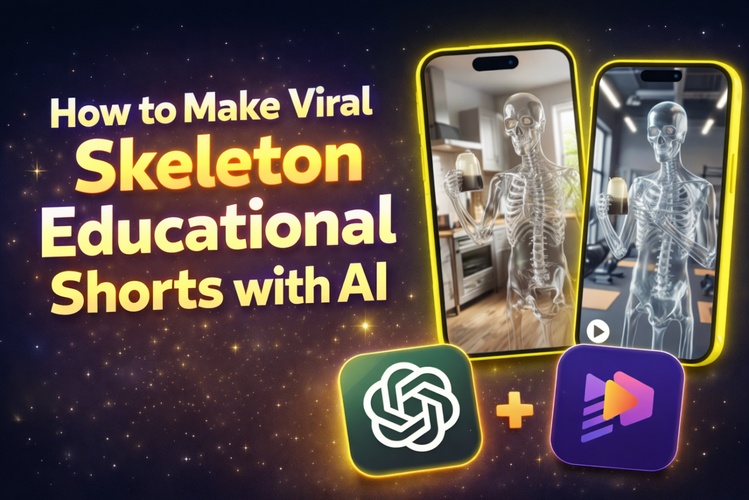
Skeleton educational videos are becoming popular on short video sites. This is because they show how bones and the body move in a clear and easy way. These quick videos grab attention while sharing useful facts fast. Thanks to AI tools, you don’t need a medical background or fancy editing skills to create them.
This guide will walk you through making your own skeleton educational videos step by step using AI and HitPaw Edimakor.
Part 1: Why Skeleton Educational Shorts Become a Trend?

Skeleton educational shorts are popular because they combine learning with simple, engaging visuals. They show how bones move and support the body in a clear, easy way. Viewers can quickly understand topics like joints, bone names, or body functions without feeling overwhelmed. Short-form platforms favor this fast, visual style, making these videos highly watchable, shareable, and effective for students and curious viewers.
Part 2: How to Make Skeleton Educational Shorts with HitPaw Edimakor?
You don’t need to be an expert animator or a professional teacher to create skeleton educational shorts. The process is easy and perfect for beginners.


Step 1: Empower Your Ideas
First, decide the single topic your skeleton short video will teach, such as bone movement, major bones, joint bending, or a simple spine overview.
Once you have your topic, ask ChatGPT to help you create the content.
Create a short skeleton educational video script. Include text for each scene, ideas for images, and suggestions for video movements. Use simple and friendly language suitable for short videos.
ChatGPT will provide a clear, concise script with image and video ideas, helping you plan faster and stay organized before creating your video.
Step 2: Access Text-to-Image
Open HitPaw Edimakor and use the Text-to-Image tool to turn each image prompt into clear, educational visuals for your video.
A clean 3D human skeleton standing upright, front view, white background, clear bone structure, educational style and soft lighting.
This helps you to get professional-looking images without needing to draw or find pictures yourself.
Step 3: Use Image-to-Video
Adding motion makes your video more interesting and keeps viewers watching longer while still images are helpful. Use the Image-to-Video feature in HitPaw Edimakor to do this.
Upload the skeleton images you created, then add simple movement instructions.
Skeleton slowly raising its arm to show joint movement, smooth motion, educational style, neutral background.
This process turns your static images into short animated clips. This helps in making your skeleton educational shorts more engaging and easy to follow.
Step 4: Go to Text-to-Speech
Next, add a voice using HitPaw Edimakor’s Text-to-Speech feature. Paste your script, choose the language, voice type, age, and tone to create a natural, easy-to-understand narration.
Step 5: Final Editing
Once your clips and narration are ready, arrange them on the timeline, sync audio with visuals, and trim scenes for a smooth flow. This final step makes your skeleton educational short ready to share.
Part 3: How to Make Your Skeleton Educational Shorts Go Viral
Creating the video is only the beginning. Presentation, timing, and consistency play a key role in increasing views and shares. Follow these tips to make your skeleton educational shorts more engaging and discoverable.
1 Add Subtitles, Effects, and Transitions
Use HitPaw Edimakor to add subtitles so viewers can understand your video without sound. Simple transitions keep the content smooth and clear.
2 Keep Videos Short and Focused
Focus on one idea and keep videos under 60 seconds to improve watch time and sharing.
3 Use Simple Text and Labels
Add short, clear labels like Skull or Joint near the visuals to help viewers learn faster.
4 Post Regularly with a Consistent Style
Post frequently and keep a consistent visual style to build recognition and help platforms recommend your content.
Conclusion
Skeleton educational videos are a great way to share learning in quick and easy-to-understand videos. Even beginners can make clear and interesting skeleton videos without any technical hassle with helpful AI tools like ChatGPT and HitPaw Edimakor.
You can create content that works perfectly on TikTok and YouTube Shorts. This is true by using simple ideas, clean images, and short scripts.
Leave a Comment
Create your review for HitPaw articles