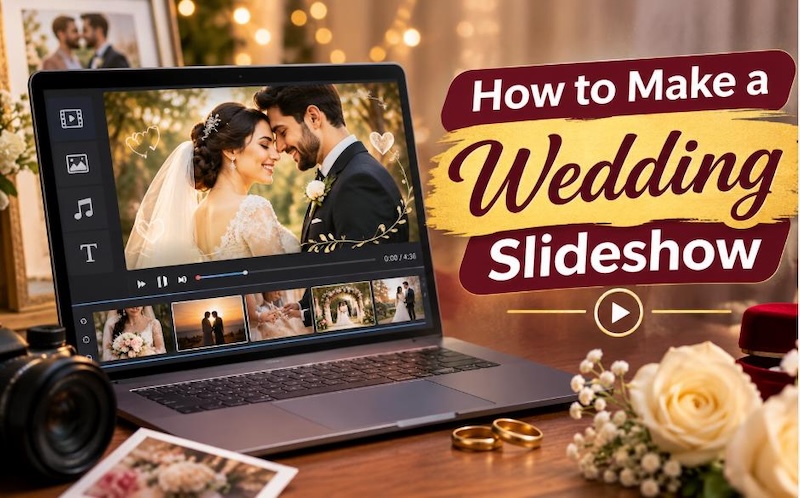
A wedding brings together many special moments, from the first look to the first dance. A wedding slideshow helps couples save these memories and share them with family and friends. You can combine wedding photos, video clips, background music, captions, and transitions to create a personal presentation. Whether you want to display it at your reception or share it online, the right slideshow editor can make the process simple. If you are learning how to make a wedding slideshow, you can start with free editing tools or choose software with more editing features. This guide explains how to create a wedding slideshow step by step.
Part 1: What Makes a Wedding Slideshow Special?
A wedding slideshow gives couples a simple way to collect their favorite memories in one video. Instead of showing individual pictures, you can arrange them into a story that guests can watch together. Each photo can remind the couple of an important moment, while music and captions add personal meaning.
Preserving Wedding Memories
Wedding photos capture moments that couples may want to revisit for many years. A slideshow brings these pictures together in a format that people can watch on a television, projector, computer, or phone. Learning how to create a wedding slideshow also gives couples a chance to include moments that a traditional wedding album may not show. For example, they can add childhood pictures, engagement photos, family memories, and short video clips from the wedding day.
Different Occasions for Wedding Slideshows
You can prepare a wedding slideshow for several occasions:
- Wedding reception: Show the couple's story during the reception or before the main celebration begins.
- Engagement party: Share pictures from the couple's relationship with friends and family.
- Anniversary celebration: Include wedding-day pictures and memories from the years that followed.
- Bridal shower: Present childhood memories, family pictures, and special messages for the bride.
A personalized slideshow can create an emotional experience for guests. When you include familiar faces, meaningful songs, and personal messages, the presentation becomes more than a collection of pictures.
Part 2: What You Need Before Creating a Wedding Slideshow
Before you start editing, collect the materials you want to use. Good preparation helps you organize the presentation and avoid unnecessary editing work.

1 Wedding Photos and Video Clips
Choose pictures that represent important moments in the couple's relationship. You can include childhood photos, first dates, engagement pictures, family celebrations, and wedding-day memories. Organize your files into folders based on the timeline. For example, create folders for childhood, dating, engagement, wedding preparation, ceremony, and reception. This organization makes it easier to learn how to make a wedding photo slideshow without searching for individual pictures during editing.
2 Meaningful Background Music
Music plays an important role in the overall presentation. Choose a song that reflects the couple's relationship and matches the mood of the slideshow. A romantic song may work well for engagement pictures, while a cheerful track may suit reception memories. You can also use instrumental music if you want guests to focus on the pictures and captions.
3 Suitable Slideshow Editing Software
Choose a video editor that supports photo imports, music, transitions, text, and video exports. A simple editor can handle basic slideshows, while more advanced software can offer additional effects and customization options. HitPaw Edimakor is one option for users who want to combine pictures, video clips, music, and text in a single editing project.
4 Suitable Slideshow Length
Keep the slideshow short enough to maintain audience interest. A presentation with too many pictures may feel slow, especially during a wedding reception. For most wedding presentations, a length of around 5–8 minutes works well. You can adjust this duration based on the event and the number of meaningful memories you want to include.
5 High-Resolution Images
Use clear pictures whenever possible. High-resolution images usually look better on large screens than small, blurry, or heavily compressed photos. Check each picture before importing it. Remove duplicate images and select the best version of each memory.
6 A Consistent Visual Theme
Choose a simple theme with matching fonts, colors, and transitions. Soft colors, readable text, and gentle transitions can suit wedding presentations.
Avoid using different fonts and effects on every slide. A consistent design helps the audience focus on the couple's memories.
Part 3: How to Make a Wedding Slideshow with HitPaw Edimakor
HitPaw Edimakor is a video editing tool that helps users create wedding slideshows by combining photos, video clips, music, and text. It provides editing features that let you arrange pictures, add transitions, apply visual effects, and adjust the timing of each scene. You can use its timeline to organize wedding memories in chronological order and create a video that reflects the couple's story. Whether you want to prepare a slideshow for a wedding reception, engagement party, or anniversary, Edimakor offers useful editing options for creating and customizing your presentation.


Key Features of HitPaw Edimakor
- Photo and Video Editing : Import wedding pictures and video clips, arrange them on the timeline, and create a slideshow with your favorite memories.
- Transitions and Effects: Add transitions between photos and apply visual effects to give your wedding slideshow a consistent look.
- Music Integration: Add background music to your slideshow and adjust its timing to match the pictures and video clips.
- Text and Captions: Insert the couple's names, wedding dates, short messages, and captions to make the presentation more personal.
- Video Export Options: Export your completed wedding slideshow in a suitable video format and resolution for sharing or displaying at an event.
Steps to Make a Wedding Slideshow with HitPaw Edimakor
Step 1: Launch HitPaw Edimakor, create a new project, and import your wedding footage, photographs, and audio files. Organize the media and drag your selected clips onto the timeline.
Step 2: Trim unwanted footage, arrange clips into a meaningful sequence, and add transitions between scenes. Include background music, titles, effects, and color adjustments to create a cinematic wedding video.
Step 3: Preview the complete video and check its transitions, audio levels, and colors. Choose suitable resolution and export settings, then export the finished wedding film for sharing or storage.
Part 4: How to Make a Wedding Photo Slideshow More Memorable
A good wedding slideshow should tell a story instead of displaying random pictures. You can make the presentation more personal by following these tips.
1 Start with Childhood and Family Memories
Begin with childhood pictures of the bride and groom. Include family photos, school memories, and pictures from important events. This opening gives guests a better understanding of the couple's lives before they met.
2 Build a Relationship Timeline
Arrange the pictures in chronological order. Start with early memories and move toward the couple's engagement and wedding day.
For example, you can include:
- Childhood and family pictures
- First meeting or dating memories
- Pictures from memorable trips
- Engagement photos
- Wedding preparation
- Ceremony and reception moments
This approach makes it easier to understand how the couple's relationship developed.
3 Include Personal Captions
Add short captions to explain important moments. You can include dates, locations, names, or small messages.
For example:
- "The Beginning of Our Story"
- "Our First Trip Together"
- "The Day We Said Yes"
- "Forever Starts Today"
Keep the captions short and easy to read.
4 Use Simple Transitions
Transitions help connect pictures and video clips. You can use fades, dissolves, or gentle zoom effects. Avoid adding too many effects. Excessive movement can distract guests from the pictures. If you want to know how to make a wedding slide show for a wedding reception, focus on a simple presentation that guests can comfortably watch from a distance.
5 End with a Meaningful Photo
Finish the slideshow with a favorite couple photo, a wedding-day moment, or a personal message. A closing caption such as "Thank You for Being Part of Our Story" can make the presentation feel complete.
FAQs about How to Make A Wedding Slideshow
A1: To make a wedding slideshow with pictures and music, collect your wedding photos, arrange them in chronological order, and import them into a video editor. Add a suitable soundtrack, captions, and transitions. Preview the presentation and export the finished video.
A2: HitPaw Edimakor is a practical option for creating a wedding slideshow because it supports photo and video editing, text, music, and transitions. Canva, Clipchamp, and Google Slides can also suit users with different editing needs.
A3: A 5–8-minute wedding slideshow may include around 50–100 photos, depending on how long you display each picture. Choose meaningful photos instead of adding every available image.
A4: Yes. You can use free slideshow-making software such as Canva, Clipchamp, Google Slides, or HitPaw Edimakor. However, some free tools may limit export quality, editing features, or watermark removal.
A5: A wedding photo slideshow usually works well at around 5–8 minutes for a reception. You can create a longer presentation for an anniversary or private family event if the audience wants to see more memories.
A6: Yes. HitPaw Edimakor supports music, transitions, text, effects, and photo or video editing. You can arrange the media on the timeline, adjust its timing, and export the finished wedding video.
Conclusion
A wedding slideshow gives couples a simple way to preserve their favorite memories and share them with family and friends. You can create a meaningful presentation by selecting important photos, arranging them in chronological order, adding suitable music, and using simple transitions. If you want to learn how to make a wedding slideshow, start by organizing your pictures and choosing an editing tool that meets your needs. Keep the presentation short, use clear images, and include personal captions that reflect the couple's relationship. HitPaw Edimakor is a practical video editing option for users who want to create and customize a wedding slideshow with photos, music, video clips, text, and transitions. Its editing workflow allows users to arrange media, preview the presentation, and export the finished video.
Leave a Comment
Create your review for HitPaw articles