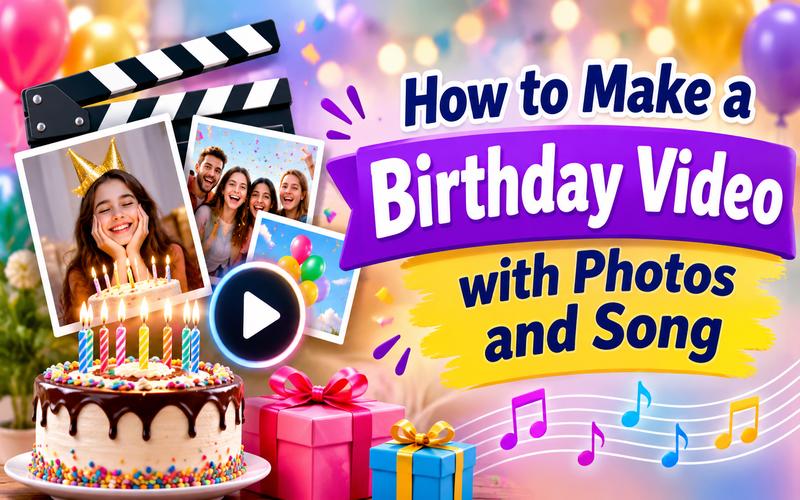
Birthdays are special moments that deserve a grand celebration for everyone involved. A personalized video is a heartfelt gift that lasts forever. You can easily combine your favorite memories into a digital keepsake today. Sharing these videos on social media brings joy to friends and family alike. This guide explains how to make a birthday video with music and photos , then shape it into a personal gift.
What Do You Need to Make a Birthday Video?
A few carefully chosen moments often tell a stronger story than a crowded timeline. Here are the essential things you need:
- Birthday photos: Collect favorite pictures, family portraits, and memorable moments.
- Video clips: Find short recordings from parties, trips, and celebrations.
- Background music: Choose a favorite song or cheerful birthday melody.
- Birthday wishes: Prepare personal messages, quotes, and heartfelt greetings.
- Creative ideas: Decide on a theme, style, and video length.
- Video editing software: Choose a tool to combine everything smoothly.
Once your materials are ready, choose a reliable editing tool. We recommend HitPaw Edimakor for creating personalized birthday videos.
HitPaw Edimakor is an all-in-one video editor tool that helps beginners and experienced creators turn ordinary pictures into engaging videos. You can combine photos, video clips, background music, text, templates, transitions, and visual effects in one project. Its drag-and-drop timeline makes arranging your content simple. You can also add stickers, filters, and animated titles to give your birthday greeting a personal touch.
Key Features of HitPaw Edimakor Birthday Video Maker
- Customizable video templates for quick birthday themes.
- Animated text styles for names and wishes.
- 200+ transitions to connect photos and video clips.
- 1,000+ effects and filters for a consistent mood.
- 500+ stickers and GIFs for humor and celebration details.
- Stock photos and videos for missing visuals.
- AI music generation for custom background tracks.
- Text-to-speech for optional spoken birthday greetings.
- Timeline editing for arranging photos, clips, music, and voice messages.
How to Make a Birthday Video with Photos and Music
Creating a birthday video is easier when you follow a clear process. Use these steps to turn your favorite memories into a beautiful celebration video.
Step 1: Import Your Photos and Video Clips
First, open HitPaw Edimakor and create a ‘new project.’ Click ‘Import’ to add your selected photos and video clips to the media library.


Step 2: Arrange Photos and Add Birthday Music
Drag your photos and clips onto the editing timeline. Arrange them in your preferred order and adjust their duration.
Next, import your chosen birthday song through the audio section. Add it to the audio track and adjust its volume and length to match your video.
Step 3: Add Text, Transitions, and Creative Effects
Personalize your video with birthday greetings, names, dates, and heartfelt messages. Add smooth transitions between scenes, along with filters, animations, and visual effects. Keep the design consistent and avoid excessive effects.
Step 4: Preview and Export Your Birthday Video
Once editing is complete, watch the entire video from beginning to end and check the music, text, transitions, and picture order. Fix any mistakes, then click ‘Export.’
Choose your preferred format, resolution, and quality. Save the finished video and share it with friends and family or play it at the birthday celebration.
Creative Birthday Video Ideas to Try
Choose a style that suits the birthday person. The best concept depends on their personality, your shared memories, and the mood you want to create.
Here are 10 ideas to inspire your project.
Idea 1: Picture collage
A picture collage is a simple way to make a birthday video with pics while keeping the focus on special memories. Select 15 to 30 clear photos, group them by theme, and display each one for a few seconds. Add colorful text, gentle zoom effects, and a cheerful song. This format works well for family birthdays and quick social media greetings.
Idea 2: Birthday video montage
Create a birthday montage by mixing photos, short phone videos, and screenshots of meaningful messages. Arrange the clips in a smooth timeline, beginning with older memories and ending with recent moments. Use transitions to connect each section without making the video feel busy. A montage is best when several friends or relatives want to contribute content.
Idea 3: Video greeting card
Turn the project into a digital greeting card with a short opening message, a few favorite pictures, and a recorded birthday wish. Use a bright background, animated lettering, and a simple closing screen. Ask different people to record one sentence each, then place the messages between photo scenes. The result feels direct, personal, and easy to share.
Idea 4: Birthday Bingo
Make a playful Birthday Bingo video around familiar habits, memories, or funny facts. Create squares such as “loves chocolate,” “has traveled abroad,” or “always arrives early.” Show one square at a time with matching photos or short clips. Add sound effects when a square appears, then finish with a birthday message. This idea works especially well for parties and group celebrations.
Idea 5: Year recap video
A year recap video highlights the birthday person’s biggest moments from the past year. Collect photos from trips, celebrations, achievements, meals, hobbies, and everyday life. Arrange them by month or season to tell a simple story. Add short captions that explain where each memory happened. Finish with a hopeful message about the year ahead.
Idea 6: Interview video
Record friends, relatives, or coworkers answering questions about the birthday person. Ask prompts such as “What is your favorite memory?” or “What makes them special?” Keep each answer short and place a related photo or video beside it. Mix funny responses with sincere ones to create an entertaining story. This format gives the birthday person a keepsake filled with voices they know.
Idea 7: Gift reveal
Build the entire video around a surprise gift. Begin with clues, photos, or short statements that create curiosity. Show close-up details without revealing the present too soon, then use a transition for the final reveal. You can also include short clips of people explaining why they chose the gift. Keep the pacing lively and end with a warm birthday wish.
Idea 8: Quotation-based greetings
Use meaningful quotations, song lyrics that you have permission to use, or original lines written for the birthday person. Place one sentence over each photo and select a consistent font style. Keep the words large enough to read on a phone screen. Choose images that support the message, such as childhood memories for lines about growing up or friendship.
Idea 9: Throwback pictures/videos compilation
A throwback compilation compares earlier memories with recent photos or clips. Pair a childhood image with a current one, or show an old family video before revealing a similar scene today. Add labels such as “Then” and “Now” to make the comparison clear. This idea can be funny, emotional, or both, depending on the memories you select.
Idea 10: Life story video
A life story video follows the birthday person through important stages, such as childhood, school, work, friendships, family, and hobbies. Use a simple timeline and add short captions for dates or places. Invite relatives to provide missing details or voice messages. Keep the tone respectful and personal, especially when presenting the video at a large family gathering.
Tips for Making a Happy Birthday Video More Memorable
A good birthday video should be fun, personal, and full of happy memories. Follow these tips to make your video more special:
- Start with the birthday person’s best photo
- Keep the opening message short and warm
- Match music energy with the celebration mood
- Mix close-ups, group shots, and candid moments
- Use captions to explain special memories
- Keep text large enough for phone screens
- Avoid repeating similar photos too often
- Balance funny moments with sincere wishes
- End with a memorable final message
FAQs About Making a Birthday Video
A1: Use a video editor with a timeline, templates, and drag-and-drop media tools. Import your pictures, place them in story order, add a song, and use simple transitions. Hitpaw Edimakor also helps you add text, stickers, effects, and other creative assets in the same project.
A2: Start with a short plan and collect the photos, clips, and wishes you want to include. Add the music after arranging the visuals, then adjust the track volume so spoken messages remain clear. Add a title, a closing greeting, and a gentle fade at the end.
A3: Use a direct message such as “Happy Birthday,” followed by a personal sentence and the names of contributors. A group photo, a short video greeting, or a final voice message can add more emotional impact. Leave the final screen visible long enough for viewers to read it.
A4: Yes. You arrange photos to match the song, then add captions or a spoken greeting. If you are looking up ‘how to make a birthday video with photos and songs,’ use a clear opening, favorite moments, and a closing wish. That is also a simple approach for how to create a birthday song with photos or how to do a birthday video.
A5: A short greeting may take 15 to 30 seconds, while a family montage can run several minutes. Choose a length that fits the number of memories and the audience. Remove repeated images and long pauses so the video stays lively from start to finish.
Conclusion
A birthday video is a simple but meaningful way to celebrate someone special. You only need a few favorite photos, video clips, and a suitable song to get started. Add personal wishes, smooth transitions, and creative effects to make the video stand out. HitPaw Edimakor makes the editing process easier with its timeline, text, music, and visual effects tools. Even beginners can use these features to create a lovely birthday video.
Try HitPaw Edimakor today. Start collecting your favorite memories today, and turn them into a gift your loved one will remember.
Leave a Comment
Create your review for HitPaw articles