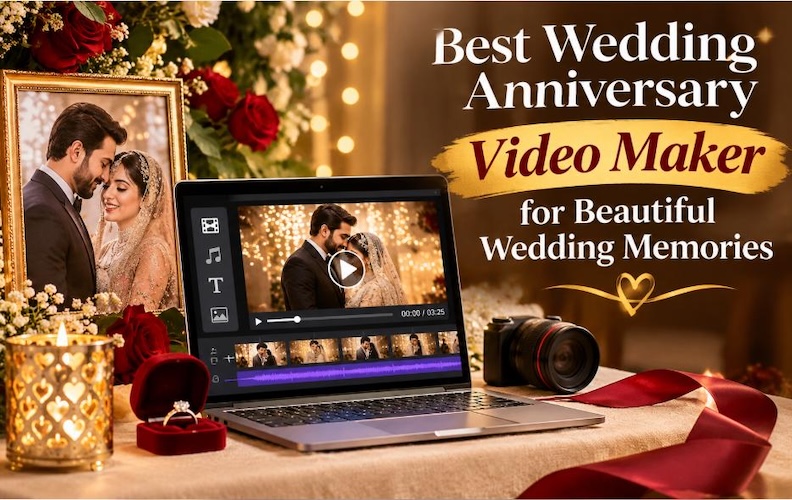
A wedding anniversary is a special occasion for couples to remember their wedding day and celebrate the years they've spent together. Creating a video with wedding photographs, ceremony clips, romantic music, and personal messages offers a lovely way to keep those memories in one place. Today, couples can use desktop software, mobile apps, and online tools to create anniversary videos without hiring a professional editor. Whether you're celebrating your first anniversary or 50 years of marriage, the right can help you prepare a meaningful video. HitPaw Edimakor Video Editor is our top recommendation for this purpose.
Part 1: What Makes a Wedding Anniversary Video Special?
A wedding anniversary video brings your favorite memories together in one place. Instead of opening separate photo albums and video folders, you can watch your wedding ceremony, honeymoon, family celebrations, and other important moments in a single video. Couples can also play their videos during anniversary parties or share them with friends and relatives. Wedding photographs and ceremony footage form the main part of most anniversary videos. You can include your wedding entrance, first dance, wedding vows, family photographs, and honeymoon clips. A good wedding video editor helps you arrange these files in the right order and add transitions between scenes. A first anniversary video can focus on memories from the first year, while a 10th anniversary video can cover major family events. For a 25th or 50th anniversary, you can include photographs from different stages of married life.
Part 2: How to Choose the Right Wedding Anniversary Video Maker
Choosing the right editing software depends on your experience, available devices, and the type of video you want to create. Some people only need a simple slideshow maker, while others want detailed editing controls for longer wedding films.
Before choosing a video maker for wedding projects, consider these important features:
- Editing platform: Desktop programs suit longer projects, mobile apps work well for quick edits, and browser-based tools allow editing without installing software.
- Templates and themes: Look for romantic, wedding, anniversary, and slideshow templates.
- Media support: The software should support wedding photos, video clips, audio recordings, and music files.
- Customization: Check whether you can add captions, wedding dates, titles, transitions, filters, and background music.
- AI editing capabilities: Some tools offer automatic subtitles, text-to-speech, background removal, and AI video generation.
- Export options: Check available video resolutions, aspect ratios, and formats such as MP4.
- Ease of use: Beginners should choose software with clear controls and a simple editing timeline.
A suitable wedding anniversary video maker should provide the features you need without making basic editing difficult.
Part 3: Best Wedding Anniversary Video Makers for Desktop, Mobile, and Online
You can find many wedding video editing apps for different devices and experience levels. Some focus on professional wedding videography editing, while others offer ready-made templates for simple anniversary slideshows. Here are six options worth considering.
#1. HitPaw Edimakor – Best Wedding Anniversary Video Maker (Editor's Choice)
Best for: Beginners and users who want desktop editing with AI features.
HitPaw Edimakor Video Editor is our first choice for creating personalized anniversary videos. It allows users to import wedding photographs, ceremony recordings, and audio files, then arrange everything on an editing timeline. You can add text, subtitles, transitions, filters, and background music to create a video that matches your preferences. Edimakor also offers AI-assisted features such as text-to-speech, speech-to-text, video generation, AI avatars, and background removal. These tools can help you prepare voiceovers, captions, and additional content for your anniversary project. You can also adjust your export settings to prepare videos for different devices and sharing platforms.


 Pros
- Beginner-friendly video editing interface.
- Supports creative wedding video customization.
- Offers AI-assisted video editing features.
 Cons
- Some advanced features require a paid plan.
#2. Wondershare Filmora – Wedding Video Editor for Desktop
Best for: Users who want creative effects and timeline editing.
Wondershare Filmora offers a simple editing environment for romantic anniversary videos and wedding slideshows. Its timeline allows users to arrange photographs, ceremony footage, audio, and titles in the required order. You can also add transitions, filters, animated text, and background music to match your preferred style. Filmora includes AI-assisted tools for captions, audio, and other editing tasks. Its creative assets also give users more options when preparing wedding videos. However, the free version adds a watermark to exported videos, and some advanced resources require a paid plan.

Pros:
- Wide selection of video effects and transitions.
- Easy-to-use editing timeline.
- Suitable for wedding videos and slideshows.
Cons:
- Some features require a subscription.
- Certain effects may require additional downloads.
- Free exports include a watermark.
#3. Adobe Premiere Pro – Professional Wedding Film Editor
Best for: Professional wedding videographers and experienced editors.
Adobe Premiere Pro is a suitable option for users who want detailed control over wedding footage. Its editing timeline supports multiple video and audio tracks, allowing editors to arrange different camera recordings and adjust the timing of each scene. You can also correct colors, adjust sound levels, and add transitions to create a cinematic anniversary film. This wedding film editor works well for professional projects that require detailed editing. However, beginners may find its interface difficult at first. You should also check your computer's hardware before editing high-resolution wedding footage. Visit Adobe's official website to explore its current plans and editing features.
Pros:
- Advanced video editing capabilities.
- Detailed color grading and audio controls.
- Suitable for professional wedding videography editing.
Cons:
- Subscription-based pricing.
- Learning curve for beginners.
- Requires a capable computer for demanding projects.
#4. CapCut – Mobile Wedding Video Editing App
Best for: Smartphone users and short anniversary videos.
CapCut provides a convenient way to create wedding anniversary videos directly from a smartphone. Users can import photographs and video clips, arrange them, and add music, captions, filters, and transitions. Its templates can also help beginners prepare social media videos without creating every scene from scratch. The app works well for short anniversary greetings, romantic slideshows, and family celebration videos. However, template availability and certain editing features can vary by region and platform. Some advanced options also require paid access.
Pros:
- Convenient mobile video editing.
- Offers templates and creative effects.
- Suitable for social media anniversary videos.
Cons:
- Some features require paid access.
- Feature availability may vary by region.
- Advanced editing can be less convenient on a phone.
#5. Canva – Online Wedding Anniversary Video Maker
Best for: Beginners who prefer browser-based editing.
Canva makes it easy to create anniversary videos through a web browser. You can select a video template, upload your wedding photographs, arrange them into scenes, and add text, music, and simple animations. Its drag-and-drop interface suits people who have little experience with video editing. Canva also supports video exports and offers ready-made designs for different occasions. You can use it to create anniversary greetings, wedding slideshows, and short celebration videos without installing desktop software. Some templates and creative assets require a paid plan, so check the available resources before starting your project.
Pros:
- Browser-based editing.
- Ready-made wedding and anniversary templates.
- Easy customization for beginners.
Cons:
- Some templates and assets require a paid plan.
- Less advanced timeline editing than professional software.
- Requires internet access for online editing.
#6. FlexClip – Online Video Maker for Wedding Anniversaries
Best for: Romantic slideshows and simple online videos.
FlexClip is another option for users who want to create anniversary videos through a browser. It offers a timeline editor, ready-made templates, and tools for adding photographs, video clips, captions, music, and voiceovers. You can prepare a romantic slideshow without downloading traditional desktop editing software. FlexClip also includes AI-assisted tools and online project storage. Its free plan currently supports 720p downloads and videos of up to 10 minutes, with a limit of 12 saved projects. Paid plans offer additional features and higher export resolutions.
Pros:
- Online editing without installing desktop software.
- Wedding slideshow and video templates.
- Simple editing workflow.
Cons:
- Free plan has export restrictions.
- Advanced features require a paid plan.
- Uploading large media files can take time.
Part 4: How to Make a Wedding Anniversary Video with HitPaw Edimakor
HitPaw Edimakor provides a simple way to combine wedding photographs, video clips, music, and personal messages. You can create a video for a private celebration, family gathering, or social media post without professional editing experience. Follow these steps to prepare your anniversary video.
Step 1: Import Media
Launch HitPaw Edimakor, create a new project, and import your wedding footage, photographs, and audio files. Organize the media and drag your selected clips onto the timeline.
Step 2: Edit and Customize
Trim unwanted footage, arrange clips into a meaningful sequence, and add transitions between scenes. Include background music, titles, effects, and color adjustments to create a cinematic wedding video.
Step 3: Export the Wedding Video
Preview the complete video and check its transitions, audio levels, and colors. Choose suitable resolution and export settings, then export the finished wedding film for sharing or storage.
Part 5: Creative Wedding Anniversary Video Ideas
You don't need hundreds of photographs or professional footage to create a meaningful anniversary video. A few personal memories, suitable music, and thoughtful captions can tell a lovely story.
Here are seven ideas you can use for your next project:
- Romantic Wedding Anniversary Slideshow: Combine your favorite wedding photographs with your first dance song and a short anniversary message.
- Cinematic Anniversary Film: Use ceremony footage, wedding vows, close-up shots, and family moments to create a film-style video.
- First Anniversary Video: Include photographs and recordings from your first year of marriage, such as holidays, celebrations, and everyday moments.
- 25th or 50th Anniversary Video: Collect messages from children, grandchildren, friends, and relatives to celebrate many years together.
- Before-and-After Wedding Memories: Show photographs from your wedding day alongside recent pictures to highlight the years you've spent together.
- AI Wedding Video Editing: Use AI-assisted tools to prepare captions, create voiceovers, or generate additional visual content for your anniversary project.
- Personal Love Letter Video: Turn a written love letter into a video with photographs, music, and a voice recording.
FAQs About Wedding Anniversary Video Makers
A1: HitPaw Edimakor is our top recommendation for users who want desktop editing and AI-assisted features. It allows you to combine photographs, video clips, music, captions, and transitions in one project. Filmora is another suitable option for users who want a large collection of creative editing tools.
A2: You can use free versions of tools such as Canva, CapCut, and FlexClip to create simple anniversary videos. Import your photographs, arrange them, add background music, and include personal captions. Check export limits, watermarks, and asset licensing before downloading your final video.
A3: HitPaw Edimakor and Wondershare Filmora are suitable choices for desktop users. Adobe Premiere Pro is another option for professional editors who need detailed control over color, audio, and multiple video tracks.
A4: Yes. Apps such as CapCut allow you to create anniversary videos directly from your smartphone. You can import photographs, add music, include text, apply transitions, and export a video for sharing.
A5: You can use Canva or FlexClip through your web browser. Select a suitable template, upload your photographs and clips, arrange the scenes, and add music and captions. Export the completed video when you're happy with the result.
Conclusion
A wedding anniversary video gives couples and families a lovely way to remember their wedding day and celebrate the years they've spent together. Desktop editors offer more control over longer wedding films, mobile apps make short videos easy to create, and online tools provide ready-made templates for beginners. Among these options, HitPaw Edimakor Video Editor is our top choice for users who want to combine wedding photographs, ceremony footage, music, captions, transitions, and AI-assisted editing features. Its editing tools make it a suitable option for personal anniversary projects. If you want to create a special video for your next anniversary, visit the official HitPaw Edimakor website, explore its editing features, and start bringing your favorite wedding memories together in one video.
Leave a Comment
Create your review for HitPaw articles