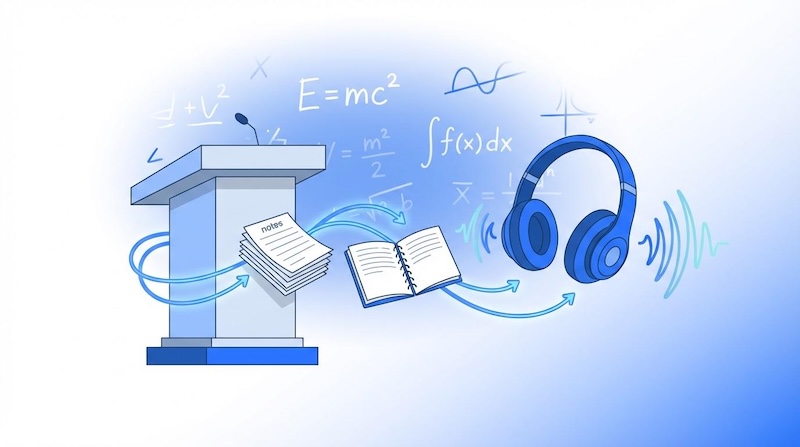
Studying doesn’t always have to involve reading long notes, textbooks, or documents. In 2026, students worldwide are discovering a game-changing study hack: converting their notes into AI-generated podcasts. This approach transforms written study materials into audio content that can be enjoyed while commuting, exercising, or relaxing at home. Instead of spending hours reviewing lengthy documents, students can listen to key concepts, summaries, and explanations at their own pace. In this guide, we’ll learn everything about how to turn notes into podcast, explore the best tools for the job, and discover how audio learning can make studying more flexible, engaging, and convenient.
Part 1: Why Turn Notes into a Podcast?
Turning notes into a podcast offers a convenient way to review study materials without constantly reading textbooks or looking at a screen. With AI-powered tools, students can transform lengthy notes into easy-to-follow audio lessons that fit into their daily routines. Here are some key benefits of converting notes into podcasts:
- Learn Anytime, Anywhere: One of the main advantages of turning notes into podcasts free is that students can access their study materials whenever and wherever they want, such as while walking, exercising, or completing household tasks.
- Repetition Becomes Effortless: By turning notes into podcasts, students can revisit important topics without repeatedly reading the same page or documents. They can replay audio lessons as often as needed, focus on difficult concepts, and refresh their understanding.
- Save Study Time: Instead of spending hours reading lengthy documents, they can use an AI tool to transform written material into concise audio lessons that highlight key concepts and essential details.
- Easy to Share: Students can easily share their AI-generated podcasts with classmates, friends, and study groups, making collaborative learning more convenient and allowing everyone to benefit from shared learning.
Part 2: Best Tools for Converting Notes to a Podcast
If you’re looking for a tool to convert text to podcast, you’re in the right place. After hours of research, we’ve managed to find the best tool that will help you convert notes to a podcast with a single click.
1 HitPaw Edimakor
HitPaw Edimakor is one of the best AI podcast generators from notes. It is an all-in-one AI video editing tool that helps users transform written content into engaging audio and video presentations. Students can use its AI-powered features to create educational content, generate voiceovers, and produce videos without requiring advanced editing skills. The best part of this tool is that it also offers 1000+ AI avatars , allowing users to create engaging educational videos featuring virtual presenters. Users can choose various avatars, such as students, teachers, doctors, nurses, podcast hosts, and more. Another amazing feature of this tool is that it offers advanced editing features, allowing users to enhance their educational podcasts with captions, transitions, background music, and visual elements.


Key Features of HitPaw Edimakor
- AI Podcast Generator : HitPaw Edimakor enables users to turn written notes, scripts, and educational content into engaging audio and video presentations. Its AI-powered text-to-speech feature converts written text into spoken narration, making it easier to create podcast-style learning materials.
- Audio-to-Video: This AI tool allows users to transform audio recordings into engaging video content. Students can use this feature to turn podcast narration, recorded lectures, and study explanations into videos by adding relevant visuals and captions.
- Lifelike AI Avatars: One of the standout features of this tool is that it includes 1000+ AI avatars, each from different roles and industries. It includes avatars of students, teachers, doctors, nurses, business professionals, and many others.
- AI Video Editor : The best part of this tool is that it offers advanced video editing features, allowing users to edit audio and video podcasts according to their requirements. Users can trim unwanted sections, add transitions, insert captions, and include background music.
- Intuitive Interface: HitPaw Edimakor offers an easy-to-use interface, which is ideal for non-tech and beginner users. Simply upload your notes, select the AI voice, and click on the “Generate” button to create narration.
2 Wondercraft

The next AI that turns notes into podcast is Wondercraft. It turns rough notes, bullet points, or ideas into a fully produced podcast episode in minutes. Users can provide written content and use AI-powered features to create natural-sounding narration without recording their own voices. This makes it a useful option for students, educators, content creators, and professionals who want to convert written information into audio content. Another advantage is that users can produce audio content without needing professional recording equipment or advanced audio-editing skills.
Pros
- Converts a document, URL, or raw ideas into an engaging audio podcast.
- Provides multiple AI voices to suit different podcast styles and topics.
- Offers tools to customize narration and create conversations between AI speakers.
- Enables users to download audio podcasts in multiple formats, such as MP3 or WAV.
Cons
- Some advanced features may require a paid subscription.
- Customization options may feel limited for users who want advanced features.
3 Google NotebookLM
NotebookLM is a productivity tool from Google that uses AI to help research, summarize, and synthesize information from your own documents. It is particularly useful for students who want to transform lecture notes, textbooks, research papers, and study guides into easy-to-understand learning materials. One of NotebookLM’s standout features is its Audio Overview capability, which can turn source material into a podcast-style discussion featuring AI-generated voices. One of the standout features of this tool is that it offers an easy-to-use interface, which is ideal for non-tech and beginner users.
Pros
- NotebookLM can extract information from a wide variety of sources, such as text, URLs, and more.
- Easily generates podcast-style Audio Overviews from uploaded study materials.
- Helps students review lessons through audio instead of reading lengthy notes.
- Compatible with multiple devices, including Android, iOS, Windows, and macOS.
Cons
- Web-based tool. It requires a stable internet connection to create a podcast from notes.
- Audio generation may take time, depending on the length.
4 Quizgecko AI Podcast Generator
Quizgecko is an AI-powered learning platform that generates quizzes, flashcards, notes, study guides, and podcasts from various content inputs. It is useful for students, teachers, and professionals who want to turn written information into interactive learning materials. Users can provide study notes, documents, or other supported content and use AI to transform the information into podcast-style audio. Beyond podcast generation, Quizgecko offers learning tools such as AI-generated quizzes and flashcards, helping users test their understanding and practice recalling important facts.
Pros
- Enables users to generate quizzes with multiple question types and difficulty levels.
- Processes input from PDFs, DOCs, PPTs, notes, URLs, and YouTube Videos.
- Easily converts study materials into podcast-style audio for convenient revision.
- Ideal for students, teachers, content creators, and anyone who wants to turn notes into audio.
Cons
- Some advanced features may require a paid subscription.
- Offers limited customization compared to other platforms.
Part 3: How to Convert Your Notes to Podcasts: Step-by-Step
If you want to create AI podcast from notes effortlessly, we recommend using HitPaw Edimakor. It offers an easy-to-use interface that allows beginners to transform written content into engaging audio and video presentations without requiring professional editing skills. Follow these steps to turn your notes into a podcast using HitPaw Edimakor:
Step 1: Download and Install HitPaw Edimakor
Open your web browser and go to the HitPaw Edimakor official site and download the latest version of the program on your PC. Launch it and select the “AI Avatar” feature from the main interface.
Step 2: Enter Your Notes
Copy and paste your notes into the prompt box. These notes can include lecture summaries, textbook chapters, research findings, study guides, or any other written material you want to convert into a podcast.
Step 3: Select the Podcast Voice
Next, click on the “Please select avatar voice” option to open the HitPaw Edimakor voice library. Hundreds of natural-sounding AI voices in different languages and accents will appear on your screen. Select a suitable voice for your podcast.
Step 4: Choose an Avatar
Navigate to the AI Avatar option and select an avatar that matches your podcast’s topic and presentation style. HitPaw Edimakor offers a library of AI avatars that can help make your podcast more engaging.
Step 5: Generate and Download
Once all the requirements are complete, simply click on the “Generate” button to begin the AI podcast creation process. Within seconds, your podcast with an AI avatar host will be ready. Preview the results and click on the “Export” button to download in your desired format.
Final Thoughts
Turning notes into podcast is an ideal way to make learning more engaging and accessible. Instead of repeatedly reading lengthy documents, students and professionals can turn their written material into audio content and review important information while commuting, exercising, or completing other daily tasks. HitPaw Edimakor is an ideal option if you want to convert notes into a high-quality podcast with a single click.
Leave a Comment
Create your review for HitPaw articles