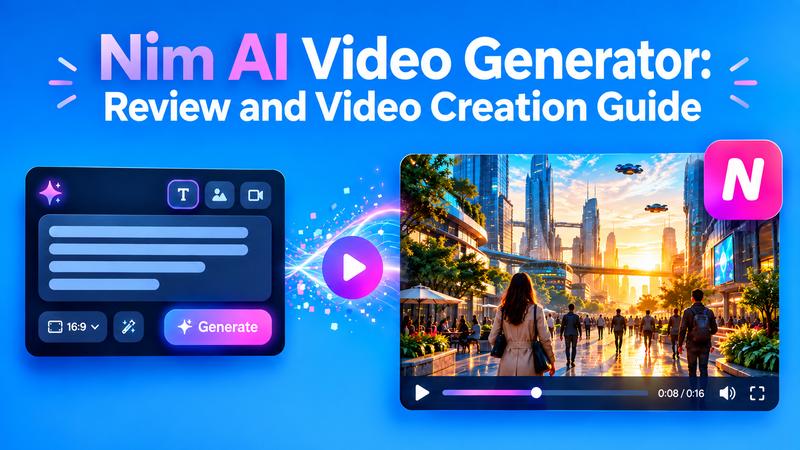
AI video generators are making video creation faster, even if you have little editing experience. But selecting the right tool can be difficult when so many platforms offer similar features. Nim AI takes a multi-model approach. Instead of relying on one AI engine, it brings several leading image and video models into one platform. You can create videos from animated images and text, use templates, and experiment with different models from one workspace. This review explains what Nim does, how to create videos, how credits work, and whether it is worth trying.
What Is the Nim AI Video Generator?

Nim Video AI is a comprehensive, browser based generative AI platform that transforms text prompts, URLs, or static images into professional grade video content. It acts as a central hub for various AI technologies, letting users leverage models like Sora, Kling, and Veo without separate subscriptions for each service.
The application is particularly favored by “faceless” YouTubers and educators who need to produce consistent, high quality visuals, voiceovers, and avatars. The Nim video creation experience is built around a sleek user interface that guides users from the initial script or concept through to the final render. Whether you are converting a blog post into a social media clip or creating a cinematic timelapse, the platform provides tools for visuals, lip syncing, and audio production in one place.
Key Features of Nim Video AI
Nim AI offers several tools that make video creation easier and faster. Here are its main features:
- Text to Video Automation: Nim Video can take a full script and turn it into a cohesive video. The AI breaks the text into logical chapters, selects appropriate visuals, and adds synchronized narration.
- Many AI Model Access: Nim provides access to a library of world class models including Nano Banana, Seedream, Veo, Kling, Sora, Grok, and Luma Ray2. Each model offers different visual aesthetics and credit costs.
- Character Reference and Avatars: The platform includes a library of AI avatars with various styles and ethnicities. These avatars act as on screen narrators, ensuring consistent branding across video series.
- Advanced Lip Syncing: Nim’s engine ensures avatar mouth movements match the spoken voiceover naturally in real time, enhancing the realism of presentation-style content.
- Keyframes and Motion Transfer: For advanced users, the tool supports keyframe based video creation and motion transfer, allowing precise control over how subjects move within a scene.
- Templates and ready made workflows: Templates package prompts, settings, and pipelines into a simpler process. You add an input, such as a product image or portrait, then generate a polished visual without writing a complex prompt from scratch.
- Creative finishing tools: The platform lists tools for lip sync, adding sound, upscaling, image editing, and describing an image to generate a prompt. These features can reduce the number of apps needed during a project.
- Chat assistant and project privacy: The Pro, Max, and Team plans include a chat assistant. Pro and Max also support private projects, while Team adds private and shared projects, collaboration, usage tracking, common billing, and included seats.
How Does Nim Video Work?
Nim Video follows a straightforward AI generation workflow. The exact controls can vary depending on the model or tool you choose, but the general process is similar.
1 Text to Video Step by Step Guide
Nim AI’s text to video tool lets you turn your ideas into videos. Simply describe the scene you want in a text prompt, and Nim AI creates an animated video based on your description. It can help with educational videos, ads, storytelling, and social media content.
Step 1: Log in to your Nim account. Click the “Create” button on the homepage.
Step 2: Enter your story or concept into the prompt box. Set the output type to “Video” and select your preferred AI model and aspect ratio. Once you click “Generate,” the AI breaks your content into scenes. It automatically generates visuals and adds voiceovers with synced lip movement. The platform also suggests layouts and background music.
Step 3: Review the draft in the editor. If satisfied, click “Download” to save your final product in MP4 format. High resolution exports ensure your content looks great on all screens.
2 Image to Video Step by Step Guide
Nim AI can also turn a still image into a short video. This method adds movement to your image and works well for product visuals, creative stories, promotional content, and concept art.
Step 1: Create an account on Nim AI or log in if you already have one. Click “Create” to start turning your image into a video from the home page.
Step 2: Click the photo option and upload the image you want to animate. Next, enter a short prompt describing the movement you want. For example, you can tell the AI to slowly zoom in, move the camera, or add natural movement to the subject.
Step 3: Scroll down and select “Video.” Then choose a Model based on your available credits. Next, select your preferred Aspect Ratio and click “Generate.” Once your video is ready, preview it. If you like the result, click “Download” to save the video.
Nim AI Pricing: How Much Does Nim Video Cost?
Nim uses a credit-based system. The amount of credits required depends on the AI model and generation type. Its official pricing page currently lists Starter, Pro, Max, and Team plans.
| Plan | Monthly price | Credits | Key features |
|---|---|---|---|
| Starter | $17/month | 1,700 | Templates, up to 3 tasks, personal/social use |
| Pro | $30/month | 4,500 | 4K, no watermark, commercial use, private projects |
| Max | $75/month | 12,000 | 4K, no watermark, unlimited tasks, priority queue |
| Team | $200/month | 30,000 shared | Collaboration, 10 seats, commercial use |
Annual billing reduces the effective monthly price. The pricing page currently advertises savings of up to 47% on annual plans.
One important point: credits don't work the same way for every model. For example, the current pricing page lists different credit costs for Veo, Seedance, Kling, Sora, Wan, and other models. Unused subscription credits also expire at the end of the billing cycle.
So, when comparing Nim video pricing, do not look only at the monthly subscription. Consider how many generations you expect to nim video create and which models you plan to use.
Nim AI Strengths and Limitations
Every tool has its pros and cons. When using Nim Video AI, consider the following:
 Strengths
- Many image and video models are available in one app.
- Templates simplify repeatable content creation.
- Text to video, image to video, keyframes, sound, lip sync, and upscaling support varied workflows.
- Pro and higher plans offer private projects and commercial use.
- The interface can reduce the need to switch between several specialist tools.
 Limitations
- Credit costs vary by model, so advanced generations can use credits quickly.
- Starter includes a watermark and does not include 4K generations.
- Results can vary between models and may require several attempts.
- Nim does not currently offer an unlimited plan, according to its pricing FAQ.
Looking for a Nim AI Alternative? Try Edimakor AI
While Nim AI is a powerful browser based tool, some creators may prefer the versatility of Edimakor AI. Edimakor offers an online creation hub and a robust desktop editor that gives you deeper control over the editing process. Edimakor AI is designed to bring any idea to life in seconds. It supports many models, including Google VEO 3, Kling and Minimax. This makes it a great alternative for those who want to experiment with different AI architectures in one place.
Key Features of Edimakor AI
- Turn written prompts into AI generated videos.
- Animate one or multiple images into engaging videos.
- Create animated content from static images.
- Access multiple AI generation models in one platform.
- Add AI photo and video effects with 300+ creative effects.
- Use images and videos as references to guide video generation.
- Adjust duration, resolution, and aspect ratio in supported workflows.
- Create content directly in your browser without installing traditional editing software.
How to Use Edimakor AI for Video Creation:
Step 1: Visit Edimakor.ai website and enter the AI video workspace. Select the “Text to Video” option if you want to generate a scene from a prompt, or select “ Image to Video ” if you already have an image.
Create from Text
Step 2: Enter a “prompt” describing the video you want. You can explain the subject, action, setting, camera movement, and style.
Step 3: Depending on the available tool, select the duration, resolution, and aspect ratio settings. Click “Generate” and let Edimakor AI create the video.
Step 4: Preview your result, make adjustments if needed, and download the finished video.
Edimakor also supports reference based video creation, where you can upload reference images or videos alongside a prompt for greater control over style, movement, and consistency.
FAQs About Nim Video
A1: Nim Video AI is primarily used for automating the creation of social media content, YouTube videos, marketing materials, and educational tutorials. It is especially best for creators who want to produce “faceless” content using AI avatars and voiceovers.
A2: Nimia stock footage refers to a separate marketplace and licensing platform for professional, editorial, archival, and commercial video assets. It is not the same service as Nim Video AI. Founded in 2013 by Zachary McIntosh and Eric Harrison, Nimia is a Seattle based technology company.
A3: The platform supports a massive array of models, including Veo, Kling, Seedance, Sora, Grok, Wan, LTX, Hailuo, Flux, and Pika, among others.
A4: Yes. The platform includes templates for UGC (User Generated Content), viral trends, and ecommerce, making it a strong choice for TikTok, Instagram Reels, and YouTube Shorts.
Conclusion
Nim AI stands out as a powerful, versatile solution for anyone looking to harness generative video in 2026. With its multi-model approach and professional templates, it lowers the barrier to entry for high end content production. However, users looking for a more integrated editing experience with advanced subtitle and script tools can choose Edimakor AI. We encourage you to try Edimakor AI today to experience a seamless, efficient path to creative excellence.


Leave a Comment
Create your review for HitPaw articles