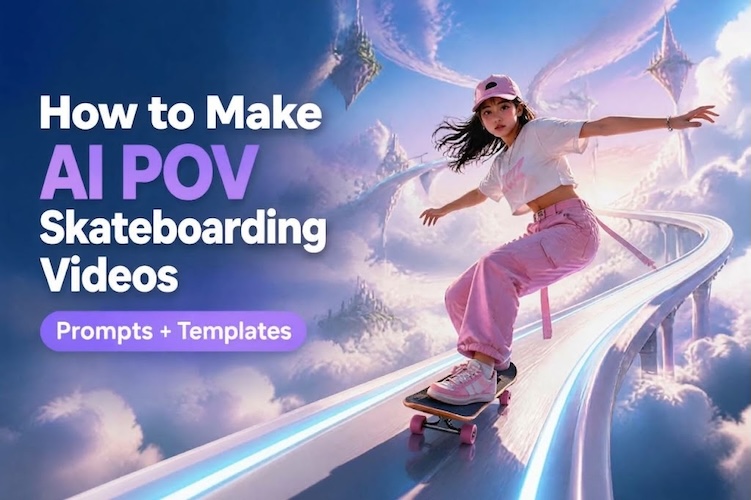
Stepping on a skateboard and free-sliding while watching the surrounding landscape change is definitely an impactful visual feast. This is the latest AI skateboarding video trend to hit the Internet. AI makes it easy for creators to produce these visuals without owning a skateboard or mastering skating. In this guide, we'll cover several interesting creative ideas, provide ready-to-use prompts, and show you how to make an AI skateboarding POV video without writing prompts.
Why Are AI Skateboarding Videos Going Viral?
So why are they spreading so fast? The reasons are simple. Here's what makes them hard to ignore:
- Easy to Create: You don't have to be a master photographer or even a skateboarder. AI video generators handle the visuals, making it easy for everyone to create awesome skateboarding videos.
- Smooth Visual Transitions: Imagine skating through mountain highways or city streets. AI can make these scene changes smooth, creating stunning videos without filming in multiple locations.
- Immersive POV Stunts: First-person views put viewers right on the board. AI-generated fast downhill rides or gravity-defying tricks can make every clip feel more exciting and immersive.
- Unexpected Creative Twists: Ordinary skateboarding has its limits. Surreal scenes, unusual camera angles and unexpected transitions unlock new creative possibilities and imake viewers more likely to share.
6 Viral AI Skateboarding Video Ideas and Example Prompts
Here are six of our favorite AI skateboarding video ideas. Each idea includes a ready-to-use prompt and a suggested reference image. Copy one, then flexibly adjust the camera angle, action, and visual style according to your specific creativity.
1 AI Skateboarding POV Videos
Put viewers in the rider’s shoes. First-person footage creates an immersive experience. Every turn and burst of speed feels like a real ride, which keeps people watching.
First-person skateboarding POV racing through snow-capped mountains and icebergs, realistic skateboard movement, dynamic camera motion, cinematic lighting, smooth transitions.

Image Reference Ideas: Use a first-person photo showing the skateboard, feet, and road ahead. Keep the camera angle low to make the POV video look natural.
2 Downhill Skate Videos
Downhill clips thrive on speed. Combining with winding mountain roads, continuous bends and spectacular scenery, the AI skateboarding videos are thrilling and eye-catching.
A high-speed downhill skateboard ride on a winding mountain road, low-angle tracking shots, realistic road textures, dramatic scenery, natural motion blur.
Image Reference Ideas: Choose mountain roads with clear downhill trends and road markings, which can help the AI model to establish direction and perspective.
3 Urban Skateboarding Videos
Urban scenes feel most familiar. Concrete plazas, stairs, and ledges are natural arenas for street skateboarding.
“A skateboarder cruising through a modern city plaza, performing a smooth kickflip near concrete steps, cinematic tracking shots, realistic lighting.”
Image Reference Ideas: Upload a full-body photo of a skateboarder standing next to the steps of the city. Make it easy for AI to identify skateboards and costumes.
4 Fantasy AI Skateboarding
AI can break the rules of ordinary skateboarding scenes. Floating cities, glowing bridges, or cloudy skies—creators can use AI to make skateboarders glide through worlds that real skate parks can't offer.
A skateboarder riding across a futuristic floating city, neon bridges, towering skyscrapers, dynamic camera movement, surreal yet cinematic visuals.
Image Reference Ideas: Choose a clearly defined concept map of the rider. The more contrast between the rider and the background, the better.
5 Skateboarding Scene Transitions
Transitions are the best way to show AI's strength. Apply different environments to design eye-catching transitions. A ride from a sunny street to a desert road can be done without a single cut.
A skateboarder riding from a sunny city street into a desert highway, then through a snowy mountain road, seamless scene transitions, consistent character and skateboard.
Image Reference Ideas: Select a reference image that has a similar lens angle and subject position. This helps AI maintain visual coherence between different scenes
6 Slow-Motion Skateboarding Tricks
Slow motion can highlight the details of a skateboarding stunt. A kickflip coupled with a clean landing can create a moment that viewers replay again and again.
A skateboarder performing a clean kickflip in a skatepark, slow-motion landing, detailed skateboard movement, realistic shadows, smooth cinematic camera tracking.
Image Reference Ideas: Use a side shot in which the skater is preparing to do a stunt. Make sure the board and feet are fully visible.
How to Make AI Skateboarding Videos Without Prompts
Not everyone wants to write prompts from scratch. HitPaw Edimakor is an effective video editor. It offers ready-made templates for AI skate videos. It also includes an AI video generator and built-in editing tools. That makes it a beginner-friendly option to make POV skateboarding videos.
Why Use Edimakor for AI Skateboarding Videos?
- Trending AI Video Templates: Explore a wide range of popular templates inspired by current video trends, including AI skate video template. You can generate viral AI videos right away.
- Powerful AI Video Generator: Equipped with advanced AI video models like Seedance 2.5 and Wan 3.0, it quickly turns your text or images into polished videos.
- Built-In Video Editing: Built-in editing tools, transitions, and subtitle tools make it easy for users to further refine generated content.
- AI Prompt Generator: Helps turn simple ideas or reference images into more detailed prompts, so you can get started more easily.


Now, let’s dive straight into the step-by-step tutorial for making AI skateboarding videos:
Step 1: Get the AI Skate Template
Download and open Edimakor. Navigate to AI Templates > AI Video Effects > Sports Hub. Browse the available styles. Choose a template that matches your desired skateboarding look.
Step 2: Customize the Skate Video
Open the selected template and upload a reference photo. No prompt writing is needed. Just upload your image and you can make a skateboarding video in minutes.
Step 3: Generate and Share
Click Generate and review the result. You can also use Edimakor’s editing tools to refine the clip if needed. Then share the finished video in a suitable format for your target social platform.
Tips for Realistic AI POV Skateboarding Videos
Want realistic AI POV skateboarding videos? These tips can help. Keep motion, camera, and lighting consistent for a more convincing ride.
- Use a Clear Reference Image: Choose a reference image that clearly shows the board, feet, road, and camera view. This will better guide the AI in video generation.
- Keep Skateboard Movement Natural: Avoid using too many complex tricks in a short clip. Simple forward glides and gradual turns may produce more convincing results.
- Match Camera Motion to the Ride: Use a steady first-person perspective and control the motion amplitude. Excessive swaying or abrupt cutting can make gliding look unnatural.
- Maintain Consistent Lighting: Set the lighting, road textures, and surroundings to match. Avoid sudden changes unless you intend to make scene transitions.
FAQs
A1: You can create AI skateboarding videos from text prompts or reference images. For an easier workflow, choose Edimakor’s ready-made AI video template. Just upload a photo, and you can generate the clip without writing prompts.
A2: Use clear reference images. Describe natural skateboard movement, consistent camera angles and subtle motion blur. Keep actions simple can improve visual consistency.
A3: For short-form platforms like TikTok and YouTube Shorts, aim for 10–20 seconds. Shorter clips work well for single tricks, while longer videos can showcase multiple scenes or transitions.
Conclusion
With AI, you don't have to film real scenes to make cinematic AI POV skateboarding videos. You can start with a simple prompt or a ready-made template, then optimize the motion, camera angle and lighting until you're satisfied with the results. If you want a more efficient process, try HitPaw Edimakor , which lets you generate and edit AI skate videos in one tool.
Leave a Comment
Create your review for HitPaw articles