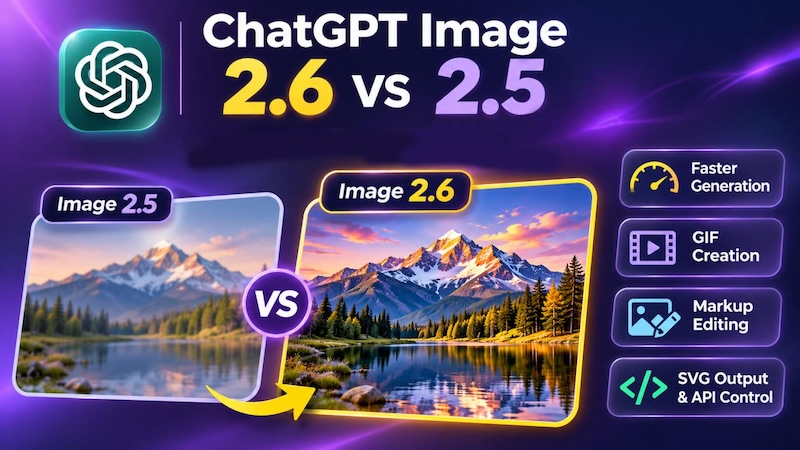
On November 4, 2026, OpenAI introduced ChatGPT Image 2.6 , an upgraded image model that generates visuals more quickly and adds support for animated GIFs and advanced editing options.
It builds on ChatGPT Image 2.5 , which already supports text-to-image creation and photo editing. The newer release focuses on reducing generation time and improving how well details survive repeated revisions.
In this guide, you will discover what changed in GPT Image 2.6, how it compares with Image 2.5, and which features matter most for your projects. Plus, learn to create and edit images in a simple way.
What's New in ChatGPT Image 2.6?
The latest release introduces several improvements for people creating marketing graphics, illustrations, product visuals, and other digital content.
1 Faster Image Generation
According to OpenAI's official announcement , Images 2.6 cuts image generation time by 50% compared to its predecessor.
The API offers two versions: Flare for faster results and Sunburst for detailed compositions. Flare can produce a low-quality image in as little as six seconds, depending on the request.
2 GIF Generation
One of the most notable GPT Image 2.6 features is animated GIF creation. Users can turn prompts or suitable reference images into short animations.
Possible applications include moving mascots, reaction graphics, animated stickers, and looping product visuals. ChatGPT is gradually making its GIF generation feature available to users.
3 Markup-Guided Editing
Users can identify the exact area they want changed instead of describing its location entirely through text.
For developers, markup-guided editing is supported by compatible GPT Image 2.5 and 2.6 models. Version 2.6 also improves the preservation of characters, clothing, and product details during revisions.
4 More Generation Controls
Developers can adjust generation complexity using low, medium, or high settings.
Version 2.6 also introduces SVG generation through the API, making it useful for graphics intended for websites, apps, and print layouts.
ChatGPT Image 2.6 vs 2.5: What's the Difference?
Both versions can create and modify images from written instructions. However, GPT Image 2.6 vs GPT Image 2.5 reveals several improvements that affect production speed and creative flexibility.
| Feature | GPT Image 2.5 | GPT Image 2.6 |
|---|---|---|
| Generation Speed | Earlier performance baseline | OpenAI reports 50% faster generation |
| Image Quality | Supports detailed images and compositions | Improved professional layouts and detail preservation |
| Text Rendering | Supports text within images | Improved handling of complex layouts; results still need proofreading |
| Character Consistency | Supports reference-based editing | Better consistency across editing rounds |
| Image Editing | Text instructions and supported markup-guided edits | More precise revisions with improved consistency |
| GIF Generation | No equivalent native one-step GIF feature | Animated GIF creation supported |
| SVG Output | No equivalent built-in SVG generation feature | SVG generation through the API |
| API Controls | Image quality and other standard controls | Additional low, medium, and high complexity settings |
The clearest differences concern speed, animation, and control. It's also important to distinguish improved accuracy from perfect accuracy. AI-generated lettering, logos, and small details should still be reviewed before publication.
GPT Image 2.6 vs 2.5: Availability and Cost Comparison
Access
Images 2.6 became available globally across ChatGPT subscription tiers on November 4, 2026, including desktop, mobile, and web. Individual features may appear gradually during rollout.
In ChatGPT, users generally request images through the conversation interface rather than entering API model identifiers.
Developers have more explicit choices. Through the API, they can select GPT Image 2.6 Sunburst or Flare, or use an available GPT Image 2.5 model.
Pricing
According to OpenAI's API pricing page , GPT Image 2.6 pricing uses the same published token rates as GPT Image 2.5:
- Image input: $8 per million tokens.
- Image output: $30 per million tokens.
- Text input: $5 per million tokens.
- Cached image input: $2 per million tokens.
These figures apply to both Sunburst and Flare.
The final cost of generating an image depends on token consumption, dimensions, quality, and related processing. SVG generation can also involve additional authoring-model costs.
ChatGPT users access image generation through their subscription plans, which have their own usage allowances. Unlike API users, they aren't charged based on the number of tokens processed.
GPT Image 2.5 or 2.6: Which One Should You Use?
The right choice depends on the complexity of your images and how frequently you plan to edit them.
Where Image 2.5 Is the Right Pick
- Simple image creation: Suitable for basic illustrations, backgrounds, and ordinary social media graphics.
- Existing workflows: A practical option when your current tools already support Image 2.5.
- Familiar editing tasks: Useful for projects that don't require animated output or SVG generation.
- Routine experimentation: Worth keeping when the results already meet your requirements.
Where Image 2.6 Is the Right Pick
- Frequent image generation: Faster turnaround is useful when exploring several design concepts.
- Consistent product visuals: Better suited to repeated edits where maintaining recognizable details matters.
- Animated content: Choose it when creating GIFs for websites, presentations, or social posts.
- Developer workflows: SVG output and complexity controls provide additional production flexibility.
For demanding visual work, Image 2.6 is the stronger starting point. However, compare results using the same prompt before replacing an established workflow.
A Simpler Way to Generate and Edit AI Images
Choosing an image model is only part of the creative process. You may also need to resize graphics, combine assets, add movement, or export content for different platforms.
HitPaw Edimakor brings AI image creation and video editing together in one application. Its tools include Image Generator , Image Restyler, image editing, and GIF export.
This is particularly helpful for content creators who want to turn an AI-generated picture into a complete social media asset without constantly switching software.
Step 1: Open the AI Image Generator
Download and launch Edimakor. Open AI Toolbox and navigate to Image. Choose Text to Image to begin with a written description.


Step 2: Choose an AI Image Model
Open the model selector to review the options available in your installed version. Select a GPT Image model based on whether you prioritize detailed results or faster experimentation.
Step 3: Generate Your Image
Write a prompt describing the subject, background, style, and composition. Or you can use the prompt generator for help. Choose your preferred resolution, aspect ratio, and output quantity, then click Generate.
Step 4: Edit and Export as a GIF
Open the generated image from My Creations and add it to the Edimakor editing timeline. You can combine several images, introduce movement through available editing tools, add text, and arrange frames to create a short animation.
When your sequence is ready, open Export , select GIF , adjust the available settings, and save your file.
FAQs
A1: ChatGPT Image 2.6 can create product photographs, illustrations, posters, marketing graphics, characters, and digital artwork. It also supports image revisions and GIF creation. Developers can generate SVG graphics through the API.
A2: Not according to the published standard API token rates. Both versions list identical image input and output rates. Actual request costs can still differ depending on processing and token usage.
A3: Images 2.6 is available in ChatGPT, Codex, and the OpenAI API. API developers can select Sunburst or Flare. Access to individual ChatGPT features depends on their rollout and applicable usage limits.
A4: Yes. OpenAI continues to document GPT Image 2.5 Sunburst and Flare as available API models. Third-party applications may also offer them. Model availability and selection options can differ between platforms.
Conclusion
The GPT Image 2.6 vs 2.5 comparison shows meaningful advances in generation speed, image consistency, animation, and developer controls. Image 2.5 remains useful for ordinary creation tasks, while 2.6 offers greater flexibility for demanding projects.
Want to do more with your generated visuals? Try HitPaw Edimakor to create images, refine them, add motion, and export engaging content for your next project.
Leave a Comment
Create your review for HitPaw articles