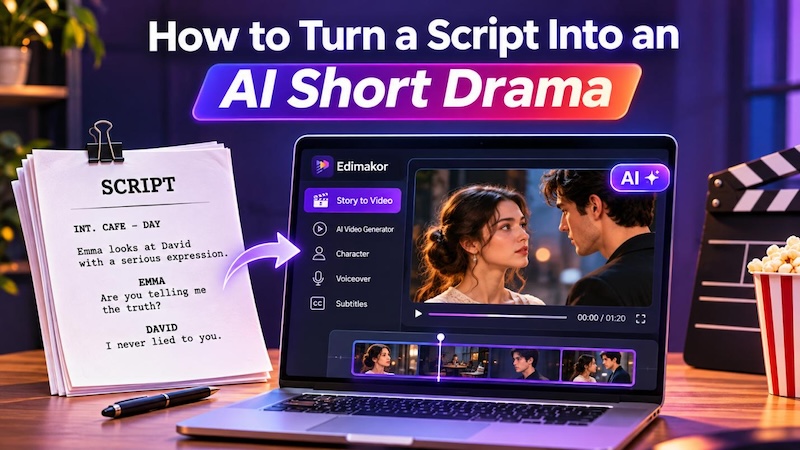
AI video tools have made it easier to turn written scripts into short dramas without hiring actors, a camera crew, or a film studio. You can create characters, generate scenes, and bring your story to life using AI video generators, with less production effort.
Bring your stories to life without a camera crew. Learn how to turn any script into a stunning AI short drama with smart video generators.
Is Your Script Ready for AI Video Production?
A well-written script provides a definite direction for your AI video. Your script shows what happens, who takes part in the story, and what role each person plays in the video. If your script contains lots of dialogue or vague scenes, then your video won’t be in sync with the story.
Verify these four points before turning your script into an AI video.
1 Keep Scene Transitions Clear
Each scene must have its meaning. Too many transitions will make your drama incomprehensible. You should allow every scene to develop its plotline.
For example, when one of the characters enters the room, discovers something, and goes out of the room, connect all these actions together. Do not introduce additional scenes without necessity.
2 Write Concise Dialogue
Long conversations can slow down a short drama. Keep dialogue short and make every line count.
- Remove redundant information.
- Ensure that each character has his/her own voice.
- Use dialogue to convey emotions or advance the plot.
- Maintain vital conversations in the screenplay.
Short lines also make voiceover generation easier.
3 Add Clear Visual Cues
Descriptions need to be accurate for the AI to understand what you are trying to convey. Your script should describe what the audience sees, not what the character is thinking.
So instead of writing,
Sarah is anxious about the upcoming meeting.
You should write:
Sarah is sitting close to the window holding a letter. She trembles as she gazes towards the door.
The AI gets more information that it can use to generate characters, their actions, and an image of a scene.
4 Create a Strong Opening Hook
The opening sequence can determine whether someone will keep watching. Thus, the story should always begin with an interesting question, shock, struggle or unusual action.
For example:
- A woman finds a message written somewhere on her mobile phone.
- A man finds another person's name on his marriage invite.
- A kid unlocks a box and finds an old photograph there.
Create some sort of hook to grab people’s attention from the start.
How to Turn a Script Into an AI Short Drama With AI
A script-to-video AI tool can help you turn written scenes into visual stories. It can create characters, generate scene images, add voices, and prepare subtitles. HitPaw Edimakor offers a Story to Video feature for this workflow. You can start with an idea or use an existing script.
Key Features
- AI Script-to-Video: Bring your concepts or script to life in video form.
- Character Creation : Create unique story characters.
- AI Short Drama Generator : Generate scene sequences with multiple shots from different camera viewpoints.


Here is how to create an AI short drama with Edimakor.
Step 1: Paste Your Script and Choose a Style
First, download and install HitPaw Edimakor on your computer. Open the editor and find AI Video Generator on the main screen. Select Story to Video to open the creative interface. Choose Start with Script and set the video properties.

Alternatively, you can work with an idea and use Edimakor to generate the screenplay for you.
Step 2: Review and Generate AI Images
Once your script is ready, Edimakor moves to character creation. It can identify the characters in your story and help create their images.
You can generate all characters with one click. This saves time when your script has several people. And you can generate the props and scene in the same way.
Step 3: Turn Script Scenes Into Video Clips
After creating the characters, click Next to generate your video clips. First, generate the images. Make sure the characters, locations, and actions match your script.
Then select Image to Video. Add or edit the video prompt. Set the video duration and resolution. Finally, click the generate option. Edimakor uses the selected image as the first frame.
Repeat the process for the other scenes. Review each result before moving to the next one. This gives you more control over the final drama. You can replace an image or adjust its prompt when a scene does not match your idea.
Step 4: Bring Script Dialogue Into the Final Video
A short drama needs more than motion visuals. Sound of characters, background music and subtitles make it easy for viewers to understand the plot.
Edimakor enables you to use these aspects in one process.
- Voiceover of characters and narration
Add voices to your characters and narration. You are free to pick different sounds and accents from the voice library. It is also possible to use the My Voice option to clone your own voice.
- Background music
Select the music note icon to access the music library. The AI picks an appropriate song for your video. In addition, you have the freedom to browse other songs in the music library.
- Generate and customize subtitles
Select the CC icon to check various subtitle styles. Choose an appropriate style that fits your drama.
After everything, review your completed drama and click Export to get the video. Select Open Folder to locate your video file.
Tips to Adapt a Long Script Into an AI Short Drama
A long script may have too many scenes and dialogues for a short play. Ensure that you have tightened up your story in order to take away everything that is not necessary.
Here are four ways of adapting your screenplay with the aim of maintaining the same meaning.
1. Identify the Main Story Conflict
Every quality drama should be able to identify a problem at its heart. Come up with the main conflict around which your story revolves.
For example, if you are writing a story about two people, there must be issues of betrayal, jealousy, or even hidden truths in the story.
2. Keep Important Character Interactions
Not all the dialogues are important enough to find their way into the video. Select those interactions that add emotion and turn your story into an adventure.
- Important dialogues.
- Character emotional reactions.
- Arguments and clashes.
- Discoveries of secrets.
3. Split the Story Into Shorter Episodes or Scenes
Divide your long script into shorter episodes. Every episode must have a beginning, middle, and an end.
On the other hand, you can even end each episode with a question or with something surprising. This will provide viewers with a reason to watch the next episode.
4. Preserve the Original Story's Core Message
Condensing the screenplay does not necessarily mean altering its meaning. Ensure that you retain the central message of the story along with the essential characters and events.
Eliminate redundant scenes and unnecessary dialogue.
FAQs
A1: An AI short drama script requires clear character details, dialogue, scenes, and actions. It also must contain a catchy introduction and story conflict.
A2: Yes. You may convert a long screenplay into shorter episodes before generating the video, eliminating any repeated dialogue and retaining key events of the story.
A3: Yes. Edimakor allows you to edit scene and character details. You may add new scenes and change the generated images.
A4: First, separate your script into different scenes. Assign each scene a location, action, and dialogue. Maintain the same character descriptions for the whole story.
Conclusion
Producing a short drama from a script is much easier with AI technology. You can design your characters, build your scenes, provide dialogue, and develop a movie.
HitPaw Edimakor's AI Microdrama Maker process includes all these steps. You can start from scratch or import a pre-existing script.
Ready to create your first AI short drama? Download HitPaw Edimakor and bring your written story to the screen.
Leave a Comment
Create your review for HitPaw articles