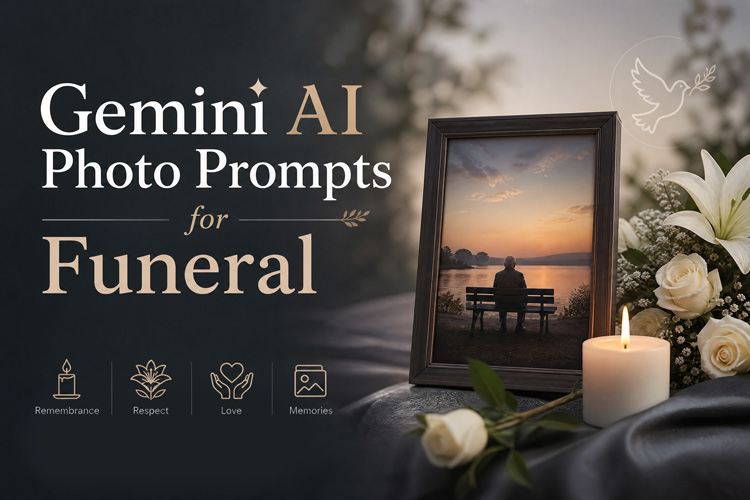
A memory should not fade just because someone is no longer here. Today, families are using AI to turn old photos into gentle memorial portraits, funeral posters, obituary images, and peaceful heaven-style videos. With the right Gemini AI prompts for funeral, you can create a tribute that feels personal, respectful, and emotionally meaningful.
This guide gives you ready-to-copy AI prompts for funeral photos, heaven-scene videos, and a simple AI memorial video tutorial for creating lasting memories.
Best Gemini AI Funeral Photo Prompts for Loved Ones
The best AI prompts for funeral photo results come from clear reference-photo instructions. Always ask the AI to preserve the person’s face, identity, and natural features. This is especially important when creating a Gemini AI memorial photo prompt for a parent, grandparent, spouse, sibling, or close friend.
1 Black and White Portrait

Use the submitted reference image strictly as the identity anchor; keep the person’s facial structure, eyes, nose, mouth, expression, skin tone, hairstyle, and overall likeness exactly as shown, with no reshaping or identity changes. Create a refined monochrome memorial portrait in a realistic photographic style, using soft balanced studio lighting, gentle shadow depth, a plain uncluttered backdrop, a peaceful facial mood, and a respectful tribute atmosphere.
Use the provided reference image to match the person’s identity accurately, and do not modify their natural facial features, proportions, or expression. Generate a timeless grayscale funeral portrait with smooth lighting, subtle contrast, realistic skin texture, soft background depth, and a peaceful memorial mood.
Use the uploaded reference image as the sole basis for the subject’s identity, making sure their facial appearance remains true to the original photo. Keep the face, expression, and distinctive features natural and unchanged. Create a realistic black-and-white close-up memorial portrait with soft, even lighting, a subtly out-of-focus background, sharp facial clarity, a serene emotional tone, and the polished look of professional tribute photography.
2 Memorial Posters
Use the uploaded reference image to preserve the person’s real identity, keeping their facial structure, expression, and recognizable appearance exactly the same. Design an elegant funeral tribute poster with white lily flowers, warm candlelight, soft golden decorative elements, a peaceful background, and an empty space for name and dates without adding text.
Work from the uploaded photo as the sole visual reference for identity, and keep the individual’s likeness fully intact, including their facial proportions, expression, and distinguishing characteristics. Create a serene tribute poster featuring the person in an elegant framed portrait, surrounded by airy sky-inspired tones, subtle floral touches, soft beams of light, and a quiet, comforting mood that feels graceful and memorial in nature.
Use the uploaded reference picture to maintain the person’s true facial identity, with no changes to their face shape, eyes, smile, skin tone, or expression. Create a chapel-inspired memorial poster with warm ivory tones, soft floral details, glowing candles, realistic portrait quality, and a peaceful atmosphere of honor and remembrance.
3 Display Portrait
Use the uploaded reference photo to keep the person’s facial features, expression, and overall likeness fully accurate and unchanged. Create a realistic funeral display portrait placed in a simple frame on an easel, surrounded by white flowers, soft indoor lighting, and a quiet respectful service setting.
Use the provided reference image as the identity base, preserving the person’s original face, natural expression, and recognizable details without alteration. Create a formal memorial display portrait in a polished wooden frame, with a soft spotlight, neutral background, gentle floral accents, and realistic high-quality photography.
Use the provided photo as the main visual reference for the person’s identity, making sure their natural likeness, facial structure, expression, and recognizable details remain true to the original image. Create a calm memorial table portrait scene with the photo placed respectfully among glowing candles, gentle fabric folds, scattered rose petals, warm soft lighting, and a heartfelt family remembrance atmosphere.
4 Obituary Photo
Use the uploaded reference image to preserve the person’s true facial identity, including their face shape, eyes, nose, lips, hairstyle, and natural expression. Create a clean obituary-style portrait with a neutral background, soft natural lighting, centered composition, clear face visibility, and professional realistic detail.
Use the reference photo as the only guide for identity, keeping the person’s facial features, expression, and natural look completely unchanged. Generate a formal obituary portrait with gentle retouching, realistic skin texture, a shoulders-up composition, soft grey background, and a respectful newspaper-ready appearance.
Use the uploaded photo to accurately preserve the person’s original facial appearance, expression, and recognizable features without changing their identity. Create a simple, dignified obituary image with balanced lighting, a calm expression, sharp facial clarity, minimal background distractions, and a respectful memorial presentation.
AI Video Prompts for Funeral and Heaven Scenes
Many people use AI to create heartfelt heaven-themed videos, such as virtual hugs and emotional tributes, to express love and memories for those they miss. Here are the prompts:
1. Climbing Stairs to Heaven
Use the provided reference image solely as the identity guide; keep the person’s original face shape, eyes, nose, lips, skin tone, hairstyle, expression, and recognizable features unchanged. Create a gentle memorial video showing the loved one walking slowly up luminous white steps into a bright sky filled with soft clouds and warm spiritual light. Add slow camera movement, peaceful body language, subtle glowing atmosphere, realistic motion, and a calm cinematic tribute style.
2. Reunion Hug with Family Member
Use the uploaded reference image as the visual guide for the loved one’s identity; maintain their natural facial structure, expression, and all recognizable features without changing their appearance. Create an emotional heaven-inspired scene where the loved one warmly embraces a family member in a soft cloud-filled setting. Use golden sunlight, gentle movement, realistic human gestures, a peaceful reunion feeling, and a respectful memorial tone with no dark or disturbing elements.
3. Waving Goodbye from Above
Use the reference photo to accurately represent the loved one; keep their real facial features, natural expression, hairstyle, skin tone, and personal likeness unchanged. Create a meaningful memorial video where the loved one stands peacefully above bright clouds, gives a soft smile, and slowly waves goodbye toward the camera. Include warm sunlight, smooth slow-motion movement, a serene sky background, emotional cinematic lighting, and a comforting farewell atmosphere.
How to Make a Reunion Hug Memorial Video
To make a heartfelt heaven-themed memorial video, you need more than prompts. HitPaw Edimakor helps you turn these ideas into meaningful memorial videos. Its AI Image Generator can create images from text or uploaded photos, while its Image-to-Video feature can turn a still portrait into a moving tribute video.
Try It OnlineStep 1: Open HitPaw Edimakor, start a new project, and use the AI Image Generator to create the base memorial image.
Step 2: Upload a high-quality portrait of your dad or loved one. A clear face photo helps Edimakor preserve identity and create more realistic results.
Step 3: Paste your memorial or dad in heaven AI prompt into the prompt box, select your preferred resolution, aspect ratio, and image quantity, and generate a realistic AI memorial image.
Step 4: Choose the best generated image, right-click on it, and select the AI Video Generation option to start creating the tribute video.
Step 5: Enter your video prompt and image, then adjust basic settings like duration, motion style, aspect ratio, and quality before generating the video.
Step 6: Click generate, preview the final tribute video, make small edits if needed, and save the finished memorial video in high quality.
If you prefer to craft a personalized video with music, captions, and transitions, try Edimakor’s Tribute Video Maker and its rich templates.
Tips for Realistic Gemini AI Funeral Photos and Videos
If you want to create realistic and respectful Gemini AI funeral photos or memorial videos, you should follow a few important tips. These small details help the AI preserve the person’s real identity and create a more natural tribute.
- Use the highest-quality source photo available. Choose a clear, front-facing image with good lighting. If the photo is old, blurry, or damaged, improve it first with HitPaw Edimakor’s image restoration feature before generating the final memorial image.
- Specify facial features clearly in the prompt. Mention that the AI must preserve the exact face shape, eyes, nose, lips, skin tone, hairstyle, and natural expression without alteration.
- Generate multiple variations and select the best. Create several versions, compare them carefully, and choose the most realistic, respectful, and emotionally appropriate result of the AI prompt deceased loved one.
FAQs
A1: Gemini can generate and edit images from prompts, including uploaded-image edits, where available. For memorial use, keep prompts respectful and avoid misleading people into thinking the image is a real recent photo.
A2: Start every prompt with clear reference-photo instructions. Ask the AI to preserve exact facial features, face shape, eyes, nose, mouth, skin tone, and natural expression.
A3: It can be respectful when used privately or with family consent. Avoid using AI memorial images for jokes, fake messages, or anything that misrepresents the person.
A4: HitPaw Edimakor is a strong option because it combines image generation, image-to-video animation, editing, subtitles, music, and export tools in one place.
Conclusion
Memorial AI photos and videos can help families create gentle visual tributes when used with care. With the right Gemini AI prompts for funeral, you can create portraits, posters, obituary images, and symbolic heaven scenes.
For video creation, HitPaw Edimakor makes the process easier with AI tools. Start with a clear photo, use respectful prompts, and create a tribute that feels personal and dignified.


Leave a Comment
Create your review for HitPaw articles